
Crosscall 1001011101114
Crosscall CORE-M5 User Manual
Model: 1001011101114
Wstęp
This manual provides comprehensive instructions for the setup, operation, maintenance, and troubleshooting of your Crosscall CORE-M5 rugged smartphone. Designed for durability and performance in challenging environments, the CORE-M5 is built to withstand various conditions while providing essential communication and smart device functionalities.
Przed użyciem urządzenia należy dokładnie przeczytać tę instrukcję, aby zapewnić jego prawidłowe działanie i wydłużyć jego żywotność.
Zawartość opakowania
Po otwarciu opakowania należy sprawdzić, czy znajdują się w nim wszystkie elementy:
- Crosscall CORE-M5 Device
- Kabel ładujący USB
- Szybki przewodnik
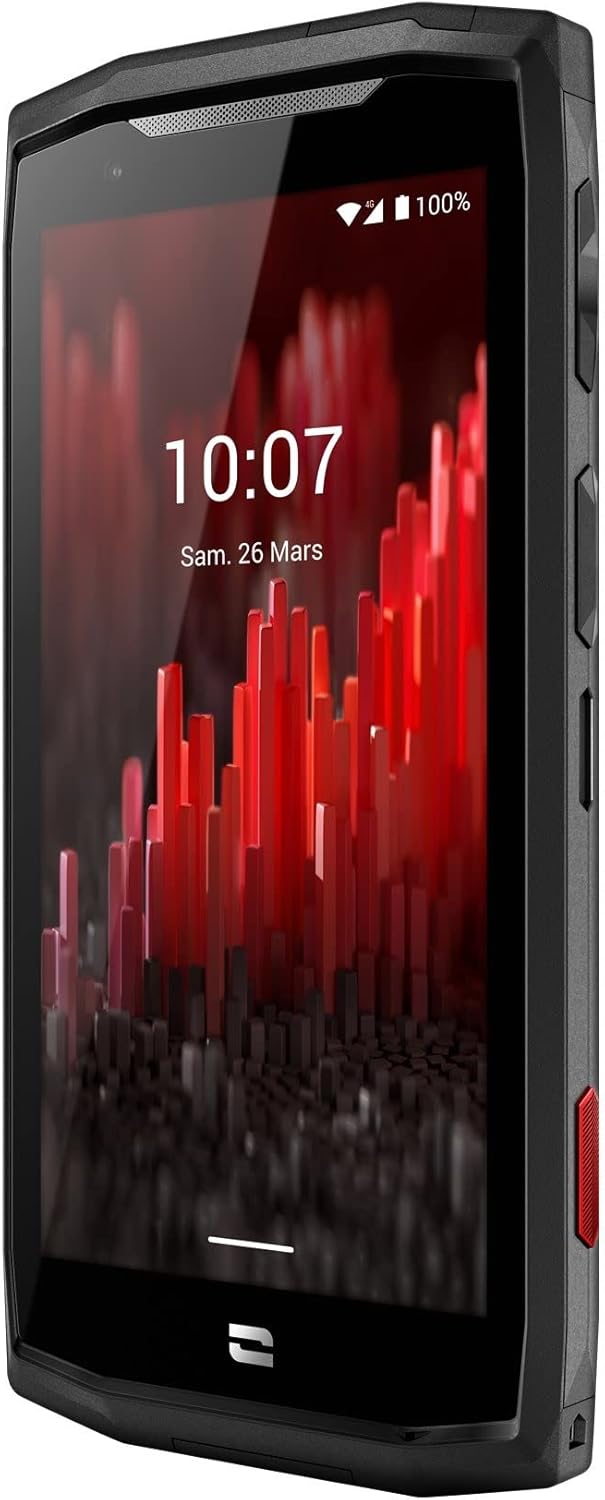
Obraz: widok z przodu pod kątem view of the Crosscall CORE-M5 device, highlighting its robust design and display.
Organizować coś
1. Wkładanie karty SIM i karty pamięci
The CORE-M5 supports SIM cards for cellular connectivity and an optional memory card for expanded storage. Locate the SIM/memory card tray on the side of the device.
- Całkowicie wyłącz urządzenie.
- Use the provided SIM ejector tool (or a small paperclip) to open the SIM/memory card tray.
- Carefully place your SIM card(s) and/or memory card into the designated slots on the tray, ensuring correct orientation as indicated on the tray.
- Delikatnie wsuń tackę z powrotem do urządzenia, aż zatrzaśnie się na swoim miejscu.

Image: A user demonstrating the insertion of a SIM card into the device's slot.
2. Ładowanie początkowe
Before first use, it is recommended to fully charge your CORE-M5.
- Podłącz kabel ładujący USB do portu ładowania urządzenia.
- Podłącz drugi koniec kabla do kompatybilnego zasilacza USB lub portu USB komputera.
- The charging indicator on the screen will show the charging status. Allow the device to charge until the battery icon indicates a full charge.
3. Włączanie i konfiguracja początkowa
- Press and hold the Power button (usually located on the side) until the Crosscall logo appears.
- Postępuj zgodnie z instrukcjami wyświetlanymi na ekranie, aby dokończyć konfigurację początkową, obejmującą wybór języka, połączenie Wi-Fi, konfigurację konta Google i ustawienia zabezpieczeń.
Operating the CORE-M5
Podstawowa nawigacja
- Ekran dotykowy: Navigate the device using taps, swipes, and pinch gestures on the 4.95-inch touchscreen display.
- Przycisk zasilania: Press to turn the screen on/off, or press and hold to power off/restart the device.
- Przyciski głośności: Dostosuj głośność multimediów, połączeń i dzwonków.
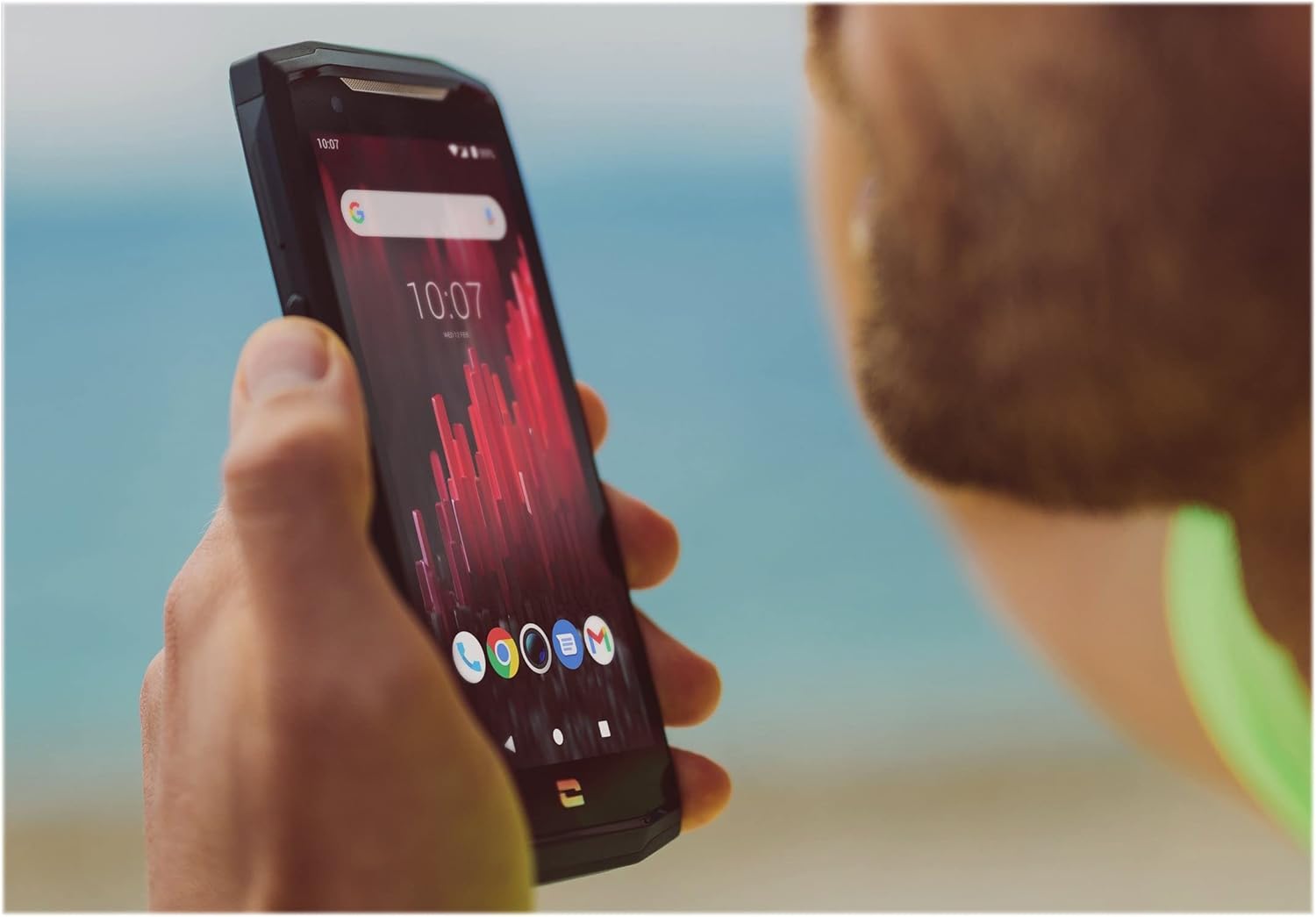
Image: The CORE-M5 in use, demonstrating its compact size and clear display for outdoor visibility.
Łączność
- Wi-Fi: Aby nawiązać połączenie z siecią bezprzewodową, uzyskaj dostęp do ustawień Wi-Fi z poziomu panelu Szybkie ustawienia lub aplikacji Ustawienia.
- Bluetooth: Pair with Bluetooth devices such as headphones, speakers, or other smartphones via the Bluetooth settings.
- USB: Connect the device to a computer using the USB cable for data transfer or charging.
- Dane komórkowe: Enable or disable mobile data from the Quick Settings or Network & Internet settings. Supports 2G and 3G cellular technologies.
Funkcjonalność aparatu
The CORE-M5 features both front and rear cameras for capturing photos and videos.
- Otwórz aplikację Aparat z ekranu głównego lub szuflady aplikacji.
- Naciśnij przycisk migawki, aby zrobić zdjęcie lub przełącz się na tryb wideo, aby nagrywać.
- Za pomocą elementów sterujących na ekranie możesz przełączać się między przednią i tylną kamerą, regulować zoom lub stosować filtry.
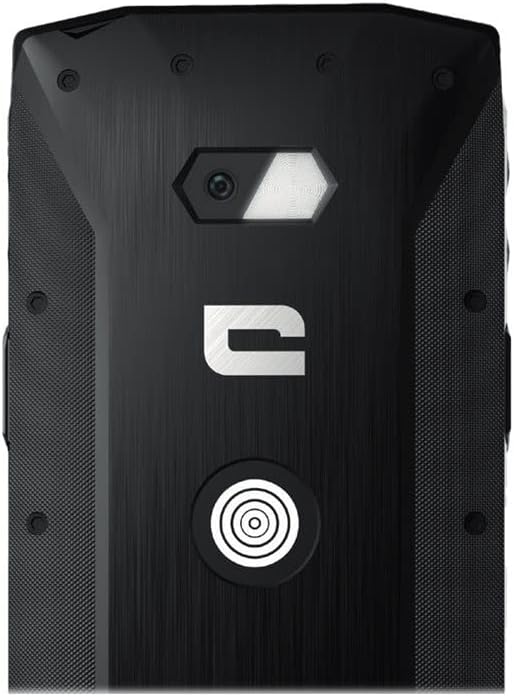
Obraz: Szczegółowy view of the CORE-M5's rear, highlighting the camera module and the X-Link magnetic connection system.
X-Link System
The CORE-M5 is equipped with Crosscall's X-Link magnetic connection system on the back, allowing for easy attachment of compatible accessories such as chargers, mounts, and external batteries.
- Align the X-Link accessory with the magnetic connector on the back of your CORE-M5.
- The magnets will guide the accessory into place, ensuring a secure connection.

Image: The CORE-M5 securely mounted in a vehicle, demonstrating the utility of the X-Link system for hands-free use.
Konserwacja
- Czyszczenie: Użyj miękkiego, damp cloth to clean the device. Avoid harsh chemicals or abrasive materials. Ensure all ports are closed before cleaning if exposed to water.
- Odporność na wodę i kurz: The CORE-M5 is designed to be rugged. However, ensure all port covers are securely closed to maintain water and dust resistance. Avoid prolonged submersion beyond specified limits.
- Pielęgnacja baterii: To prolong battery life, avoid extreme temperatures. Do not allow the battery to fully discharge frequently.
- Aktualizacje oprogramowania: Regularnie sprawdzaj dostępność aktualizacji systemu i instaluj je, aby zapewnić optymalną wydajność i bezpieczeństwo.
Rozwiązywanie problemów
| Problem | Możliwa przyczyna | Rozwiązanie |
|---|---|---|
| Urządzenie nie włącza się | Niski poziom naładowania baterii; awaria oprogramowania | Ładuj urządzenie przez co najmniej 30 minut. Wykonaj wymuszony restart, przytrzymując przycisk zasilania przez 10–15 sekund. |
| Ekran nie reaguje | Tymczasowa usterka oprogramowania | Restart the device. If unresponsive, perform a forced restart. |
| Poor call quality / No network | Weak signal; incorrect SIM insertion; network issue | Przenieś się w miejsce z lepszym sygnałem. Włóż ponownie kartę SIM. Skontaktuj się z operatorem sieci. |
| Aplikacje ulegają awarii lub zawieszają się | Insufficient memory; app conflict; outdated software | Close background apps. Clear app cache/data. Update apps and system software. Free up storage space. |
Specyfikacje
| Funkcja | Szczegół |
|---|---|
| Nazwa modelu | 1001011101114 |
| Marka | Połączenie krzyżowe |
| System operacyjny | Android |
| Model procesora | Kora |
| Rozmiar ekranu | 4.95 cali |
| Rezolucja | 1026x513 |
| BARAN | 3 GB |
| Pojemność pamięci masowej | 32 GB |
| Pojemność baterii | 4000 mAh |
| Czas rozmów telefonicznych | 24 godzin |
| Łączność | Bluetooth, Wi-Fi, USB |
| Technologia komórkowa | 2G, 3G |
| Operator sieci bezprzewodowej | Odblokowany |
| Kamery | Tył, przód |
| Kolor | Czarny |
| Wymiary produktu | 4.25 x 0.79 x 4.25 cala |
| Waga przedmiotu | 8 uncji (226.6 grama) |
| Pierwszy dostępny | 21 września 2021 r. |
Gwarancja i wsparcie
Crosscall products are known for their durability and come with a manufacturer's warranty. For specific warranty terms and conditions, please refer to the warranty card included with your product or visit the official Crosscall webstrona.
For technical support, troubleshooting assistance, or service requests, please contact Crosscall Customer Service through their official channels. Have your product model number (1001011101114) and purchase information ready when contacting support.
Official Crosscall Webstrona: www.crosscall.com
Ask a question about this manual
Ask about setup, troubleshooting, compatibility, parts, safety, or missing instructions. Manuals+ will review the question and use this page’s manual context to help answer it.