
1. Wprowadzenie
This manual provides essential information for the safe and efficient installation, operation, and maintenance of your LEDVANCE ORBIS SPARKLE SMART+ WiFi Ceiling Light. Please read these instructions carefully before use and retain them for future reference.
The LEDVANCE ORBIS SPARKLE SMART+ WiFi Ceiling Light is a smart, dimmable LED luminaire designed for indoor use, offering tunable white light (2700K to 6500K) and a decorative sparkle effect. It integrates seamlessly with smart home systems via WiFi, allowing control through the LEDVANCE SMART+ WiFi app, Amazon Alexa, or Google Assistant.
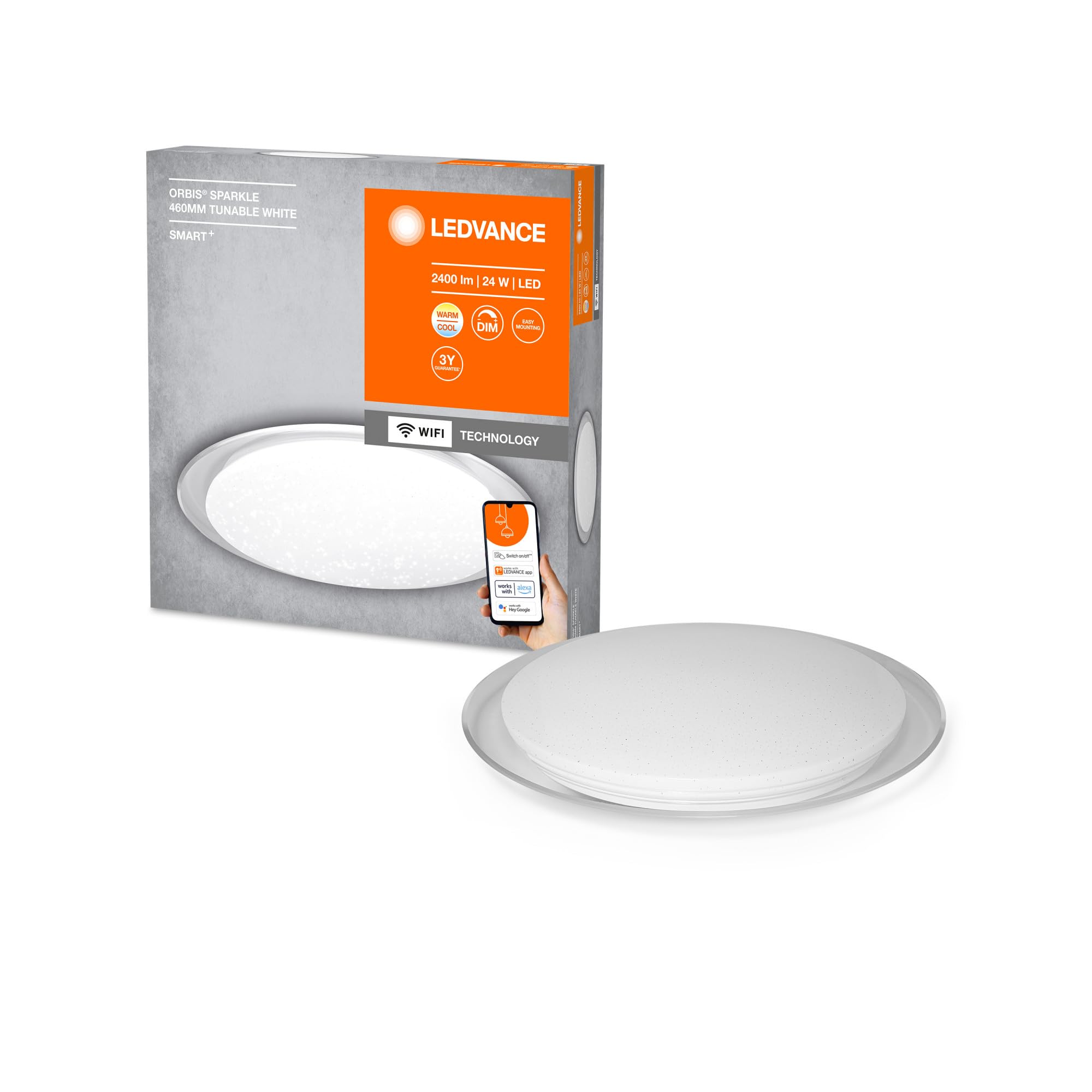
Image: The LEDVANCE ORBIS SPARKLE SMART+ WiFi Ceiling Light providing illumination in a room.
2. Informacje dotyczące bezpieczeństwa
- Bezpieczeństwo elektryczne: Installation must be performed by a qualified electrician in accordance with local wiring regulations. Always switch off the power supply at the main fuse box before installation or maintenance.
- Tylko do użytku wewnątrz pomieszczeń: This product is designed exclusively for indoor applications. Do not expose to moisture or extreme temperatures.
- Obsługiwanie: Handle the luminaire with care to avoid damage. Do not attempt to modify the product.
- Czyszczenie: Przed czyszczeniem odłącz zasilanie. Użyj miękkiej, suchej ściereczki. Nie używaj środków czyszczących ani rozpuszczalników o działaniu ściernym.
- Źródło światła: The LED light source is non-replaceable. If the light source reaches its end of life, the entire luminaire must be replaced.
3. Zawartość opakowania
Przed rozpoczęciem instalacji sprawdź, czy wszystkie komponenty są obecne.
- 1 x LEDVANCE ORBIS SPARKLE SMART+ WiFi Ceiling Light
- Uchwyt mocujący
- Śruby montażowe i kołki rozporowe
- Instrukcja obsługi (ten dokument)
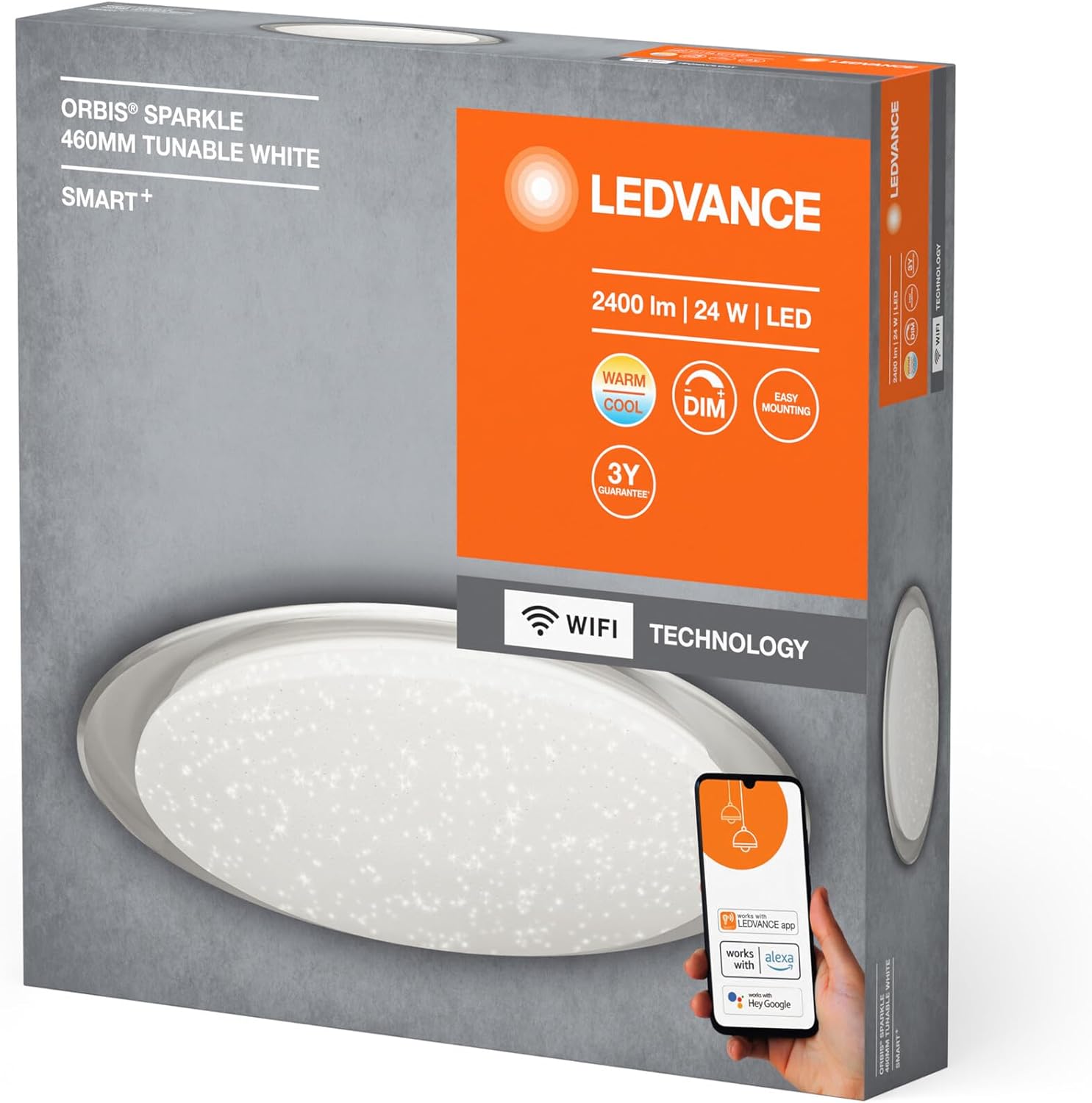
Image: Product packaging showing the LEDVANCE ORBIS SPARKLE SMART+ WiFi Ceiling Light and its features.
4. Konfiguracja i instalacja
Follow these steps for proper installation. Ensure power is OFF before starting.
- Przygotuj się do instalacji: Switch off the main power supply at the circuit breaker to prevent electrical shock.
- Uchwyt montażowy: Secure the mounting bracket to the ceiling using the provided screws and wall plugs. Ensure the bracket is firmly attached to a suitable surface.
- Podłączenie elektryczne: Connect the household electrical wires to the terminals on the luminaire. Ensure correct polarity (Live, Neutral, Earth) as per local regulations.
- Zamontuj oprawę: Carefully attach the LEDVANCE ORBIS SPARKLE SMART+ WiFi Ceiling Light to the mounting bracket. Ensure it is securely fastened.
- Przywróć zasilanie: Once the luminaire is securely installed and wired, restore power at the circuit breaker.

Image: Technical drawing showing the dimensions of the LEDVANCE ORBIS SPARKLE SMART+ WiFi Ceiling Light (Ø 460mm, height 76mm).
5. Instrukcja obsługi
5.1 Smart Home Integration (LEDVANCE SMART+ WiFi App)
To control your LEDVANCE ORBIS SPARKLE SMART+ WiFi Ceiling Light, you need to connect it to the LEDVANCE SMART+ WiFi app.
- Pobierz aplikację: Download the LEDVANCE SMART+ WiFi app from the App Store (iOS) or Google Play Store (Android). The app requires at least Android 4.4 or iOS 9.0.
Download LEDVANCE SMART+ WiFi App - Zarejestruj się/Zaloguj: Otwórz aplikację i postępuj zgodnie z instrukcjami wyświetlanymi na ekranie, aby utworzyć konto lub się zalogować.
- Dodaj urządzenie: Follow the app's instructions to add a new device. Ensure your smartphone or tablet is connected to a 2.4 GHz WiFi network.
- Tryb parowania: The light will enter pairing mode automatically when first powered on. If not, cycle the power switch OFF-ON three times until the light blinks.
- Kontrola: Once paired, you can control the light's brightness, color temperature (2700K-6500K), and activate the sparkle effect directly from the app.

Image: Product packaging highlighting compatibility with the LEDVANCE SMART+ app, Amazon Alexa, and Google Assistant.
5.2 Sterowanie głosowe (Amazon Alexa / Asystent Google)
After successful integration with the LEDVANCE SMART+ WiFi app, you can link your light to Amazon Alexa or Google Assistant for voice control.
- Połącz konto: Open your Amazon Alexa or Google Home app. Navigate to the "Skills" or "Works with Google" section.
- Szukaj LEDVANCE SMART+: Szukaj and enable the "LEDVANCE SMART+" skill/service.
- Łączyć: Link your LEDVANCE SMART+ account with your Alexa or Google account.
- Odkryj urządzenia: Ask Alexa or Google Assistant to "discover devices" or manually add the light through the app.
- Polecenia głosowe: Możesz teraz używać poleceń głosowych takich jak:
- "Alexa/Hey Google, turn on [Light Name]"
- "Alexa/Hey Google, dim [Light Name] to 50%"
- "Alexa/Hey Google, set [Light Name] to warm white"
- "Alexa/Hey Google, change [Light Name] to cool white"
6. Konserwacja
- Czyszczenie: Ensure the power is off before cleaning. Wipe the surface of the luminaire with a soft, dry, or slightly damp ściereczką. Nie używaj silnych środków chemicznych, ściernych środków czyszczących ani sprayów bezpośrednio na lampę.
- Brak części nadających się do samodzielnej naprawy przez użytkownika: The LED light source is integrated and cannot be replaced by the user. Do not attempt to open or repair the luminaire.
- Regularne kontrole: Periodically check the mounting for security.
7. Rozwiązywanie Problemów
| Problem | Możliwa przyczyna | Rozwiązanie |
|---|---|---|
| Światło się nie włącza. | No power supply; incorrect wiring; faulty luminaire. | Check power supply at the circuit breaker. Verify wiring connections. If problem persists, contact support. |
| Nie można połączyć się z siecią Wi-Fi/aplikacją. | Incorrect WiFi password; not on 2.4 GHz network; light not in pairing mode; app issues. | Ensure correct WiFi password. Connect phone to 2.4 GHz WiFi. Cycle power OFF-ON three times to enter pairing mode. Restart app or phone. |
| Sterowanie głosowe nie działa. | Brak połączenia z Alexą/Asystentem Google, nieprawidłowa nazwa urządzenia, problemy z łącznością internetową. | Ensure LEDVANCE SMART+ skill is enabled and accounts are linked. Verify device name in Alexa/Google Home app. Check internet connection. |
| Światło migocze lub zachowuje się nieprawidłowo. | Unstable power supply; interference; internal fault. | Check power supply stability. Ensure no strong interference sources nearby. If problem persists, contact support. |
8. Specyfikacje
| Numer modelu | 4058075573475 |
| Marka | LEDVANCE |
| Typ produktu | Smart WiFi Dimmable LED Ceiling Light |
| Wymiary (dł. x szer. x wys.) | Wymiary 46 x 46 x 7.6 cm |
| Waga | 800 gram |
| Tworzywo | Stal stopowa, poliwęglan |
| Źródło zasilania | AC |
| Tomtage | 240 wolty |
| Cotage | 24 watów |
| Strumień świetlny | 2500 lumenów |
| Temperatura barwowa | 2700 - 6500 Kelvin (Tunable White) |
| Możliwość ściemniania | Tak |
| Łączność | Wi-Fi (2.4 GHz) |
| Metoda kontroli | Application (LEDVANCE SMART+ WiFi), Voice (Amazon Alexa, Google Assistant) |
| Długość życia | 25,000 godziny |
| Klasa efektywności energetycznej | F |
| Do użytku wewnątrz/na zewnątrz | Wnętrz |
9. Gwarancja
LEDVANCE provides a 3-year guarantee for this product. Please refer to the official LEDVANCE website or your purchase documentation for detailed warranty terms and conditions. Retain your proof of purchase for warranty claims.
10. Wsparcie
For technical assistance, troubleshooting beyond this manual, or warranty inquiries, please contact LEDVANCE customer support through their official webstronę internetową lub dane kontaktowe dostarczone wraz z produktem.
You can also visit the LEDVANCE brand store on Amazon for more product information: LEDVANCE Amazon Store