
1. Wprowadzenie
This manual provides essential instructions for the safe and efficient operation, maintenance, and troubleshooting of your BONSEN S3101-W 8-Sheet Cross-Cut Paper Shredder. Please read this manual thoroughly before using the shredder and retain it for future reference.

Image 1.1: The BONSEN S3101-W 8-Sheet Cross-Cut Paper Shredder.
2. Ważne instrukcje bezpieczeństwa
Aby zminimalizować ryzyko pożaru, porażenia prądem elektrycznym lub obrażeń ciała, należy zawsze przestrzegać podstawowych zasad bezpieczeństwa podczas korzystania z tego urządzenia.
- Przechowywać w miejscu niedostępnym dla dzieci i zwierząt domowych.
- Do not insert fingers, loose clothing, hair, or ties into the paper entry slot.
- Do not spray any flammable products or lubricants into the shredder.
- Do not shred metal objects, wet paper, or adhesive materials.
- Przed przenoszeniem, czyszczeniem lub opróżnianiem pojemnika na odpady należy odłączyć niszczarkę od zasilania.
- Nie należy używać niszczarki, jeżeli przewód zasilający jest uszkodzony.
- The shredder head must be correctly seated on the waste bin for operation.
3. Koniec produktuview i komponenty
Familiarize yourself with the parts of your shredder:
- Shredder Head (with paper entry slot, control switch, and indicator lights)
- Waste Bin (4-gallon capacity with transparent window)
- Przewód zasilający

Image 3.1: The 4-gallon waste bin with a transparent window, showing shredded paper.
4. Instrukcje konfiguracji
- Rozpakować: Ostrożnie wyjąć wszystkie elementy z opakowania.
- Pozycja: Niszczarkę należy ustawić na płaskiej i stabilnej powierzchni.
- Gromadzić się: Ensure the shredder head is securely seated on top of the waste bin. The shredder will only operate when the head is correctly positioned.
- Podłącz zasilanie: Podłącz przewód zasilający do standardowego gniazdka elektrycznego.
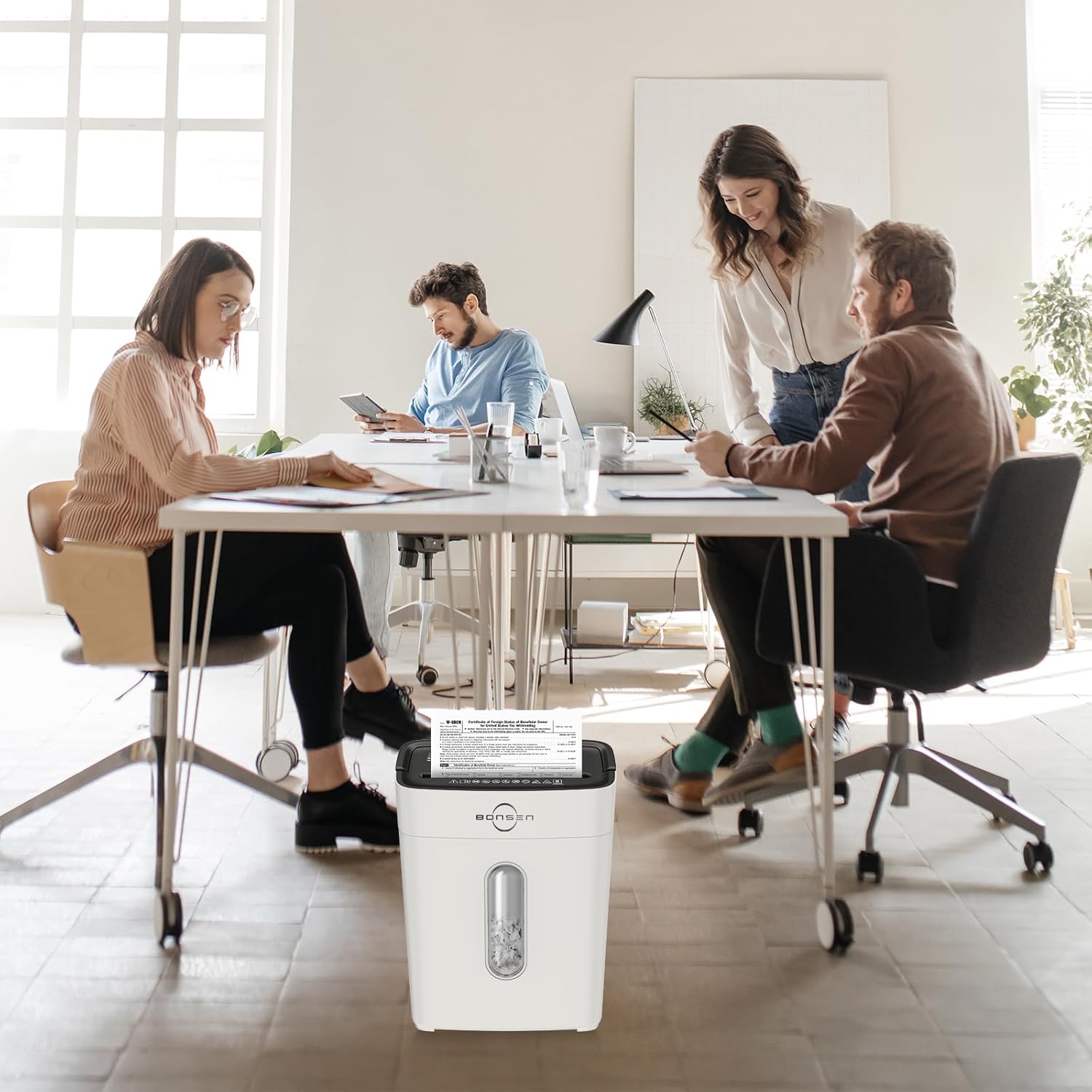
Image 4.1: The shredder head must be correctly placed on the basket for operation, ensuring safety.
5. Instrukcja obsługi
5.1 Control Switch Settings
- FWD (do przodu): Manual shredding mode.
- AUTO (automatyczny): Shredder starts automatically when paper is inserted.
- OFF: Turns the shredder off.
- REV (Wsteczny): Reverses the shredding mechanism to clear jams.
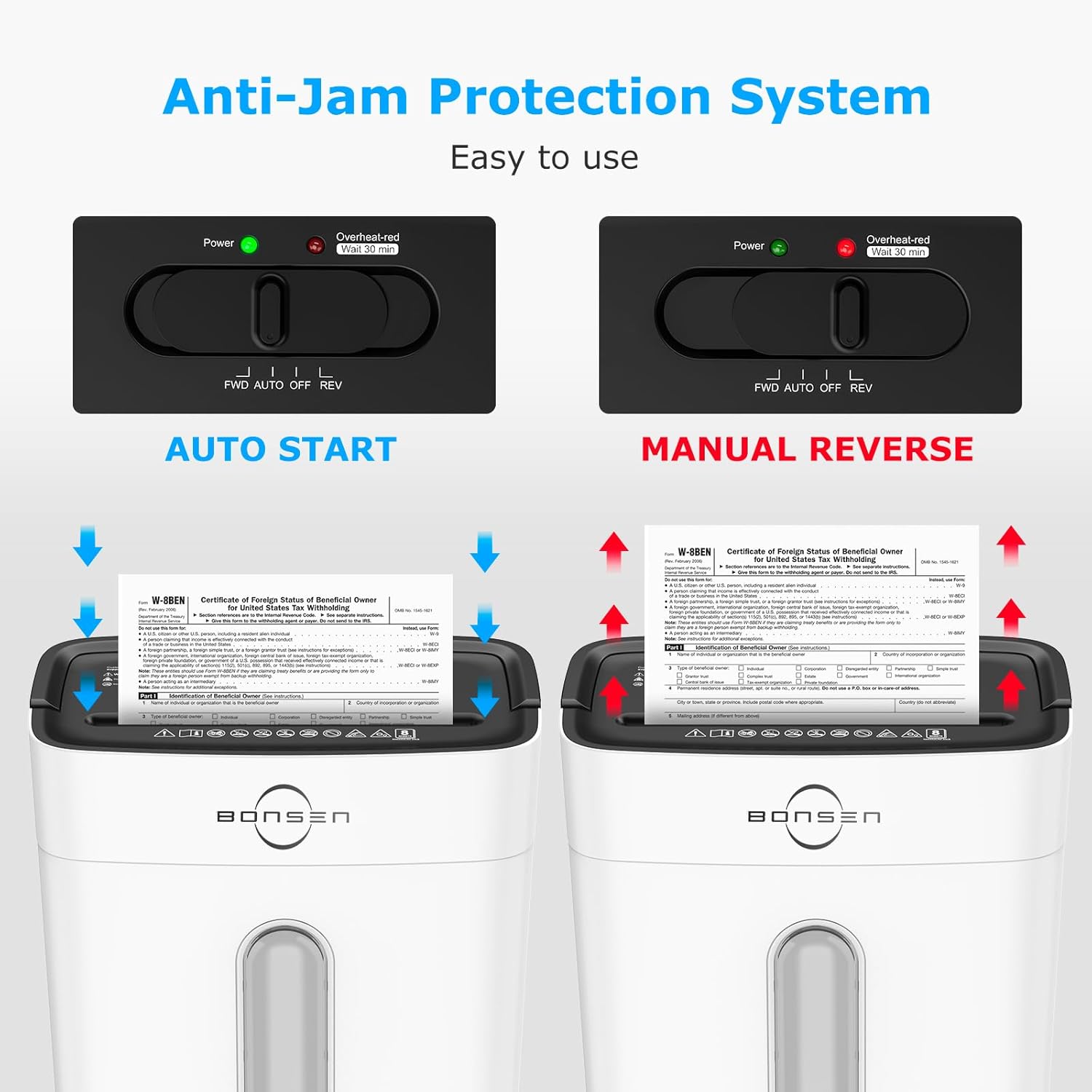
Image 5.1: The control switch with FWD, AUTO, OFF, and REV settings, and indicator lights.
5.2 Niszczenie dokumentów
- Ustaw przełącznik sterujący na AUTOMATYCZNY. The green "Power" indicator light will illuminate.
- Insert up to 8 sheets of paper (A4 size, 70g/m²) into the paper entry slot. The shredder will automatically start and stop once shredding is complete.
- For credit cards, insert one card at a time into the designated slot.
- The shredder can also handle staples and small paper clips.

Image 5.2: Demonstrates the 8-sheet shredding capacity and 5-minute continuous running time.
Notatka: The maximum continuous running time is 5 minutes. After this, the shredder will automatically shut off to prevent overheating. Allow it to cool down for at least 30 minutes before resuming operation. The "Overheat-red" indicator will be solid red during this cool-down period.
6. Konserwacja
6.1 Opróżnianie pojemnika na śmieci
- When the transparent window indicates the bin is full, unplug the shredder.
- Ostrożnie podnieś głowicę niszczarki z pojemnika na odpady.
- Wyrzuć rozdrobniony materiał.
- Zamontuj głowicę niszczarki z powrotem na pojemniku na odpady.
Ważny: Empty the waste bin regularly to prevent paper jams and ensure optimal performance.
6.2 Czyszczenie
- Przed czyszczeniem zawsze odłączaj niszczarkę od zasilania.
- Przetrzyj zewnętrzną część niszczarki miękką, suchą ściereczką. Nie używaj środków czyszczących o właściwościach ściernych ani rozpuszczalników.
- Occasionally, apply shredder oil to the cutting blades to maintain performance and extend the life of the shredder. Follow the instructions provided with the shredder oil.
7. Rozwiązywanie Problemów
| Problem | Możliwa przyczyna | Rozwiązanie |
|---|---|---|
| Niszczarka nie działa. |
|
|
| Zacięcie papieru. |
|
|
| Niszczarka zatrzymuje się w trakcie pracy. |
|
|

Image 7.1: Indicator lights for Standby (Blue On), Overload (Red Flashing), and Overheat (Red Always On).
8. Specyfikacje
| Funkcja | Szczegół |
|---|---|
| Model | S3101-W |
| Rodzaj niszczenia | Przekop |
| Poziom bezpieczeństwa | P-4 |
| Rozdrabniany rozmiar | 13/64'' x 45/64'' (5 x 18 mm) |
| Pojemność arkusza | 8 sheets (A4, 70g/m²) |
| Szybkość niszczenia | 5.24 XNUMX stóp/min |
| Ciągły czas pracy | 5 minut |
| Czas wyciszenia | 30 minut |
| Pojemność pojemnika na odpady | 4 galona (15 litrów) |
| Poziom hałasu | 70dB |
| Wymiary (dł. x szer. x wys.) | 12.09" x 7.44" x 15.4" (30.7 x 18.9 x 39.1 cm) |
| Waga | 7.9 funtów (3.58 kg) |
| Strzępy | Paper, Credit Cards, Staples, Small Paper Clips |

Image 8.1: Dimensions of the BONSEN S3101-W shredder.

Image 8.2: Illustration of the P-4 security level cross-cut shred size (5mm x 18mm).
9. Gwarancja i wsparcie
For warranty information or technical support, please refer to the warranty card included with your product or visit the official BONSEN website. You may also contact BONSEN customer service directly for assistance.
BONSEN Customer Service: Please refer to your product packaging or the official BONSEN webna tej stronie znajdziesz najbardziej aktualne dane kontaktowe.