
Wstęp
Welcome to the user manual for your Techmade 4-in-1 Gaming Kit. This kit provides essential peripherals for an enhanced gaming experience, including a keyboard, mouse, headset, and mouse pad. This manual will guide you through the setup, operation, maintenance, and troubleshooting of your new gaming kit.
Produkt ponadview
The Techmade 4-in-1 Gaming Kit includes the following components:
- Klawiatura do gier: A traditional layout keyboard with function keys and a numeric pad, designed for comfortable and quiet typing.
- Mysz do gier: Features multi-color LED lights and 6 programmable buttons for precise control.
- Zestaw słuchawkowy do gier: Provides immersive audio and includes a microphone for in-game communication.
- Gaming Mouse Pad: A soft surface designed for enhanced mouse precision and comfort during extended gaming sessions.

Image: The complete Techmade 4-in-1 Gaming Kit, featuring the keyboard, mouse, headset, and mouse pad.
Przewodnik po konfiguracji
Follow these steps to connect your Techmade 4-in-1 Gaming Kit to your PC or laptop:
- Podłącz klawiaturę: Locate an available USB port on your computer. Plug the USB connector of the gaming keyboard into the USB port. The keyboard should be recognized automatically by your operating system.
- Podłącz mysz: Locate another available USB port on your computer. Plug the USB connector of the gaming mouse into the USB port. The mouse should be recognized automatically, and its LED lights may illuminate.
- Podłącz zestaw słuchawkowy: The headset uses a standard 3.5mm audio jack. Plug the headset's 3.5mm connector into the audio output (headphone) jack on your computer. If your computer has separate microphone and headphone jacks, you may need a Y-splitter (not included) or use the combined jack if available. Ensure your computer's audio settings are configured to use the connected headset.
- Pozycja podkładki pod mysz: Place the gaming mouse pad on a flat, stable surface next to your keyboard. Ensure there is enough space for comfortable mouse movement.
Your Techmade 4-in-1 Gaming Kit is now ready for use.
Instrukcja obsługi
Użycie klawiatury

Image: The Techmade Gaming Keyboard with highlighted gaming keys.
The Techmade Gaming Keyboard features a standard QWERTY layout with a numeric pad and dedicated function keys (F1-F12). Its design allows for comfortable and quiet typing, suitable for both gaming and general use. The keyboard may feature single-color backlighting for improved visibility in low-light conditions.
Użycie myszy

Image: The Techmade Gaming Mouse with multi-color LED lights.
The gaming mouse is equipped with optical movement detection technology and 6 buttons for precise control. It features multi-color LED lights that enhance the aesthetic of your gaming setup. The additional buttons can be used for various in-game actions or customized through your operating system's mouse settings.
Korzystanie z zestawu słuchawkowego
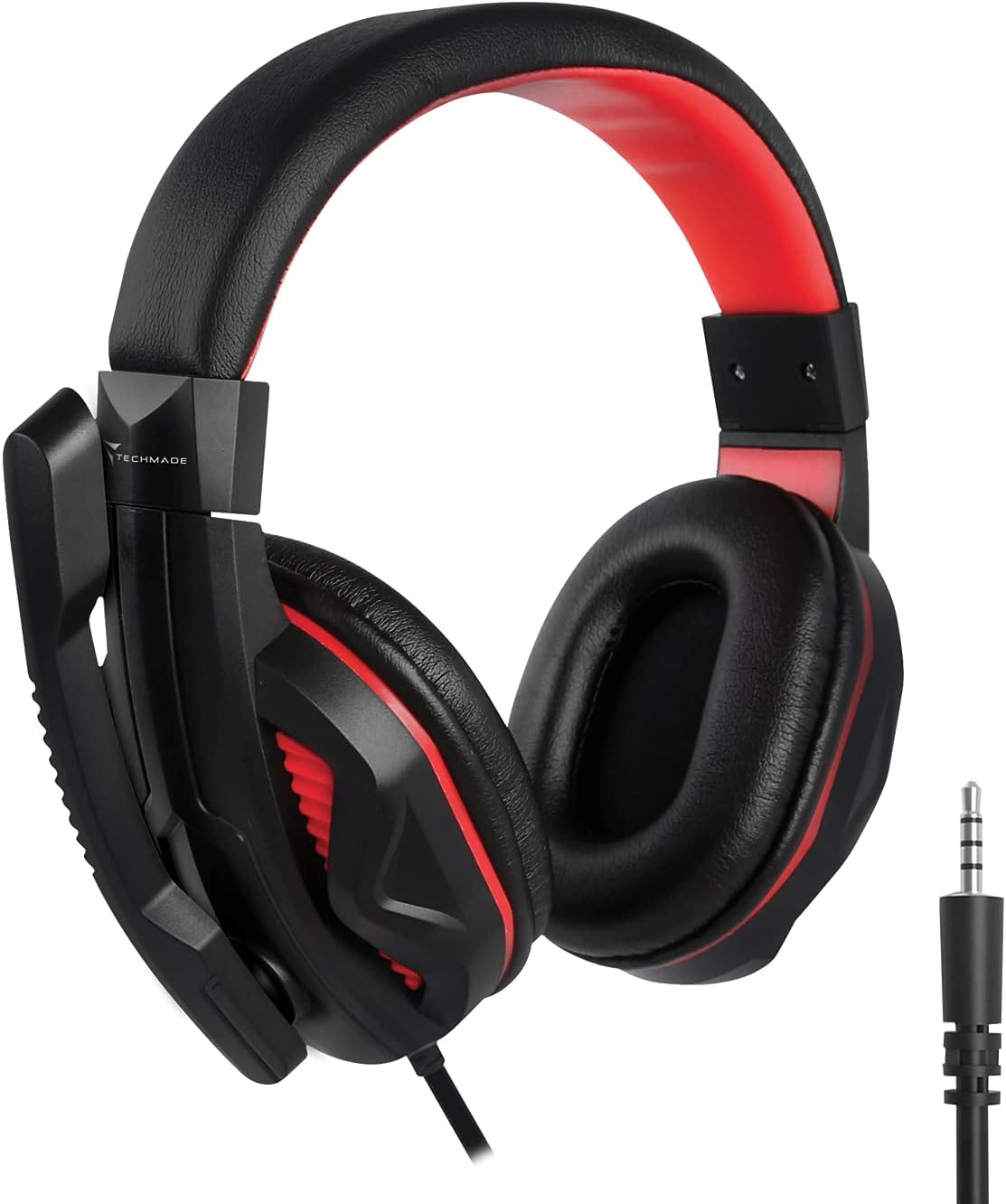
Image: The Techmade Gaming Headset with an adjustable microphone.
The gaming headset provides enveloping audio, immersing you in your games. It includes an integrated microphone, allowing for clear communication with teammates during multiplayer sessions. Adjust the headset for a comfortable fit and position the microphone appropriately for optimal voice capture.
Mouse Pad Usage

Image: The Techmade Gaming Mouse Pad.
The soft gaming mouse pad is designed to provide a smooth and consistent surface for your mouse, enhancing tracking accuracy and comfort during long gaming sessions. Its dimensions are optimized for typical gaming movements.
Pielęgnacja i konserwacja
To ensure the longevity and optimal performance of your Techmade Gaming Kit, follow these maintenance guidelines:
- Czyszczenie: Do przecierania klawiatury, myszy i zestawu słuchawkowego użyj miękkiej, suchej ściereczki. W przypadku uporczywych zabrudzeń, delikatnie przetrzyjamp Można użyć ściereczki zwilżonej łagodnym mydłem, ale należy uważać, aby żaden płyn nie dostał się do wnętrza urządzenia.
- Unikaj płynów: Keep all components away from liquids to prevent damage.
- Składowanie: When not in use, store the kit in a clean, dry environment.
- Zarządzanie kablami: Unikaj ostrych zgięć i załamań kabli, aby zapobiec uszkodzeniom wewnętrznym przewodów.
Rozwiązywanie problemów
If you encounter issues with your Techmade 4-in-1 Gaming Kit, refer to the following troubleshooting steps:
| Wydanie | Możliwe rozwiązanie |
|---|---|
| Klawiatura/mysz nie reaguje |
|
| Headset audio not working |
|
| Mikrofon nie działa |
|
| Mouse LED lights not working |
|
Dane techniczne
| Funkcja | Specyfikacja |
|---|---|
| Marka | Techmade |
| Kolor | Wielobarwny |
| Technologia łączności | USB |
| Kompatybilne urządzenia | komputer osobisty, laptop |
| System operacyjny | Wszystkie główne systemy operacyjne |
| Cechy specjalne | Gaming pads, Multi-color LED lights |
| Opis klawiatury | Standard QWERTY keyboard |
| Podświetlenie klawiatury | Pojedynczy kolor |
| Wykrywanie ruchu myszy | Optyczny |
| Zalecane zastosowanie | Hazard |
| Waga przedmiotu | 1.41 kilograma |
| Kraj pochodzenia | Chiny |
Gwarancja i wsparcie
For warranty information and customer support, please refer to the documentation included with your product packaging or visit the official Techmade webZachowaj dowód zakupu na wypadek roszczeń gwarancyjnych.