
Wstęp
The boAt Rockerz 335 Pro is a wireless neckband designed to provide a high-quality audio experience. It incorporates advanced audio technologies and user-friendly features for convenience and durability.
Główne cechy
- Qualcomm aptX & aptX HD Audio Technology: Ensures seamless reproduction of immersive sound.
- Qualcomm cVc Noise Cancellation: Captures your voice clearly during calls by reducing background noise.
- Rozszerzone odtwarzanie: Offers up to 50 hours of playback on a single full charge.
- Technologia ładowania ASAP: Provides up to 10 hours of playtime with just 10 minutes of charging.
- boAt Signature Sound: Delivers an enhanced audio experience for your playlists.
- Power-Sensitive Smartbuds: Simplifies power management; separate earbuds to power on, unite them to power off.
- Wodoodporność IPX5: Protects the neckband from splashes and sweat, suitable for active use.
- Bluetooth v5.0 & Dual Pairing: Ensures instant connectivity to media devices and allows simultaneous connection to two devices.
- Wsparcie asystenta głosowego: Access Google Assistant or Siri with a single press.
- Port typu C: Provides a convenient and seamless charging experience.
Co jest w pudełku
Upon unboxing your boAt Rockerz 335 Pro, you should find the following items:
- 1 x boAt Rockerz 335 Pro Neckband
- 1 x Additional Earbuds (pairs of different sizes)
- 1 x kabel ładujący (typ C)
- 1 x Instrukcja obsługi
Produkt ponadview
Familiarize yourself with the components of your boAt Rockerz 335 Pro neckband.

Obraz: Ponadview of the boAt Rockerz 335 Pro highlighting its key features and design elements.
Elementy sterujące i wskaźniki
- Metal Control Board: Houses the buttons for playback, volume, and call management.
- Power-Sensitive Smartbuds: Magnetic earbuds that automatically power the device on when separated and off when united.
- Wskaźnik LED: Displays charging status, pairing mode, and power status.
- Port ładowania typu C: Located on the control board for convenient charging.

Image: Detail of the power-sensitive smartbuds, illustrating how separating them powers the device on and uniting them powers it off.
Instrukcje konfiguracji
1. Charging the Neckband
Before initial use, fully charge your Rockerz 335 Pro.
- Connect the Type-C charging cable to the charging port on the neckband.
- Podłącz drugi koniec kabla do zasilacza USB (nie ma go w zestawie) lub do portu USB komputera.
- Wskaźnik LED będzie pokazywał stan ładowania (np. czerwony oznacza ładowanie, niebieski oznacza pełne naładowanie).
The neckband features JAK NAJSZYBCIEJ Opłata, providing 10 hours of playback with just 10 minutes of charging. A full charge offers up to 50 hours of playback.
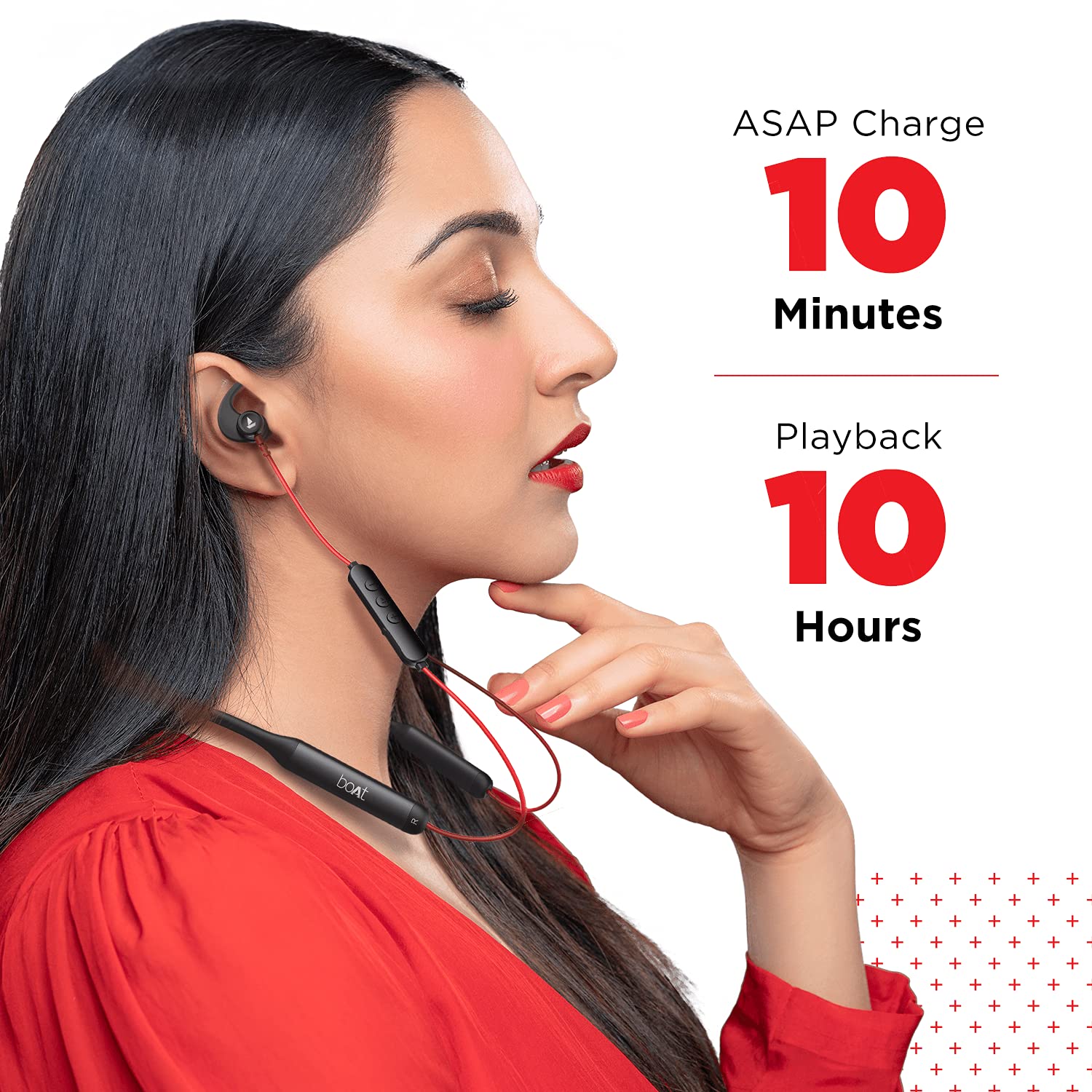
Image: Demonstrates the ASAP Charge feature, highlighting quick charging for extended playback.

Image: Illustrates the impressive 50-hour total playback time of the neckband.
2. Parowanie z urządzeniem
The Rockerz 335 Pro uses Bluetooth v5.0 for wireless connectivity.
- Włączanie: Separate the magnetic earbuds to power on the neckband. The LED indicator will flash, indicating pairing mode.
- Aktywuj Bluetooth: Włącz Bluetooth na swoim smartfonie, tablecie lub laptopie.
- Wybierz urządzenie: In your device's Bluetooth settings, search for and select "boAt Rockerz 335 Pro".
- Potwierdzenie: Once connected, the LED indicator will change, and you may hear an audio prompt.
Podwójne parowanie: The neckband supports dual pairing, allowing you to connect to two devices simultaneously. After pairing with the first device, disable its Bluetooth, pair with the second device, then re-enable Bluetooth on the first device. The neckband will connect to both.
Instrukcja obsługi
Włączanie/wyłączanie zasilania
- Włączanie: Separate the magnetic earbuds.
- Wyłączone: Unite the magnetic earbuds.
Odtwarzanie muzyki
- Odtwórz/Pauza: Naciśnij przycisk wielofunkcyjny (MFB) jeden raz.
- Następny utwór: Naciśnij i przytrzymaj przycisk „+”.
- Poprzedni utwór: Naciśnij i przytrzymaj przycisk „-”.
- Zwiększenie głośności: Naciśnij krótko przycisk „+”.
- Ściszanie: Naciśnij krótko przycisk "-".
Zarządzanie połączeniami
- Odbieranie/kończenie połączeń: Naciśnij MFB jeden raz.
- Odrzuć połączenie: Naciśnij i przytrzymaj MFB.
- Ponowne wybieranie: Naciśnij dwukrotnie MFB.
Asystent głosowy
Activate your device's voice assistant (Google Assistant or Siri) with a single press of the dedicated Voice Assistant button on the control board.

Image: Highlights the Qualcomm aptX audio technology for superior sound and cVc noise cancellation for clear calls.
Konserwacja
Wodoodporność (IPX5)
The boAt Rockerz 335 Pro is rated IPX5, meaning it is resistant to splashes and sweat. This makes it suitable for workouts and light rain. However, it is not designed for submersion in water. Avoid exposing the charging port to moisture.
Czyszczenie
Aby zachować optymalną wydajność i higienę:
- Wipe the neckband and earbuds with a soft, dry cloth.
- Nie należy używać środków czyszczących o właściwościach ściernych ani rozpuszczalników.
- Przed ładowaniem upewnij się, że port ładowania jest czysty i suchy.
Rozwiązywanie problemów
If you encounter issues with your boAt Rockerz 335 Pro, refer to the following common solutions:
| Problem | Możliwe rozwiązanie |
|---|---|
| Nie można włączyć | Ensure earbuds are separated. Charge the device fully. |
| Nie można sparować z urządzeniem | Ensure Bluetooth is enabled on your device. Make sure the neckband is in pairing mode (LED flashing). Forget the device in your phone's Bluetooth settings and try pairing again. |
| Brak dźwięku lub niska głośność | Check volume levels on both the neckband and your connected device. Ensure the neckband is properly connected. Try re-pairing. |
| Problemy z jakością połączeń | Ensure the microphone is not obstructed. Move closer to your connected device. Check for environmental noise. |
| ASAP Charge not working | Ensure you are using a compatible Type-C cable and power adapter. Check the charging port for debris. |
Specyfikacje
Detailed technical specifications for the boAt Rockerz 335 Pro:
- Nazwa modelu: Rockerza 335 Pro
- Technologia łączności: Bezprzewodowy
- Technologia komunikacji bezprzewodowej: Bluetooth v5.0
- Typ sterownika audio: Dynamiczny sterownik
- Czas pracy baterii: Do 50 godzin
- Czas ładowania: 10 Minutes (for 10 hours playback via ASAP Charge)
- Port ładowania: Typ C
- Poziom wodoodporności: IPX5 (odporność na wodę)
- Tworzywo: Metal (Control Board)
- Waga przedmiotu: 50 gram
- Typ sterowania: Sterowanie głosowe
- Cechy szczególne: Szybkie ładowanie, mikrofon w zestawie, odporny na pot
- Funkcje redukcji hałasu: Noise Cancellation (cVc)
- Zgodne urządzenia: Telefony komórkowe, tablety, laptopy
- Platforma sprzętowa: Smartfon
- Baterie: Wymagane 2 baterie litowo-jonowe (w zestawie)
- Wymiary produktu: Wymiary 17 x 13 x 13 cm
Gwarancja i wsparcie
Your boAt Rockerz 335 Pro comes with a 1-letnia gwarancja from the date of purchase. For any product-related issues, service requests, or further assistance, please refer to the official boAt customer support channels.
For detailed information on warranty claims, service centers, or to register a complaint, please visit the official boAt support portal. You can also track the status of your service requests online.
Wideo: W tym filmie znajdziesz więcejview of the boAt Rockerz 335 Pro Wireless Neckband, covering its key features, design, and battery life. It also includes a segment on how to utilize the boAt customer support portal for service requests and product replacements.