
1. Wprowadzenie
This manual provides essential information for the safe and efficient use of your HP Envy x360 13.3-inch 2-in-1 laptop. Please read this manual thoroughly before operating your device to ensure optimal performance and longevity. This device combines the functionality of a traditional laptop with the versatility of a tablet, featuring a responsive touchscreen and a 360-degree hinge.
2. Funkcje produktu
- 13.3-inch Full HD IPS Touch-Screen Display: Experience vibrant visuals and intuitive interaction with the responsive touch display.
- 11th Generation Intel Core i5-1135G7 Processor: Delivers efficient performance for multitasking, productivity, and entertainment.
- 8 GB pamięci RAM DDR4: Provides substantial memory for smooth operation of multiple applications.
- 256GB PCIe NVMe SSD: Offers fast boot-up times and quick data access with solid-state storage.
- Podświetlana klawiatura: Enables comfortable typing in various lighting conditions.
- Czytnik linii papilarnych: Enhances security and provides quick, convenient login.
- Windows 10 Home Operating System: Pre-installed for a familiar and productive user experience.
- Zawias 360 stopni: Umożliwia urządzeniu przełączanie się między trybami laptopa, namiotu, podstawki i tabletu.
- Grafika Intel Iris Xe: Integrated graphics for clear visuals and light creative tasks.
- Bang & Olufsen Audio with Three Speakers: Delivers rich and immersive sound.
- HP Wide Vision HD Camera with Camera Shutter: For video calls and privacy.
3. Przekroczenie fizyczneview
Familiarize yourself with the various components and ports of your HP Envy x360 laptop.

Rysunek 3.1: Kątowy view of the HP Envy x360 laptop in traditional laptop mode, displaying the keyboard and screen.
Porty i złącza:
- Porty USB 3.0 typu A (x2): For connecting external devices such as USB drives, mice, or keyboards.
- Port HDMI (x1): Do podłączania zewnętrznych wyświetlaczy lub projektorów.
- Micro SD Card Reader (x1): For reading and writing data to Micro SD cards.
- Headphone/Microphone Combo Jack (x1): Do podłączenia słuchawek lub zewnętrznego mikrofonu.
- Port USB-C (x1): For data transfer, charging, and display output (Thunderbolt compatible).
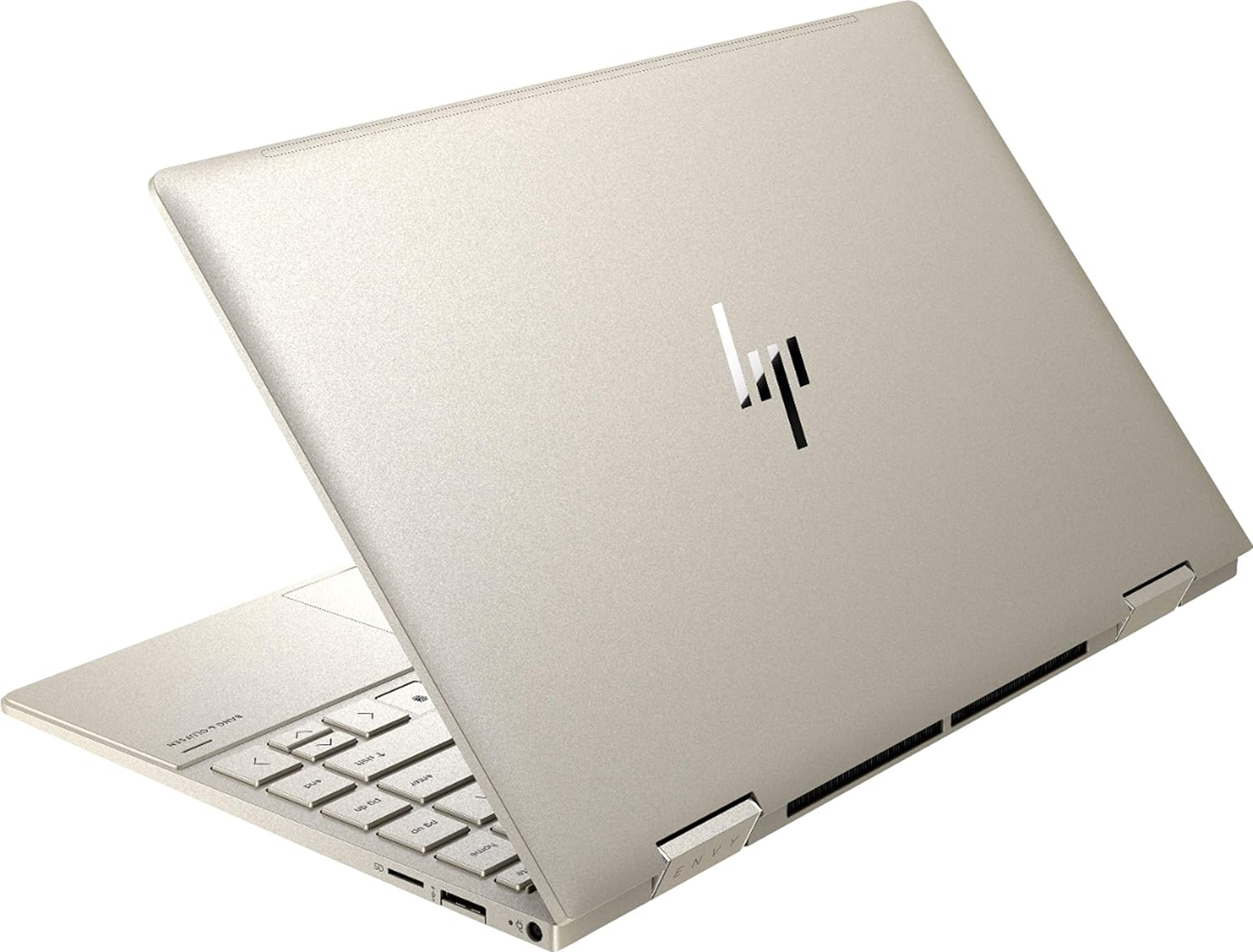
Rysunek 3.2: Tył view of the HP Envy x360 laptop, highlighting the sleek design and port placement on the sides.
4. Konfiguracja
4.1 Pierwsze włączenie zasilania
- Unpack your HP Envy x360 laptop and included accessories.
- Podłącz zasilacz do portu ładowania laptopa, a następnie do gniazdka elektrycznego.
- Press the power button, typically located on the side or keyboard deck, to turn on the laptop.
- Postępuj zgodnie z instrukcjami wyświetlanymi na ekranie, aby dokończyć konfigurację systemu Windows 10 Home, co obejmuje wybór języka, nawiązanie połączenia sieciowego i utworzenie konta użytkownika.
4.2 Podłączanie urządzeń peryferyjnych
Connect your mouse, external display, or other USB devices to the available ports as described in Section 3. For wireless devices, enable Bluetooth in Windows settings and pair your devices.
5. Instrukcja obsługi
5.1 Using the 2-in-1 Modes
Your HP Envy x360 features a versatile 360-degree hinge, allowing for multiple usage modes:
- Tryb laptopa: Traditional laptop orientation for typing and productivity.
- Tryb namiotu: Odchyl ekran tak, aby utworzył odwrócony kształt litery „V”, idealny do oglądania filmów lub prezentacji w ciasnych pomieszczeniach.
- Tryb stojący: Fold the screen back further, resting the keyboard face down, to use the display for media consumption or touch-based applications.
- Tryb tabletu: Fold the screen completely back against the base, transforming the device into a tablet for touch interaction.

Figure 5.1: The HP Envy x360 laptop configured in tent mode, suitable for media viewing.

Figure 5.2: The HP Envy x360 laptop fully folded into tablet mode, ready for touch input.
5.2 Korzystanie z ekranu dotykowego i klawiatury
- Ekran dotykowy: Use gestures similar to a smartphone or tablet for navigation, zooming, and interaction with applications.
- Podświetlana klawiatura: Press the function key (Fn) and the appropriate F-key (usually F5 or F4, check keyboard icons) to toggle the keyboard backlight on/off or adjust brightness.
- Czytnik linii papilarnych: Enroll your fingerprint through Windows Hello settings for secure and fast login.
6. Konserwacja
Regular maintenance helps prolong the life of your laptop.
- Czyszczenie: Do czyszczenia ekranu i obudowy należy używać miękkiej, niepozostawiającej włókien ściereczki. W przypadku uporczywych plam,ampPrzetrzyj ściereczkę wodą lub środkiem do czyszczenia ekranów. Unikaj silnych środków chemicznych.
- Aktualizacje oprogramowania: Regularly update Windows and HP drivers to ensure optimal performance and security.
- Pielęgnacja baterii: Unikaj częstego całkowitego rozładowywania akumulatora. W przypadku długotrwałego przechowywania naładuj akumulator do około 50–70%.
- Wentylacja: Ensure the laptop's vents are not obstructed to prevent overheating. Use on a hard, flat surface when possible.
7. Rozwiązywanie Problemów
W tej sekcji omówiono typowe problemy, na które możesz natrafić.
7.1 Problemy z zasilaniem
- Laptop się nie włącza: Ensure the power adapter is securely connected and the outlet is functional. Try a different outlet or power adapter if available.
- Bateria nie ładuje się: Sprawdź podłączenie zasilacza. Sprawdź, czy kabel lub port nie są uszkodzone.
7.2 Problemy z wyświetlaniem
- Ekran jest pusty: Podłącz zewnętrzny monitor, aby sprawdzić, czy problem dotyczy wyświetlacza laptopa. Spróbuj ponownie uruchomić laptopa.
- Ekran dotykowy nie reaguje: Restart the laptop. Ensure all drivers are up to date via Windows Update or HP Support Assistant.
7.3 Problemy z wydajnością
- Niska wydajność: Close unnecessary applications. Check Task Manager for resource-intensive processes. Ensure sufficient free space on the SSD.
- Przegrzanie: Clean vents. Ensure proper airflow. Reduce workload if consistently hot.
8. Specyfikacje
| Funkcja | Szczegół |
|---|---|
| Marka | HP |
| Nazwa modelu | HP Envy x360 |
| Rozmiar ekranu | 13.3 cali |
| Rozdzielczość wyświetlacza | 1920 x 1080 (Pełna rozdzielczość HD) |
| Typ wyświetlacza | LED IPS Touch Screen |
| Edytor | 11th Generation Intel Core i5-1135G7 (2.4 GHz, up to 4.2 GHz with Turbo Boost) |
| Pamięć RAM | 8 GB DDR4 |
| Składowanie | Dysk SSD 256 GB |
| System operacyjny | Windows 10 Home |
| Grafika | Karta graficzna Intel Iris Xe (zintegrowana) |
| Cechy specjalne | Backlit Keyboard, Fingerprint Reader |
| Audio | Bang & Olufsen Audio with Three speakers |
| Łączność | Wireless-AX, Bluetooth, USB, HDMI |
| Porty | 2x USB 3.0 Type-A, 1x HDMI, 1x Micro SD Card Reader, 1x Headphone/Microphone Combo, 1x USB-C |
| Wymiary (dł. x szer. x wys.) | 12.07" x 7.66" x 0.65" |
| Waga | 2.92 funta |
| Kolor | Bladozłoty |
9. Co znajduje się w pudełku
The following items are included with your HP Envy x360 laptop:
- HP Envy x360 13.3-inch 2-in-1 Laptop
- Zasilacz
- Podkładka pod myszkę

Figure 9.1: The HP Envy x360 laptop shown alongside the included mouse pad.
10. Gwarancja i wsparcie
Your HP Envy x360 laptop comes with a standard manufacturer's warranty. For detailed warranty information, please refer to the warranty card included in your product packaging or visit the official HP support website. For technical assistance, driver downloads, or service requests, please contact HP Customer Support.
Wsparcie HP Webstrona: wsparcie.hp.com