
1. Koniec produktuview
The NETVUE Sentry 2 is a 1080P outdoor security camera designed to provide comprehensive surveillance for your home. It features advanced functionalities such as 360° pan and 110° tilt for wide area coverage, real-time motion and human detection, two-way audio communication, and enhanced night vision capabilities. Its IP66 weatherproof rating ensures reliable performance in various outdoor conditions.
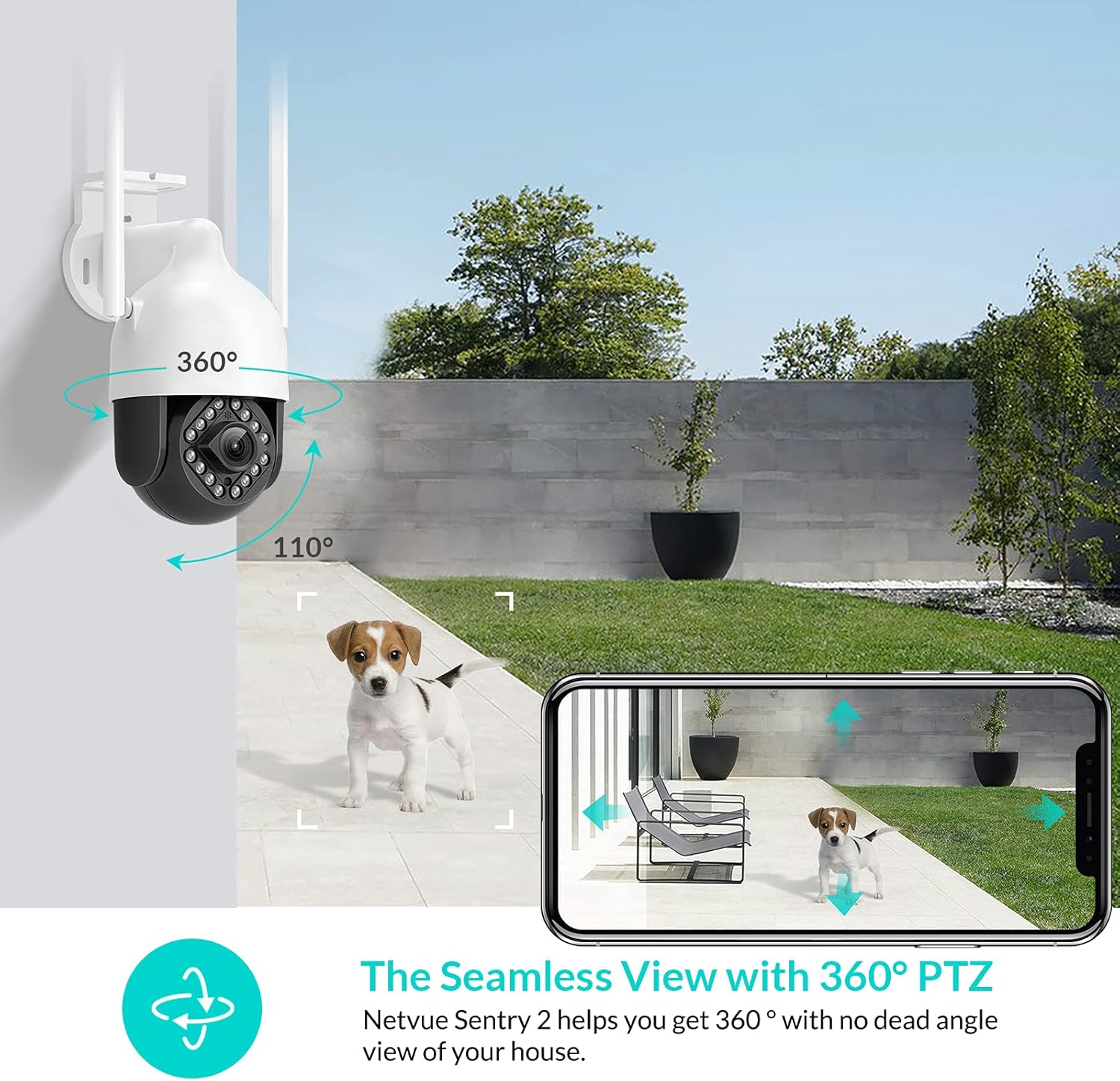
Image: NETVUE Sentry 2 Outdoor Security Camera showcasing its 360° pan and 110° tilt view.
2. Co znajduje się w pudełku
Upon unboxing your NETVUE Sentry 2 camera, please verify that all components are present:
- NETVUE Sentry 2 Outdoor Security Camera
- Zasilacz
- Uchwyt montażowy
- Śruby montażowe i kotwy ścienne
- Zestaw wodoodporny do połączeń kablowych
- Instrukcja obsługi (ten dokument)
For a visual guide on the product and its components, please refer to the official product video below:
Video: Official Netvue Outdoor Security Camera Sentry 2 overview, including unboxing and installation steps.
3. Konfiguracja i instalacja
3.1 Włączanie
- Podłącz zasilacz do wejścia zasilania aparatu.
- Podłącz zasilacz do standardowego gniazdka elektrycznego.
- Wait for the camera to power on and initiate its self-test.
3.2 Pobieranie aplikacji i tworzenie konta
- Download the official NETVUE app from your device's app store (iOS or Android).
- Otwórz aplikację i utwórz nowe konto lub zaloguj się, jeśli już je posiadasz.
3.3 Połączenie Wi-Fi
The NETVUE Sentry 2 camera supports 2.4GHz Wi-Fi networks. Ensure your mobile device is connected to a 2.4GHz Wi-Fi network during the setup process.
- In the NETVUE app, tap 'Add Device' and select your camera model.
- Postępuj zgodnie z instrukcjami wyświetlanymi na ekranie, aby połączyć kamerę z siecią Wi-Fi. Zazwyczaj polega to na zeskanowaniu kodu QR wygenerowanego przez aplikację za pomocą obiektywu kamery.

Image: NETVUE Sentry 2 camera demonstrating stable Wi-Fi connection in distance.
3.4 Fizyczna instalacja
Choose a suitable outdoor location for mounting the camera, ensuring it has a clear view and is within Wi-Fi range. The camera is IP66 weatherproof, suitable for various outdoor conditions.
- Use the mounting bracket as a template to mark drill holes on the desired surface.
- Wywierć otwory i włóż kołki rozporowe.
- Przymocuj uchwyt montażowy do powierzchni za pomocą dołączonych śrub.
- Zamontuj kamerę w uchwycie montażowym.
- Ensure all cable connections are properly sealed using the waterproof kit to prevent water ingress.
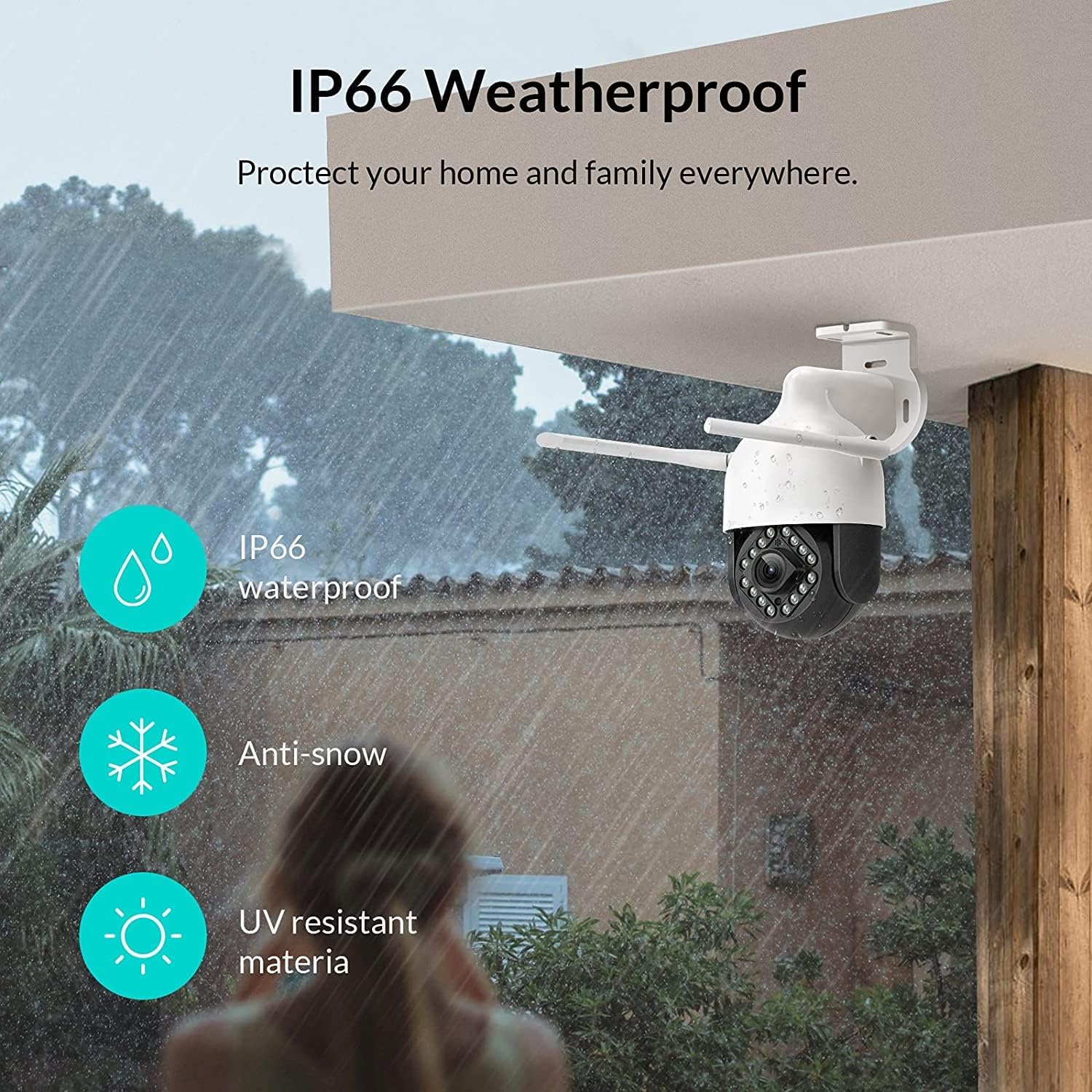
Image: NETVUE Sentry 2 camera highlighting its IP66 weatherproof features against rain and snow.
4. Obsługa aparatu
4.1 Na żywo View i sterowanie obrotem/pochyleniem
Access the live video feed from your camera through the NETVUE app. You can remotely control the camera's pan (horizontal) and tilt (vertical) movements to adjust the vieww razie potrzeby.
4.2 Wykrywanie ruchu i obecności człowieka
The camera is equipped with motion and human detection capabilities. When motion or a human figure is detected, you will receive immediate notifications on your mobile device.

Image: Real-time motion detection alert displayed on a smartphone from the NETVUE Sentry 2 camera.

Image: Motion and human detection alert from the NETVUE Sentry 2 camera, showing a person at the front door.
4.3 Dźwięk dwukierunkowy
Utilize the two-way audio feature to communicate with individuals near the camera. This is useful for interacting with visitors or deterring unwanted guests.

Image: Two-way audio feature of the NETVUE Sentry 2 camera, allowing communication with a delivery person.
4.4 Widzenie nocne
The NETVUE Sentry 2 camera is equipped with 16 infrared lights for super night vision, providing clear video footage even in low-light or complete darkness.

Image: Close-up of the NETVUE Sentry 2 camera's 16 infrared lights for super night vision.
5. Konserwacja
5.1 Czyszczenie aparatu
Periodically clean the camera lens and housing to ensure optimal performance. Use a soft, damp Ściereczką do usuwania kurzu i brudu. Unikaj stosowania silnych środków chemicznych lub materiałów ściernych, które mogłyby uszkodzić soczewkę lub wykończenie.
5.2 aktualizacji oprogramowania sprzętowego
Regularly check the NETVUE app for available firmware updates. Keeping your camera's firmware up-to-date ensures you have the latest features, security enhancements, and bug fixes.
5.3 Zarządzanie magazynem
The camera supports local storage via a microSD card (not included) and cloud storage options. If using a microSD card, ensure it is properly formatted and regularly check its status within the app to prevent recording issues.
6. Rozwiązywanie Problemów
6.1 Problemy z połączeniem Wi-Fi
- Ensure 2.4GHz Wi-Fi: The camera only supports 2.4GHz Wi-Fi. Confirm your router is broadcasting a 2.4GHz signal and your phone is connected to it during setup.
- Siła sygnału: Verify the camera is installed within a strong Wi-Fi signal range. Relocate the camera or use a Wi-Fi extender if necessary.
- Ustawienia routera: Sprawdź ustawienia routera, aby wykryć ewentualne ograniczenia, które mogą uniemożliwiać podłączanie nowych urządzeń.
6.2 SD Card Not Detected or Recording
- Reinsert SD Card: Power off the camera, remove the microSD card, and reinsert it firmly. Power the camera back on.
- Sformatuj kartę SD: Format the SD card through the NETVUE app. If issues persist, try a different, high-quality microSD card.
- Sprawdź ustawienia aplikacji: Ensure recording settings are correctly configured in the NETVUE app.
6.3 No Motion Alerts
- Włącz alerty: Confirm motion detection and notification alerts are enabled in the NETVUE app settings.
- Dostosuj czułość: Adjust the motion detection sensitivity to an appropriate level.
- Sprawdź harmonogram: Ensure motion detection is not disabled during specific times via a schedule.
6.4 Kwestie ogólne
- Uruchom ponownie kamerę: Disconnect the power adapter, wait 10 seconds, and reconnect it to restart the camera.
- Aktualizacja aplikacji: Ensure your NETVUE app is updated to the latest version.
7. Specyfikacje
| Kompatybilne urządzenia | Monitor wideo |
| Źródło zasilania | Prąd zmienny/stały |
| Protokół łączności | Wi-Fi |
| Typ kontrolera | Irys |
| Typ montażu | Montaż ścienny |
| Rozdzielczość przechwytywania wideo | 1080p |
| Liczba elementów | 1 |
| Liczba kanałów | 1 |
| Technologia komunikacji bezprzewodowej | Wi-Fi |
| Czy potrzebne są baterie? | NIE |
| Technologia słabego oświetlenia | Kolor nocy |
| Tryb pracy | Tylko ruch |
| Typ źródła światła | Podczerwony |
| Format przechwytywania wideo | MPEG-4 |
| Liczba jednostek | 1.0 Liczba |
| Międzynarodowa Ocena Ochrony | IP66 |
| Wymiary opakowania | 11.3 x 6.1 x 5.91 cala |
| Waga przedmiotu | 2.12 funta |
| Zalecane zastosowania produktu | Bezpieczeństwo na zewnątrz |
| Zastosowanie wewnątrz/na zewnątrz | Plenerowy |
8. Gwarancja i wsparcie
For warranty information and technical support, please refer to the official NETVUE website or contact NETVUE customer service directly. Keep your purchase receipt for warranty claims.