
1. Koniec produktuview

Przód-góra view of the SUNMI 80mm Kitchen Cloud Receipt Printer, showcasing its compact black design with orange accents and control panel.
The SUNMI 80mm Kitchen Cloud Receipt Printer (Model C04000069) is a compact and efficient thermal printer designed for various environments, particularly suited for kitchen and point-of-sale applications. It offers reliable, high-speed printing for receipts and orders.
Główne cechy:
- Compact 130mm square design for space-saving installation.
- High-performance Seiko thermal print head.
- Fast printing speed of 165mm/s for 80mm receipts.
- Easy internet connectivity via LAN cable.
- Supports 80mm paper format.
2. Zawartość opakowania
Proszę zaznaczyć pole dotyczące następujących elementów:
- SUNMI 80mm Kitchen Cloud Receipt Printer (Model C04000069)
- Zasilacz
- Thermal Paper Roll (for initial setup)
- Instrukcja obsługi (ten dokument)
3. Przewodnik konfiguracji
3.1 Połączenie zasilania
- Upewnij się, że drukarka jest umieszczona na stabilnej, płaskiej powierzchni.
- Podłącz zasilacz do portu zasilania drukarki.
- Podłącz zasilacz do odpowiedniego gniazdka elektrycznego.
- Naciśnij przycisk zasilania, aby włączyć drukarkę. Zaświeci się kontrolka zasilania.
3.2 Instalacja rolki papieru

Otwarty view of the SUNMI printer's interior, revealing the paper roll compartment and the high-performance Seiko thermal print head, capable of 165mm/s printing speed.
- Open the printer's top cover by pressing the release latch.
- Insert the 80mm thermal paper roll into the compartment, ensuring the paper feeds from the bottom and the leading edge is straight.
- Wyciągnij niewielką ilość papieru poza obcinarkę.
- Zamknij górną pokrywę, aż zatrzaśnie się na swoim miejscu.

Two sequential images: one showing a hand inserting a receipt into the printer's output slot, and another showing a hand replacing the thermal paper roll inside the printer's open compartment.
3.3 Połączenie sieciowe
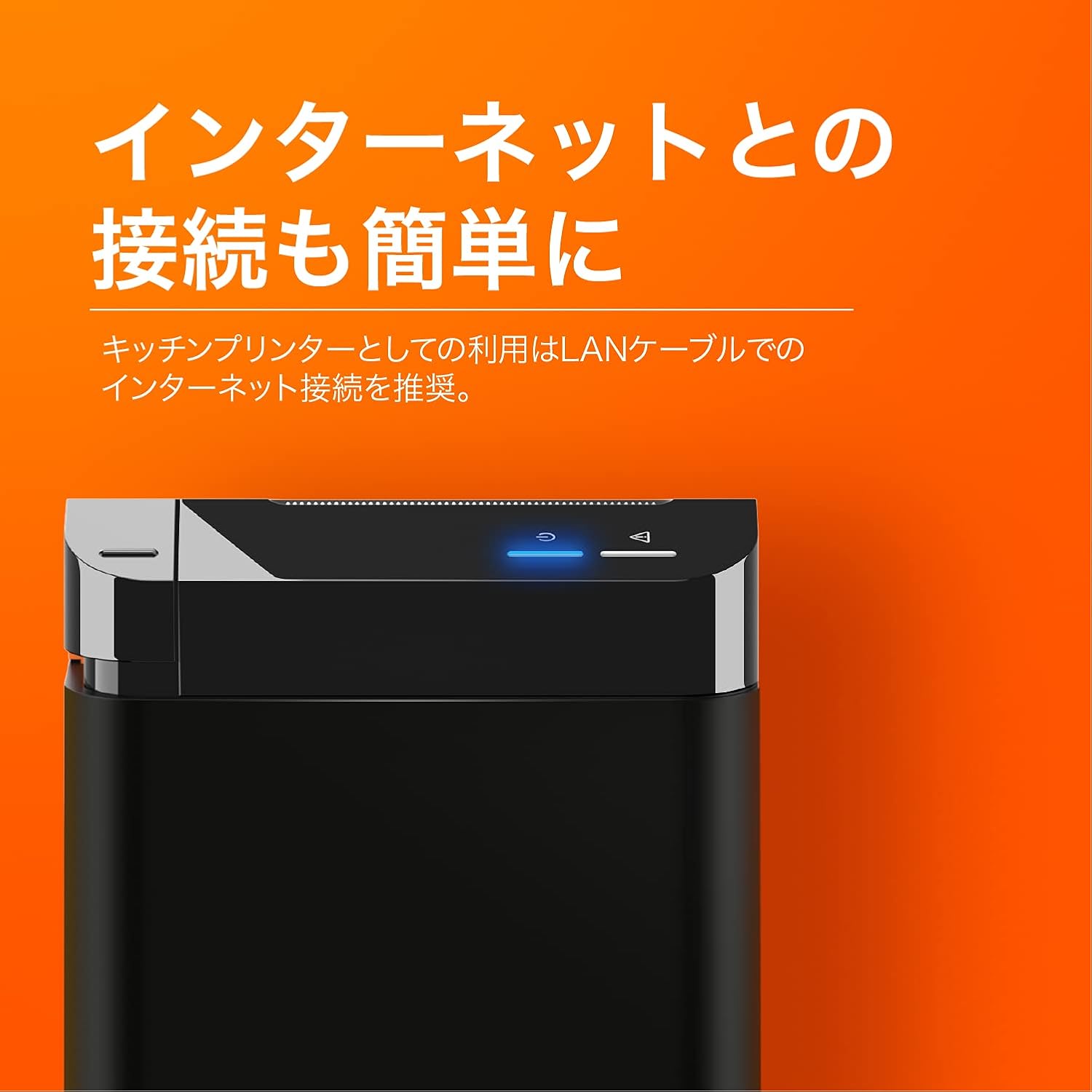
The SUNMI printer with a blue illuminated status light, highlighting its easy internet connectivity via LAN cable, recommended for kitchen printer use.
For optimal performance, especially in kitchen environments, a wired LAN connection is recommended.
- Connect one end of an Ethernet (LAN) cable to the printer's LAN port.
- Podłącz drugi koniec kabla Ethernet do routera lub przełącznika sieciowego.
- The network indicator light on the printer will show connection status (e.g., solid blue for connected).
4. Instrukcja obsługi
4.1 Podstawowe drukowanie
Once the printer is powered on and connected to your network, it is ready to receive print commands from compatible software or systems (e.g., POS software, kitchen display systems).
- Ensure your printing application is configured to use the SUNMI 80mm Kitchen Cloud Printer.
- Initiate a print job from your application.
- The printer will automatically feed and cut the receipt after printing.

A view of two SUNMI 80mm Kitchen Cloud Printers side-by-side, with one actively printing a receipt, demonstrating its operational use.
4.2 Wskaźniki stanu
The printer features indicator lights on its control panel to provide status information:
- Wskaźnik zasilania: Ciągłe światło wskazuje, że drukarka jest włączona.
- Wskaźnik błędu: Flashing or solid light indicates an error (e.g., paper out, cover open). Refer to the Troubleshooting section.
- Wskaźnik sieci: Wskazuje stan łączności sieciowej.
5. Konserwacja
5.1 Czyszczenie drukarki
Regularne czyszczenie pomaga zachować jakość druku i wydłuża żywotność drukarki.
- Przed czyszczeniem wyłącz drukarkę i odłącz ją od zasilania.
- Użyj miękkiej, niestrzępiącej się ściereczki, lekko wyczyśćampprzetrzeć powierzchnię zewnętrzną wodą lub alkoholem izopropylowym.
- Gently clean the thermal print head with a cotton swab dipped in isopropyl alcohol. Allow it to dry completely before use.
- Remove any paper dust or debris from the paper path.
5.2 Wymiana rolki papieru
When the paper roll is nearing its end, the printer may indicate a paper-low error or print faint lines. Follow the steps in Section 3.2 to replace the paper roll.
6. Rozwiązywanie Problemów
If you encounter issues with your SUNMI printer, refer to the table below for common problems and solutions.
| Problem | Możliwa przyczyna | Rozwiązanie |
|---|---|---|
| Drukarka się nie włącza | No power, faulty adapter | Check power cable connection; ensure outlet is working; try a different adapter if available. |
| No printing / Error light on | Paper out, cover open, paper jammed | Replace paper roll; ensure cover is closed properly; clear any paper jams. |
| Faint or blank prints | Incorrect paper type, dirty print head, paper loaded incorrectly | Ensure thermal paper is used; clean the print head (Section 5.1); check paper orientation. |
| Nie można połączyć się z siecią | Loose LAN cable, network configuration issue | Check LAN cable connection; verify network settings on your router/system. |
7. Specyfikacje techniczne

The SUNMI 80mm Kitchen Cloud Printer, demonstrating its compact 130mm square footprint, ideal for space-saving installations.
| Funkcja | Specyfikacja |
|---|---|
| Numer modelu | C04000069 |
| Marka | SUNMI |
| Typ drukarki | Termiczna drukarka pokwitowań |
| Prędkość drukowania | 165 mm/s |
| Szerokość papieru | 80 mm |
| Technologia łączności | USB, LAN (Ethernet) |
| Kolor | Multicolor (primarily black with orange accents) |
| Wymiary produktu | 13 x 13 x 13 cm (ok. 5.1 x 5.1 x 5.1 cala) |
| Waga przedmiotu | 1.32 kilograma (ok. 2.91 funty) |
| Maksymalna pojemność wejściowa arkuszy | 100 sheets (referring to paper roll length equivalent) |
| Drukowanie dwustronne | No (single-sided receipt printing) |
| Obsługiwane media | Thermal Labels/Receipt Paper |
8. Gwarancja i wsparcie
This product is covered by the standard manufacturer's warranty. For specific warranty terms and conditions, please refer to the documentation provided at the time of purchase or contact your retailer.
For technical support, troubleshooting assistance beyond this manual, or service inquiries, please contact SUNMI customer support or your authorized dealer. Keep your purchase receipt and product model number (C04000069) ready when contacting support.