
Wstęp
This manual provides essential instructions for the safe and effective operation, setup, and maintenance of your iFlight Nazgul Evoque F5D 6S HD FPV Drone. Please read this manual thoroughly before operating the drone to ensure proper usage and to prevent damage or injury.
Wytyczne bezpieczeństwa
- Dronem należy zawsze posługiwać się na otwartej przestrzeni, z dala od ludzi, zwierząt i przeszkód.
- Podczas użytkowania drona należy zachować bezpieczną odległość.
- Przed każdym lotem sprawdź, czy wszystkie śmigła są solidnie zamocowane i nieuszkodzone.
- Nie lataj w pobliżu lotnisk ani przestrzeni powietrznej o ograniczonym dostępie.
- Always disconnect the battery after use and during transport.
- Nigdy nie próbuj łapać lecącego drona.
- Należy przestrzegać wszystkich lokalnych przepisów i regulacji dotyczących użytkowania dronów.
- Używaj wyłącznie zalecanych baterii i ładowarek.
Zawartość opakowania
Sprawdź, czy w przesyłce znajdują się wszystkie elementy:
- iFlight Nazgul Evoque F5D 6S HD FPV Drone
- Propellers (set)
- Anteny
- Battery Strap(s)
- Kabel USB
- Remote Control (check specific package contents for inclusion)

Obraz: widok z góry view of the iFlight Nazgul Evoque F5D 6S HD FPV Drone, showcasing its carbon fiber frame, propellers, and central electronics stack.
Organizować coś
1. Montaż śmigła
Attach the propellers to the motors. Ensure correct rotation direction for each motor as indicated in the flight controller software or on the motor bells. Secure them firmly with the provided nuts or screws.

Obraz: Zbliżenie view of a drone motor with a propeller attached, highlighting the secure mounting.
2. Podłączenie akumulatora
Connect your 6S LiPo battery to the integrated XT60 connector on the drone. Ensure the battery is fully charged before flight. Use the provided battery strap to secure the battery to the drone's top plate.
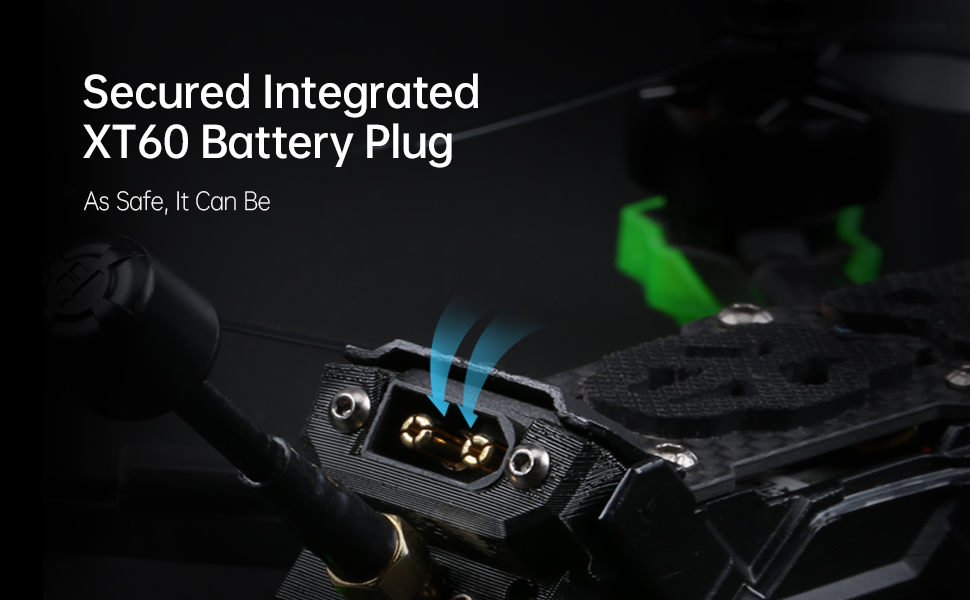
Image: Detail of the secured integrated XT60 battery plug, designed for safe and reliable power connection.
3. Powiązanie z pilotem zdalnego sterowania
Refer to your specific remote controller's manual for binding instructions. Typically, this involves putting both the drone's receiver and the remote controller into binding mode. Ensure successful binding before proceeding.
4. Flight Controller Configuration (Betaflight)
The Nazgul Evoque F5D comes pre-configured with Betaflight. For advanced settings or calibration, connect the drone to your computer via the USB port and use the Betaflight Configurator software. Ensure all sensor calibrations (accelerometer, gyroscope) are performed and check motor directions.

Obraz: View of the high-performance F7 55A Power Stack, which includes the flight controller and electronic speed controller, located within the drone's frame.
Instrukcja obsługi
1. Kontrola przed lotem
- Inspect propellers for damage and ensure they are secure.
- Check battery charge level on both drone and remote controller.
- Verify FPV video feed in your DJI FPV Goggles.
- Ensure no loose wires or components on the drone.
- Confirm clear flight area.

Image: Components of the Caddx Polar digital HD FPV system, which provides high-definition video transmission to compatible FPV goggles.
2. Uzbrajanie i rozbrajanie
To arm the drone, move the throttle stick to its lowest position and activate the designated arming switch on your remote controller. The motors will spin slowly. To disarm, activate the arming switch again. Always disarm immediately after landing or in an emergency.
3. Sterowanie lotem
Zapoznaj się ze standardowym sterowaniem dronem FPV:
- Przepustnica: Kontroluje wysokość (lewy drążek w górę/w dół).
- Myszkować: Obrót drona w poziomie (lewy drążek w lewo/prawo).
- Poziom: Przechyla drona do przodu/do tyłu (prawy drążek w górę/w dół).
- Rolka: Przechyla drona w lewo/prawo (prawy drążek w lewo/prawo).
Practice in a simulator before your first real flight if you are new to FPV drones.
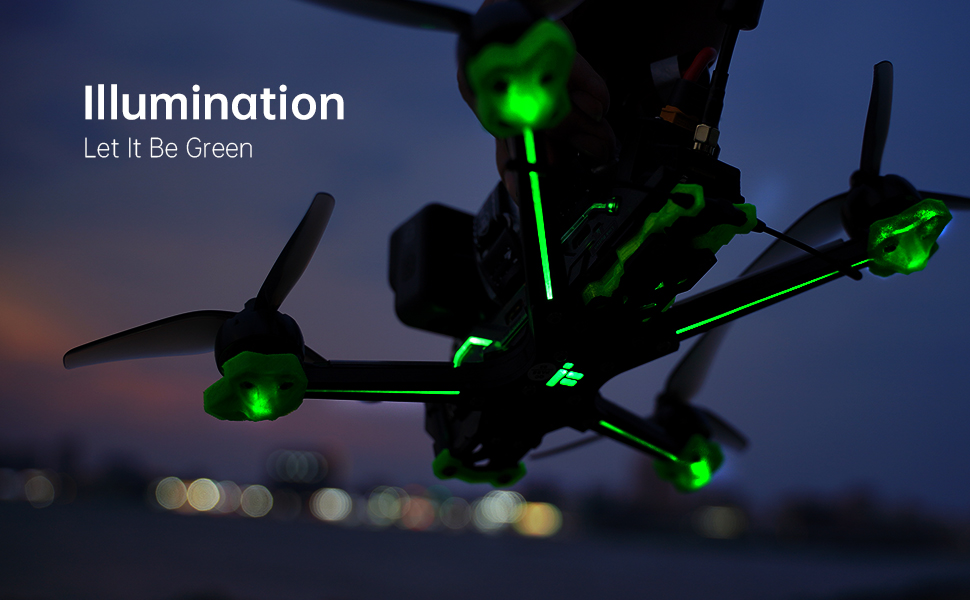
Image: The iFlight Nazgul Evoque F5D drone illuminated with green LEDs, visible during low-light conditions or for aesthetic purposes.
Konserwacja
- Kontrola śmigła: Regularly check propellers for cracks, bends, or nicks. Replace damaged propellers immediately.
- Czyszczenie: Keep the drone free from dirt, dust, and debris. Use a soft brush or compressed air. Avoid moisture.
- Aktualizacje oprogramowania układowego: Periodically check the iFlight website for firmware updates for the flight controller and ESCs. Follow update instructions carefully.
- Kontrola komponentów: After any crash or hard landing, inspect the frame, motors, camera, and antennas for damage. Ensure all screws are tight.
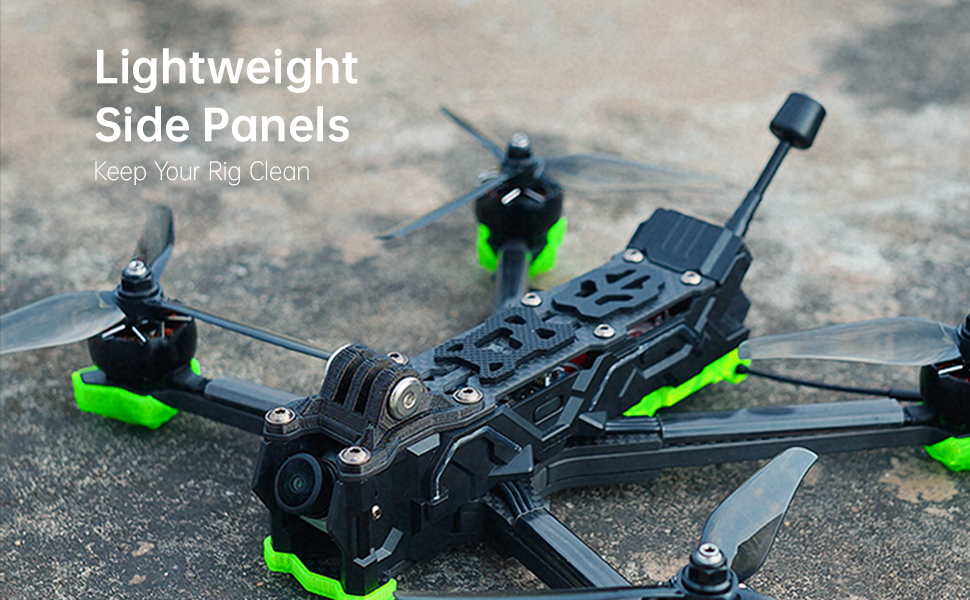
Image: The lightweight side panels of the drone, designed to protect internal components and keep the electronics clean.
Rozwiązywanie problemów
| Problem | Możliwa przyczyna | Rozwiązanie |
|---|---|---|
| Dron się nie uzbraja. | Throttle not at lowest position, arming switch not activated, safety pre-arm conditions not met (e.g., no receiver signal, low battery). | Ensure throttle is at zero. Check arming switch. Verify receiver is bound and connected. Check battery voltage. Connect to Betaflight Configurator to check pre-arm flags. |
| Brak transmisji wideo FPV. | Caddx Polar not powered, antenna disconnected, incorrect channel selected on DJI FPV Goggles, damaged VTX/camera. | Ensure drone battery is connected. Check antenna connections. Verify goggles are on the correct channel. Inspect VTX and camera for physical damage. |
| Dron dryfuje w czasie lotu. | Uncalibrated accelerometer, unbalanced propellers, bent motor shaft. | Perform accelerometer calibration in Betaflight. Inspect and replace unbalanced or damaged propellers. Check motors for smooth rotation. |
| Krótki czas lotu. | Degraded battery, incorrect battery type, aggressive flying style. | Use a healthy, fully charged 6S LiPo battery. Adjust flying style. Consider a higher capacity battery if compatible. |
Specyfikacje
| Funkcja | Szczegół |
|---|---|
| Marka | iFlight |
| Nazwa modelu | Nazgul Evoque |
| Funkcja specjalna | HD FPV Capability, Integrated Long-Range Transmission System |
| Zakres wiekowy (opis) | Dorosły |
| Rozdzielczość przechwytywania wideo | 4K |
| Technologia łączności | USB |
| Zawarte komponenty | Remote Control (check specific package) |
| Poziom umiejętności | Beginner (with learning curve for FPV) |
| Battery Capacity (Internal) | 450 mlnamp Hours (for internal components, main flight battery sold separately) |
| Format przechwytywania wideo | MP4 |
| Technologia zdalnego sterowania | RF |
| Typ sterowania | Zdalne sterowanie |
| Maksymalny zasięg | 0.75 Miles (approx. 1.2 km, depends on environment and FPV system) |
| Technologia komunikacji bezprzewodowej | Częstotliwość radiowa |
| Czy baterie są dołączone? | No (main flight battery) |
| Rozdzielczość wyjściowa wideo | 4K |
| Technologia czujnika optycznego | CMOS |
| Waga przedmiotu | 1.54 funta (około 698 g) |
| Wymiary opakowania | 10.63 x 8.9 x 2.76 cala |
| Data pierwszej dostępności | 21 sierpnia 2021 r. |

Image: The iFlight Nazgul Evoque F5D drone placed on a digital scale, displaying a weight of 414.1 grams (without battery).
Gwarancja i wsparcie
Informacje o gwarancji
iFlight products typically come with a limited warranty covering manufacturing defects. Please retain your proof of purchase. For detailed warranty terms and conditions, refer to the official iFlight website or contact their customer service directly. Damage due to crashes, improper use, or unauthorized modifications is generally not covered.
Obsługa klienta
For technical assistance, troubleshooting, or spare parts, please visit the official iFlight website for their support resources, FAQs, and contact information. You may also find community forums helpful for general FPV drone support.
Oficjalny sklep iFlight: iFlight Amazon Store