
Wstęp
This manual provides detailed instructions for the setup, operation, and maintenance of your DOBE TP4-889 Dual Controller Charging Dock for PlayStation 4. Please read this manual thoroughly before use to ensure proper functionality and to extend the lifespan of your device.
Informacje dotyczące bezpieczeństwa
- Nie wystawiaj urządzenia na działanie wody ani nadmiernej wilgoci.
- Unikaj upuszczania i narażania urządzenia na silne uderzenia.
- Nie należy podejmować prób demontażu ani modyfikacji urządzenia. Spowoduje to unieważnienie gwarancji i może spowodować uszkodzenia.
- Przechowywać w miejscu niedostępnym dla dzieci.
- Use only with compatible PlayStation 4 controllers.
- Podczas użytkowania należy zapewnić odpowiednią wentylację wokół stacji ładującej.
Zawartość opakowania
Sprawdź, czy w przesyłce znajdują się wszystkie elementy:
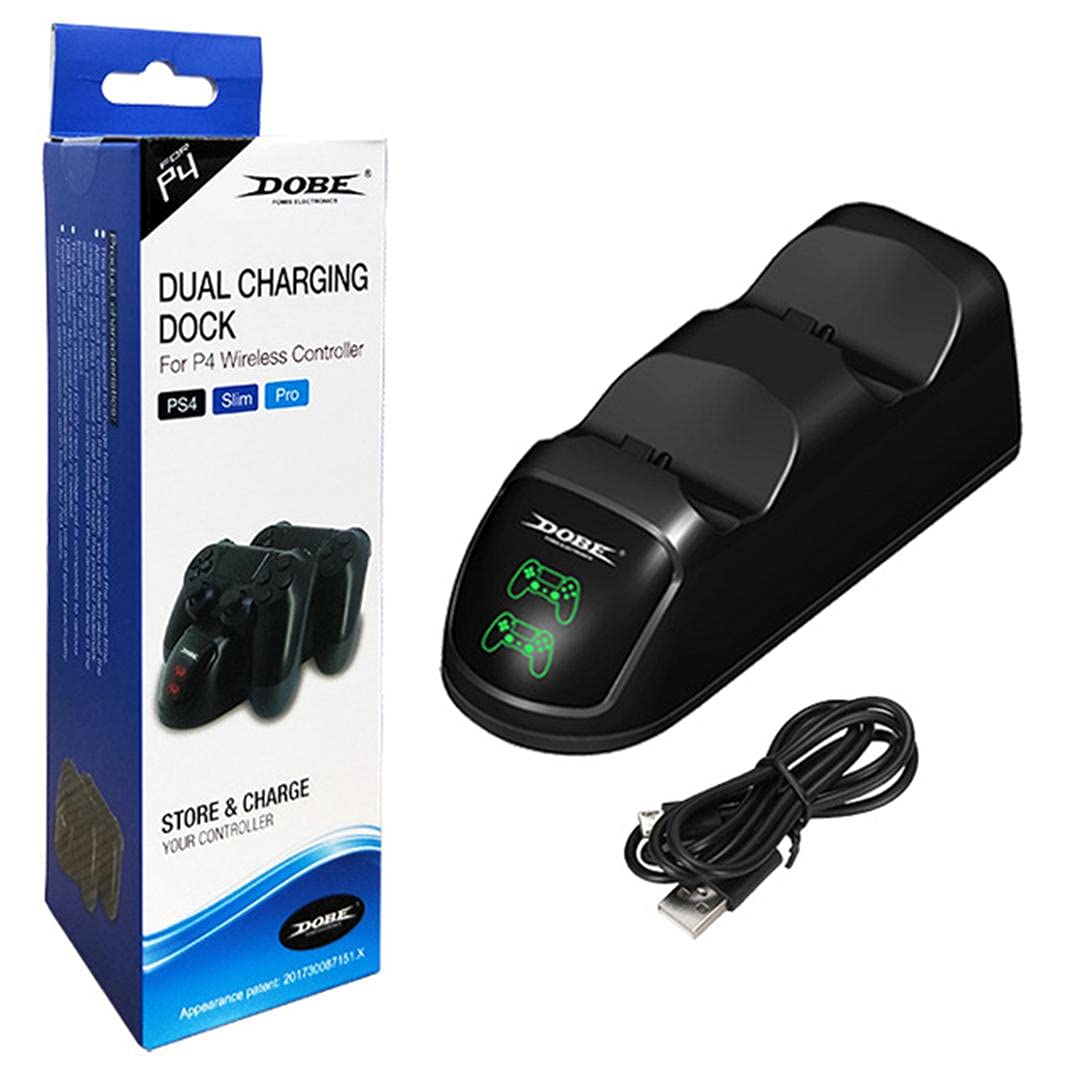
- 1 x DOBE TP4-889 Dual Controller Charging Dock
- 1 x kabel ładujący USB
Produkt ponadview
Familiarize yourself with the components of your charging dock:
- Controller Charging Slots: Two dedicated slots for PlayStation 4 controllers.
- Wskaźniki LED: Individual indicators for each charging slot. These lights illuminate red when a controller is charging and turn green when charging is complete.
- Port micro USB: Located at the rear of the dock for power input.


Instrukcje konfiguracji
- Connect the small end of the included USB charging cable to the Micro USB port on the rear of the DOBE TP4-889 charging dock.
- Connect the larger USB-A end of the cable to a compatible USB power source, such as a PlayStation 4 console, a USB wall adapter (not included), or a computer USB port.
- Ensure the power source is active. The dock is now ready for use.

Instrukcja obsługi
Kontrolery ładowania
- With the charging dock powered on, gently align a PlayStation 4 controller with one of the charging slots.
- Carefully insert the controller into the slot, ensuring the charging port on the controller connects securely with the dock's connector.
- The corresponding LED indicator on the dock will illuminate czerwony, indicating that the controller is charging.
- To charge a second controller, repeat steps 1-3 for the other charging slot.
- Once a controller is fully charged, its LED indicator will turn zielony.
- Remove the controller from the dock once charging is complete.

Konserwacja
- Czyszczenie: Disconnect the power before cleaning. Use a soft, dry cloth to wipe the surface of the charging dock. Do not use liquid cleaners or abrasive materials.
- Składowanie: When not in use for extended periods, store the charging dock in a cool, dry place away from direct sunlight and extreme temperatures.
Rozwiązywanie problemów
| Problem | Możliwa przyczyna | Rozwiązanie |
|---|---|---|
| Controller not charging / LED not lighting up. |
|
|
| Ładowanie jest powolne. |
|
|
Specyfikacje
- Model: TP4-889
- Zgodność: PlayStation 4 (PS4) DualShock 4 Controllers
- Wejście: Mikro USB
- Wymiary (w przybliżeniu): 22.6 x 7.8 x 6.2 cm (8.9 x 3.1 x 2.4 cala)
- Waga (w przybliżeniu): 216 gramów (0.48 funta)
- Wskaźniki LED: Czerwony (ładowanie), zielony (pełne naładowanie)
Gwarancja i wsparcie
For warranty information or technical support, please refer to the documentation provided with your purchase or contact the manufacturer directly through their official webna stronie internetowej lub w kanałach obsługi klienta. Zachowaj dowód zakupu na wypadek roszczeń gwarancyjnych.