
1. Wprowadzenie i koniecview
The Hbada W203 Gaming Chair is designed to provide ergonomic support and comfort for extended periods of sitting, whether for gaming or office work. It features a robust construction, adjustable components, and a design focused on user well-being.
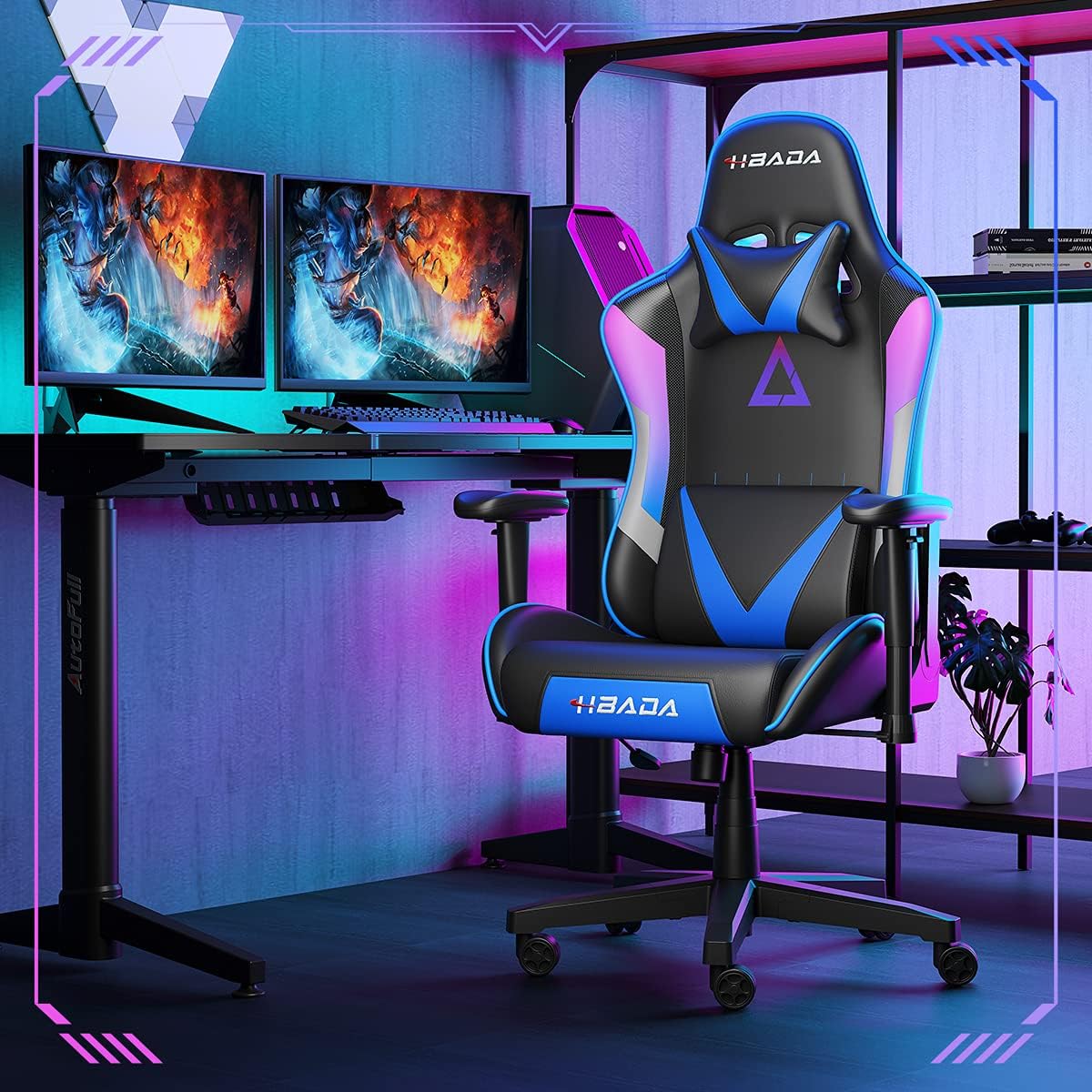
Image 1.1: The Hbada W203 Gaming Chair in a typical gaming environment, showcasing its design and presence.
2. Informacje dotyczące bezpieczeństwa
- Nie przekraczać maksymalnego udźwigu 150 kg (330.7 funtów).
- Przed użyciem należy upewnić się, że wszystkie śruby i wkręty są mocno dokręcone i okresowo sprawdzać, czy nie ma luzów.
- Unikaj stawania na krześle lub używania go jako podnóżka.
- Podczas regulacji trzymaj dłonie i palce z dala od ruchomych części.
- Aby zapobiec przewróceniu się krzesła, należy ustawić je na płaskiej i stabilnej powierzchni.
3. Zawartość opakowania
Przed rozpoczęciem montażu sprawdź, czy wszystkie elementy są obecne. Jeśli brakuje którejkolwiek części lub jest ona uszkodzona, skontaktuj się z obsługą klienta.
- Oparcie
- Poduszka siedziska
- Podłokietniki (2)
- Gwiezdna baza
- Kółka (5)
- Siłownik gazowy
- Pokrywa windy gazowej
- Płytka mechanizmu
- Poduszka zagłówka
- Poduszka podpierająca lędźwie
- Pakiet osprzętu (śruby, podkładki, klucz imbusowy)
- Instrukcja obsługi
4. Instrukcja montażu
Assembly typically requires two people due to the weight of some components. Follow these steps carefully.
- Zamontuj kółka do podstawy: Insert each of the five casters into the holes at the end of each leg of the star base until they click into place.
- Włóż podnośnik gazowy: Umieść siłownik podnośnika gazowego w środkowym otworze podstawy w kształcie gwiazdy. Zakryj go osłoną podnośnika gazowego.
- Zamocuj płytę mechanizmu do siedziska: Align the mechanism plate with the screw holes on the underside of the seat cushion. Secure it with the provided screws and Allen wrench. Ensure the front of the mechanism faces the front of the seat.
- Zamontuj podłokietniki na siedzisku: Secure the armrests to the sides of the seat cushion using the designated screws. Do not overtighten initially to allow for minor adjustments.
- Zamontuj oparcie na siedzisku: Align the backrest with the mounting brackets on the seat cushion. Secure it with screws.
- Podłącz zestaw siedziska do podstawy: Carefully place the assembled seat onto the gas lift cylinder, ensuring it is centered. Apply downward pressure to secure it.
- Attach Headrest and Lumbar Support: Position the headrest pillow and lumbar support pillow as desired. They are typically secured with straps.
- Ostateczne dokręcanie: Once fully assembled, go back and tighten all screws firmly.

Obraz 4.1: Koniecview of chair features, including lift function, height-adjustable armrests, 155-degree recline, silent casters, 360-degree rotation, and durable base.
5. Instrukcja obsługi
5.1. Regulacja wysokości krzesła
To adjust the chair height, locate the lever on the right side, beneath the seat. While seated, pull the lever up to lower the chair. To raise the chair, stand up slightly and pull the lever up. Release the lever at the desired height.
5.2. Funkcja odchylania
The chair offers a recline angle of up to 155 degrees with a 17-degree locking feature. To recline, pull the recline lever (typically on the left side) upwards and lean back. Release the lever to lock the backrest in position. To return to an upright position, pull the lever and lean forward.

Image 5.1: The chair's backrest can recline up to 155 degrees, allowing for various comfortable positions.
5.3. Regulacja podłokietnika
The armrests can be lifted to adjust their height. Locate the button or lever on the side of each armrest. Press or lift it and move the armrest up or down to your preferred height. Release the button/lever to lock it.
5.4. Podparcie lędźwiowe i zagłówek
The chair includes removable and adjustable headrest and lumbar support pillows. Adjust their position by sliding them along the backrest straps to provide optimal support for your head, neck, and lower back.
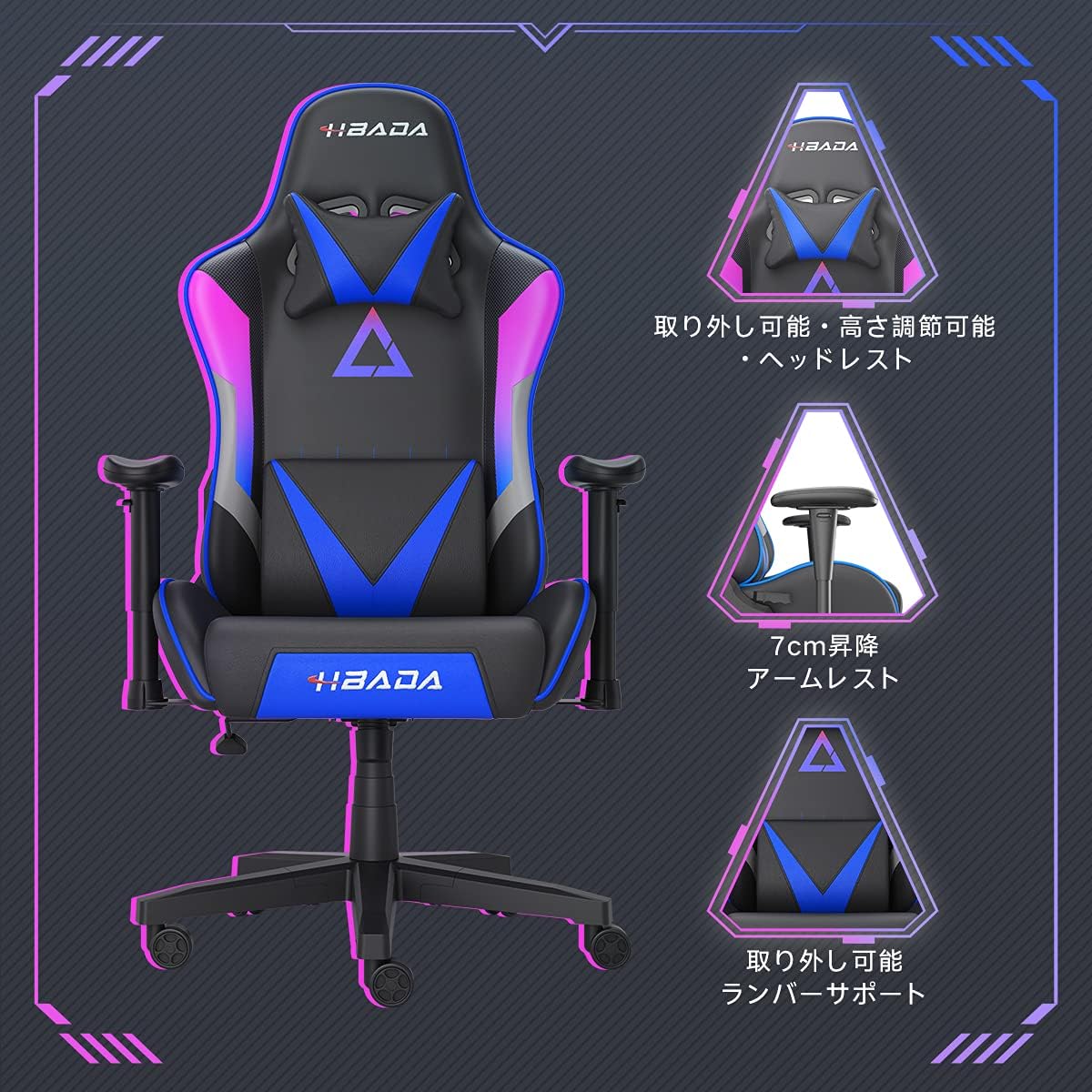
Rysunek 5.2: Szczegółowy view of the adjustable headrest, lifting armrests, and removable lumbar support.
5.5. Funkcja obrotu
Krzesło posiada funkcję obrotu o 360 stopni, co umożliwia łatwe obracanie bez konieczności przesuwania podstawy.
6. Konserwacja
- Czyszczenie: The chair's synthetic leather (PU) material can be wiped clean with a damp szmatką. Unikaj silnych środków chemicznych i ściernych środków czyszczących.
- Elementy złączne: Periodically check all screws and bolts to ensure they remain tight. Retighten as necessary to maintain stability and prevent squeaking.
- Kółka: Utrzymuj kółka w czystości, bez włosów i zanieczyszczeń, aby zapewnić płynny ruch.
7. Rozwiązywanie Problemów
- Krzesło skrzypi: Check and tighten all assembly screws. Applying a small amount of lubricant to moving metal parts (like the mechanism plate) may help.
- Regulacja wysokości nie działa: Ensure the gas lift lever is fully engaged. If the issue persists, the gas lift cylinder may need replacement. Contact customer service.
- Krzesło wydaje się niestabilne: Verify that the star base is correctly assembled and all casters are fully inserted. Ensure all screws are tightened.
- Kółka nie obracają się płynnie: Clean any debris (hair, dust) from the caster wheels.
For issues not listed here or persistent problems, please contact Hbada customer service.
8. Specyfikacje

Image 8.1: Key dimensions of the Hbada W203 Gaming Chair.
| Funkcja | Szczegół |
|---|---|
| Nazwa modelu | Hbada W203 |
| Wymiary produktu (Gł. x Szer. x Wys.) | 70 x 70 x 128 cm (27.6 x 27.6 x 50.4 cala) |
| Regulowana wysokość siedziska | 40 - 48 cm (15.7 - 18.9 cala) |
| Waga przedmiotu | 22.5 kg (49.6 funta) |
| Maksymalna ładowność | 150 kg (330.7 funta) |
| Tworzywo | Synthetic leather (PU upholstery), Metal (frame), Reinforced Nylon Resin (base), High-density Urethane Foam (cushion), Silent PU Nylon Casters |
| Kąt odchylenia | Up to 155 degrees with 17-degree locking |
| Regulacja podłokietnika | Lifting (approx. 7 cm range) |
| Cechy specjalne | Adjustable Lumbar Support, Ergonomic Design |

Image 8.2: Internal construction details, showing high-density foam and a robust metal frame.
9. Gwarancja i wsparcie
The Hbada W203 Gaming Chair comes with a Roczny serwis gwarancyjny. This warranty covers initial defects and manufacturing faults.
If you encounter any initial defects, malfunctions, or have any concerns regarding your product, please contact our customer service center. Our support team aims to respond within 24 hours and will assist with free exchanges or repairs as applicable.
For customer service inquiries, please refer to the contact information provided on your purchase receipt or the official Hbada webstrona.