
Wstęp
The J-Tech Digital 4K HDMI Capture Card (JTECH-4KCP) is designed to capture HDMI video signals up to 4K@60Hz and output them to your computer at 1080p 60Hz. This device features an HDMI loop output for real-time monitoring of the source signal, external microphone and headphone support for integrated audio, and a USB Type-C interface for high-speed data transfer to your computer. It is compatible with popular streaming and capture software such as OBS, YouTube Live, and Twitch, making it an ideal solution for capturing presentations, training seminars, and gaming content.
Zawartość opakowania
Sprawdź, czy w opakowaniu znajdują się wszystkie elementy:
- 1 x J-Tech Digital 4K HDMI Capture Card (JTECH-4KCP)
- 1 x Instrukcja obsługi
- 1 x USB 3.0 Data Cable (USB Type-C to USB Type-A)

Produkt ponadview
Wymiary
The JTECH-4KCP capture card has compact dimensions for portability and ease of integration into your setup.
- Długość: 4.25 cala (10.8 cm)
- Szerokość: 2 cala (5.1 cm)
- Wysokość: 0.6 cala (1.5 cm)
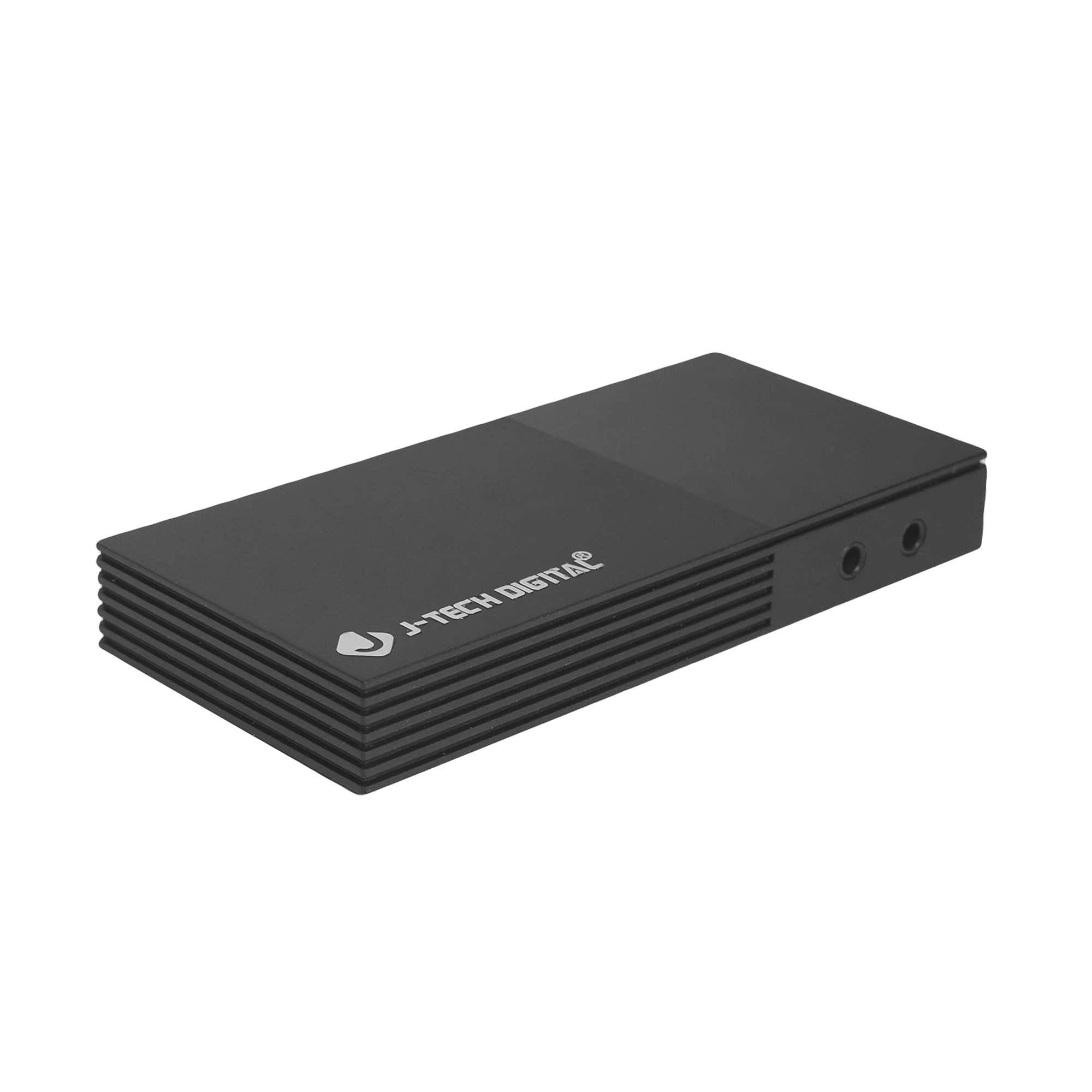
Porty i interfejsy
Urządzenie posiada kilka portów umożliwiających łączność:
- Microphone In Port: Do podłączenia mikrofonu zewnętrznego.
- Headphones Out Port: For connecting headphones to monitor audio.
- USB-C (PC Port): For connecting the capture card to your computer. This port is USB 3.0 compliant.
- Wejście HDMI: For connecting your HDMI source device (e.g., game console, camera).
- Wyjście HDMI: For connecting to a display monitor for real-time video passthrough.

Instrukcje konfiguracji
- Podłącz źródło HDMI: Connect an HDMI cable from your source device (e.g., game console, Blu-ray player, camera) to the Wejście HDMI port on the JTECH-4KCP capture card.
- Podłącz wyświetlacz (opcjonalnie): If you wish to monitor your source signal in real-time without latency, connect a second HDMI cable from the Wyjście HDMI port on the capture card to your display monitor.
- Połącz z komputerem: Use the provided USB 3.0 Type-C cable to connect the USB-C (PC Port) on the capture card to an available USB 3.0 port on your computer. The device is plug-and-play and typically does not require driver installation.
- Podłącz urządzenia audio (opcjonalnie): For external audio input, connect a microphone to the Microphone In Port. For audio monitoring, connect headphones to the Headphones Out Port.
- Uruchom oprogramowanie: Open your preferred video capture or streaming software (e.g., OBS Studio, YouTube Live, Twitch Studio) on your computer.
- Skonfiguruj oprogramowanie: In your software, add the capture card as a video source. It should appear as a 'USB Video Device' or 'HDMI Capture'. Configure video resolution (1080p 60Hz recommended for capture) and audio settings as needed.

Instrukcja obsługi
Once the capture card is set up and recognized by your computer and software, you can begin capturing or streaming.
- Przechwytywanie wideo: The JTECH-4KCP captures HDMI input signals up to 4K@60Hz and processes them for recording or streaming at 1080p 60Hz on your computer. Ensure your software settings match these capture capabilities for optimal performance.
- Wyjście pętli HDMI: The HDMI Out port provides a near-zero latency passthrough of your source signal to a connected display. This is particularly useful for gaming, allowing you to play on your main monitor without experiencing input lag while simultaneously capturing the footage na twoim komputerze.
- Integracja dźwięku zewnętrznego: Utilize the Microphone In and Headphones Out ports to integrate external audio. This allows you to add commentary or external audio sources directly into your captured or streamed content, and monitor all audio in real-time. Adjust audio levels within your capture software.
- Kompatybilność oprogramowania: The capture card is compatible with a wide range of software, including OBS Studio, YouTube Live, Twitch Studio, and Facebook Live. Refer to your software's documentation for specific configuration details.

Konserwacja
To ensure the longevity and optimal performance of your JTECH-4KCP capture card, follow these maintenance guidelines:
- Czyszczenie: Do czyszczenia zewnętrznej części urządzenia należy używać miękkiej, suchej ściereczki. Unikaj stosowania płynnych środków czyszczących i rozpuszczalników, ponieważ mogą one uszkodzić powłokę lub elementy wewnętrzne.
- Składowanie: Przechowuj kartę przechwytującą w chłodnym, suchym miejscu, z dala od bezpośredniego światła słonecznego i ekstremalnych temperatur.
- Obsługiwanie: Obchodź się z urządzeniem ostrożnie. Unikaj upuszczania go i narażania na silne uderzenia.
- Wentylacja: Ensure the device has adequate ventilation to prevent overheating, especially during extended use. Do not block the ventilation slots.
Rozwiązywanie problemów
If you encounter issues with your JTECH-4KCP capture card, refer to the following common troubleshooting steps:
| Problem | Możliwa przyczyna | Rozwiązanie |
|---|---|---|
| No video signal on computer/software | Incorrect cable connection, incompatible resolution/refresh rate, software not configured. |
|
| No audio captured or monitored | Incorrect audio connections, software audio settings. |
|
| High latency or stuttering during capture/streaming | Computer performance issues, USB port issues, software settings. |
|
| Cannot capture certain content (e.g., movies) | HDCP (High-bandwidth Digital Content Protection) enabled. | The capture card respects HDCP. Content protected by HDCP cannot be captured or recorded. This is a standard digital rights management feature. |
Specyfikacje
| Funkcja | Szczegół |
|---|---|
| Marka | Cyfrowy J-Tech |
| Nazwa modelu | JTECH-4KCP |
| Interfejs sprzętowy | USB Type-C (USB 3.0 compliant) |
| Rozdzielczość przechwytywania wideo | 1080p przy 60 Hz |
| Rozdzielczość wejścia HDMI | Do 4K przy 60 Hz |
| Zgodność z systemem operacyjnym | Windows 10 (64-bit), macOS 10.14+ (64-bit) |
| Zalecane zastosowania | Video Recording, Image Capture, Live Streaming |
| Cechy specjalne | 4K Near-Zero Latency HDMI Loop Output, External Audio Support (Mic In, Headphone Out), Popular Streaming Platform Compatibility |
| Kompatybilne urządzenia | Gaming Consoles (Xbox, PS4, PS5, Nintendo Switch), Cameras, Personal Computers, Blu-ray Players |
| Minimalne wymagania systemowe | Processor: Intel Core i5 or AMD equivalent (or better), RAM: 4GB, Disk Space: 2GB available |
| AV Output Format | MPEG-4 (software dependent) |
| Producent | J-Tech Digital Inc. |
| UPC | 810058920409 |
Gwarancja i wsparcie
Wszystkie produkty J-Tech Digital cechują się dbałością o jakość i zadowolenie klienta.
- Gwarancja producenta: The JTECH-4KCP includes a One-Year Manufacturer Replacement Warranty. This warranty covers defects in materials and workmanship under normal use.
- Wsparcie techniczne: J-Tech Digital provides free lifetime technical support from our customer support team. Support is available from 9 AM – 6 PM CST, Monday through Friday.
- Informacje kontaktowe: For warranty claims or technical assistance, please refer to the contact information available on the J-Tech Digital seller page on Amazon or visit the official J-Tech Digital webstrona.