
Wstęp
The G-MARK EW100 UHF 2-Channel Wireless Microphone System provides clear and stable audio transmission for various applications, including home karaoke, church events, weddings, parties, and public speaking. This system includes two cordless handheld microphones and a dual-channel receiver, designed for ease of use and reliable performance.
Co jest w pudełku
Carefully unpack your G-MARK EW100 system and ensure all components are present:
- 2 x mikrofony ręczne
- 1 x UHF Receiver
- 2 x Anteny
- 1 x 6.35 mm kabel audio
- 2 x pierścienie antypoślizgowe
- 1 x Instrukcja obsługi (ten dokument)
- 1 x zasilacz

Figure 1: Package Contents. This image displays all items included in the G-MARK EW100 system: two handheld microphones, the UHF receiver, two antennas, a 6.35mm audio cable, two anti-slip rings, a user manual, and a power adapter.
Cechy produktu
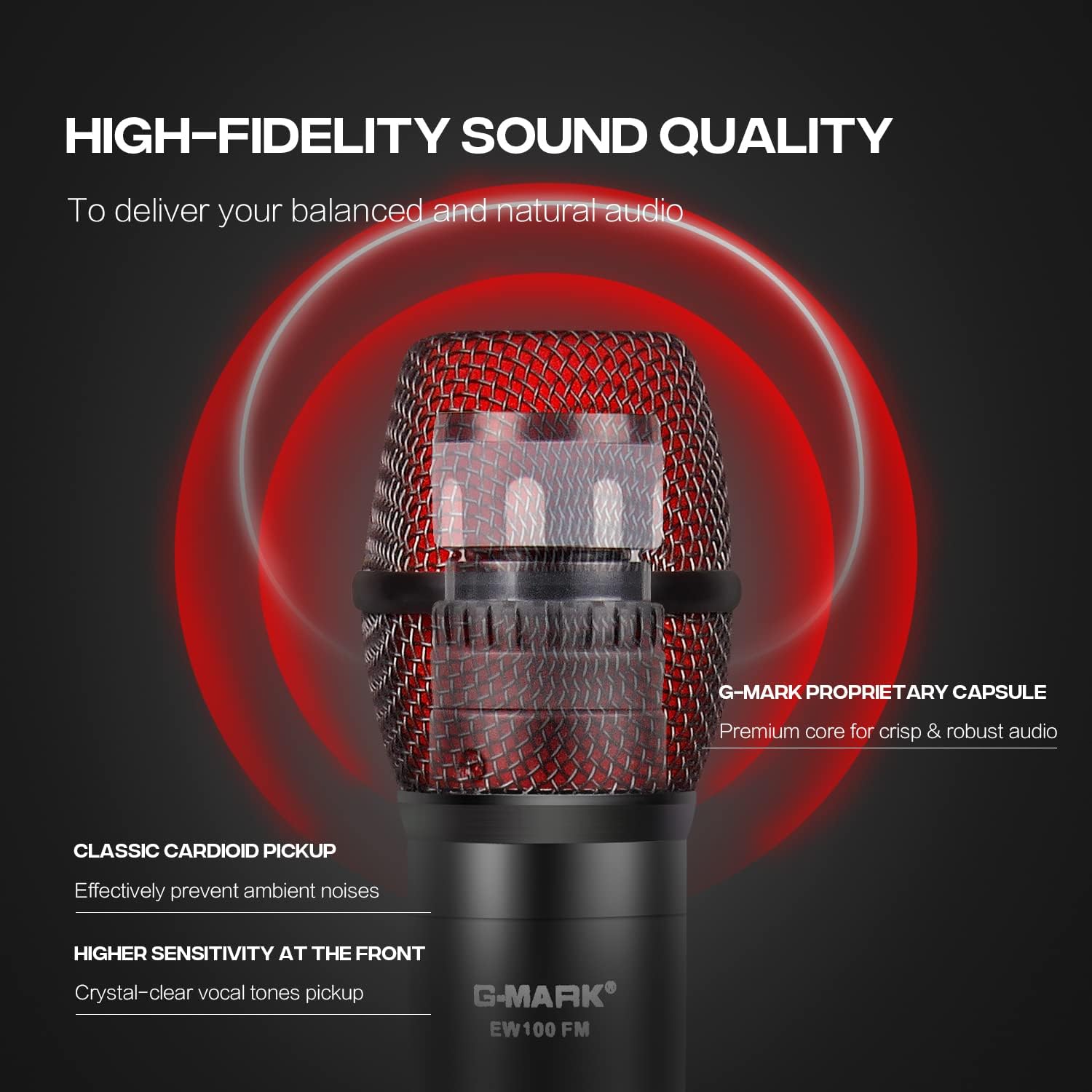
- True Vocal Sound Quality: Dynamic microphones with professional cardioid proprietary capsules deliver balanced and natural sound, picking up diverse vocal tones without being overly bright or muddy.
- Strong Anti-noise: UHF receiver frequency coverage of 520 MHz to 560 MHz with 32 fixed frequencies, limiting feedback and interference for ultra-signal stability and distortion elimination. Supports one-key frequency adjustment.
- Stable Wireless Performance: Dual-channel 2-microphone design with a large dynamic signal range, offering 100 ft to 160 ft wireless coverage, up to 200 ft in wide open spaces, while maintaining excellent audio signal quality.
- Podłącz i graj: The receiver features XLR and 1/4” output interfaces (XLR cable not included), allowing connection to most professional audio mixers, amplifiers, or speakers with mic jacks, and most karaoke machines.
- Szeroka kompatybilność: The receiver automatically pairs with the microphones upon connection. Ideal for home karaoke, parties, church services, meetings, weddings, speeches, classes, opening ceremonies, DJ sets, and live performances.
Instrukcje konfiguracji
1. Podłączenie odbiornika
- Connect the provided power adapter to the DC 9V-12V input on the back of the UHF receiver and plug it into a power outlet.
- Attach the two antennas to the ANT-A and ANT-B ports on the rear of the receiver. Position them vertically for optimal signal reception.
- Connect the receiver to your audio system (mixer, amplifier, or powered speaker) using either the 6.35mm audio cable (MIX OUT) or XLR cables (BALANCED OUT A/B, not included).

Figure 2: Receiver Connections. This image shows the rear panel of the receiver with labeled ports for power (DC9V-12V), antennas (ANT-A, ANT-B), balanced XLR outputs (BALANCED OUT A, BALANCED OUT B), and a 6.35mm mixed output (MIX OUT).
2. Instalacja baterii mikrofonu
- Unscrew the bottom part of each handheld microphone to reveal the battery compartment.
- Insert two AA batteries into each microphone, ensuring correct polarity (+/-).
- Przykręć dolną część z powrotem do mikrofonu.
3. Włączanie i parowanie
- Press the power button on the receiver. The display should light up.
- Turn on each handheld microphone by pressing its power button. The microphone's display will show its frequency and battery status.
- The receiver and microphones are designed for automatic pairing. If pairing does not occur automatically, refer to the "Operating Instructions" section for manual frequency adjustment.
Rysunek 3: Koniec systemuview. This image shows the complete G-MARK EW100 system, including the receiver with antennas and two handheld microphones, ready for use.
Instrukcja obsługi
Sterowanie odbiornikiem
- Przycisk zasilania: Located on the front panel, used to turn the receiver on or off.
- Pokrętła regulacji głośności: Two separate knobs for adjusting the output volume of each microphone channel (A and B).
- Frequency Adjustment Buttons: Buttons (usually labeled UP/DOWN or CH+/CH-) next to each channel's display allow you to change the operating frequency if interference occurs or for manual pairing.
- Ekran wyświetlacza: Shows the current operating frequency, signal strength (RF), and audio signal level (AF) for each channel.

Figure 4: Receiver Front Panel. This image highlights the receiver's front panel, showing the power button, volume control knobs, frequency adjustment buttons, and the digital display for each microphone channel.
Sterowanie mikrofonem
- Przycisk zasilania: Press and hold to turn the microphone on or off. A short press may mute/unmute the microphone.
- Ekran wyświetlacza: Shows battery level, current frequency, and channel.
- Frequency Adjustment (One-Key FM): Some models feature a button for quick frequency adjustment or pairing. Consult the microphone's specific markings.

Figure 5: Microphone Display. This image shows a close-up of the microphone's LCD screen, indicating battery status and frequency information.

Figure 6: Microphone One-Key FM. This image shows the microphone's button for quick frequency adjustment or pairing.
Zgodność
The G-MARK EW100 system is compatible with audio mixers, amplifiers with microphone input, and most karaoke machines. It is niekompatybilny with laptops, iPads, or phones directly.

Figure 7: Device Compatibility. This image illustrates the types of devices the G-MARK EW100 is compatible with (audio mixer, amplifier with mic input, karaoke machines) and incompatible with (laptop, iPad, phone).
Konserwacja
- Czyszczenie: Use a soft, dry cloth to clean the receiver and microphones. Avoid using liquid cleaners or solvents.
- Składowanie: Przechowuj system w chłodnym, suchym miejscu, z dala od bezpośredniego światła słonecznego i ekstremalnych temperatur, gdy nie jest używany.
- Wymiana baterii: Replace microphone batteries when the low battery indicator appears on the microphone's display. Always use fresh AA batteries. Remove batteries if the microphones will not be used for an extended period to prevent leakage.
- Anteny: Handle antennas carefully. Ensure they are securely attached but do not overtighten.
Rozwiązywanie problemów
| Problem | Możliwa przyczyna | Rozwiązanie |
|---|---|---|
| Brak dźwięku z mikrofonu. |
|
|
| Interference or static noise. |
|
|
| Krótki zasięg bezprzewodowy. |
|
|
Specyfikacje
| Funkcja | Specyfikacja |
|---|---|
| Marka | Znak G |
| Numer modelu | EW100 |
| Zalecane zastosowania | Karaoke |
| Technologia łączności | Gniazdo jack 6.35 mm, XLR |
| Funkcja specjalna | Frequency Control, Volume Control |
| Kompatybilne urządzenia | Mixer Audio, Karaoke System, PA system etc |
| Kolor | Czarny i czerwony |
| Wzór biegunowy | Jednokierunkowy |
| Czułość audio | 105 decybeli |
| Impedancja | 600 omy |
| Współczynnik kształtu mikrofonu | System mikrofonowy |
| Źródło zasilania | Battery Powered (Microphones) |
| Number of Batteries (Microphone) | 2 AA batteries required per microphone |
| Stosunek sygnału do szumu | 120dB |
| Liczba kanałów | 2 |
| Zakres częstotliwości | 520-560MHz |
| Materiał obudowy | Metalowe, PVC |
| Wymiary przedmiotu | 15.75 x 12.99 x 2.76 cala |
Informacje o gwarancji
The G-MARK EW100 UHF 2-Channel Wireless Microphone System comes with a 3-month warranty. Please retain your proof of purchase for any warranty claims. For further details or to initiate a warranty claim, please contact G-MARK customer support.
Obsługa klienta
For technical assistance, troubleshooting, or general inquiries regarding your G-MARK EW100 system, please refer to the official G-MARK webOdwiedź stronę internetową lub skontaktuj się z działem obsługi klienta. Dane kontaktowe zazwyczaj znajdują się na opakowaniu produktu lub na oficjalnej stronie internetowej marki.