
1. Wprowadzenie
Dziękujemy za zakupasing the EARISE D61 Plus Bluetooth Speaker. This manual provides important information regarding the safe operation, setup, and maintenance of your device. Please read it thoroughly before use and retain it for future reference.

Image 1.1: The EARISE D61 Plus Bluetooth Speaker, showcasing its portable design and integrated RGB lighting.
2. Ważne informacje dotyczące bezpieczeństwa
- Do not expose the speaker to water or excessive moisture, as it is not waterproof.
- Unikaj ekstremalnych temperatur, bezpośredniego światła słonecznego i źródeł ciepła.
- Nie rozmontowuj, nie naprawiaj ani nie modyfikuj urządzenia. Wszelkie prace serwisowe powierzaj wykwalifikowanemu personelowi.
- Należy używać wyłącznie wskazanego kabla ładującego i zasilacza.
- Trzymaj głośnik z dala od dzieci i zwierząt domowych.
- Aby zapobiec uszkodzeniu słuchu, nie należy korzystać z głośnika ustawionego na zbyt dużą głośność przez dłuższy czas.
3. Zawartość opakowania
Proszę sprawdzić, czy w paczce znajdują się następujące elementy:
- EARISE D61 Plus Bluetooth Speaker
- Kabel ładujący USB
- Instrukcja obsługi (ten dokument)
Jeśli brakuje jakichkolwiek elementów lub są one uszkodzone, prosimy o kontakt z obsługą klienta.
4. Koniec produktuview
Zapoznaj się z podzespołami i elementami sterującymi głośnika.
Obraz 4.1: Przód view of the EARISE D61 Plus speaker, highlighting the control panel and speaker grille.
4.1 Panel sterowania i porty

Image 4.2: Diagram illustrating the various input options and features of the speaker, including USB, TF card, AUX, Microphone, Bluetooth, and FM radio.
- Przycisk TRYB/ŚWIATŁO: Short press to switch between input modes (Bluetooth, AUX, USB, TF, FM). Long press to change light effects.
- M-/V- Button: Short press for previous track (in music modes) or previous station (in FM mode). Long press to decrease volume.
- MSCAN/TWS Button: Short press to Play/Pause (in music modes) or auto-scan FM stations (in FM mode). Long press to activate TWS pairing.
- M+/V+ Button: Short press for next track (in music modes) or next station (in FM mode). Long press to increase volume.
- Port USB: Do odtwarzania z dysku flash USB.
- Gniazdo karty TF: Do odtwarzania z karty TF (MicroSD).
- Wejście AUX: Do podłączania zewnętrznych urządzeń audio za pomocą kabla audio 3.5 mm.
- Wejście mikrofonowe: Do podłączenia mikrofonu.
- Port ładowania: Do ładowania wewnętrznego akumulatora głośnika.
5. Konfiguracja
5.1 Ładowanie głośnika
Before first use, fully charge the speaker. Connect the provided USB charging cable to the speaker's charging port and the other end to a USB power adapter (not included) or a computer's USB port. The charging indicator will illuminate during charging and turn off when fully charged.

Image 5.1: Visual representation of the speaker being charged, indicating battery status.
5.2 Włączanie/wyłączanie
Press and hold the Power button (often integrated with the MODE button or a separate switch, refer to physical device for exact location) to turn the speaker ON or OFF. A sound prompt will indicate the power status.
5.3 parowanie Bluetooth
- Ensure the speaker is powered on and in Bluetooth mode (indicated by a voice prompt or flashing LED). If not, short press the MODE/LIGHT button to switch to Bluetooth mode.
- Włącz Bluetooth w swoim urządzeniu mobilnym (smartfonie, tablecie itp.).
- Szukaj available Bluetooth devices. You should see "EARISE D61 Plus" in the list.
- Select "EARISE D61 Plus" to connect. Once paired, a confirmation sound will be heard.
- The speaker will automatically reconnect to the last paired device when in Bluetooth mode, if the device is within range and Bluetooth is enabled.
5.4 Parowanie TWS (prawdziwe bezprzewodowe stereo)
To achieve stereo sound, you can pair two EARISE D61 Plus speakers together.

Image 5.2: Illustration of two EARISE D61 Plus speakers connected via TWS for a stereo audio experience, controlled by a single smartphone.
- Ensure both EARISE D61 Plus speakers are powered on and in Bluetooth mode, but not yet connected to any device.
- On one of the speakers (this will be the primary speaker), long press the MSCAN/TWS button. You will hear a prompt indicating TWS pairing mode.
- Oba głośniki automatycznie wyszukają się i połączą. Dźwięk potwierdzenia poinformuje o pomyślnym sparowaniu TWS.
- Once paired, the primary speaker will be ready for Bluetooth connection to your mobile device. Follow the steps in "5.3 Bluetooth Pairing" to connect your device to the primary speaker.
- Dźwięk będzie teraz odtwarzany w stereo przez oba głośniki.
- To disconnect TWS, long press the MSCAN/TWS button on either speaker.
6. Instrukcja obsługi
6.1 Wybór trybu
Naciśnij krótko TRYB/ŚWIATŁO button to cycle through available input modes: Bluetooth, AUX, USB, TF Card, FM Radio.
6.2 Audio Playback (Bluetooth, USB, TF Card, AUX)
- Odtwórz/Pauza: Naciśnij krótko MSCAN/TWS przycisk.
- Następny utwór: Naciśnij krótko M+/V+ przycisk.
- Poprzedni utwór: Naciśnij krótko M-/V- przycisk.
- Zwiększenie głośności: Naciśnij i przytrzymaj M+/V+ przycisk.
- Ściszanie: Naciśnij i przytrzymaj M-/V- przycisk.
6.3 Obsługa radia FM
- Przełącz się na tryb FM za pomocą TRYB/ŚWIATŁO przycisk.
- Naciśnij krótko MSCAN/TWS button to automatically scan and save available FM stations. The speaker will play the first saved station.
- Krótkie naciśnięcie M+/V+ or M-/V- aby poruszać się pomiędzy zapisanymi stacjami.
6.4 Efekty świetlne RGB
The speaker features dynamic RGB lighting. Long press the TRYB/ŚWIATŁO przycisk umożliwiający przełączanie różnych trybów oświetlenia lub wyłączenie oświetlenia.
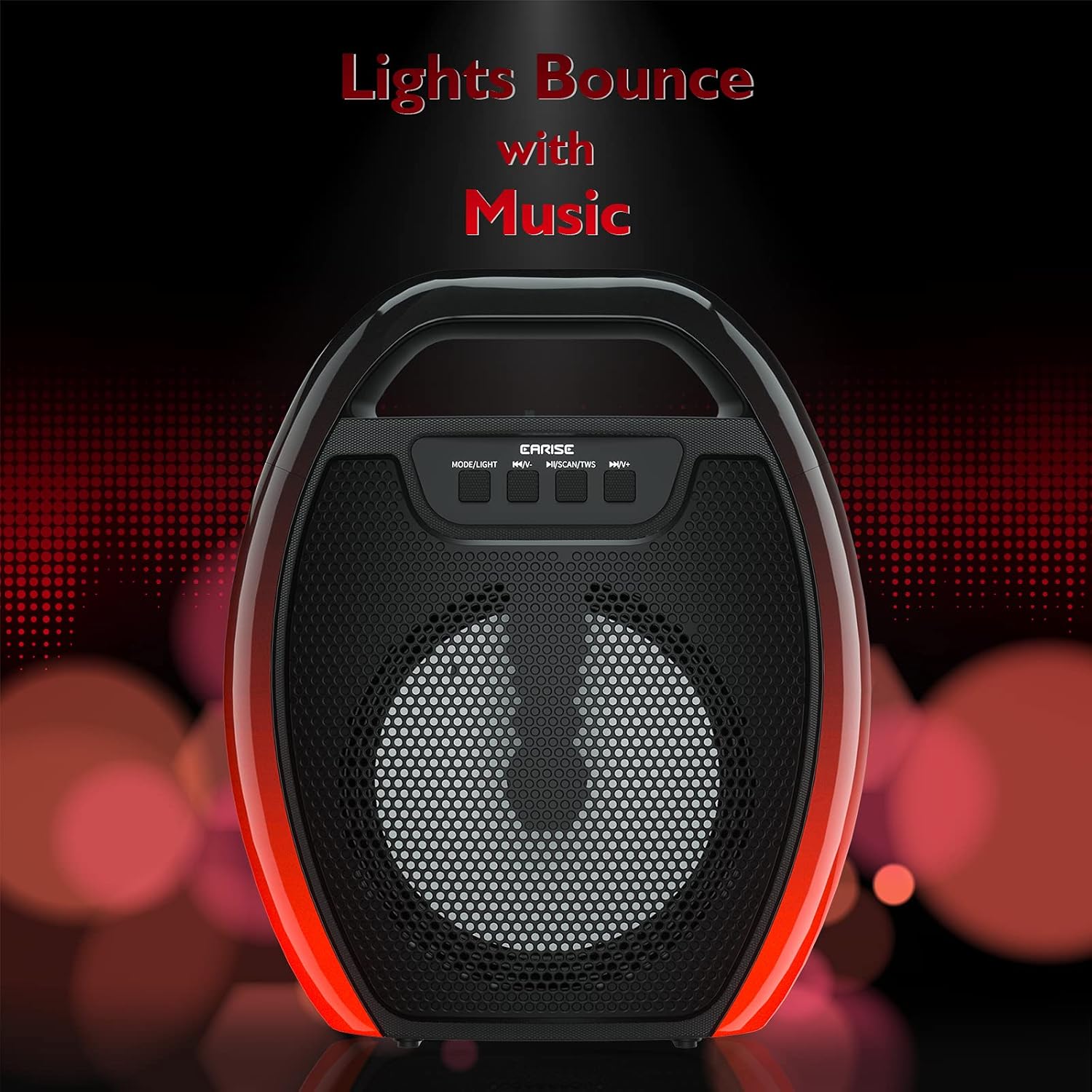
Image 6.1: The speaker displaying its light effects, which can synchronize with music playback.
6.5 wejście mikrofonowe
Connect a wired microphone (not included) to the MIC input port for karaoke or public address functions. Adjust the microphone volume using the connected microphone's controls or the speaker's main volume controls.
7. Konserwacja
- Czyszczenie: Use a soft, dry cloth to clean the speaker. Do not use liquid cleaners or aerosols.
- Składowanie: Przechowuj głośnik w chłodnym, suchym miejscu, z dala od bezpośredniego światła słonecznego i ekstremalnych temperatur.
- Pielęgnacja baterii: To prolong battery life, fully charge the speaker before long periods of inactivity and recharge it at least once every three months. Avoid completely draining the battery frequently.
8. Rozwiązywanie Problemów
| Problem | Możliwa przyczyna | Rozwiązanie |
|---|---|---|
| Głośnik nie włącza się. | Niski poziom naładowania baterii; przycisk zasilania nie został wciśnięty prawidłowo. | Naładuj głośnik; naciśnij i przytrzymaj przycisk zasilania przez kilka sekund. |
| Nie można sparować przez Bluetooth. | Głośnik nie jest w trybie parowania; Bluetooth urządzenia jest wyłączony; Głośnik jest zbyt daleko od urządzenia; Jest już połączony z innym urządzeniem. | Ensure speaker is in Bluetooth pairing mode; Turn on Bluetooth on your device; Move device closer to speaker; Disconnect from other devices. |
| Brak dźwięku. | Zbyt niska głośność; Nieprawidłowy tryb wprowadzania; Urządzenie nie odtwarza dźwięku. | Increase speaker and device volume; Switch to correct input mode (Bluetooth, AUX, etc.); Ensure audio is playing on your device. |
| Parowanie TWS nie powiodło się. | Speakers too far apart; One speaker already paired to a device; Not in TWS pairing mode. | Ensure speakers are close; Disconnect both speakers from any devices; Long press MSCAN/TWS on one speaker to initiate TWS pairing. |
| Oświetlenie RGB nie działa. | Światła wyłączone; Awaria. | Long press MODE/LIGHT button to cycle through light modes; If issue persists, contact support. |
9. Specyfikacje
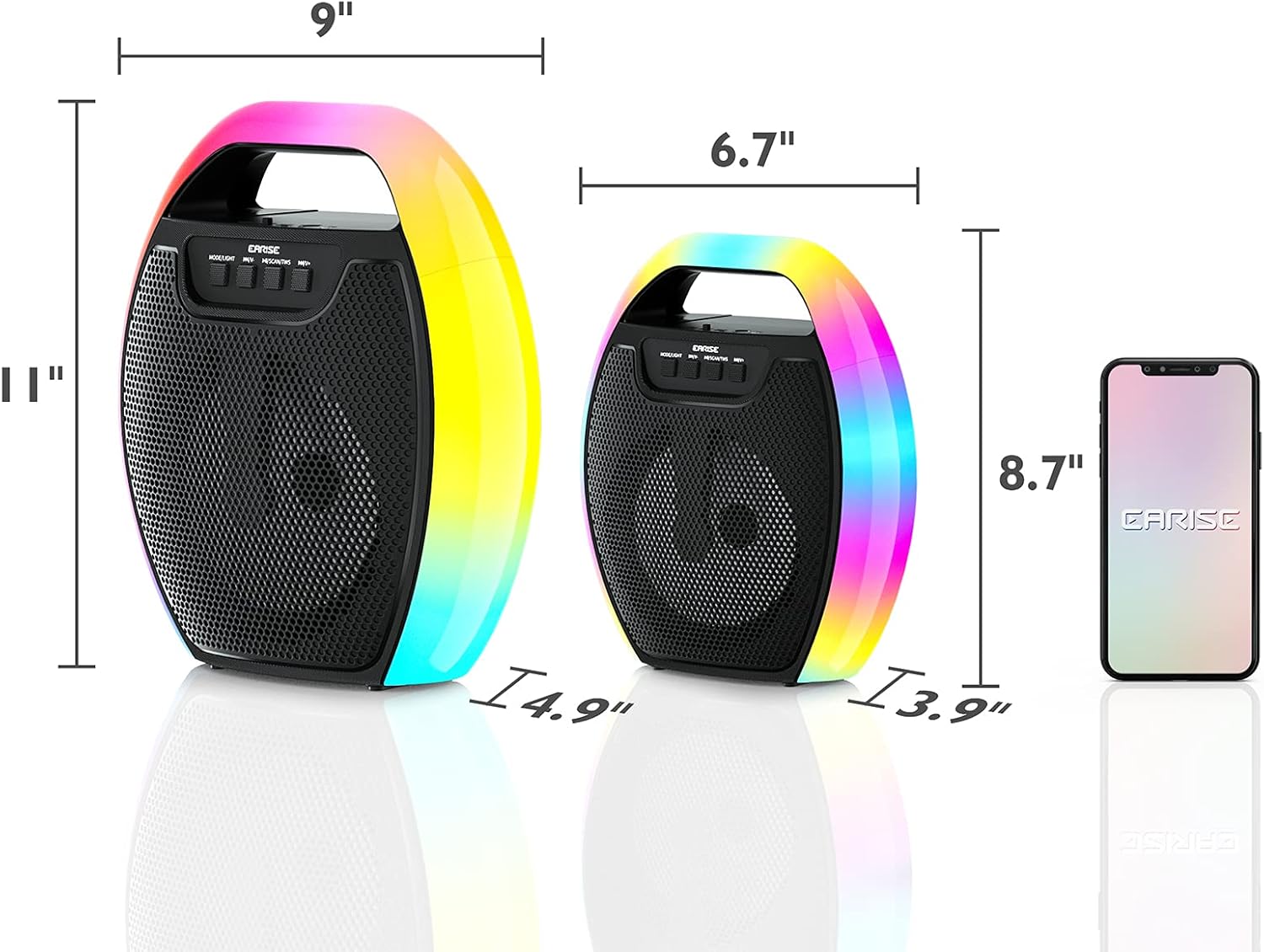
Image 9.1: Product dimensions of the EARISE D61 Plus speaker.
| Funkcja | Szczegół |
|---|---|
| Nazwa modelu | D61 Plus |
| Marka | USZY |
| Technologia łączności | Bluetooth, Auxiliary (3.5mm), USB, TF Card, FM Radio |
| Tryb wyjścia audio | Stereo (z TWS) |
| Typ głośnika | Przenośny głośnik zewnętrzny |
| Rozmiar głośnika | 4 cali |
| Źródło zasilania | Zasilany bateryjnie |
| Żywotność baterii | Up to 12 Hours (actual playtime varies with volume and light usage) |
| Wodoodporny | NIE |
| Wymiary produktu | 9 x 5 x 11 cali (dł. x szer. x wys.) |
| Waga przedmiotu | 2.28 funta |
| Cechy specjalne | RGB Lights, TWS Pairing, Portable |
10. Gwarancja i wsparcie
EARISE products are designed and manufactured to the highest quality standards. For information regarding warranty coverage, technical support, or service inquiries, please refer to the warranty card included with your purchase or visit the official EARISE webstrona.
Proszę zachować dowód zakupu na potrzeby roszczeń gwarancyjnych.