
Wstęp
Dziękujemy za zakupasing the AZATOM A2 Portable DAB/DAB+ Digital Radio. This compact and versatile device is designed to provide high-quality digital and FM radio reception, offering a superior listening experience on the go. Please read this manual carefully to understand the features and operation of your new radio.

The AZATOM A2 radio, showcasing its stylish and compact design, perfect for portability.
Co jest w pudełku
- AZATOM A2 Portable DAB/DAB+ Digital Radio
- Kabel USB-C
- Słuchawki sportowe
- Instrukcja obsługi (ten dokument)
- Karta gwarancyjna
Produkt ponadview
Familiarize yourself with the buttons and ports on your AZATOM A2 radio:

Przód view of the AZATOM A2 radio, highlighting the display and control buttons.
- Przycisk zasilania: Włącza/wyłącza radio.
- Przycisk MENU: Dostęp do opcji menu.
- Przyciski VOL+ / VOL-: Dostosowuje poziom głośności.
- ENTER/SCAN Button: Confirms selections or initiates station scanning.
- PRESET Buttons (1/2, 3/4): Recalls stored preset stations.
- Przycisk TRYB: Przełącza między trybami DAB/DAB+ i FM.
- Gniazdo słuchawkowe: Connects the included earphones, which also function as the antenna.
- Port USB-C: Do ładowania urządzenia.
Organizować coś
1. Ładowanie akumulatora
Before first use, fully charge the radio. Connect the supplied USB-C cable to the radio's USB-C port and the other end to a USB power adapter (not included) or a computer's USB port. The display will indicate charging status. A full charge provides up to 24 hours of playtime.

The AZATOM A2 features a long-lasting rechargeable battery for extended use.
2. Connecting Earphones (Antenna)
The included earphones serve as the radio's antenna for both DAB/DAB+ and FM reception. It is essential to connect the earphones to the 3.5mm jack before operating the radio to ensure proper signal reception.
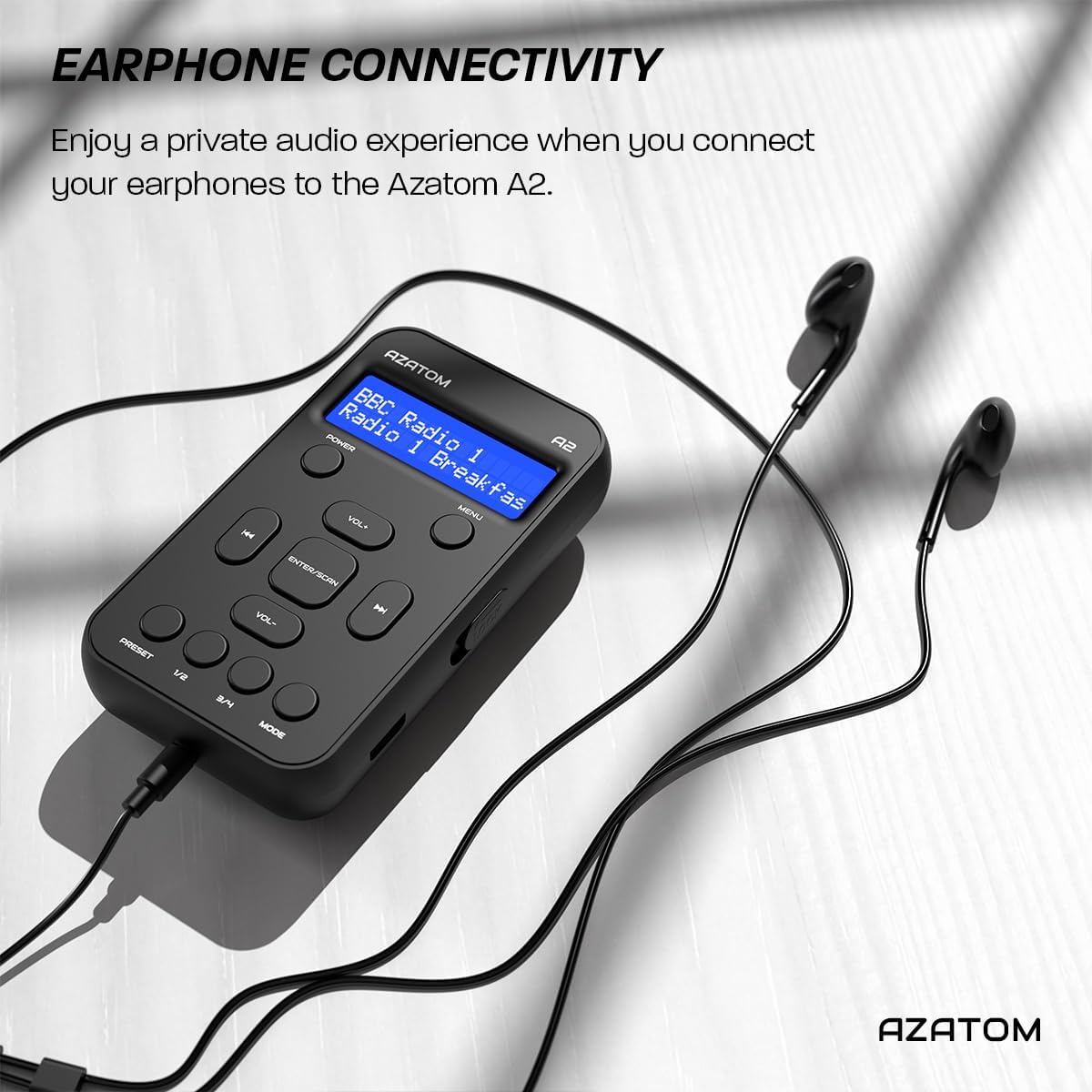
Connect the supplied earphones to the radio for optimal reception and a private listening experience.
Instrukcja obsługi
Włączanie/wyłączanie zasilania
- Naciśnij i przytrzymaj MOC przycisk włączania i wyłączania radia.
Obsługa radia DAB/DAB+

The AZATOM A2 supports both DAB/DAB+ and FM radio technologies.
- Ensure the earphones are connected.
- Naciśnij TRYB button until 'DAB' or 'DAB+' is displayed.
- The radio will automatically perform a full scan for available DAB/DAB+ stations upon first use or if no stations are found. To manually scan, press and hold the ENTER/SKANUJ przycisk.
- Użyj Objętość + or TOM- przyciski umożliwiające poruszanie się po liście znalezionych stacji.
- Naciskać ENTER/SKANUJ aby wybrać stację.
Obsługa radia FM
- Ensure the earphones are connected.
- Naciśnij TRYB Naciskaj przycisk, aż wyświetli się napis „FM”.
- Aby automatycznie przeskanować stacje FM, naciśnij i przytrzymaj ENTER/SKANUJ przycisk. Radio przeskanuje i zapisze dostępne stacje.
- Aby dostroić ręcznie, naciśnij krótko przycisk Objętość + or TOM- buttons to adjust the frequency in small increments.
Ustawianie i przywoływanie ustawień wstępnych
The AZATOM A2 allows you to store up to 40 DAB+ and 40 FM favorite stations.

The AZATOM A2 allows for easy recall of your favorite preset stations.
Aby zapisać ustawienie wstępne:
- Dostrój się do żądanej stacji.
- Naciśnij i przytrzymaj jeden z USTAWIENIE WSTĘPNE buttons (1/2 or 3/4) until the display shows 'Preset Store'.
- Użyj Objętość + or TOM- przyciski umożliwiające wybór żądanego numeru ustawienia wstępnego (1-40).
- Naciskać ENTER/SKANUJ aby potwierdzić i zapisać stację.
Aby przywołać ustawienie wstępne:
- Krótko naciśnij jeden z USTAWIENIE WSTĘPNE buttons (1/2 or 3/4).
- Użyj Objętość + or TOM- buttons to navigate through your stored presets.
- Naciskać ENTER/SKANUJ to select and play the desired preset station.
Kontrola głośności
- Naciskać Objętość + aby zwiększyć głośność.
- Naciskać TOM- aby zmniejszyć głośność.
Jasność wyświetlacza
The XL digital display's brightness can be adjusted to your preference. Access this setting through the MENU options.

Zbliżenie view of the AZATOM A2's clear digital display.
Konserwacja
- Czyszczenie: Do czyszczenia powierzchni radia używaj miękkiej, suchej ściereczki. Nie używaj środków czyszczących ani rozpuszczalników o działaniu ściernym.
- Pielęgnacja baterii: Aby przedłużyć żywotność baterii, unikaj częstego całkowitego rozładowywania. Ładuj radio regularnie, nawet jeśli nie jest używane przez dłuższy czas.
- Składowanie: Przechowuj radio w chłodnym i suchym miejscu, z dala od bezpośredniego światła słonecznego i ekstremalnych temperatur.
Rozwiązywanie problemów
| Problem | Możliwa przyczyna | Rozwiązanie |
|---|---|---|
| No power/Radio won't turn on. | Bateria jest rozładowana. | Naładuj radio za pomocą dołączonego kabla USB-C. |
| Słaby odbiór radia (DAB/FM). | Earphones not connected or not fully inserted. Weak signal area. | Ensure earphones are securely connected. Try moving to an open area or near a window. Perform a new scan. |
| Brak dźwięku. | Volume is too low or muted. Earphones not connected. | Increase the volume using VOL+. Ensure earphones are connected. |
| Radio zawiesza się lub przestaje reagować. | Tymczasowy błąd oprogramowania. | Press and hold the POWER button to force a restart. If issue persists, allow battery to fully discharge then recharge. |
Specyfikacje

Dimensions of the AZATOM A2 radio.
| Funkcja | Szczegół |
|---|---|
| Model | A2 |
| Wymiary (dł. x szer. x wys.) | 9 x 4 x 11 cm (approx. 90mm x 50mm x 24mm) |
| Waga | 90 gramów |
| Obsługiwane pasma radiowe | DAB, DAB+, FM |
| Ustawienia wstępne | 40 DAB+, 40 FM |
| Typ baterii | Rechargeable Lithium Ion (1800mAh) |
| Pauza w szkole | Do 24 godzin |
| Typ wyświetlacza | LCD |
| Łączność | USB-C (for charging), 3.5mm Earphone Jack |
| Tworzywo | Plastikowy |
Gwarancja i wsparcie
AZATOM products are designed and engineered in the UK. The AZATOM A2 comes with a premium 3-year warranty (registration required). For any questions or support, please contact our dedicated customer service team. Lifetime customer support is provided to assist you with any queries.
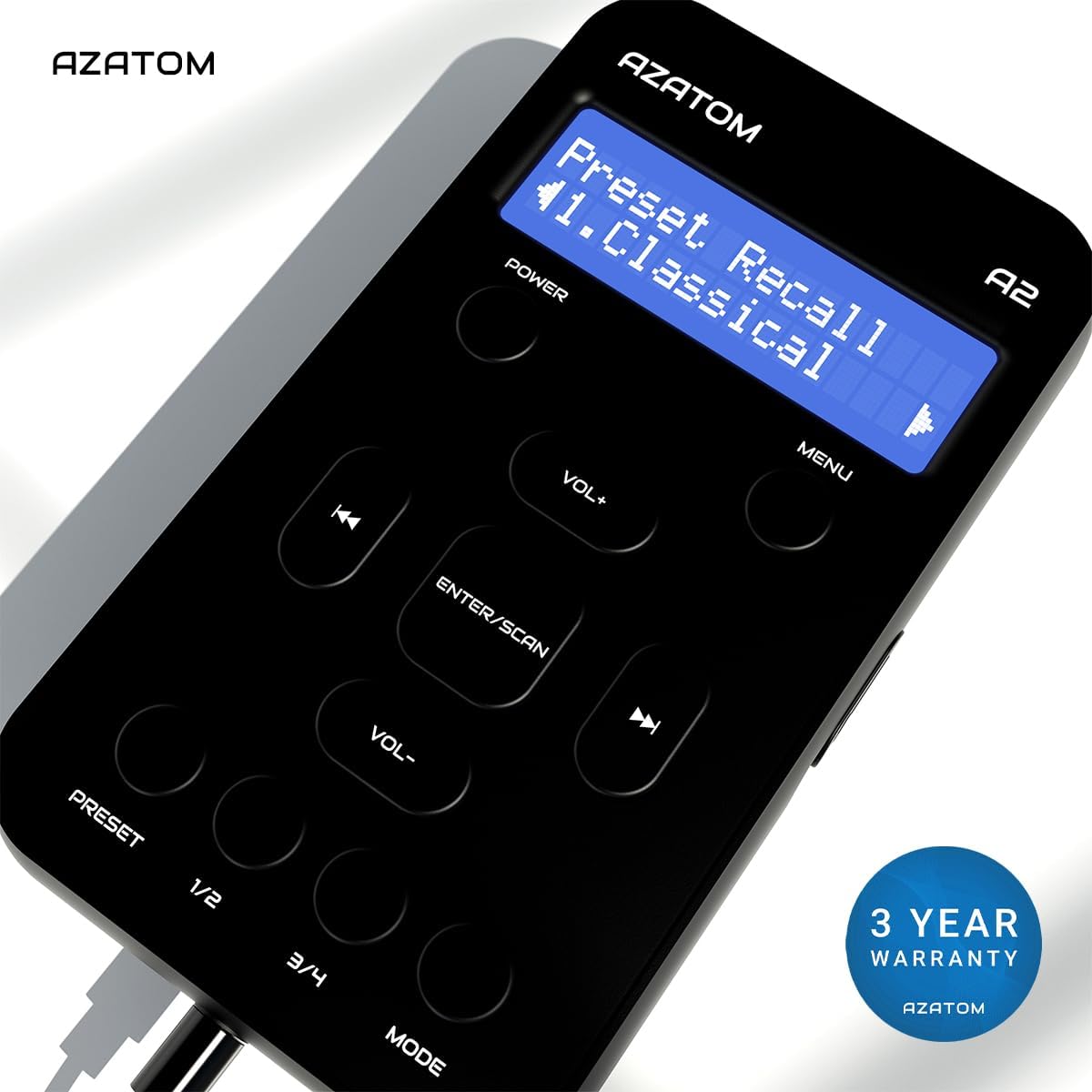
The AZATOM A2 is backed by a 3-year warranty.