
1. Koniec produktuview
The PHEANOO D5 is a 2.1 channel sound bar system designed to enhance your television's audio experience. It includes a main sound bar unit and a dedicated wired subwoofer for deep bass. The system offers multiple connectivity options, including HDMI (ARC), Bluetooth 5.0, Optical, and AUX, ensuring compatibility with a wide range of devices. Its compact and stylish design allows for flexible placement, either on a TV stand or wall-mounted.

Image: The PHEANOO D5 sound bar and its wired subwoofer, both in black, shown together. The sound bar is long and cylindrical, and the subwoofer is a rectangular box.
2. Co znajduje się w pudełku
Prosimy o dokładne sprawdzenie zawartości opakowania. Jeśli brakuje któregokolwiek z elementów lub jest on uszkodzony, prosimy o kontakt z obsługą klienta.
- Soundbar and Wired Subwoofer
- Kabel HDMI
- Kabel audio RCA
- Remote Control (Bass, Treble Adjustable) - Baterie nie są dołączone
- Zestaw do montażu na ścianie

Image: All components included in the PHEANOO D5 package: the sound bar, subwoofer, power adapter, remote control, HDMI cable, RCA audio cable, and wall mounting hardware.
3. Konfiguracja i instalacja
3.1 Umieszczenie fizyczne
The PHEANOO D5 sound bar offers flexible placement options to suit your home entertainment setup.
- Umiejscowienie blatu: Place the sound bar directly on a flat surface below your television. Ensure there is adequate space and that the sound bar is stable.
- Montaż na ścianie: Use the included wall mount kit to securely attach the sound bar to a wall. It is recommended to measure and mark drilling points accurately using a level, rather than relying solely on paper stencils, to ensure proper alignment.

Obraz: Dwóch byłychamples of sound bar placement: one mounted on a wall below a television, and another placed on a TV stand. This illustrates the flexible installation options.
The sound bar has a slim design with dimensions of 2.8"D x 29.5"W x 2.4"H, making it suitable for placement in front of most televisions without obstructing the screen.
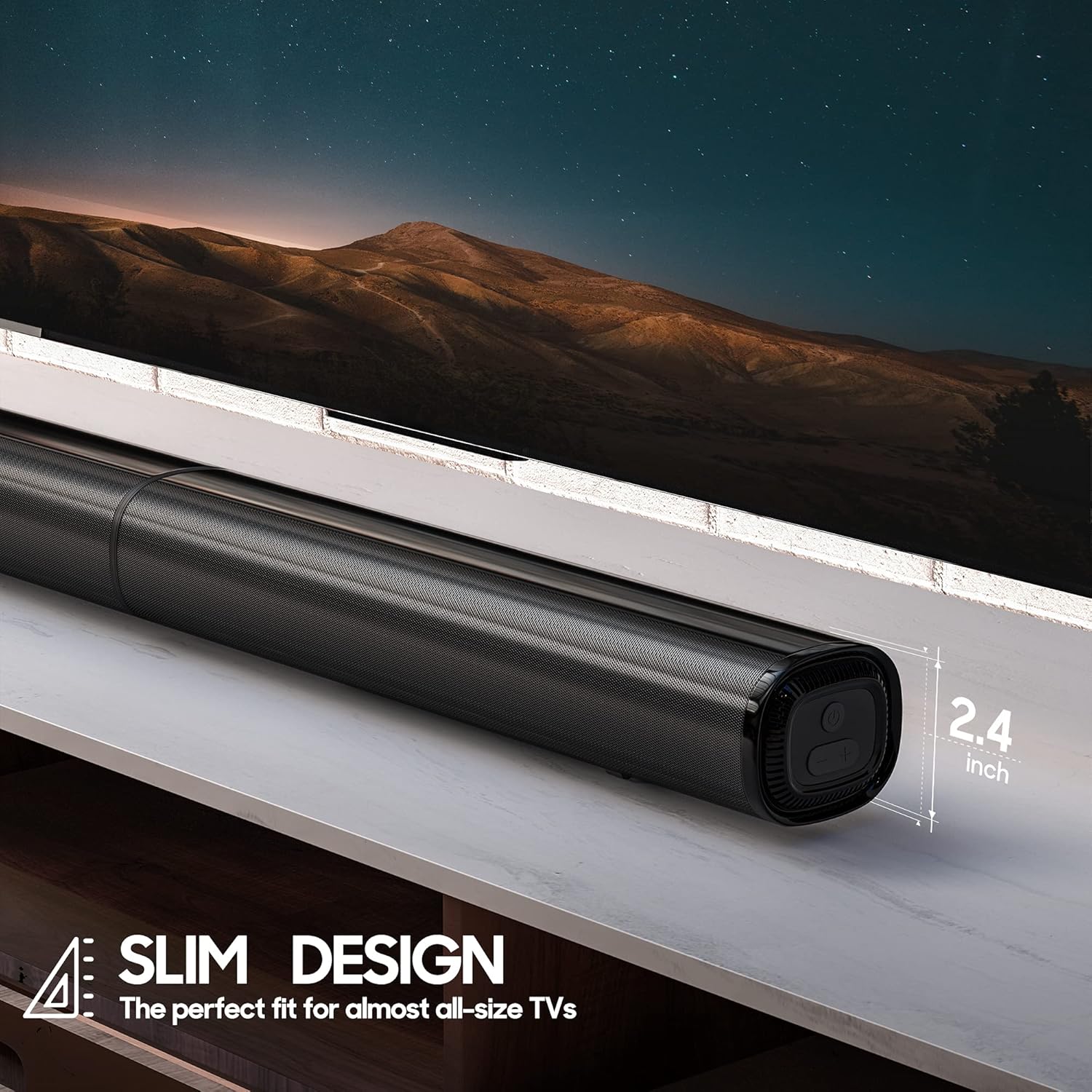
Obraz: Zbliżenie view of the PHEANOO D5 sound bar placed under a television, highlighting its slim profile of 2.4 inches in height.
3.2 Podłączanie subwoofera
The dedicated subwoofer connects to the sound bar via a wired connection. Ensure the subwoofer is placed in a location that allows for optimal bass distribution, ideally in a corner for enhanced effect.
3.3 Connecting to Your TV or Device
The D5 sound bar offers multiple connectivity options for seamless integration with your devices. Choose the connection method that best suits your television or audio source.
- HDMI (ARC): For the best audio quality and control, connect the sound bar to your TV's HDMI ARC port using the provided HDMI cable. This allows your TV remote to control the sound bar's volume.
- Optyczny: Connect using an optical cable (not included) for high-quality digital audio.
- AUX: Use the provided RCA audio cable to connect to devices with a 3.5mm audio output.
- Bluetooth 5.0: For wireless audio streaming from smartphones, tablets, or other Bluetooth-enabled devices.

Image: The rear panel of the PHEANOO D5 sound bar showing the various input ports: AUX, Optical, HDMI (ARC), and USB. Bluetooth connectivity is also indicated.
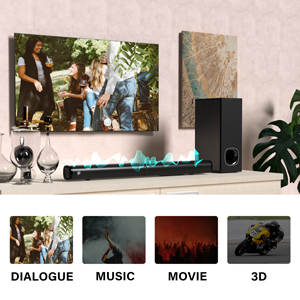
Image: A diagram illustrating the AUX, Optical, and HDMI (ARC) connection options available on the PHEANOO D5 sound bar.
3.4 Roku TV Ready Setup
The D5 is certified to work seamlessly with any Roku TV through the HDMI (ARC) connection. This provides a smooth setup process, easy access to sound settings, and compatibility with your existing Roku TV remote.
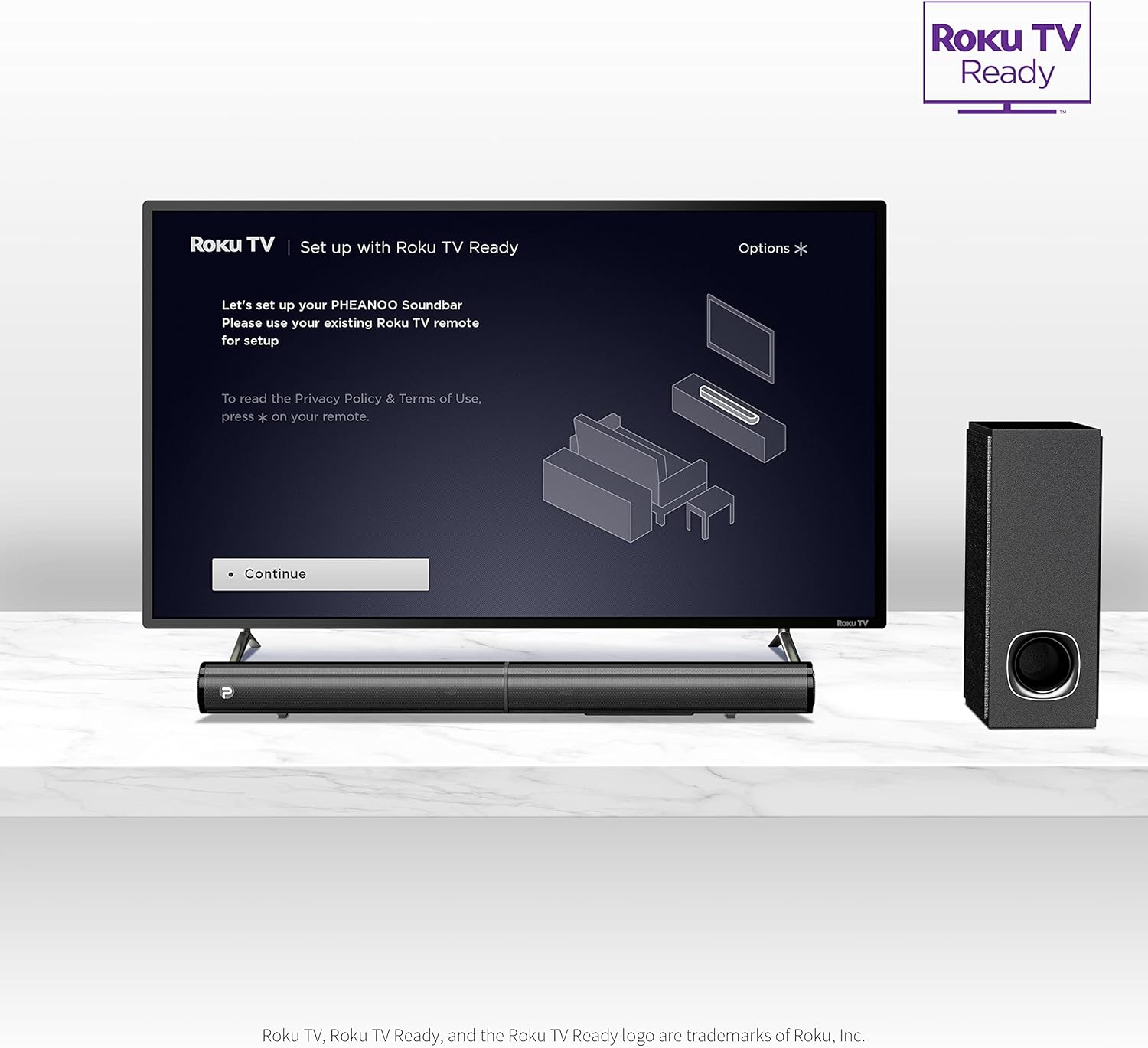
Image: A television screen displaying the "Roku TV | Set up with Roku TV Ready" interface, with the PHEANOO sound bar and subwoofer positioned below the TV, indicating easy integration.
4. Instrukcja obsługi
4.1 Włączanie/wyłączanie zasilania
Press the power button on the sound bar or the remote control to turn the unit on or off. The indicator light on the sound bar will show its status.

Image: A close-up of the sound bar's indicator light and a remote control, highlighting the 'PAIR' and 'INDICATOR' buttons for status and pairing.
4.2 Wybór źródła sygnału wejściowego
Use the "Input" button on the remote control or the sound bar to cycle through available input sources: HDMI (ARC), Optical, AUX, and Bluetooth.
4.3 Regulacja głośności
Adjust the master volume using the Volume Up (+) and Volume Down (-) buttons on the remote control or the sound bar. The remote also allows for independent bass and treble adjustments.
4.4 tryby dźwięku
The D5 sound bar features various sound modes optimized for different content types. Use the remote control to select:
- Tryb dialogu: Poprawia klarowność głosu, dzięki czemu mowa staje się łatwiejsza do zrozumienia.
- Tryb muzyczny: Zoptymalizowane pod kątem odtwarzania muzyki.
- Tryb filmu: Provides an immersive audio experience for films.
- Tryb 3D: Creates a wider, more spatial soundstage.
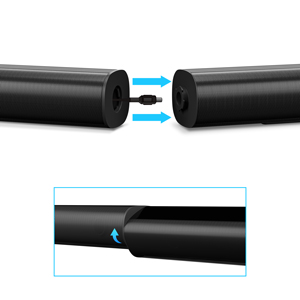
Image: A visual representation of the four sound modes: Dialogue, Music, Movie, and 3D, with corresponding icons and a sound wave graphic emanating from the sound bar.
4.5 parowanie Bluetooth
Aby sparować urządzenie Bluetooth:
- Select Bluetooth input on the sound bar. The indicator light will flash.
- Enable Bluetooth on your device (e.g., smartphone).
- Szukaj "PHEANOO D5" in your device's Bluetooth settings and select it to pair.
- Po sparowaniu kontrolka zaświeci się światłem ciągłym, a Ty będziesz mógł przesyłać dźwięk bezprzewodowo.
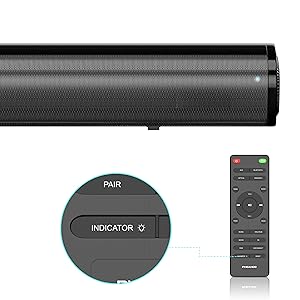
Image: A smartphone displaying a music player interface, with a Bluetooth icon and a sound wave connecting it wirelessly to the PHEANOO D5 sound bar.
5. Główne cechy
5.1 Clear and Precise Dialogue
The D5 sound bar features a specially tuned dialogue mode that makes speech crystal clear and easier to understand, enhancing your viewing experience, especially for movies and TV shows.

Image: A group of people watching TV with the PHEANOO D5 sound bar, accompanied by a "CRYSTAL-CLEAR DIALOGUE" graphic, illustrating enhanced speech clarity.
5.2 Enhanced Bass Performance
The dedicated wired subwoofer provides deep and powerful bass, significantly improving the overall sound quality compared to standalone sound bars. The 5.25-inch subwoofer delivers a robust low-frequency response.

Image: A close-up of the PHEANOO D5 subwoofer, with a graphic indicating "BETTER BASS" and ripples suggesting powerful sound waves emanating from the unit.
5.3 Compact and Stylish Design
With overall dimensions of 29.5"W x 2.4"H x 2.8"D, the D5 sound bar features a compact and sleek design that blends easily into any living space, complementing your television without being obtrusive.
6. Specyfikacje
| Funkcja | Szczegół |
|---|---|
| Nazwa modelu | Sound Bar 4 (D5) |
| Typ głośnika | Soundbar, Subwoofer |
| Konfiguracja kanału dźwięku przestrzennego | 2.1 |
| Technologia łączności | Auxiliary, Bluetooth, HDMI (ARC), Optical, USB |
| Technologia komunikacji bezprzewodowej | Bluetooth 5.0 |
| Maksymalna moc wyjściowa głośnika | 200 watów |
| Wymiary produktu | 2.8" gł. x 29.5" szer. x 2.4" wys. |
| Waga przedmiotu | 11.57 funta |
| Średnica subwoofera | 8.27 cali (średnica głośnika niskotonowego) |
| Typ montażu | Montaż ścienny, blat |
| Kolor | Czarny |
| Metoda kontroli | Zdalny |
| Źródło zasilania | Elektryczny przewodowy |
| Kompatybilne urządzenia | Telewizory, smartfony, tablety |
7. Konserwacja
To ensure the longevity and optimal performance of your PHEANOO D5 Sound Bar, follow these maintenance guidelines:
- Czyszczenie: Use a soft, dry cloth to clean the surfaces of the sound bar and subwoofer. Avoid using liquid cleaners, aerosols, or abrasive materials, as these can damage the finish.
- Wentylacja: Upewnij się, że soundbar i subwoofer mają odpowiednią wentylację. Nie blokuj otworów wentylacyjnych.
- Środowisko: Trzymaj urządzenie z dala od bezpośredniego światła słonecznego, źródeł ciepła, nadmiernego kurzu, wilgoci i silnych pól magnetycznych.
- Przewód zasilający: Regularnie sprawdzaj przewód zasilający pod kątem uszkodzeń. W przypadku uszkodzenia, zaprzestań użytkowania i skontaktuj się z obsługą klienta.
8. Rozwiązywanie Problemów
If you encounter issues with your PHEANOO D5 Sound Bar, refer to the following common troubleshooting steps:
| Problem | Możliwe rozwiązanie |
|---|---|
| Brak dźwięku z soundbara. |
|
| Subwoofer is not producing bass. |
|
| Problemy z parowaniem Bluetooth. |
|
| Pilot nie działa. |
|
9. Gwarancja i wsparcie
The PHEANOO D5 Sound Bar comes with a limited warranty. Please refer to the warranty card included in your package for specific terms and conditions.
For further assistance, technical support, or warranty claims, please refer to the official PHEANOO support channels or the comprehensive User Manual PDF available online.
Instrukcja obsługi online (PDF): Pobierz tutaj