
1. Wprowadzenie
This manual provides comprehensive instructions for the installation, operation, and maintenance of your EVGA GeForce RTX 3080 Ti FTW3 ULTRA GAMING graphics card. This high-performance graphics card is designed to deliver exceptional visual fidelity and processing power for demanding applications and gaming.
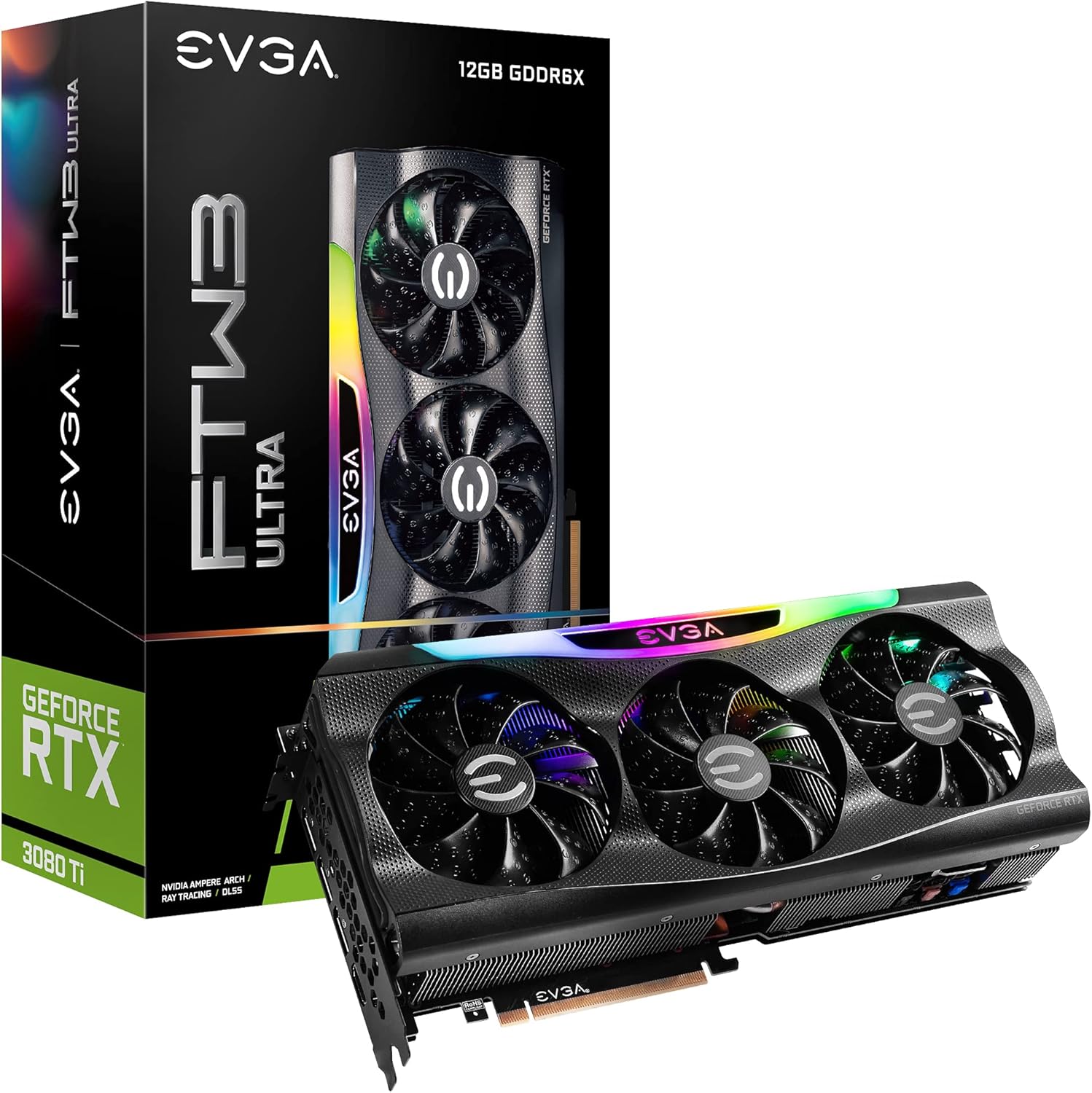
Figure 1.1: EVGA GeForce RTX 3080 Ti FTW3 ULTRA GAMING Graphics Card and Packaging.
2. Główne cechy
The EVGA GeForce RTX 3080 Ti FTW3 ULTRA GAMING graphics card incorporates advanced technologies to enhance performance and user experience. Key features include:
- Maksymalna rozdzielczość cyfrowa: Supports resolutions up to 7680 x 4320 for ultra-high definition displays.
- Real Boost Clock: Achieves a boost clock of 1800 MHz for enhanced performance.
- Memory Detail: Equipped with 12288 MB GDDR6X memory for high-bandwidth data transfer.
- Real-Time RAY TRACING: Delivers cutting-edge, hyper-realistic graphics in supported games.
- iCX3 Technology: Advanced cooling solution for optimal thermal performance.
- ARGB LED: Możliwość dostosowania oświetlenia RGB do indywidualnych potrzeb estetycznych.
- Metal Backplate: Provides structural rigidity and aids in heat dissipation.
- NVIDIA DLSS: AI acceleration for maximum FPS and uncompromised image quality.
- PCI Express Gen 4: High-speed interface for data transfer.

Figure 2.1: Memory and Architecture Overview.

Figure 2.2: iCX3 Interactive Cooling System.
3. Zawartość opakowania
Przed przystąpieniem do instalacji sprawdź, czy w opakowaniu znajdują się wszystkie elementy:
- EVGA GeForce RTX 3080 Ti FTW3 ULTRA GAMING Graphics Card
- Quick Start Guide / User Manual (Digital or Printed)
- Accessory Kit (may include power adapters, support bracket, screws)
Note: Contents may vary slightly based on region or specific bundle.
4. Konfiguracja i instalacja
Proper installation is crucial for optimal performance and longevity of your graphics card. Ensure your system meets the minimum requirements before installation.
4.1 Wymagania systemowe
- Płyta główna zgodna ze standardem PCI Express i jednym gniazdem graficznym x16.
- Minimum 750W or greater system power supply with three 8-pin PCIe power connectors.
- Microsoft Windows 10 64-bit or Linux 64-bit operating system.
- 1.5 GB dostępnej przestrzeni na dysku twardym.
- 8 GB pamięci systemowej (zalecane 16 GB).
4.2 Instalacja sprzętu
- Przygotuj swój system: Wyłącz komputer i odłącz wszystkie kable. Otwórz obudowę komputera.
- Zlokalizuj gniazdo PCIe: Identify an available PCI Express x16 slot on your motherboard. This card typically requires a 2.75 slot width.
- Zdejmij osłony gniazd: Zdejmij z obudowy komputera zaślepki niezbędnych gniazd rozszerzeń.
- Zainstaluj kartę graficzną: Ostrożnie dopasuj kartę graficzną do gniazda PCIe i mocno dociśnij, aż będzie pewnie osadzona. Upewnij się, że zatrzask mocujący na płycie głównej jest zablokowany.
- Karta bezpieczna: Secure the graphics card to the case using the screws from the expansion slots.
- Podłącz zasilanie: Connect three 8-pin PCIe power cables from your power supply to the corresponding power connectors on the graphics card. Ensure a secure connection.
- Zamknij sprawę: Zamknij obudowę komputera i ponownie podłącz wszystkie kable.

Figure 4.1: Graphics Card Output Ports (DisplayPort and HDMI).

Figure 4.2: Optional Support Bracket Installation.
4.3 Instalacja oprogramowania
- Włączanie: Turn on your computer. The system may boot into a lower resolution.
- Zainstaluj sterowniki: Download the latest NVIDIA GeForce drivers from the official NVIDIA webStrona (www.nvidia.com/drivers). Select your product series (GeForce RTX 30 Series), product (GeForce RTX 3080 Ti), and operating system.
- Install EVGA Precision X1: For advanced monitoring, overclocking, and ARGB LED control, download and install EVGA Precision X1 software from the official EVGA webStrona (www.evga.com/precisionx1/).
- Uruchom ponownie: Restart your computer after driver and software installation to apply changes.
5. Obsługa karty graficznej
Once installed, your EVGA GeForce RTX 3080 Ti is ready for use. Here are some operational considerations:
5.1 Połączenie wyświetlacza
Connect your display(s) to the DisplayPort or HDMI outputs on the graphics card. This card supports multiple displays simultaneously.
5.2 Optymalizacja wydajności
- Aktualizacje sterowników: Regularly check for and install the latest NVIDIA drivers for optimal performance and compatibility with new games and applications.
- EVGA Precision X1: Utilize EVGA Precision X1 for fine-tuning. This software allows you to:
- Monitoruj temperaturę procesora graficznego, prędkość zegara i prędkość wentylatora.
- Adjust fan curves for customized cooling performance.
- Overclock the GPU and memory for increased performance (use with caution).
- Control the ARGB LED lighting effects.
- Chłodzenie układu: Ensure adequate airflow within your computer case to prevent thermal throttling and maintain stable performance.

Figure 5.1: ARGB LED Illumination (LED ON).

Figure 5.2: Advanced Features in Action.
6. Konserwacja
Regularna konserwacja pomaga zapewnić długowieczność i optymalną wydajność karty graficznej.
- Usuwanie kurzu: Periodically clean dust from the heatsink fins and fan blades using compressed air. Ensure the fans are not spinning during cleaning to prevent damage.
- Warunki środowiskowe: Operate the graphics card in a well-ventilated environment with stable temperature and humidity. Avoid extreme temperatures.
- Zarządzanie kablami: Ensure internal cables do not obstruct airflow around the graphics card.
7. Rozwiązywanie Problemów
W tej sekcji omówiono typowe problemy, na które możesz natrafić.
| Problem | Możliwa przyczyna | Rozwiązanie |
|---|---|---|
| Brak wyjścia wyświetlacza. |
|
|
| System crashes or freezes during gaming. |
|
|
| Fans are excessively loud. |
|
|
Aby uzyskać dalszą pomoc, zapoznaj się z pomocą techniczną EVGA webodwiedź witrynę lub skontaktuj się z pomocą techniczną.
8. Specyfikacje techniczne
Detailed specifications for the EVGA GeForce RTX 3080 Ti FTW3 ULTRA GAMING graphics card:
| Kategoria | Specyfikacja |
|---|---|
| Koprocesor graficzny | NVIDIA GeForce RTX 3080 Ti |
| Zegar Boost | 1800MHz |
| Zegar pamięci | 19000 MHz Effective |
| Szczegóły pamięci | 12288 MB GDDR6X |
| Memory Bit Width | 384 bitów |
| Szerokość pasma pamięci | 912 GB/s |
| Rdzenie CUDA | 10240 |
| Typ autobusu | PCIe4.0 |
| Maksymalna rozdzielczość cyfrowa | 7680x4320 |
| Interfejs wyjścia wideo | DisplayPort (3x), HDMI (1x) |
| Wymiary (wysokość) | 5.38 cala - 136.75 mm |
| Wymiary (długość) | 11.81 cala - 300 mm |
| Wymiary (szerokość) | 2.75 Slotów |
| Waga przedmiotu | 3.96 funta |
| Tomtage | 12 wolty |

Figure 8.1: Summary of Features and Specifications.
9. Gwarancja i wsparcie
9.1 Informacje o gwarancji
EVGA products are covered by a limited warranty. The specific warranty period and terms may vary by product and region. Please register your product on the official EVGA website to ensure warranty coverage and access to support services.
For detailed warranty terms and conditions, visit the EVGA webstrona:
9.2 Wsparcie techniczne
If you encounter issues that cannot be resolved using the troubleshooting guide, or require further assistance, please contact EVGA Technical Support.
- Wsparcie EVGA Webstrona: www.evga.com/support/
- Baza wiedzy: Access FAQs, drivers, and software downloads.
- Opcje kontaktu: Phone, email, or live chat support may be available depending on your region.
When contacting support, please have your product model number (12G-P5-3967-KR) and serial number ready.