
Wstęp
This manual provides essential information for the proper use and maintenance of your Blitzwolf BW-AT2C Smartwatch. Please read these instructions carefully before using the device to ensure optimal performance and longevity. This smartwatch features Bluetooth calling, comprehensive health monitoring, various sports modes, and smart notifications.
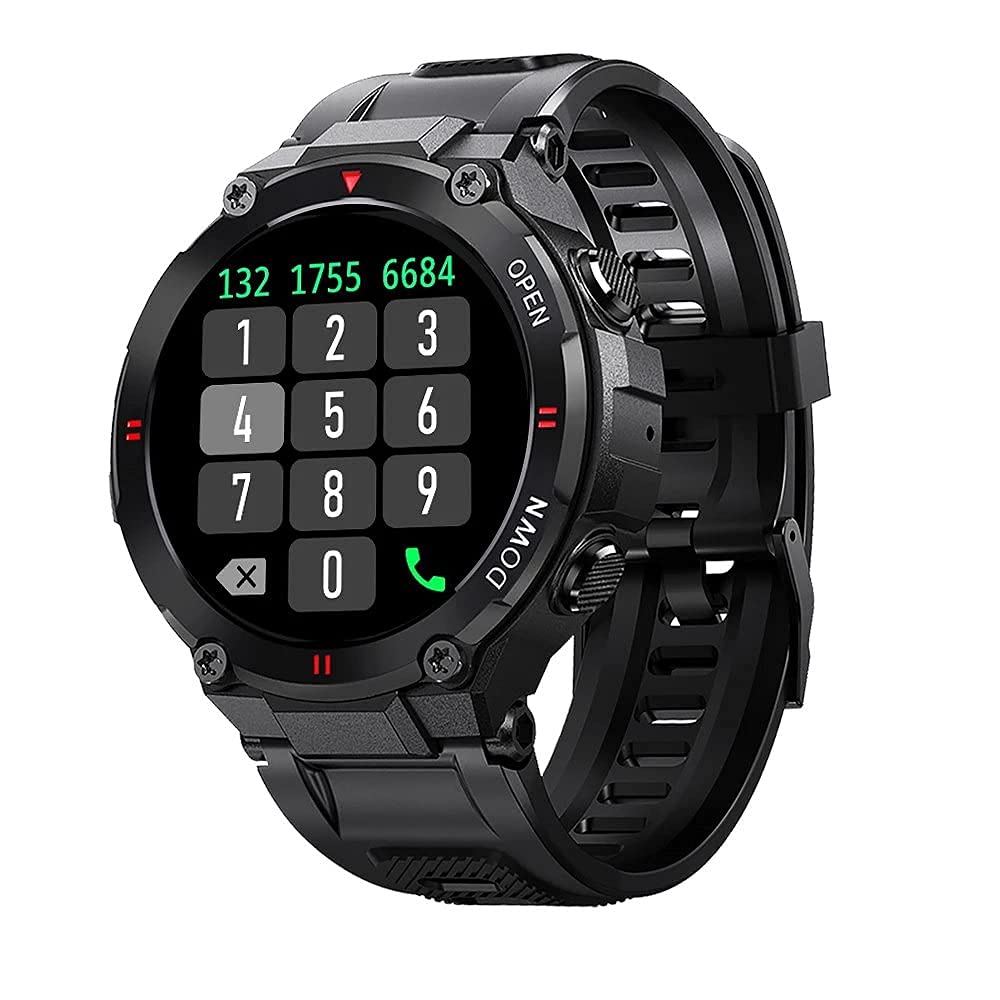
Obraz: Przód view of the Blitzwolf BW-AT2C Smartwatch, displaying a digital watch face with time, date, battery, and step count.
Produkt ponadview
The Blitzwolf BW-AT2C Smartwatch is designed for daily use, fitness tracking, and communication. It features a durable build and a clear display.
- Wyświetlacz: 1.3-inch IPS full touch screen.
- Kontrola: Full touch screen and two side buttons.
- Czujniki: Heart rate, blood pressure, blood oxygen, pedometer, sleep monitor.
- Łączność: Bluetooth 5.0 for calls and data synchronization.
- Trwałość: Wodoodporność IP54.

Image: The smartwatch displaying weather information, highlighting its robust design and metal buttons.

Obraz: Tył view of the smartwatch, showing the optical heart rate sensor and magnetic charging contacts, along with the model number BW-AT2C.
Organizować coś
1. Ładowanie urządzenia
Before initial use, fully charge your smartwatch. Connect the magnetic charging cable to the charging contacts on the back of the watch and plug the USB end into a power adapter (not included) or a computer's USB port. The watch screen will indicate charging status. A full charge takes approximately 2 hours.
2. Instalacja i parowanie aplikacji
- Pobierz aplikację: Szukaj "Da Fit" in your smartphone's app store (Google Play Store for Android or Apple App Store for iOS) and install it.
- Włącz Bluetooth: Upewnij się, że Bluetooth jest włączony w Twoim smartfonie.
- Otwórz aplikację Da Fit: Launch the "Da Fit" application on your smartphone.
- Dodaj urządzenie: W aplikacji przejdź do sekcji „Urządzenie” i wybierz „Dodaj urządzenie”. Aplikacja wyszuka dostępne urządzenia.
- Wybierz swój zegarek: Choose "BW-AT2C" from the list of found devices to initiate pairing.
- Potwierdź parowanie: Postępuj zgodnie z instrukcjami wyświetlanymi na ekranie telefonu i zegarka, aby potwierdzić parowanie.
- Włącz funkcję wywołania: For the Bluetooth call feature, you may need to pair the watch a second time through your phone's Bluetooth settings. Look for "BW-AT2C_CALL" or similar in your phone's Bluetooth device list and connect to it.
Notatka: For full functionality, ensure the "Da Fit" app has all necessary permissions (e.g., location, notifications, contacts) enabled on your smartphone.
Instrukcja obsługi
Podstawowa nawigacja
- Ekran dotykowy: Przesuwaj w lewo/prawo, w górę/w dół, aby poruszać się po menu i funkcjach. Dotknij, aby wybrać.
- Przyciski boczne: The top button typically acts as a power/wake button and a back button. The bottom button may be a shortcut to sports modes or other functions, depending on customization.
- Ekran wybudzenia: Aby wybudzić ekran, podnieś nadgarstek lub naciśnij boczny przycisk.
- Regulacja jasności: Adjust screen brightness through the watch settings or the Da Fit app for better visibility in various lighting conditions.
- Niestandardowe tarcze zegarka: Change watch faces directly on the watch or via the Da Fit app. You can also customize watch faces with your own photos.
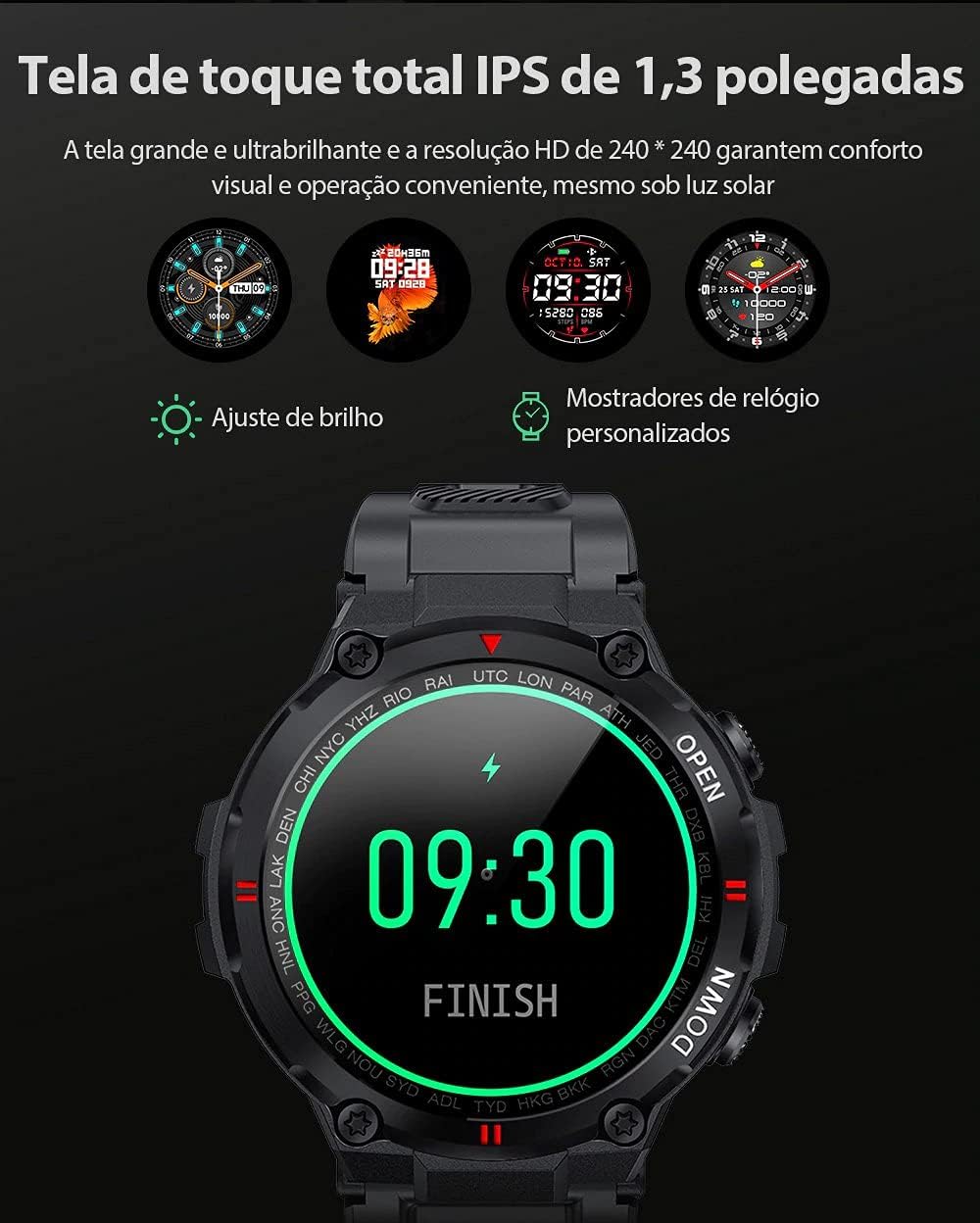
Image: The smartwatch displaying multiple customizable watch faces and options for brightness adjustment.
Wykonywanie i odbieranie połączeń
The BW-AT2C allows you to make and receive calls directly from your wrist after successful Bluetooth pairing (including the call function pairing).
- Odbieranie połączeń: Gdy ktoś dzwoni, zegarek wyświetla identyfikator dzwoniącego. Możesz odebrać lub odrzucić połączenie bezpośrednio z ekranu zegarka.
- Dzwonić: Aby nawiązać połączenie, uzyskaj dostęp do klawiatury numerycznej lub listy kontaktów na zegarku.

Image: A comparison showing the BW-AT2C model with its Bluetooth call function (dial pad visible) next to the BW-AT2 model without this feature.
Sterowanie muzyką
Control music playback on your smartphone directly from your watch. Functions include play, pause, skip forward, and skip backward.
Monitorowanie zdrowia
The smartwatch continuously monitors various health metrics.
- Tętno: Monitorowanie tętna w czasie rzeczywistym. View your current heart rate and historical data in the app.
- Ciśnienie krwi: Measure your blood pressure on demand.
- Tlen we krwi (SpO2): Monitoruj poziom saturacji krwi tlenem.
- Monitorowanie snu: Monitoruje wzorce snu, w tym sen głęboki, sen płytki i godziny wybudzenia.
- Krokomierz: Counts your daily steps, distance, and calories burned.

Image: The smartwatch screen showing a graph of heart rate data, indicating current BPM and historical trends.
Tryby sportowe
The watch supports multiple sports modes to track your workouts accurately. Available modes include Walking, Running, Cycling, Skipping Rope, Badminton, Basketball, and Football. Select your desired mode before starting an activity to record relevant data.
Powiadomienia
Receive notifications from your smartphone directly on your watch. This includes call reminders, message alerts, and app notifications from platforms like WhatsApp, Instagram, Facebook, and Twitter. Ensure notification permissions are granted in the Da Fit app and your phone's settings.

Image: The smartwatch on a user's wrist, showing an incoming call alert and SMS reminder, indicating its notification capabilities.
Inne funkcje
- Budzik: Set up to three alarms via the app.
- Stoper: Użyj wbudowanego stopera do pomiaru czasu swoich czynności.
- Przypomnienie o siedzącym trybie życia: The watch will alert you if you remain inactive for too long.
- Zdalne sterowanie kamerą: Używaj zegarka jako zdalnego wyzwalacza migawki aparatu w telefonie.
- Find Watch/Find Phone: Locate your watch or phone using the respective functions in the app or on the watch.
- Kalendarz: Dostęp do informacji kalendarzowych.
Konserwacja
- Czyszczenie: Regularnie przecieraj zegarek i pasek miękką, suchą ściereczką. W przypadku uporczywych zabrudzeń użyj lekko wilgotnej ściereczki.amp Wytrzyj szmatką i dokładnie osusz. Unikaj silnych środków chemicznych.
- Wodoodporność (IP54): The BW-AT2C is IP54 water-resistant, meaning it is protected against dust ingress and splashing water from any direction. It is suitable for daily use like hand washing or light rain. Do not submerge the watch in water, wear it while swimming, showering, or in saunas. Prolonged exposure to water or high-pressure water jets may cause damage.
- Ładowanie styków: Keep the magnetic charging contacts clean and dry to ensure proper charging.
- Składowanie: Przechowuj zegarek w chłodnym i suchym miejscu, gdy nie jest używany.
Rozwiązywanie problemów
| Problem | Rozwiązanie |
|---|---|
| Zegarek się nie włącza. | Upewnij się, że zegarek jest w pełni naładowany. Podłącz go do ładowarki na co najmniej 30 minut. |
| Nie można sparować ze smartfonem. |
|
| Powiadomienia nie są odbierane. |
|
| Funkcja wywołania nie działa. | Ensure you have paired the "BW-AT2C_CALL" device in your phone's Bluetooth settings in addition to the main watch pairing. |
| Niedokładne dane dotyczące zdrowia. | Ensure the watch is worn snugly on your wrist, not too tight or too loose. Keep the sensor clean. Note that this device is not a medical device and data is for reference only. |
Specyfikacje

Image: Diagram illustrating the dimensions of the Blitzwolf BW-AT2C Smartwatch, including watch face diameter, strap width, and total length.
| Funkcja | Szczegół |
|---|---|
| Marka | Błyskawica |
| Model | BW-AT2C |
| Kolor | Czarny |
| Wersja Bluetooth | 5.0 |
| Kompatybilny system operacyjny | Android 4.4+ / iOS 8.0+ |
| Tryb działania | Full Touch Screen + 2 Side Buttons |
| Aplikacja towarzysząca | Da Fit |
| Odporność na wodę | IP54 |
| Monitorowanie zdrowia | Heart Rate, Blood Pressure, Blood Oxygen, Sleep, Pedometer |
| Tryby sportowe | Walking, Running, Cycling, Skipping Rope, Badminton, Basketball, Football |
| Rozmiar ekranu | 1.3 cale IPS |
| Rezolucja | 240 x 240 pikseli |
| Pojemność baterii | 400mAh |
| Czas czuwania | Około. 30 dni |
| Czas użytkowania | Approx. 4-7 days (varies by usage) |
| Czas ładowania | Około 2 godzin |
| Typ ładowania | Ładowanie magnetyczne |
| Materiał paska | Silikon |
| Szerokość paska | 22mm (Removable) |
| Wymiary produktu | 52 x 12 mm (Watch Face) |
| Waga produktu | 55 gramów |
Gwarancja i wsparcie
For warranty information and technical support, please refer to the documentation provided with your purchase or visit the official Blitzwolf webZachowaj dowód zakupu na wypadek roszczeń gwarancyjnych.
If you encounter issues not covered in the troubleshooting section, please contact customer support for assistance.