
i-box 79295PI/17
i-box Digital Alarm Clock Radio User Manual
Model: 79295PI/17
Produkt ponadview
The i-box Digital Alarm Clock Radio is a versatile bedside hub designed to simplify your daily routine. It integrates multiple functions including a dual alarm clock, wireless and USB charging, Bluetooth speaker, FM radio, white noise machine, and an RGB mood LED night light. Its modern design with a fabric finish complements any room decor.

Rycina 1: Przód view of the i-box Digital Alarm Clock Radio with a smartphone on its charging stand.
Główne cechy:
- Podwójny budzik: Set two independent alarms with snooze function.
- Wireless QI Charging: Conveniently charge Qi-enabled smartphones by placing them on the integrated stand.
- Port ładowania USB: An additional 1A USB port for charging other devices like smartwatches or power banks.
- Głośnik Bluetooth: Przesyłaj strumieniowo dźwięk bezprzewodowo ze swoich urządzeń obsługujących technologię Bluetooth.
- Radio FM: Enjoy your favorite radio stations with auto-save for up to 10 presets.
- RGB Mood LED Night Light: Choose from 6 ambient RGB settings or cycle through colors to create desired mood lighting.
- Możliwość przyciemniania wyświetlacza: Dostosuj jasność wyświetlacza LCD, aby zapewnić wygodę użytkowania viewing.
- Maszyna generująca biały szum: Features 4 built-in nature sounds for relaxation or sleep.
- Bateria zapasowa: Ensures time and alarm settings are retained during power outages (2 x AA batteries not supplied).

Figure 2: Visual representation of the i-box Digital Alarm Clock Radio's key features.
Organizować coś
1. Podłączenie zasilania
Connect the provided power cable to the "Power Input" port at the back of the unit and plug it into a standard 110V wall outlet. The display will light up.
2. Instalacja baterii zapasowej
For uninterrupted timekeeping and alarm functionality during power outages, install 2 x AA batteries (not supplied) into the battery compartment located at the back of the unit. Ensure correct polarity.
3. Ustawianie czasu
To set the time, press and hold the "Play/Pause/Time Setting" button until the time display flashes. Use the "Previous" and "Next" buttons to adjust hours and minutes. Press the "Play/Pause/Time Setting" button again to confirm each setting.

Figure 3: Rear and top panel controls and ports of the i-box Digital Alarm Clock Radio.
Instrukcja obsługi
1. Ustawienie alarmu
The unit features two independent alarms (AL1 and AL2). To set an alarm:
- Press the "Alarm 1" or "Alarm 2" button. The alarm time will flash.
- Use the "Previous" and "Next" buttons to adjust the hour and minute.
- Press the respective "Alarm" button again to confirm the time.
- Continue pressing the "Alarm" button to select the alarm source (FM radio or nature sound) and volume.
- To activate/deactivate an alarm, short press the "Alarm 1" or "Alarm 2" button until the alarm icon appears/disappears on the display.
When the alarm sounds, press the "Snooze/Sleep/Dimmer" button to activate snooze for 9 minutes. To turn off the alarm, press any other button.
2. Wireless QI Charging
Place your Qi-enabled smartphone on the phone stand at the front of the unit. Ensure the phone is centered for optimal charging. A charging indicator will appear on your phone's screen.

Figure 4: Wireless QI charging and USB charging in use.
3. Ładowanie przez USB
Connect your device's USB charging cable to the USB port at the back of the unit to charge it.
4. Głośnik Bluetooth
Aby sparować urządzenie przez Bluetooth:
- Press the "Mode" button until "Bluetooth" mode is selected and the Bluetooth symbol flashes on the display.
- On your smart device, search for "i-box Glow" in your Bluetooth settings and select it to pair.
- Once paired, the Bluetooth symbol will stop flashing, and you can stream audio.

Figure 5: Easy steps to set up Bluetooth connectivity.

Figure 6: Enjoying music via Bluetooth connection.
5.Radio FM
Press the "Mode" button to select FM Radio. Use the "Previous" and "Next" buttons to tune to your desired station. Press and hold to auto-scan and save presets.
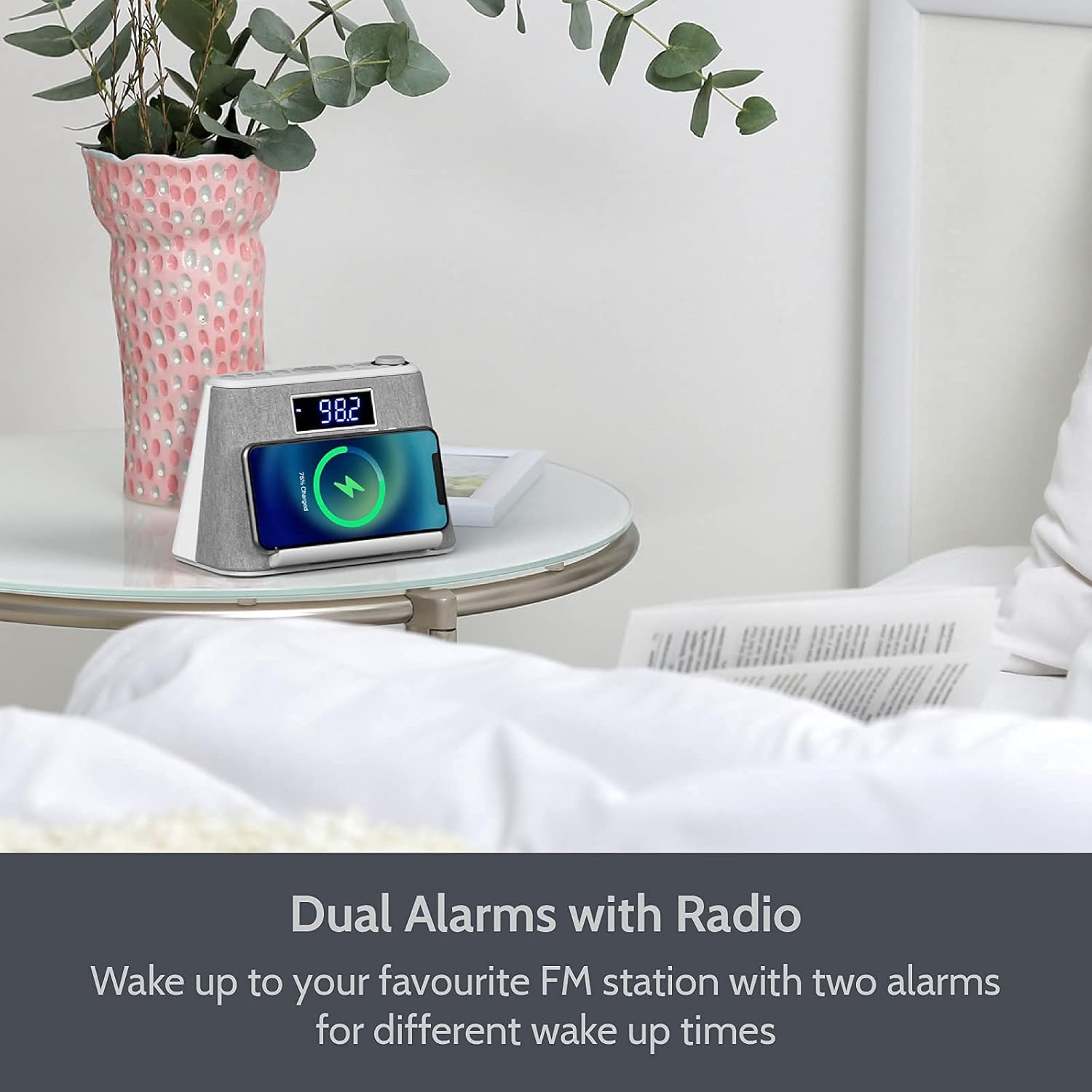
Figure 7: Using the FM Radio function.
6. RGB Mood LED Night Light
Press the "Light Control" button to cycle through the 6 ambient RGB color settings or to set it to your favorite color. Press and hold to turn the light off.

Figure 8: Various RGB mood lighting options.
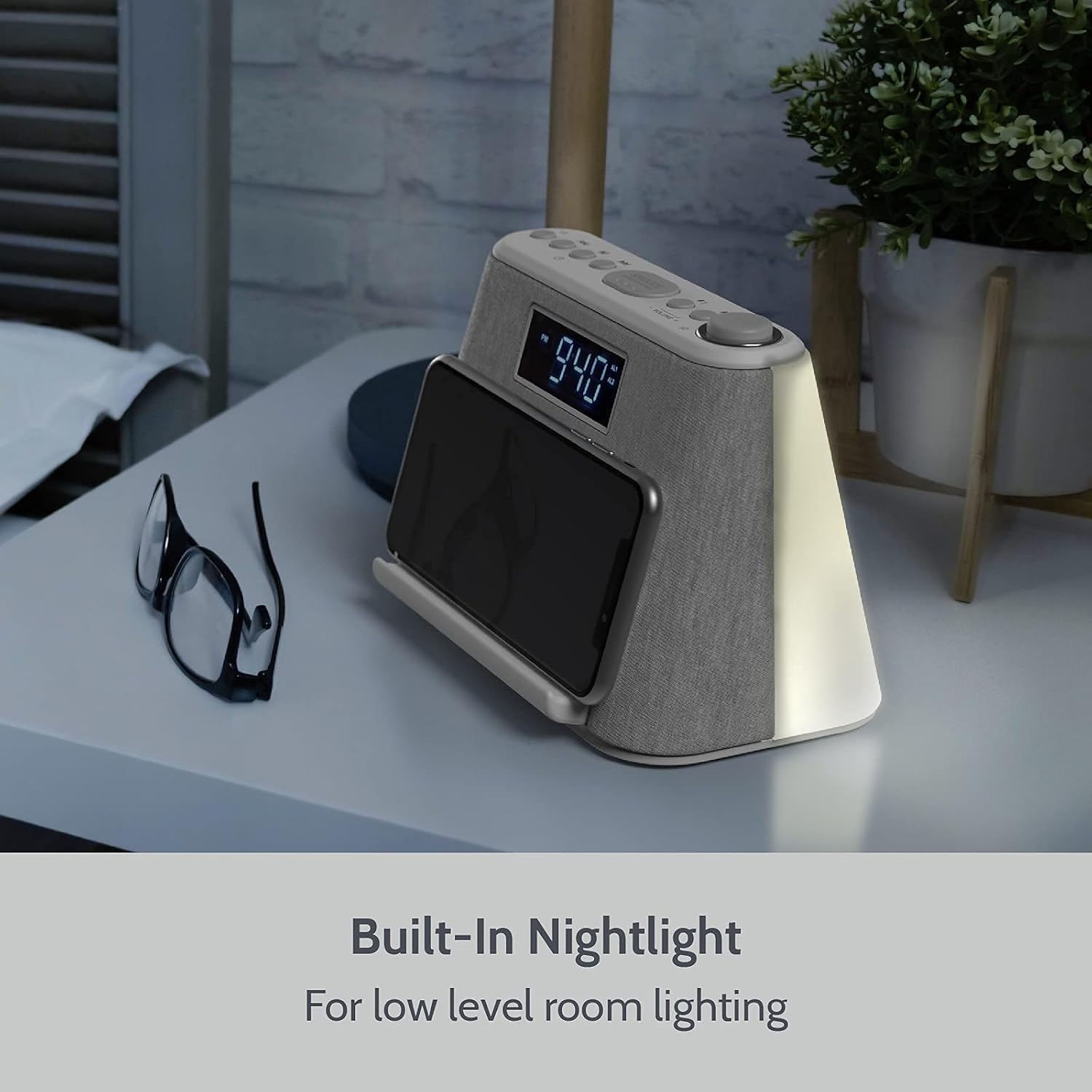
Figure 9: The built-in nightlight providing low-level room illumination.
7. Wyświetlacz z możliwością przyciemniania
Press the "Snooze/Sleep/Dimmer" button (short press) to adjust the brightness of the LCD display. There are multiple brightness levels, including an option to turn the display completely off.
8. White Noise Machine
Press the "Mode" button to cycle through the available modes until you reach the white noise/nature sounds. Use the "Previous" and "Next" buttons to select from the 4 built-in sounds (e.g., flowing water). Adjust volume using the volume knob.
9. Wyłącznik czasowy
To activate the sleep timer, press and hold the "Snooze/Sleep/Dimmer" button. Continue pressing to cycle through the sleep timer durations (e.g., 15, 30, 60, 90 minutes). The unit will automatically switch off the audio after the set time.

Figure 10: The Sleep Timer function allows automatic audio shut-off.
Konserwacja
To ensure the longevity and optimal performance of your i-box Digital Alarm Clock Radio, follow these maintenance guidelines:
- Czyszczenie: Use a soft, dry cloth to clean the exterior of the unit. Do not use abrasive cleaners, waxes, or solvents as they may damage the finish.
- Zasypka: Regularly dust the unit, especially around the speaker grilles and buttons, to prevent accumulation that could affect performance.
- Umieszczenie: Umieść urządzenie na stabilnej, płaskiej powierzchni, z dala od bezpośredniego światła słonecznego, źródeł ciepła i nadmiernej wilgoci. Zapewnij odpowiednią wentylację.
- Przewód zasilający: Regularnie sprawdzaj przewód zasilający pod kątem uszkodzeń. W przypadku uszkodzenia, zaprzestań użytkowania i skontaktuj się z obsługą klienta.
- Wymiana baterii: Replace the backup AA batteries annually or when the unit fails to retain time during a power interruption.
Rozwiązywanie problemów
| Problem | Możliwa przyczyna | Rozwiązanie |
|---|---|---|
| Urządzenie nie włącza się. | Power cable not properly connected or power outlet is not active. | Ensure the power cable is securely plugged into the unit and the wall outlet. Test the outlet with another device. |
| Ładowanie bezprzewodowe jest wolne lub nie działa. | Phone not properly aligned on the charging pad; phone case is too thick; phone is not Qi-enabled. | Ensure your phone is centered on the charging stand. Remove thick phone cases. Verify your phone supports Qi wireless charging. |
| Alarm nie włącza się. | Alarm nie został uruchomiony; głośność alarmu jest zbyt niska; ustawiono nieprawidłową godzinę alarmu. | Check if the alarm icon is displayed. Increase alarm volume. Verify the alarm time is correctly set. |
| Parowanie Bluetooth nie powiodło się. | Unit not in Bluetooth mode; device too far; previously paired device connected. | Ensure the unit is in Bluetooth mode and the symbol is flashing. Move your device closer. Disconnect from any other Bluetooth devices. |
| Słaby odbiór radia FM. | Weak signal; unit's position. | Adjust the position of the unit or the aerial for better reception. Try auto-scanning for stations again. |
Specyfikacje
- Marka: I-box.
- Numer modelu: 79295PI/17
- Kolor: Biały
- Typ wyświetlacza: Cyfrowy
- Źródło zasilania: Elektryczny przewodowy
- Baterie zapasowe: 2 x AA (brak w zestawie)
- Ładowanie bezprzewodowe: Z obsługą Qi
- Wyjście USB: 1A
- Wersja Bluetooth: (Not specified in data, omit or state 'Standard')
- FM Radio Presets: Do 10
- Dźwięki białego szumu: 4
- RGB Mood Light Settings: 6
- Wymiary: 10.04 x 5.98 x 5.31 cala (wymiary opakowania)
- Waga przedmiotu: 1.82 funta
- Producent: Philex Electronic Ltd
Gwarancja i wsparcie
All i-box products are designed and developed with customer satisfaction in mind. This product comes with a hassle-free 24-miesięczna gwarancja od daty zakupu.
For any inquiries, technical support, or warranty claims, please contact i-box customer service. Refer to the contact information provided in your product packaging or visit the official i-box webaby uzyskać pomoc.
Aby uzyskać więcej informacji i wsparcie, odwiedź stronę i-box Store on Amazon.
Powiązane dokumenty79295PI/17

Ask a question about this manual
Ask about setup, troubleshooting, compatibility, parts, safety, or missing instructions. Manuals+ will review the question and use this page’s manual context to help answer it.