
Wstęp
Welcome to the Altec Lansing NanoBuds True Wireless Earbuds instruction manual. This guide provides essential information for setting up, operating, maintaining, and troubleshooting your new earbuds. Please read this manual thoroughly to ensure optimal performance and longevity of your device.

Image: The Altec Lansing NanoBuds True Wireless Earbuds shown with their charging case.
Co jest w pudełku
Your Altec Lansing NanoBuds package includes the following items:
- Altec Lansing NanoBuds True Wireless Earbuds (Left and Right)
- Etui z ładowaniem bezprzewodowym
- Kabel ładujący USB
- Multiple sizes of ear tips for a customized fit
- Szybki przewodnik

Image: The NanoBuds earbuds displayed alongside their charging case.
Organizować coś
1. Ładowanie słuchawek i etui
Before first use, fully charge your NanoBuds and their charging case. Place the earbuds into the charging case. Connect the USB charging cable to the charging port on the case and plug the other end into a USB power source. The indicator lights on the case will show the charging status.

Image: NanoBuds seated in the charging case, with blue indicator lights illuminated, signifying charging status.
2. Parowanie Bluetooth
- Upewnij się, że słuchawki douszne są naładowane.
- Otwórz etui ładujące. Słuchawki automatycznie przejdą w tryb parowania, co zostanie zasygnalizowane migającymi diodami.
- Na swoim urządzeniu (smartfonie, tablecie itp.) przejdź do ustawień Bluetooth i włącz Bluetooth.
- Select "Altec NanoBuds" from the list of available devices.
- Po nawiązaniu połączenia usłyszysz komunikat głosowy potwierdzający pomyślne sparowanie.
3. Uzyskanie bezpiecznego dopasowania
For optimal sound quality and comfort, select the ear tips that best fit your ears. The NanoBuds feature Altec Lansing Helix wings for a secure fit, especially during active use. Gently insert each earbud into your ear canal and twist slightly to lock the Helix wing into place.

Obraz: Zbliżenie view of the NanoBuds, highlighting the integrated Helix wings designed for a stable and secure fit in the ear.
Obsługa słuchawek dousznych
Sterowanie dotykowe
The NanoBuds feature intuitive touch controls on each earbud for managing audio playback and calls.
| Działanie | Funkcjonować |
|---|---|
| Pojedyncze dotknięcie (lewo/prawo) | Odtwarzaj/wstrzymuj muzykę, odbieraj/kończ połączenia |
| Podwójne dotknięcie (w prawo) | Następny utwór |
| Podwójne dotknięcie (lewo) | Poprzedni utwór |
| Potrójne dotknięcie (lewo/prawo) | Aktywuj Asystenta Głosowego |
| Naciśnij i przytrzymaj (2 sekundy) | Odrzuć połączenie |
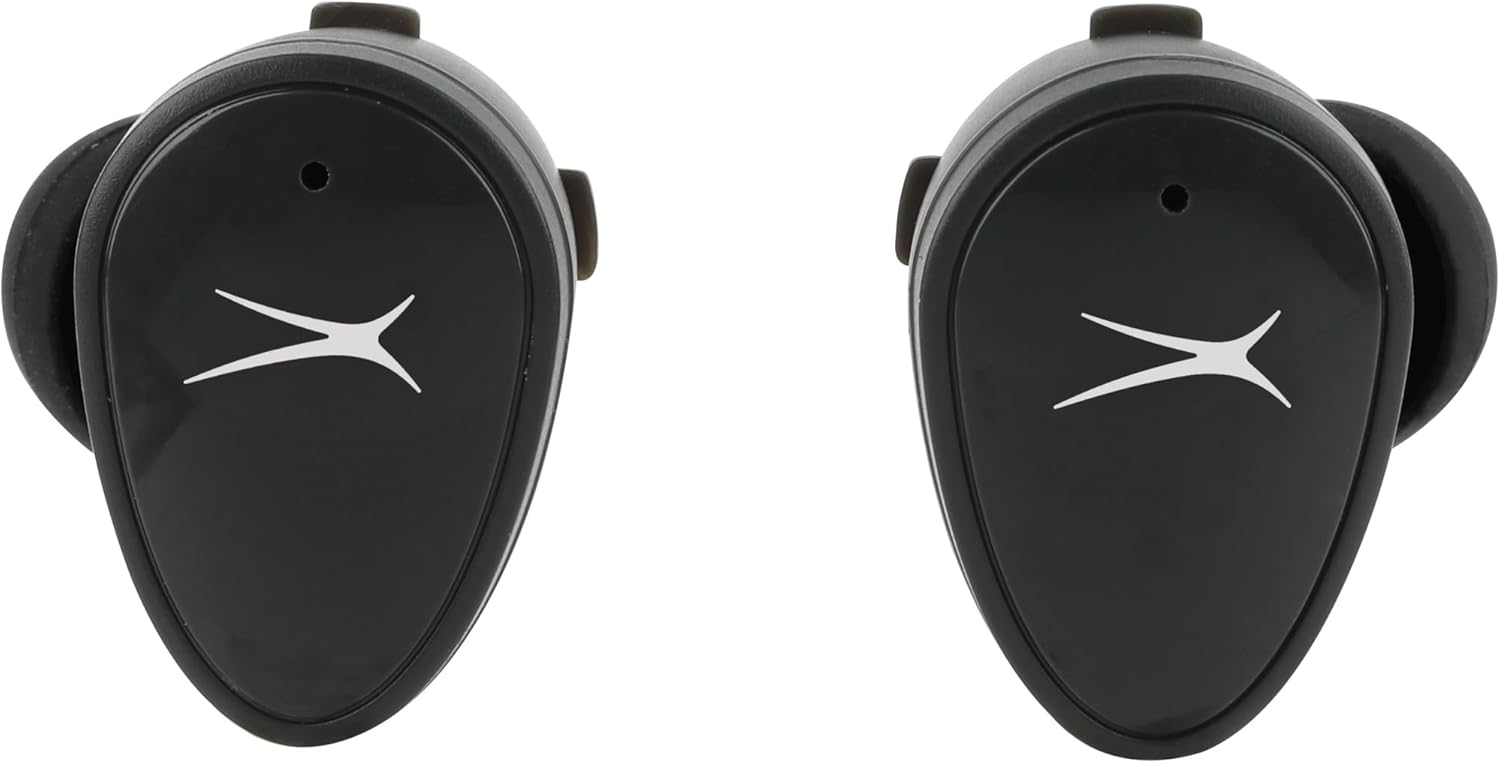
Obraz: Przód view of the NanoBuds, indicating the touch-sensitive surface for controls.
Włączanie/wyłączanie zasilania
- Włączanie: Słuchawki włączają się automatycznie po wyjęciu z etui ładującego.
- Wyłączone: Umieść słuchawki z powrotem w etui ładującym, aby automatycznie je wyłączyć i rozpocząć ładowanie.
Wykonywanie i odbieranie połączeń
The NanoBuds feature dual microphones for clear calling. Use the touch controls as described above to manage your calls.
Konserwacja
Czyszczenie
Regularly clean your earbuds and charging case to maintain performance. Use a soft, dry, lint-free cloth. Do not use harsh chemicals or abrasive materials. Ensure charging contacts are free of debris.
Wodoodporność (IPX4)
The NanoBuds are rated IPX4 water-resistant, meaning they are protected from splashing water from any direction. This makes them suitable for workouts and light rain. They are not designed for submersion in water.
Rozwiązywanie problemów
If you encounter issues with your NanoBuds, try the following steps:
- Brak zasilania: Sprawdź, czy słuchawki i etui ładujące są całkowicie naładowane.
- Problemy z parowaniem: Make sure Bluetooth is enabled on your device and the earbuds are in pairing mode. Try forgetting the device in your phone's Bluetooth settings and re-pairing.
- Jedna słuchawka douszna nie działa: Włóż obie słuchawki douszne z powrotem do etui ładującego, zamknij pokrywę, odczekaj kilka sekund, a następnie otwórz i spróbuj ponownie. Upewnij się, że obie słuchawki douszne są naładowane.
- Słaba jakość dźwięku: Check the ear tip fit. Ensure there is no obstruction in the earbud's speaker mesh.
- No Audio During Calls: Confirm the NanoBuds are selected as the audio output device on your phone during a call.
- Reset: For persistent issues, consult the Altec Lansing support webAby uzyskać szczegółowe instrukcje resetowania dla swojego modelu, odwiedź tę witrynę.
Specyfikacje
| Funkcja | Specyfikacja |
|---|---|
| Nazwa modelu | NanoBuds Sport |
| Numer modelu | MZX5200 |
| Technologia łączności | Bezprzewodowa (Bluetooth 5.0) |
| Zasięg Bluetooth | Do 15.24 metrów (50 stóp) |
| Poziom wodoodporności | IPX4 (odporność na wodę) |
| Czas pracy baterii (słuchawki douszne) | Do 5 godzin na jednym ładowaniu |
| Całkowity czas odtwarzania (z etui) | Up to 30 hours (4 additional charges from case) |
| Czas ładowania | Approximately 5 hours (for full system charge) |
| Kontrola hałasu | Pasywna redukcja szumów |
| Metoda kontroli | Dotykać |
| Zakres częstotliwości | 20Hz - 20,000Hz |
| Waga | 5.3 uncji |
Informacje o gwarancji
Altec Lansing products are designed and manufactured to the highest quality standards. For detailed warranty information, including terms, conditions, and registration, please refer to the warranty card included with your product or visit the official Altec Lansing webZachowaj dowód zakupu na wypadek roszczeń gwarancyjnych.
Obsługa klienta
If you require further assistance or have questions not covered in this manual, please contact Altec Lansing customer support. You can find contact information, FAQs, and additional resources on the official Altec Lansing webstrona: www.alteclansing.com.