
1. Wprowadzenie
This manual provides essential instructions for setting up, operating, and maintaining your ENHANCE Colmi V23 Smart Watch. Please read this manual thoroughly before using the device to ensure proper function and longevity.

Figure 1.1: ENHANCE Colmi V23 Smart Watch
2. Informacje dotyczące bezpieczeństwa
Disclaimer: This device is not a medical device and is not intended to replace a Sphygmomanometer (an instrument for measuring blood pressure). Individuals with hypertension or other medical conditions should consult their doctor before using this device for health monitoring purposes.
3. Co znajduje się w pudełku
- 1x ENHANCE Colmi V23 Smart Watch
- 1x kabel ładujący
- 1x Instrukcja obsługi
4. Konfiguracja
4.1 Ładowanie smartwatcha
Before initial use, fully charge your smart watch. Connect the magnetic charging cable to the charging points on the back of the watch and plug the USB end into a power adapter (not included) or a computer's USB port. A full charge typically takes approximately 2 hours.

Rysunek 4.1: Ładowanie inteligentnego zegarka
4.2 Instalacja i parowanie aplikacji
- Pobierz "Da Fit" application from your device's app store (compatible with iOS 9.0 and above, Android 4.0 and above). You can also scan the QR code provided in the included manual to download the app.
- Otwórz aplikację Da Fit na swoim smartfonie.
- Follow the in-app instructions to add a new device. Select the V23 Smart Watch from the list of available devices to pair.
- Upewnij się, że Bluetooth jest włączony w Twoim smartfonie podczas parowania.
5. Obsługa smartwatcha
5.1 Nawigacja za pomocą ekranu dotykowego
The ENHANCE Colmi V23 features a 1.3-inch HD color full touch screen for easy operation. Swipe left, right, up, or down to navigate through menus and functions. Tap to select options.

Figure 5.1: Touch Screen Interface Overview
5.2 Dostosowywanie tarcz zegarka
Personalize your smart watch with over 100 watch faces available through the Da Fit application. You can also create custom watch faces using your own photos.
- Otwórz aplikację Da Fit na swoim smartfonie.
- Navigate to "Add a Device" > "WATCH FACES".
- Select an existing watch face or choose "Edit" to customize with a picture.
- Select your desired picture, adjust its position, and save.
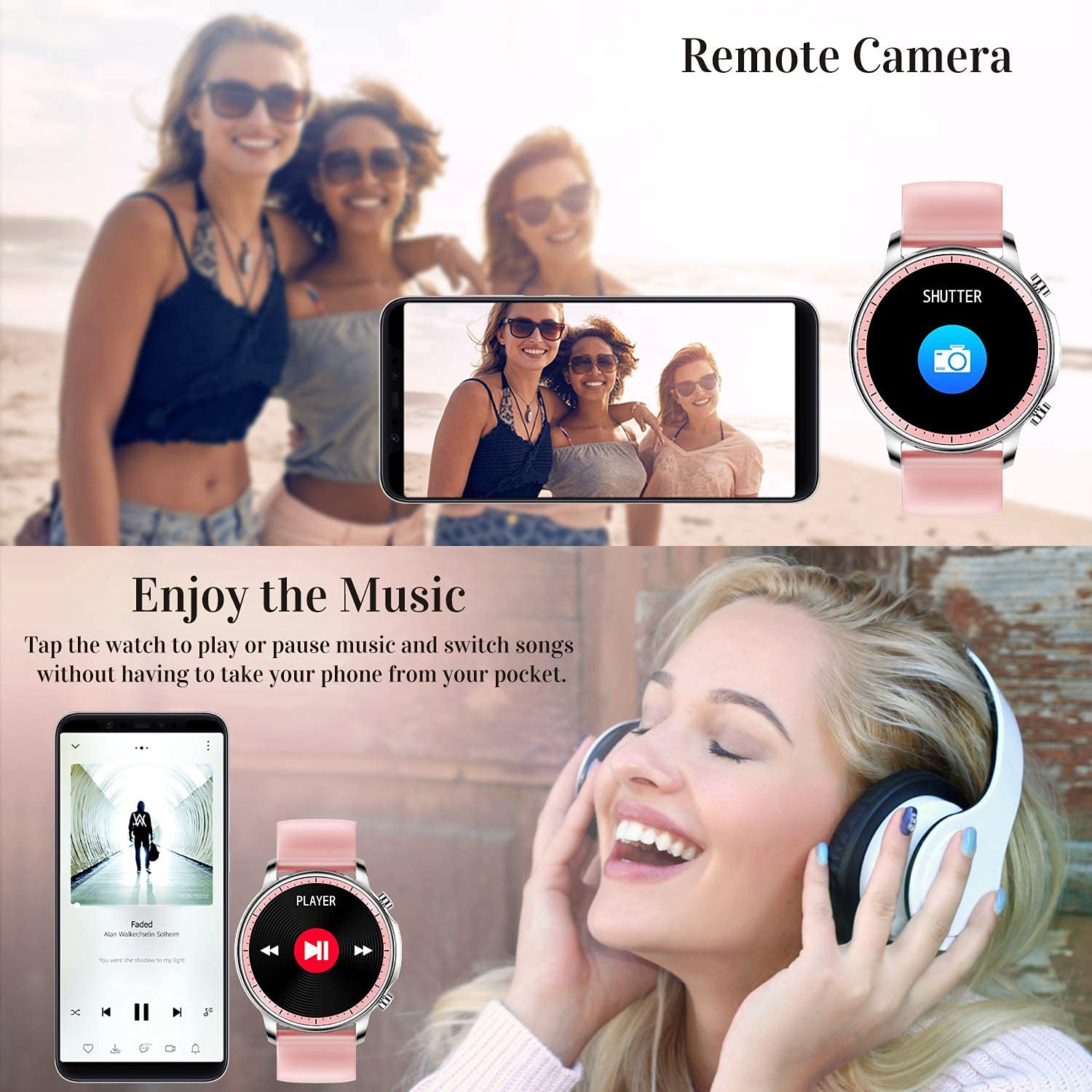
Figure 5.2: Customizing Watch Faces
5.3 Powiadomienia
Receive call, message, email, and app notifications directly on your smart watch. (Note: The watch cannot answer or make calls.)

Figure 5.3: Call and Message Reminders
5.4 Sterowanie muzyką
Control music playback on your smartphone directly from your watch. Tap to play/pause or switch songs without needing to access your phone.
5.5 Zdalna kamera
Use your smart watch as a remote shutter for your smartphone camera. This feature allows you to take photos from a distance.

Figure 5.4: Remote Camera and Music Control
6. Funkcje
6.1 Monitorowanie stanu zdrowia
- Heart Rate (HR) Monitor: Stale monitoruje tętno przez całą dobę.
- Monitor ciśnienia krwi (BP): Provides blood pressure readings. (Refer to safety disclaimer in Section 2).
- Monitor tlenu we krwi (SpO2): Mierzy poziom saturacji krwi tlenem.
- Monitorowanie snu: Records sleep information, including deep sleep, light sleep, and awake time, to help you understand your sleep patterns.
- Śledzenie zdrowia kobiet: Offers features for tracking female health cycles.

Figure 6.1: Heart Rate and Blood Pressure Monitoring

Rysunek 6.2: Inteligentne monitorowanie snu
6.2 Śledzenie aktywności
The smart watch offers 7 data record modes to track various sports activities:
- Pieszy
- Działanie
- Kolarstwo
- Koszykówka
- Piłkarski
- Badminton
- Skaczący
This feature helps you monitor your exercise data and gain insights into your fitness levels.

Figure 6.3: Smart Watch Functions Overview
6.3 Inteligentne przypomnienia
- Przypomnienie o siedzącym trybie życia: Reminds you to move and stay active after periods of inactivity.
- Budzik: Ustawiaj alarmy bezpośrednio na zegarku.
6.4 Inne funkcje
- Stoper
- Fun Game
7. Konserwacja
7.1 Wodoodporność
The ENHANCE Colmi V23 Smart Watch is IP68 waterproof, making it resistant to daily wet conditions such as hand washing or light rain. Avoid prolonged submersion in water, hot water, or steam, and do not operate buttons underwater.
7.2 Czyszczenie
Regularnie przecieraj zegarek i pasek miękką, suchą ściereczką. W razie potrzeby użyj lekko wilgotnej ściereczki.amp Wytrzyj szmatką i dokładnie osusz. Unikaj stosowania silnych środków chemicznych i materiałów ściernych.
7.3 Pielęgnacja baterii
Aby przedłużyć żywotność baterii, unikaj częstego całkowitego rozładowywania. Ładuj zegarek, gdy poziom naładowania baterii jest niski. Przechowuj zegarek w chłodnym, suchym miejscu, gdy nie jest używany przez dłuższy czas.
8. Rozwiązywanie Problemów
- Zegarek się nie włącza: Upewnij się, że zegarek jest w pełni naładowany. Podłącz go do ładowarki na co najmniej 30 minut.
- Zegarek nie łączy się z telefonem: Upewnij się, że Bluetooth jest włączony w telefonie, a zegarek znajduje się w zasięgu. Uruchom ponownie zegarek i telefon, a następnie spróbuj sparować je ponownie za pomocą aplikacji Da Fit.
- Niedokładne dane dotyczące zdrowia: Upewnij się, że zegarek ściśle przylega do nadgarstka, nie jest za ciasny ani za luźny. Wyczyść czujnik z tyłu zegarka. Pamiętaj, że to urządzenie nie jest instrumentem medycznym.
- Powiadomienia się nie wyświetlają: Check notification settings in the Da Fit app and your phone's system settings to ensure permissions are granted for the app to display notifications.
9. Specyfikacje
| Marka | ZWIĘKSZYĆ |
| Model | V23 Smart watch |
| Wymiary produktu | Wymiary 1.03 x 2 x 4.15 cm |
| Waga przedmiotu | 42 gramów |
| Rozmiar ekranu | 1.3 cali |
| Rezolucja | 240x230 |
| Typ wyświetlacza | Cyfrowy LCD |
| Pojemność baterii | 200 mAh (litowo-polimerowy) |
| Metoda ładowania | Magnetic Wire Charging |
| Typ bezprzewodowy | Bluetooth |
| Kompatybilne urządzenia | Mobile Phone (Android 4.0+ & iOS 9.0+) |
| System operacyjny | Android i iOS |
| Odporność na wodę | IP68 |
| Tworzywo | Plastikowy |
10. Gwarancja i wsparcie
For warranty information and customer support, please refer to the documentation included with your product or contact ENHANCE customer service. The included user manual contains details regarding warranty terms and contact information.