
1. Wprowadzenie
The Poly Voyager Focus 2 UC USB-A Headset is designed to create a focused audio environment, blocking out background noise for clear communication. Featuring three levels of hybrid Active Noise Canceling (ANC) and Poly Acoustic Fence technology, it ensures you hear your calls clearly and are heard without distractions. This headset offers all-day comfort and versatile connectivity for computers (via BT700 USB-A adapter) and mobile devices (via Bluetooth v5.1). This Microsoft Teams certified version includes a dedicated Teams button for enhanced collaboration.
2. Co znajduje się w pudełku
- Voyager Focus 2 UC USB-A Headset
- Etui transportowe
- Adapter USB-A BT700
- Kabel ładujący
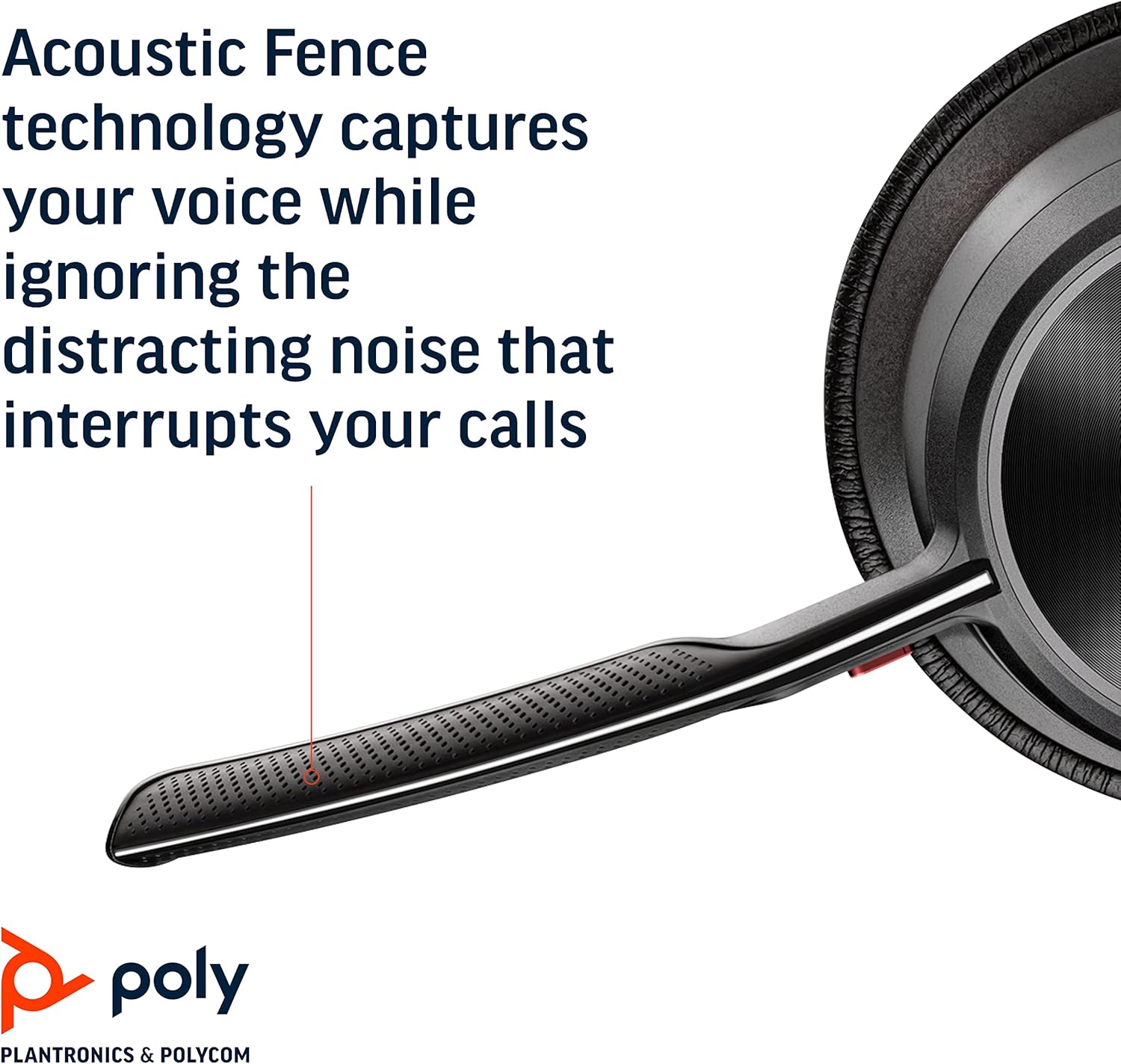
Image: Headset components including the BT700 USB-A adapter and charging cable.
3. Konfiguracja
3.1 Ładowanie zestawu słuchawkowego
Connect the charging cable to the headset's USB port and to a power source. A full charge provides up to 19 hours of talk time. If using an optional charging stand, simply place the headset on the stand to charge.

Image: The Poly Voyager Focus 2 UC USB-A Headset placed on its charging stand.
3.2 Podłączanie do komputera (adapter USB-A)
- Podłącz adapter BT700 USB-A do wolnego portu USB-A w komputerze.
- Włącz zestaw słuchawkowy.
- Dioda LED adaptera będzie migać na niebiesko, a następnie po podłączeniu do zestawu słuchawkowego zacznie świecić ciągłym niebieskim światłem.
3.3 Connecting to a Mobile Device (Bluetooth)
- With the headset powered off, slide and hold the Power switch towards the Bluetooth icon until the LED flashes red and blue.
- Na urządzeniu mobilnym przejdź do ustawień Bluetooth i z listy dostępnych urządzeń wybierz „Poly Voyager Focus 2”.
- Once successfully paired, the headset LED will stop flashing.
3.4 Regulacja zestawu słuchawkowego
Adjust the headband for a comfortable fit. Position the boom microphone approximately two finger-widths from the corner of your mouth. The microphone boom is flexible and can be rotated to either the left or right side, automatically adjusting audio channels.

Image: A woman wearing the headset, demonstrating a comfortable fit for work.
4. Instrukcja obsługi
4.1 Włączanie/wyłączanie zasilania
Slide the Power switch to the 'On' position to power on the headset. Slide it to 'Off' to power off.
4.2 Regulacja głośności
Use the volume up (+) and volume down (-) buttons located on the earcup to adjust the listening volume.

Image: Close-up of the headset earcup with visible volume controls.
4.3 Wycisz/wyłącz wyciszenie
Press the dedicated mute button on the microphone boom to mute or unmute your microphone. The Dynamic Mute Alert feature will notify you if you speak while muted.

Obraz: Szczegółowy view of the headset's boom microphone.
4.4 Aktywna redukcja szumów (ANC)
Adjust the noise canceling level (High, Low, or Off) using the ANC switch on the earcup to suit your environment and personal preference.
4.5 Zarządzanie połączeniami
Press the Call button on the earcup to answer or end a call. For Microsoft Teams calls, use the dedicated Teams button for instant access to the Teams App and notifications.
5. Funkcje
- Wydajność audio: Three options of Advanced Digital Hybrid Active Noise Canceling (ANC) – high, low, and off – for personalized noise control.
- Poly Acoustic Fence Technology: Advanced multi-microphone noise canceling ensures callers hear only your voice, not your surroundings.
- Inteligentna technologia: Dynamic Mute Alert notifies you if you speak while your microphone is muted.
- All-Day Wearing: Lightweight headband with a sling and plush ear cushions provide comfort for extended use. Up to 19 hours of talk time.
- Multiple Device Connections: Connects to a computer via the included BT700 USB-A adapter and to a mobile device via Bluetooth v5.1.
Wideo: Oficjalnyview of the Poly Voyager Focus 2 headset, highlighting its key features and design.
6. Konserwacja
6.1 Czyszczenie
Przetrzyj zestaw słuchawkowy miękką ściereczką.amp cloth. Avoid using harsh chemicals or abrasive materials. Ensure the microphone and earcup surfaces are free from debris.
6.2 Przechowywanie
When not in use, store the headset in its provided carry case to protect it from dust and damage. Avoid storing in extreme temperatures.
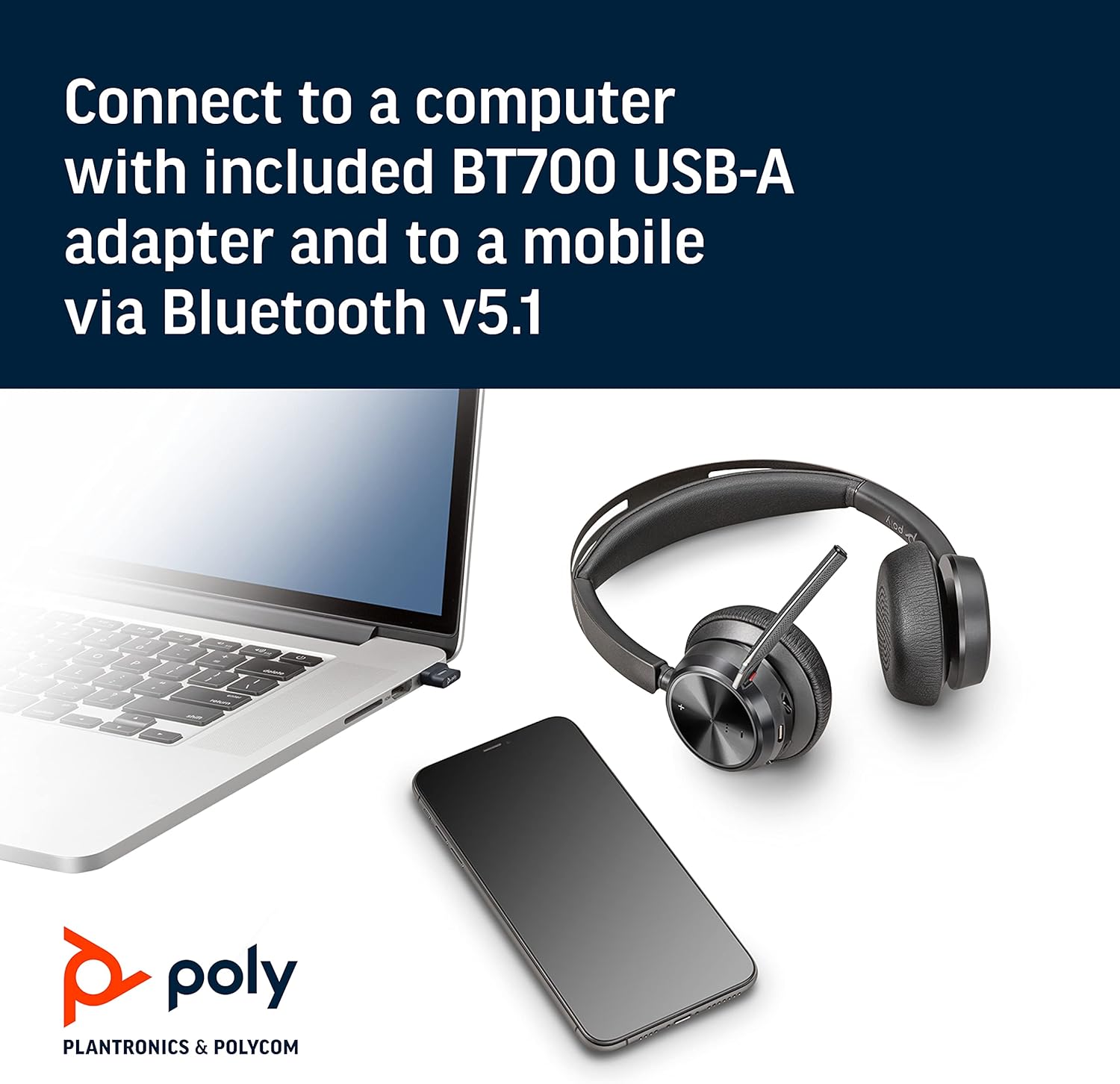
Image: The headset neatly folded and stored inside its carry case.
7. Rozwiązywanie Problemów
7.1 No Sound/Poor Audio Quality
- Sprawdź, czy zestaw słuchawkowy jest włączony i całkowicie naładowany.
- Check that the headset is correctly paired with your device (computer via USB adapter or mobile via Bluetooth).
- Verify the volume levels on both the headset and your connected device.
- If connected to a computer, ensure the Poly BT700 adapter is recognized as the default audio device in your system settings.
7.2 Mikrofon nie działa
- Confirm the microphone is not muted (check the mute button and Dynamic Mute Alert).
- Upewnij się, że wysięgnik mikrofonu jest prawidłowo ustawiony w pobliżu ust.
- Sprawdź ustawienia audio swojego urządzenia i upewnij się, że mikrofon zestawu słuchawkowego jest wybrany jako urządzenie wejściowe.
7.3 Problemy z łącznością
- Uruchom ponownie zestaw słuchawkowy i podłączone urządzenie.
- Move closer to your connected device to ensure you are within the Bluetooth range (up to 10 meters for mobile, 50 meters for BT700 adapter).
- If using the BT700 adapter, try plugging it into a different USB port.
- Unpair and re-pair the headset with your device.
8. Specyfikacje
| Nazwa modelu | Voyager Focus 2 UC-M USB-A |
| Numer modelu przedmiotu | 213726-02 |
| Technologia łączności | Bluetooth 5.1 |
| Kontrola hałasu | Active Noise Cancellation (Hybrid Digital) |
| Technologia mikrofonowa | Ogrodzenie akustyczne polietylenowe |
| Czas pracy baterii (czas rozmów) | Do 19 godzin |
| Gniazdo słuchawkowe | USB |
| Waga przedmiotu | 175 gramów (6.2 uncji) |
| Wymiary produktu | 4 x 6 x 2.8 cala |
| Kompatybilne urządzenia | PCs, Smartphones, Tablets, Laptops |
| Zawarte komponenty | Headset, carry case, BT700 USB adapter and charging cable |
9. Gwarancja i wsparcie
For warranty information, technical support, or to register your product, please visit the official Poly website or refer to the documentation included with your purchase. You can also visit the POLY Store on Amazon aby uzyskać dodatkowe zasoby i informacje o produkcie.