
Wstęp
This manual provides instructions for the setup, operation, and maintenance of your Sharper Image Foldable Gaming Chair with Onboard Speakers. Please read this guide thoroughly before use and retain it for future reference to ensure safe and optimal performance.
Informacje dotyczące bezpieczeństwa
- Maksymalny udźwig: This chair supports a maximum weight of 300 pounds (136 kg). Do not exceed this limit to prevent damage or injury.
- Rocking Feature: Use caution when utilizing the rocking feature. Avoid excessive or aggressive rocking to prevent tipping or injury.
- Mechanizmy składania: Exercise care when folding and unfolding the chair. Keep hands and fingers clear of moving parts to avoid pinching.
- Umieszczenie: Ensure the chair is placed on a stable, flat, and level surface, such as a hard floor, during use.
- Dzieci: Adult supervision is recommended for children using the chair.
Zawartość opakowania
Sprawdź, czy w opakowaniu znajdują się wszystkie elementy:
- Sharper Image Foldable Gaming Chair with Onboard Speakers
- RCA to 3.5 mm mini adapter
- 3.5 mm mini cable
- Note: 6 AA 1.5V batteries are required for speaker operation (not included).
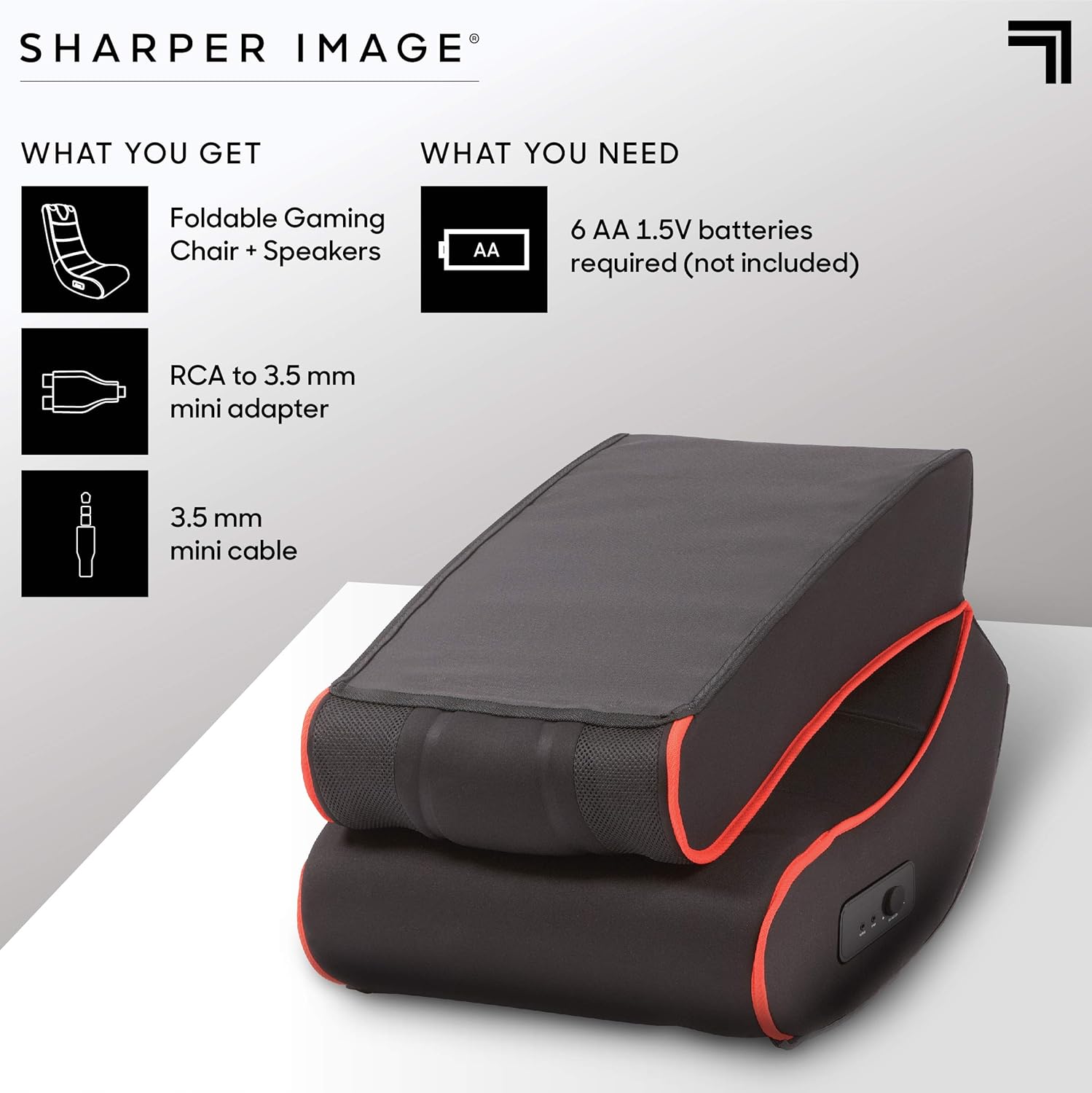
This image illustrates the items included in the package: the foldable gaming chair with speakers, an RCA to 3.5mm mini adapter, and a 3.5mm mini cable. It also indicates that 6 AA 1.5V batteries are required but not included.
Organizować coś
Rozkładanie krzesła
- Ostrożnie wyjmij krzesło z opakowania.
- Ustaw krzesło na płaskiej i stabilnej powierzchni.
- Unfold the chair by gently extending the backrest until it locks into an upright position. Ensure the folding mechanism is securely engaged before use.
Podłączanie głośników
- Locate the battery compartment, typically on the side or bottom of the chair. Insert 6 AA 1.5V batteries (not included), ensuring correct polarity.
- Identify the audio input and output ports on the side control panel of the chair.
- Connect the 3.5 mm mini cable from your audio source (e.g., gaming console, TV, smartphone) to the "INPUT" port on the chair.
- If your audio source uses RCA outputs, use the provided RCA to 3.5 mm mini adapter to connect to the chair's "INPUT" port.
- (Optional) To connect external headphones or another audio device, use the "OUTPUT" port.

This image highlights the dual speakers located at the top of the chair and a close-up of the side control panel, which includes a volume/power knob, an audio input port, and an audio output port.
Instrukcja obsługi
Włączanie i regulacja głośności
- Once connected to an audio source and batteries are installed, turn the "VOLUME-ON" knob on the side control panel clockwise to power on the speakers and increase the volume.
- Dostosuj głośność do żądanego poziomu.
- To power off the speakers, turn the "VOLUME-ON" knob counter-clockwise until it clicks off.
Using the Rocking Feature
The chair is designed to rock gently. Lean back or forward to engage the rocking motion. Ensure you maintain balance and do not rock excessively to prevent tipping.

This image shows a person comfortably seated in the gaming chair, engaged in playing a video game, illustrating the chair's intended use.
Konserwacja
Czyszczenie
To clean the chair, wipe it with a clean, damp cloth. Do not use harsh chemicals or abrasive cleaners, as these may damage the microfiber material. For stubborn stains, a mild soap solution can be used, followed by wiping with a clean, damp cloth. Always allow the chair to air dry completely.
Składowanie
When not in use, the chair can be folded for compact storage. To fold, gently push the backrest forward until the locking mechanism disengages, then fold the backrest down onto the seat. Store in a dry place away from direct sunlight and extreme temperatures.

This image displays the gaming chair in its folded position, demonstrating its compact design for easy storage.
Rozwiązywanie problemów
| Problem | Możliwa przyczyna | Rozwiązanie |
|---|---|---|
| Brak dźwięku z głośników | Baterie są rozładowane lub nieprawidłowo włożone. Pokrętło głośności jest wyłączone lub ustawione za cicho. Audio cable is not connected properly. Głośność źródła dźwięku jest zbyt niska lub wyciszona. | Wymień baterie lub sprawdź poprawność biegunowości. Turn the "VOLUME-ON" knob clockwise. Sprawdź wszystkie połączenia kabli audio. Zwiększ głośność źródła dźwięku. |
| Dźwięk jest zniekształcony lub trzeszczy | Niski poziom baterii. Luźne połączenie audio. Volume too high on chair or audio source. | Wymień baterie. Re-seat audio cables. Reduce volume on chair or audio source. |
| Chair does not rock smoothly | Nierówna powierzchnia. Obstruction under the chair. | Move chair to a flat, even surface. Check for and remove any objects beneath the chair. |
Specyfikacje
| Funkcja | Szczegół |
|---|---|
| Nazwa modelu | Karol |
| Marka | Ostrzejszy obraz |
| Kolor | Czarny |
| Tworzywo | Microfiber (Seat), Metal (Frame), Polyester (Fill) |
| Wymiary produktu (Gł. x Szer. x Wys.) | 28" gł. x 16.5" szer. x 30" wys. (71.1 cm gł. x 41.9 cm szer. x 76.2 cm wys.) |
| Maksymalna zalecana waga | 300 funtów (136 kg) |
| Wymagany montaż | NIE |
| Funkcje audio | Dual Onboard Speakers, Side Controls (Volume-On, Input, Output) |
| Power Source for Speakers | 6 baterii AA 1.5 V (brak w zestawie) |
| Współczynnik kształtu | Składany |
| Ruch | Kołysanie |

This image provides a visual representation of the chair's dimensions: 30 inches in height, 28 inches in depth, and 16.5 inches in width.
Gwarancja i wsparcie
For warranty information and customer support, please refer to the documentation included with your purchase or visit the official Sharper Image website. Keep your proof of purchase for any warranty claims or service inquiries.