
1. Wprowadzenie i koniecview
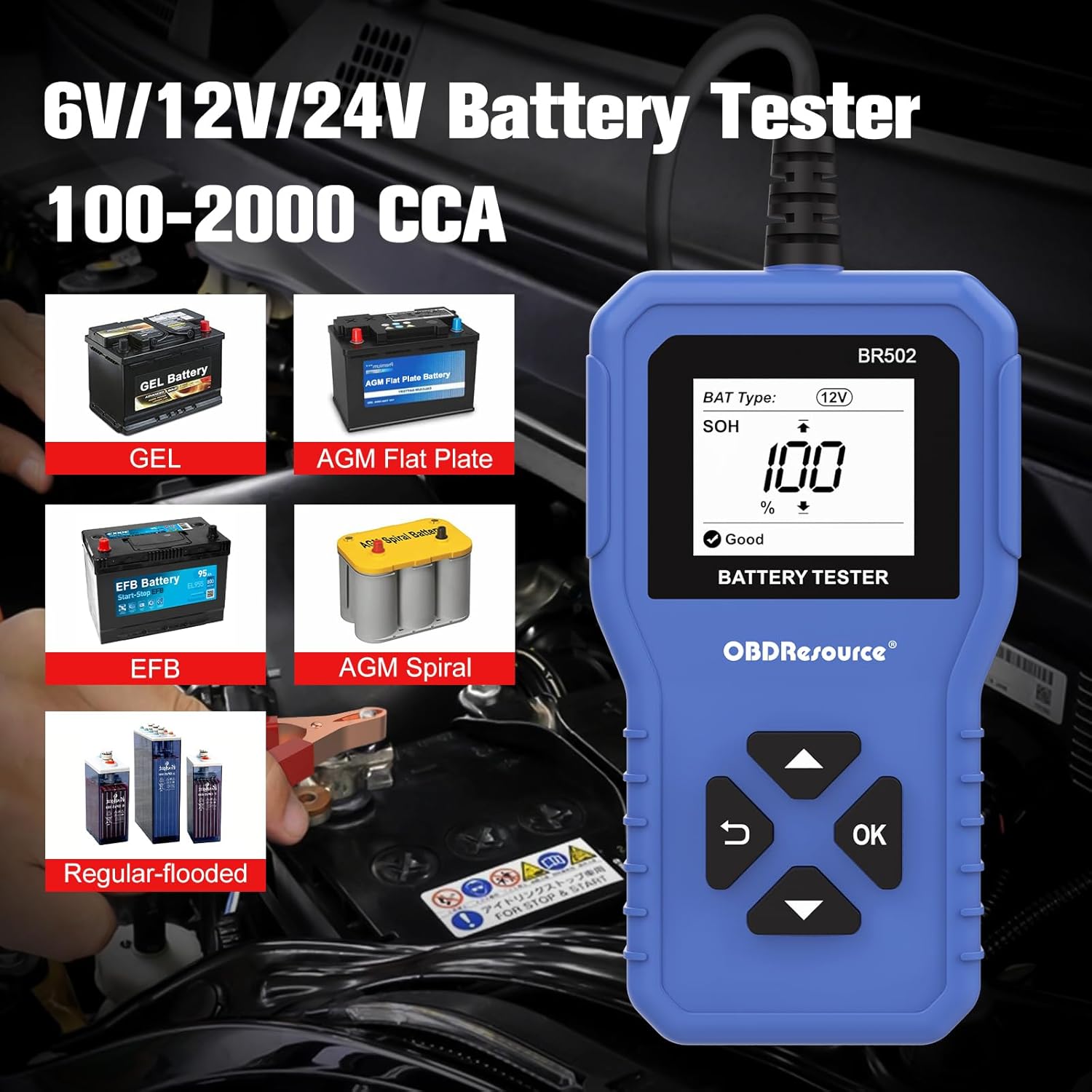
The OBDResource BR502 Car Battery Tester is a versatile diagnostic tool designed to assess the health and performance of 6V, 12V, and 24V automotive batteries. It supports various battery types including regular flooded, AGM flat plate, AGM spiral, and gel batteries. This device provides quick and accurate analysis of key battery parameters, helping users identify potential issues before they lead to vehicle breakdowns.
The BR502 is compatible with a wide range of vehicles such as cars, SUVs, pickups, boats, and motorcycles. Its user-friendly interface and robust design make it suitable for both professional technicians and DIY enthusiasts.

2. Informacje dotyczące bezpieczeństwa
Always observe the following safety precautions when using the BR502 battery tester:
- Nosić odpowiedni sprzęt ochrony osobistej, w tym okulary i rękawice.
- Ensure the vehicle's ignition is off and all accessories are disconnected before connecting the tester.
- Podłącz czerwony clamp do dodatniego (+) zacisku akumulatora i czarnego klamp do ujemnego (-) zacisku akumulatora.
- The device features polarity reverse connection protection. If clamps are connected incorrectly, the tester will not operate, preventing damage to the device and battery.
- Avoid touching battery terminals or clamps with bare hands while the tester is connected.
- Do not use the tester near open flames or sparks, as batteries can produce flammable gases.

3. Funkcje produktu
The OBDResource BR502 offers a comprehensive set of features for battery analysis:
- Szeroka kompatybilność: Tests all 6V, 12V, and 24V batteries (100-2000 CCA, 2Ah-220Ah).
- Rodzaje baterii: Supports regular flooded, AGM flat plate, AGM spiral, and gel batteries.
- Obszerny wyświetlacz danych: Shows State of Health (SOH), State of Charge (SOC), Cold Cranking Amps (CCA), opór wewnętrzny i wolumentage.
- Szybko i dokładnie: Delivers test results within two seconds with over 99.6% accuracy.
- Podłącz i graj: Simple connection for immediate use, whether the battery is in or out of the vehicle.
- Ochrona bezpieczeństwa: Built-in polarity reverse connection protection prevents damage.
- Wyczyść wyświetlacz: 1.8-inch HD screen for easy readability of results.
4. Zawartość opakowania
The OBDResource BR502 package typically includes:
- 1 x OBDResource BR502 Car Battery Tester Unit
- 1 x Instrukcja obsługi (ten dokument)
5. Konfiguracja
Setting up the BR502 is straightforward:
- Ensure the vehicle engine is turned off.
- Podłącz czerwony (+) clamp testera do dodatniego (+) bieguna akumulatora.
- Podłącz czarny (-) clamp testera do ujemnego (-) bieguna akumulatora.
- Tester włączy się automatycznie po prawidłowym podłączeniu.

6. Instrukcja obsługi
The BR502 offers various testing modes:
6.1. Battery Test (In-Vehicle or Out-of-Vehicle)
- Connect the tester to the battery as described in the Setup section.
- Z menu głównego wybierz
Ask a question about this manual
Ask about setup, troubleshooting, compatibility, parts, safety, or missing instructions. Manuals+ will review the question and use this page’s manual context to help answer it.