
Wstęp
Welcome to the user manual for your AWOW Funtab 701 Kids Tablet. This guide provides essential information on setting up, operating, maintaining, and troubleshooting your device to ensure a safe and enjoyable experience for your child. Please read this manual thoroughly before using the tablet.
Zawartość opakowania
Sprawdź, czy w przesyłce znajdują się wszystkie elementy wymienione poniżej:
- AWOW Funtab 701 Kids Tablet (7 inch)
- Exclusive Kid-Proof Case
- Aktywny długopis
- Instrukcja obsługi (ten dokument)
- Zasilacz
Produkt ponadview
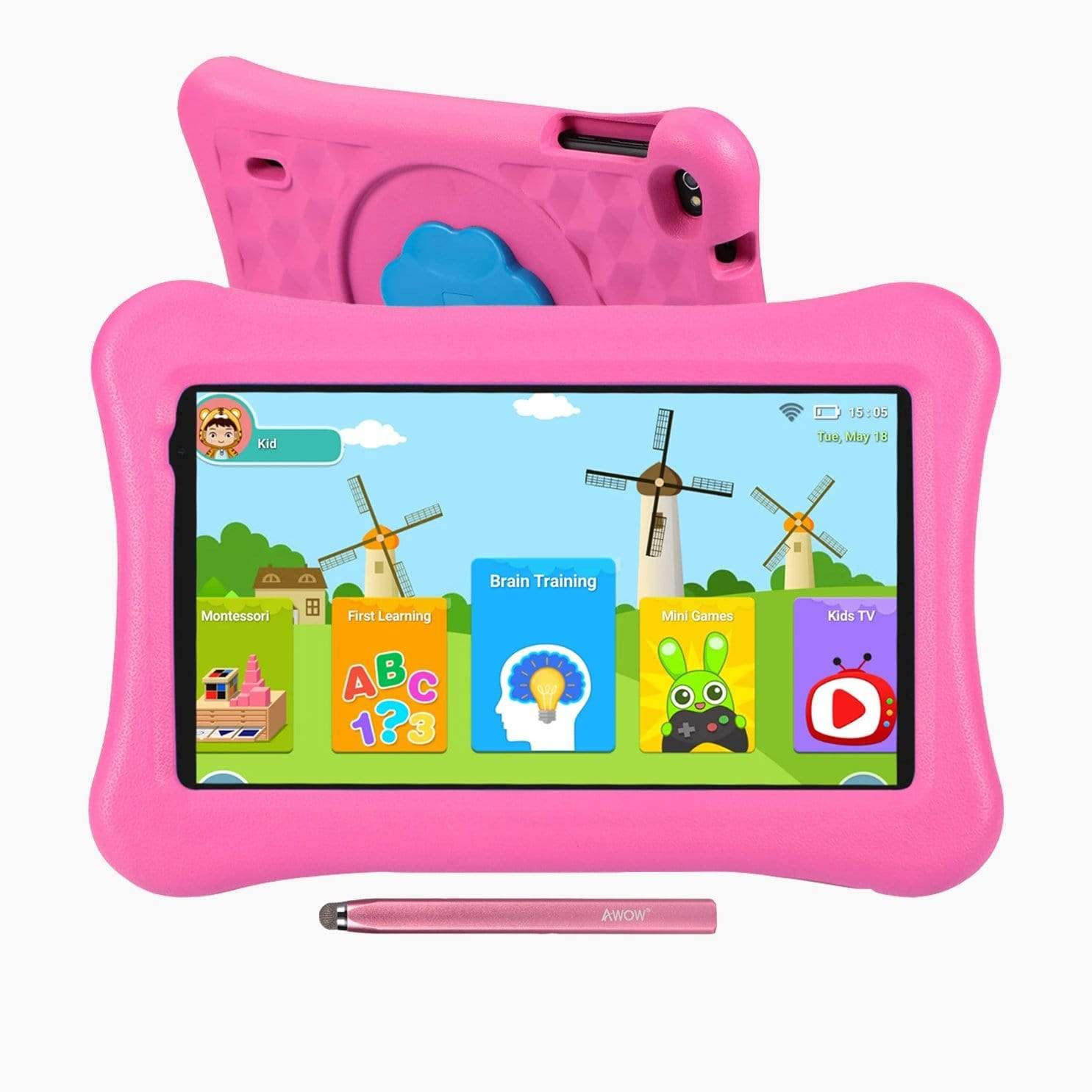
Image: The AWOW Funtab 701 Kids Tablet, shown with its protective pink kid-proof case and the accompanying active pen. The tablet features a 7-inch display.
The AWOW Funtab 701 is a 7-inch kids tablet designed for educational and entertainment purposes. It runs on Android 10 Go, powered by a 1.5GHz Quad-core processor, with 2GB RAM and 16GB ROM. It features a 1024x600 IPS HD display and supports 2.4G Wi-Fi connectivity. The tablet comes with a durable kid-proof case and an active pen for interactive learning and creativity.
Organizować coś
1. Ładowanie tabletu
Before first use, fully charge the tablet. Connect the provided power adapter to the tablet's charging port and plug it into a wall outlet. The charging indicator will typically light up. A full charge may take several hours.
2. Włączanie/wyłączanie zasilania
- Włączanie: Press and hold the Power button (usually located on the side or top edge) until the screen lights up.
- Aby wyłączyć: Naciśnij i przytrzymaj przycisk zasilania, aż na ekranie pojawi się menu wyłączania. Wybierz „Wyłącz” i potwierdź.
3. Konfiguracja początkowa
Po pierwszym włączeniu tablet przeprowadzi Cię przez proces początkowej konfiguracji:
- Wybór języka: Wybierz preferowany język.
- Połączenie Wi-Fi: Select your 2.4G Wi-Fi network from the list and enter the password.
- Konto Google: Sign in with an existing Google account or create a new one. This is necessary for accessing the Google Play Store and other Google services.
- Data i godzina: Ustaw prawidłową datę i godzinę lub pozwól sieci ustawić je automatycznie.
4. iWawa App and Parental Controls
The AWOW Funtab 701 comes with the iWawa app pre-installed, offering a safe environment for children and robust parental controls.
- Tworzenie Profiles: Open the iWawa app to create individual profiledla każdego dziecka.
- Zarządzanie treścią: Within the parental control mode, you can hand-pick specific apps, games, videos, and websites that your child can access.
- Kontrola czasu spędzanego przed ekranem: Set daily time limits for tablet usage and specific play periods.
- Bezpieczne przeglądanie: Ensure children browse only safe and approved webwitryny.
- Zmiana ustawień: Parental control settings can be adjusted as your child grows to tailor content to their age and development.
Obsługa tabletu
1. Podstawowa nawigacja
The tablet uses a touchscreen interface. Common gestures include:
- Uzyskiwać: Aby wybrać element lub otworzyć aplikację.
- Trzepnąć: Aby przewijać strony lub menu.
- Szczypta: Aby powiększyć lub pomniejszyć obrazy i web stron.
- Długie naciśnięcie: Aby uzyskać dostęp do menu kontekstowych lub przenieść ikony aplikacji.
2. Using the Active Pen
The included active pen allows for more precise interaction, drawing, and writing. Simply touch the pen to the screen as you would with your finger. No pairing is typically required for basic functionality.
3. Zarządzanie aplikacjami
- Pobieranie aplikacji: Access the Google Play Store to download new applications. Ensure parental controls are set to manage app downloads for children.
- Odinstalowywanie aplikacji: Long-press an app icon on the home screen or in the app drawer, then drag it to the 'Uninstall' option that appears. Alternatively, go to Settings > Apps & notifications > See all apps, select the app, and tap 'Uninstall'.
4. Łączenie z Wi-Fi
To connect or reconnect to a Wi-Fi network:
- Idź do Ustawienia > Sieć i internet > Wi-Fi.
- Upewnij się, że Wi-Fi jest włączone On.
- Select your desired 2.4G network from the list of available networks.
- Wprowadź hasło sieciowe, jeśli zostaniesz o to poproszony, a następnie dotknij Łączyć.
Konserwacja
1. Czyszczenie
Do czyszczenia ekranu tabletu należy używać miękkiej, niepozostawiającej włókien ściereczki. W przypadku uporczywych plam, należy delikatnie przetrzećampen the cloth with water or a screen-specific cleaning solution. Avoid harsh chemicals or abrasive materials. The kid-proof case can be cleaned with mild soap and water.
2. Pielęgnacja baterii
Aby przedłużyć żywotność baterii:
- Unikaj wystawiania tabletu na działanie ekstremalnych temperatur (gorących lub zimnych).
- Nie należy dopuszczać do częstego całkowitego rozładowania akumulatora.
- Do ładowania należy używać wyłącznie dołączonego zasilacza.
- Reduce screen brightness and close unused apps to conserve power.
3. Przechowywanie
When not in use for extended periods, store the tablet in a cool, dry place away from direct sunlight. Ensure the battery has at least a 50% charge before storing.
Rozwiązywanie problemów
If you encounter issues with your AWOW Funtab 701, refer to the solutions below:
- Tablet się nie włącza: Ensure the tablet is fully charged. Connect it to the power adapter and wait a few minutes before attempting to power it on again. If it still doesn't turn on, try holding the power button for 10-15 seconds.
- Problemy z połączeniem Wi-Fi: Check if your Wi-Fi router is working correctly. Restart both the tablet and the router. Ensure you are connecting to a 2.4G network and have entered the correct password.
- Aplikacje działają wolno lub ulegają awarii: Close unused applications. Clear the cache of problematic apps (Settings > Apps & notifications > App info > Storage & cache > Clear cache). If the issue persists, consider uninstalling and reinstalling the app.
- Bateria szybko się rozładowuje: The average battery life is approximately 4 hours. To optimize, reduce screen brightness, disable Wi-Fi when not needed, and close background apps. Avoid running multiple demanding applications simultaneously.
- Ekran nie reaguje: Try restarting the tablet. If the issue persists, ensure the screen is clean and free of debris.
Specyfikacje
| Funkcja | Szczegół |
|---|---|
| Marka | Ojej |
| Nazwa modelu | Funtab 701 |
| System operacyjny | Android 10 Przejdź |
| Rozmiar ekranu | 7 cali |
| Rozdzielczość wyświetlacza | 1024 x 600 pikseli |
| Edytor | 1.5 GHz Quad-core (Qualcomm) |
| BARAN | 2 GB |
| Pamięć wewnętrzna | 16 GB |
| Możliwość rozbudowy pamięci masowej | Micro SD slot (up to 512GB) |
| Kamera tylna | 2.0 MP |
| Przednia kamera | 2.0 MP |
| Łączność bezprzewodowa | 2.4G Wi-Fi (802.11b) |
| Średnia żywotność baterii | 4 godzin |
| Wymiary produktu | Wymiary 18.5 x 10.5 x 1 cm |
| Waga przedmiotu | 453.59 gramów |
Gwarancja i wsparcie
For warranty information, please refer to the documentation provided at the time of purchase. This typically includes details on coverage duration and terms. For technical assistance or further inquiries, please contact AWOW customer service through their official support channels.