
1. Wprowadzenie
Thank you for choosing the boAt Airdopes 641 Truly Wireless Earbuds. This manual provides essential information for setting up, operating, and maintaining your earbuds to ensure optimal performance and longevity. Please read this guide carefully before using the product.
2. Koniec produktuview
The boAt Airdopes 641 are designed for a seamless audio experience, featuring advanced connectivity and intuitive controls.

Obraz: Key features of the Airdopes 641, highlighting RGB LEDs, Instant Wake N' Pair (IWP) technology, Bluetooth 5.0 connectivity, 6mm Dual Drivers for audio, and a Capacitive Touch Panel for controls.
2.1 Składniki
- Earbuds: Left and Right truly wireless earbuds with in-ear design.
- Etui ładujące: Przenośne etui do ładowania i przechowywania słuchawek.
- Kabel USB typu C: Do ładowania etui.
- Instrukcja obsługi: Ten dokument.
2.2 Funkcje
- Bluetooth 5.0: Dla stabilnej i wydajnej łączności bezprzewodowej.
- IWP (Instant Wake N' Pair): Enables quick pairing with your device once the case lid is opened.
- Capacitive Touch Panel: For easy control of music, calls, and voice assistant.
- 6mm Dual Drivers: Delivers immersive audio experience.
- Diody LED RGB: Kontrolki statusu.
- Tryb bestii: Tryb niskiego opóźnienia do gier.
- IPX5 Water & Sweat Shield: Zapewnia ochronę przed zachlapaniem i potem.
- Do 30 godzin całkowitego odtwarzania: Combined battery life of earbuds and charging case.
- Ładowanie przez USB typu C: Nowoczesny i wygodny port ładowania.
3. Konfiguracja
3.1 Ładowanie słuchawek dousznych i etui
Przed pierwszym użyciem należy upewnić się, że zarówno słuchawki, jak i etui ładujące są w pełni naładowane.
- Place both earbuds into the charging case, ensuring they are correctly seated. The earbuds will automatically begin charging.
- Connect the USB Type-C charging cable to the charging port on the case and plug the other end into a compatible USB power adapter (not included).
- The LED indicators on the case will show the charging status. Once fully charged, the indicators may change or turn off.
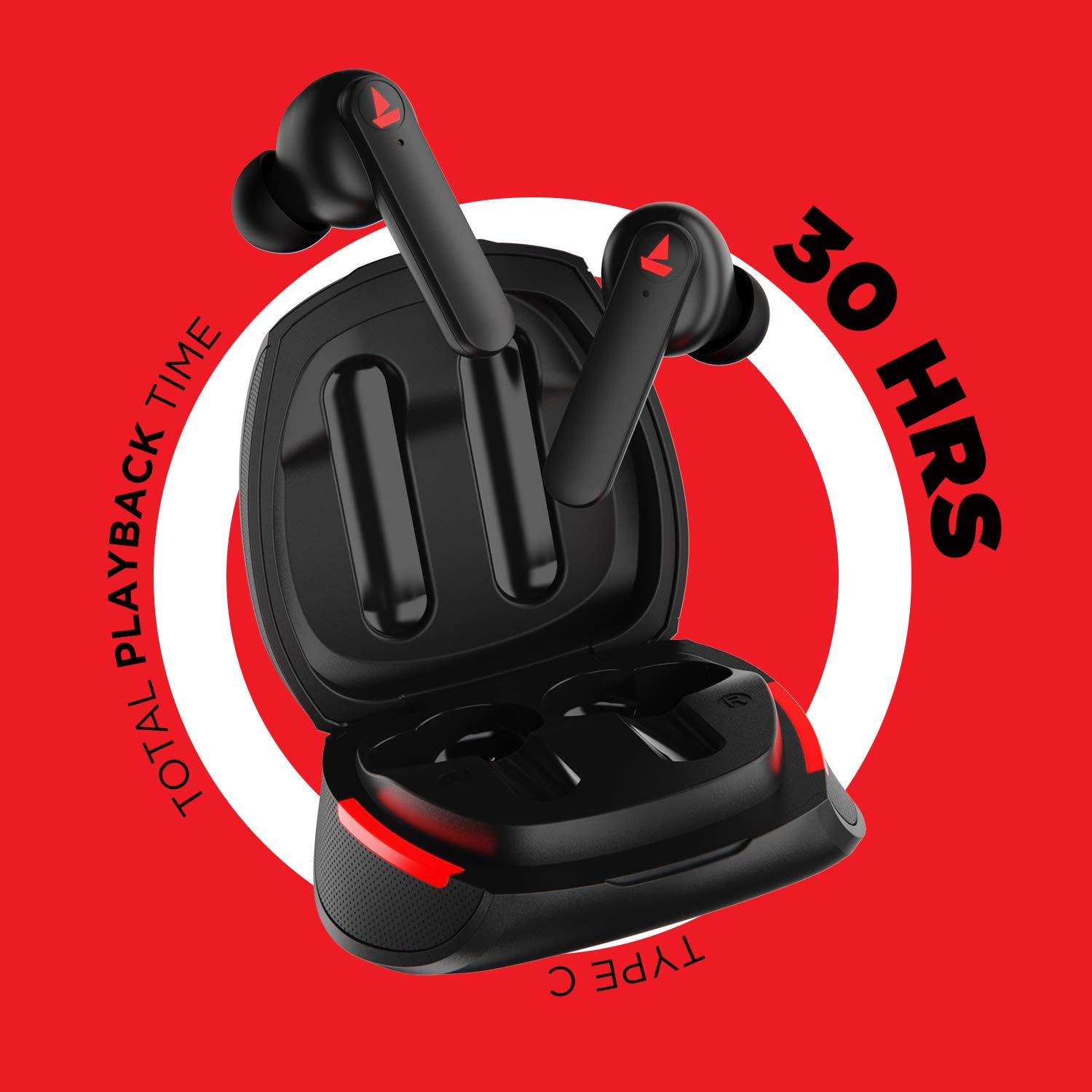
Obraz: The Airdopes 641 earbuds resting in their charging case, illustrating the Type-C charging capability and the impressive 30 hours of total playback time.
3.2 Initial Pairing (IWP Technology)
The Airdopes 641 feature Instant Wake N' Pair (IWP) technology for quick and effortless connection.
- Otwórz pokrywę etui ładującego. Słuchawki douszne automatycznie włączą się i przejdą w tryb parowania.
- Włącz funkcję Bluetooth na swoim smartfonie lub urządzeniu z włączoną funkcją Bluetooth.
- Szukaj "Airdopes 641" in the list of available devices and select it to pair.
- Po sparowaniu usłyszysz komunikat dźwiękowy i słuchawki będą gotowe do użycia.
- The earbuds will automatically connect to the last paired device when the case lid is opened, provided Bluetooth is enabled on the device.
4. Instrukcja obsługi
4.1 Włączanie/wyłączanie zasilania
- Włączanie: Open the charging case lid. The earbuds will power on automatically. Alternatively, long-press the Capacitive Touch Control (CTC) on both earbuds for 3 seconds.
- Wyłączone: Place the earbuds back into the charging case and close the lid. They will power off automatically. Alternatively, long-press the CTC on both earbuds for 5 seconds.
4.2 Capacitive Touch Controls (CTC)
The Airdopes 641 feature intuitive touch controls on each earbud.
- Odtwórz/Pauza: Single tap on either earbud's CTC.
- Następny utwór: Double tap on the right earbud's CTC.
- Poprzedni utwór: Double tap on the left earbud's CTC.
- Odbieranie/kończenie połączeń: Single tap on either earbud's CTC.
- Odrzuć połączenie: Long press on either earbud's CTC for 2 seconds.
- Aktywuj asystenta głosowego: Triple tap on either earbud's CTC.
- Zwiększenie głośności: Long press the right earbud's CTC.
- Ściszanie: Long press the left earbud's CTC.
Tryb 4.3 BEAST (gry o niskim opóźnieniu)
Activate BEAST Mode for a low-latency audio experience, ideal for gaming.

Obraz: The Airdopes 641 earbuds and their sleek charging case, emphasizing the "BEAST Mode" feature designed to provide a low-latency audio experience for gamers.
- Activate BEAST Mode: Triple tap on the right earbud's CTC.
- Deactivate BEAST Mode: Triple tap on the right earbud's CTC again.
5. Konserwacja
Proper care ensures the longevity and performance of your Airdopes 641.
5.1 Czyszczenie
- Delikatnie przetrzyj słuchawki douszne i etui ładujące miękką, suchą i niepozostawiającą włókien ściereczką.
- Nie należy używać środków czyszczących o właściwościach ściernych, alkoholu ani rozpuszczalników chemicznych.
- Regularnie czyść końcówki douszne i siateczkę, aby zapobiegać gromadzeniu się woskowiny, która może mieć wpływ na jakość dźwięku.
5.2 Water and Sweat Resistance (IPX5)

Obraz: The Airdopes 641 earbuds and their charging case surrounded by water splashes, illustrating their IPX5 rating for water and sweat resistance.
The Airdopes 641 are rated IPX5, meaning they are protected against low-pressure water jets from any direction. This makes them suitable for workouts and light rain.
- Nie zanurzaj słuchawek w wodzie.
- Do not expose them to high-pressure water or steam.
- Przed włożeniem słuchawek do etui ładującego należy upewnić się, że są suche, aby zapobiec ich uszkodzeniu.
5.3 Przechowywanie
Przechowuj słuchawki douszne w etui ładującym, gdy nie są używane, aby je chronić i utrzymywać w stanie naładowania.
6. Rozwiązywanie Problemów
If you encounter issues with your Airdopes 641, try the following solutions.
6.1 Słuchawki douszne nie łączą się/nie parują
- Upewnij się, że obie słuchawki douszne są naładowane.
- Upewnij się, że Bluetooth jest włączony w Twoim urządzeniu i słuchawki znajdują się w zasięgu.
- Try forgetting "Airdopes 641" from your device's Bluetooth list and re-pairing.
- Perform a factory reset as described below.
6.2 Przywracanie ustawień fabrycznych
A factory reset can resolve many common issues by restoring the earbuds to their original settings.

Obraz: A visual guide detailing the steps for a factory reset of the Airdopes 641. It emphasizes clearing the device from pairing history first, then long-pressing the Capacitive Touch Control (CTC) on both earbuds inside the case for 10 seconds until a green LED flashes three times, followed by closing and reopening the case.
- Krok 1: Before performing the reset, clear "Airdopes 641" from your pairing device history by forgetting the device on your phone/tablet.
- Krok 2: Place both earbuds back inside the charging case in the correct orientation.
- Krok 3: Long press the Capacitive Touch Control (CTC) on both earbuds inside the case for up to 10 seconds. The successful reset will be indicated by the flashing of a green LED three times.
- Krok 4: Zamknij pokrywę etui ładującego, a następnie otwórz ją ponownie.
- Krok 5: Once you take the earbuds out from the charging case, they automatically restart and are ready for a new pairing.
Note: Please make sure the case is charged before performing a factory reset.
6.3 Brak dźwięku/niska głośność
- Sprawdź poziom głośności zarówno na swoim urządzeniu, jak i na słuchawkach.
- Sprawdź, czy słuchawki są prawidłowo umieszczone w uszach.
- Wyczyść siatkę słuchawek z wszelkich zanieczyszczeń.
- Spróbuj ponownie sparować słuchawki.
7. Specyfikacje
| Nazwa modelu | Airdopy 641 |
| Technologia łączności | Bezprzewodowy (Bluetooth) |
| Technologia komunikacji bezprzewodowej | Bluetooth 5.0 |
| Typ sterowania | Dotyk, sterowanie głosowe |
| Typ sterownika audio | Dynamiczny przetwornik (6 mm) |
| Umieszczenie ucha | W uchu |
| Współczynnik kształtu | W uchu |
| Tworzywo | Plastikowy |
| Ocena odporności na wodę | IPX5 |
| Port ładowania | USB typu C |
| Kompatybilne urządzenia | Tablets, Cellphones, Laptops, Desktops, Smart Speaker, Television |
8. Gwarancja i wsparcie
For warranty information and customer support, please refer to the warranty card included with your product or visit the official boAt webstrona. Zachowaj dowód zakupu na potrzeby roszczeń gwarancyjnych.
Producent: Imagine Marketing Pvt Ltd