
Wstęp
Thank you for choosing the Vaydeer 2 Tiers Dual Monitor Stand. This product is designed to elevate your monitors to an ergonomic viewing height, reduce desk clutter, and provide convenient connectivity options including wireless charging and USB 3.0 ports. Please read this manual carefully before use to ensure proper setup and operation.
Cechy produktu
- Wireless Charger Device: Zintegrowana ładowarka do kompatybilnych smartfonów.
- 4 porty USB 3.0: Provides high-speed data transmission and charging capabilities for various USB devices.
- Solidna i trwała konstrukcja: Made of high-quality aluminum alloy, capable of holding up to 88 lbs (39.92 kg).
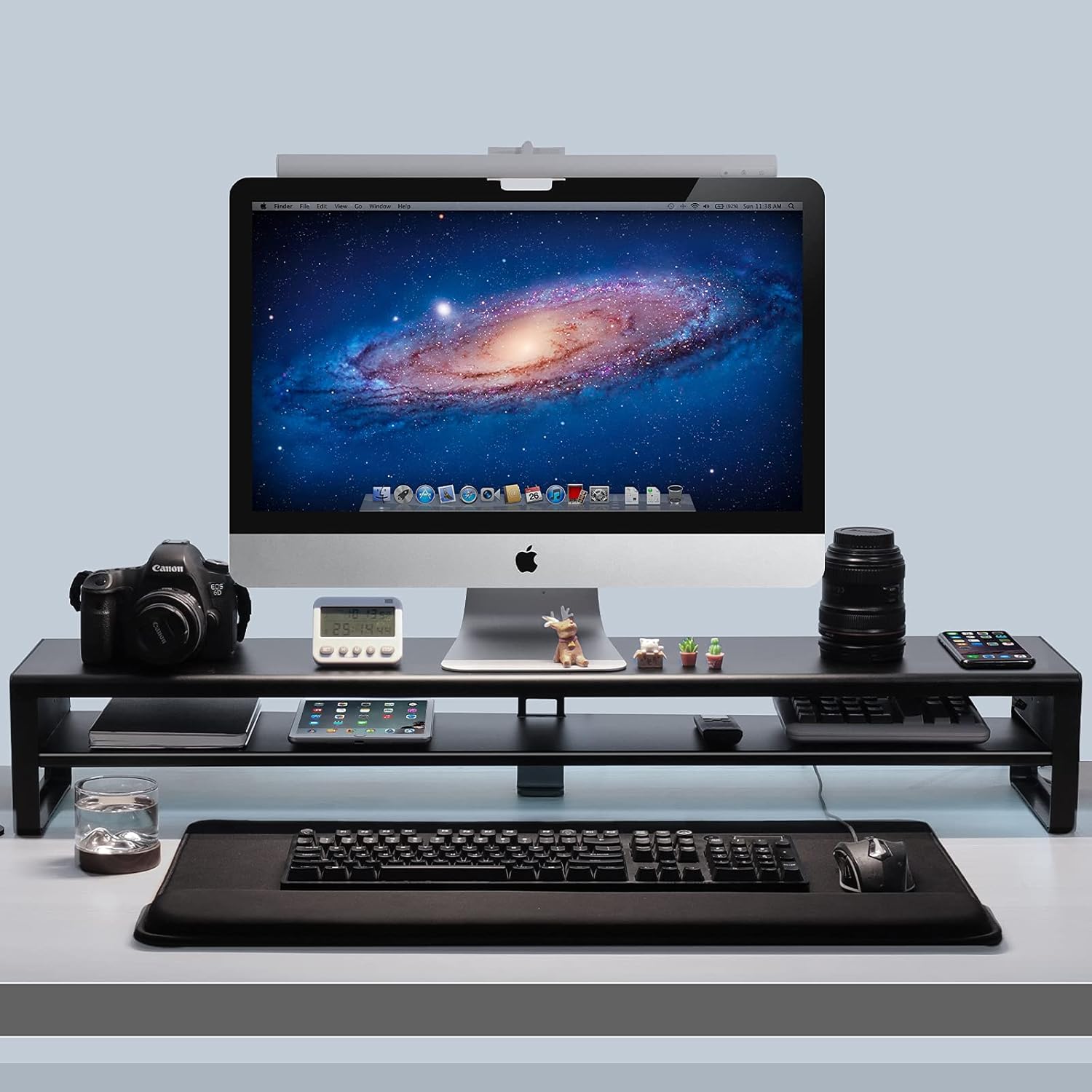
- 2 Tiers & Space Saving Design: Offers additional storage space for desktop accessories, keyboards, and mice, promoting an organized workspace.
- Ergonomicznie zaprojektowany: Raises monitors to an optimal viewing height to improve posture and comfort.
Zawartość opakowania
- Vaydeer 2 Tiers Dual Monitor Stand (Main Platform)
- Side Support Legs (2 pieces)
- Kabel połączeniowy USB
- Power Adapter (for wireless charging and USB hub)
- Assembly Screws and Tools (if required for leg attachment)
- Instrukcja obsługi
Konfiguracja i montaż
- Rozpakuj komponenty: Ostrożnie wyjmij wszystkie przedmioty z opakowania i sprawdź, czy wszystkie wymienione elementy są obecne.
- Złóż stojak: Attach the two side support legs to the main platform of the monitor stand using the provided screws and tools. Ensure they are securely fastened.
- Umiejscowienie stojaka: Place the assembled monitor stand on a stable, flat desk surface.
- Podłącz zasilanie: Connect the provided power adapter to the stand's power input port and then plug it into a wall outlet. This powers the wireless charger and USB hub.
- Połącz z komputerem: Use the provided USB connection cable to link the monitor stand's USB input port to an available USB port on your computer. This enables data transfer and charging via the USB 3.0 hub.
- Place Monitors: Carefully place your monitors on the top tier of the stand. Ensure they are centered and stable. The stand can accommodate two monitors up to 27 inches each.

Instrukcja obsługi
Ładowanie bezprzewodowe
To use the wireless charging feature, simply place your compatible smartphone on the designated charging pad located on the stand. The device will automatically begin to charge. For optimal charging speed, use a fast charging adapter for the stand's power supply instead of relying solely on the USB ports for power. If the indicator light of your earbud goes off after charging for a few seconds, this is normal; charging is still active.

Porty koncentratora USB 3.0
The monitor stand features four USB 3.0 ports. These ports provide both data transmission and charging capabilities. Connect your USB devices such as hard drives, keyboards, mice, mobile phones, iPads, or Kindle devices to these ports for convenient access and power.
Pozycjonowanie ergonomiczne
The stand elevates your monitor(s) to help you achieve a more comfortable and ergonomic viewing position. Adjust your monitor's height and distance to reduce strain on your neck and eyes.
Konserwacja
To maintain your Vaydeer monitor stand, regularly wipe its smooth coating surface with a soft, damp cloth. Avoid using abrasive cleaners or solvents that could damage the finish. Ensure no liquids enter the USB ports or wireless charging area.
Rozwiązywanie problemów
- Ładowanie bezprzewodowe nie działa:
- Ensure your phone is placed correctly on the charging pad.
- Verify the stand is connected to a power source using the provided adapter.
- If using an iPhone and it's not charging, try rebooting your phone.
- Confirm your phone is wireless charging compatible.
- Ensure you are using a fast charging adapter for the stand's power, not just a computer's USB port.
- Porty USB nie działają:
- Check that the USB connection cable is securely plugged into both the stand and your computer.
- Ensure the stand is receiving power from the power adapter.
- Spróbuj podłączyć kabel USB do innego portu USB w komputerze.
- Niestabilność stanowiska:
- Sprawdź, czy wszystkie śruby montażowe są dokręcone.
- Ensure the stand is placed on a flat and stable surface.
- Nie przekraczać maksymalnego udźwigu wynoszącego 39.92 kg (88 funtów).
Specyfikacje
| Funkcja | Specyfikacja |
|---|---|
| Marka | Vaydeer |
| Model | B08Z7LR2GK |
| Tworzywo | Aluminium, Metal |
| Kolor | Czarny |
| Wymiary produktu (dł. x szer. x wys.) | 38.7 x 7.8 x 5.9 cala (98.3 x 19.8 x 15 cm) |
| Waga przedmiotu | 4.8 funtów (2.18 kg) |
| Nośność | 88 funtów (39.92 kg) |
| Porty USB | 4 x USB 3.0 Hub Ports |
| Ładowanie bezprzewodowe | Yes (compatible with Qi-enabled devices) |
| Wymagany montaż | Tak |

Informacje dotyczące bezpieczeństwa
- Do not exceed the maximum load capacity of 88 lbs (39.92 kg) to prevent damage or injury.
- Upewnij się, że stojak jest umieszczony na stabilnej i równej powierzchni, aby zapobiec jego przewróceniu.
- Keep liquids away from the electronic components (USB ports, wireless charging pad) to avoid electrical hazards.
- Nie należy podejmować prób demontażu lub modyfikacji produktu, gdyż może to spowodować unieważnienie gwarancji i zagrożenie bezpieczeństwa.
- Przechowywać w miejscu niedostępnym dla dzieci.
Wideo produktu
Gwarancja i wsparcie
Vaydeer products come with a standard manufacturer's warranty. For specific warranty details, product support, or any inquiries, please refer to the warranty card included with your purchase or visit the official Vaydeer website. You may also contact Vaydeer customer service through the retailer where the product was purchased.