
DELTACO GAMING GAM-080
DELTACO GAMING Chair User Manual
Model: GAM-080
Wstęp
Dziękujemy za zakupasing the DELTACO GAMING Chair, Model GAM-080. This ergonomic gaming chair is designed to provide comfort and support during long gaming sessions, featuring adjustable components and integrated RGB lighting. Please read this manual carefully before assembly and use to ensure proper operation and longevity of your chair.
Informacje dotyczące bezpieczeństwa
- Przed użyciem upewnij się, że wszystkie elementy są bezpiecznie zamocowane.
- Nie stawaj na krześle.
- Nie używaj krzesła, jeśli jakakolwiek jego część jest uszkodzona lub jej brakuje.
- Podczas regulacji trzymaj dłonie i palce z dala od ruchomych części.
- This chair is designed for a maximum weight of 120 kg (264 lbs). Exceeding this limit may cause damage or injury.
- The RGB lighting requires a USB power source. Ensure the cable is not pinched or damaged.
Zawartość opakowania
Przed rozpoczęciem montażu należy sprawdzić, czy wszystkie części są na miejscu i nieuszkodzone. Jeśli brakuje którejkolwiek części lub jest ona uszkodzona, prosimy o kontakt z obsługą klienta.
- Oparcie
- Podstawa siedzenia
- Podłokietniki (2)
- Gwiezdna baza
- Kółka (5)
- Siłownik gazowy
- Pokrywa windy gazowej
- Płytka mechanizmu
- Poduszka lędźwiowa
- Poduszka zagłówka
- Sprzęt montażowy (śruby, podkładki, klucz imbusowy)
- Pilot zdalnego sterowania RGB
- USB Power Cable for RGB
Konfiguracja i montaż
Please follow these steps carefully for proper assembly. It is recommended to assemble the chair on a soft, clean surface to prevent damage.
- Zamontuj kółka do podstawy gwiaździstej: Włóż każde z pięciu kółek w otwory na końcu podstawy w kształcie gwiazdy, aż do momentu, gdy zatrzasną się pewnie na swoim miejscu.
- Włóż podnośnik gazowy: Umieść siłownik podnośnika gazowego w środkowym otworze podstawy w kształcie gwiazdy. Zakryj go osłoną podnośnika gazowego.
- Zamontuj płytę mechanizmu do podstawy siedziska: Align the mechanism plate with the pre-drilled holes on the underside of the seat base. Ensure the front of the mechanism plate faces the front of the seat. Secure with screws.
- Zamontuj podłokietniki do podstawy siedziska: Secure the armrests to the sides of the seat base using the provided screws. Ensure they are firmly attached.
- Zamontuj oparcie do podstawy siedziska: Dopasuj oparcie do uchwytów montażowych na podstawie siedziska. Przymocuj za pomocą śrub.
- Podłącz fotel do podnośnika gazowego: Ostrożnie umieść zmontowane siedzisko i oparcie na siłowniku gazowym, upewniając się, że jest wyśrodkowane i stabilne.
- Zamontuj zagłówek i poduszki lędźwiowe: Secure the headrest pillow and lumbar cushion to the chair using their respective straps.

Image: The DELTACO GAMING Chair fully assembled, showcasing its ergonomic design and RGB lighting strips along the edges.
Instrukcja obsługi
Regulacja wysokości
To adjust the chair's height, pull the lever located on the right side of the seat upwards. While seated, lift your weight off the chair to raise it, or remain seated to lower it. Release the lever to lock the height.
Rozkład oparcia
The backrest can be reclined between 90 and 180 degrees. Pull the recline lever, typically located on the right side of the chair, and lean back or forward to achieve your desired angle. Release the lever to lock the backrest in position.

Image: An illustration demonstrating the chair's ability to recline from an upright position to a nearly flat position, indicated by an orange arrow.
RGB Lighting Operation
The chair features integrated RGB lighting with 332 LED modes. To activate the lighting, connect the chair's USB cable to a 5V USB power source (e.g., a power bank, computer USB port, or USB wall adapter). Use the included remote control to change colors, modes, and brightness.
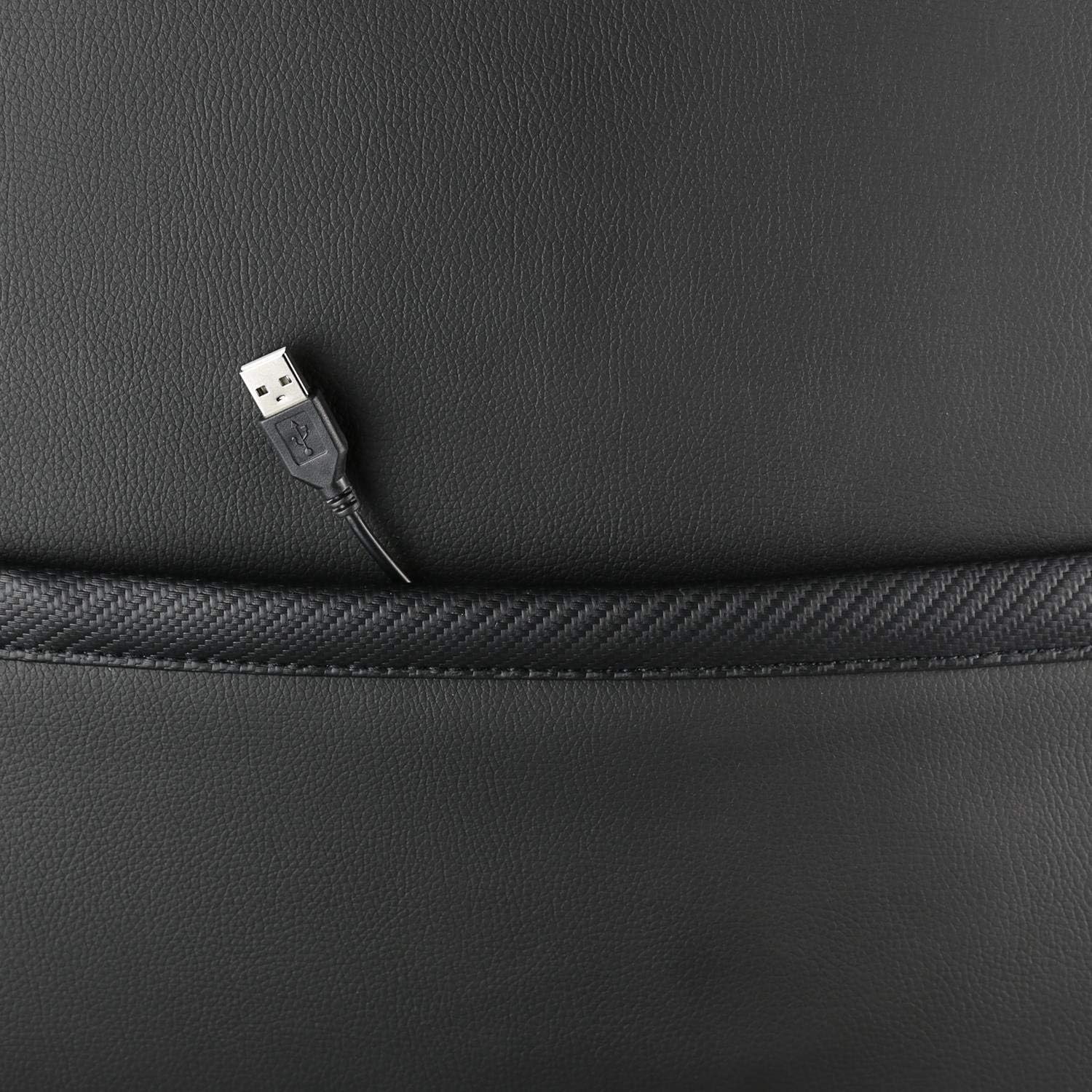
Obraz: Zbliżenie view showing the USB power cable emerging from a pocket on the chair, used to power the RGB lighting.

Obraz: Ponadview image of the DELTACO GAMING RGB Gaming Chair highlighting features such as remote control for RGB lights, adjustable headrest, included lumbar cushion, and adjustable backrest from 90-180 degrees, along with 332 LED modes.
Konserwacja i pielęgnacja
- Czyszczenie: Wyczyść za pomocą reklamyamp cloth. Do not use harsh chemicals or abrasive cleaners, as this may damage the faux leather.
- Kontrola: Okresowo sprawdzaj dokręcenie wszystkich śrub i nakrętek. W razie potrzeby dokręć je ponownie.
- Składowanie: Store the chair in a cool, dry place away from direct sunlight to prevent material degradation.
- Kabel USB: Ensure the USB power cable for the RGB lighting is not kinked or damaged.
Rozwiązywanie problemów
| Problem | Możliwa przyczyna | Rozwiązanie |
|---|---|---|
| Krzesło nie posiada regulacji wysokości. | Awaria cylindra gazowego lub dźwignia nie jest załączona. | Upewnij się, że dźwignia regulacji wysokości jest całkowicie wyciągnięta. Jeśli problem nadal występuje, podnośnik gazowy może wymagać wymiany. |
| Oparcie nie odchyla się i nie blokuje. | Zacięty mechanizm odchylania lub dźwignia nie jest włączona. | Check for obstructions around the recline mechanism. Ensure the recline lever is fully engaged. |
| Oświetlenie RGB nie działa. | USB power not connected, cable damaged, or remote control battery low. | Verify the USB cable is securely connected to a working 5V power source. Check the cable for damage. Replace remote control battery if necessary. |
| Krzesło jest chwiejne. | Loose screws or casters not fully inserted. | Tighten all assembly screws. Ensure all casters are fully inserted into the star base. |
Specyfikacje
| Funkcja | Szczegół |
|---|---|
| Nazwa modelu | GAM-080 |
| Marka | GRY DELTACO |
| Kolor | Czarny |
| Tworzywo | Faux leather, Foam |
| Maksymalna zalecana waga | 120 kilogramów (264 funty) |
| Wymiary produktu (dł. x szer. x wys.) | 22.44 x 26.77 x 57.87 cala |
| Waga przedmiotu | 46.2 funta |
| Cechy specjalne | RGB Lighting, Adjustable Backrest (90-180°), Adjustable Height, Lumbar Cushion, Headrest Pillow |
| Power Source for RGB | USB 5V |
Gwarancja i wsparcie
This DELTACO GAMING Chair (Model GAM-080) comes with a 1-year spare part availability duration within the EU, as per manufacturer specifications.
For technical support, warranty claims, or inquiries regarding spare parts, please contact DELTACO GAMING customer support. Refer to your purchase documentation for specific contact details or visit the official DELTACO GAMING webstrona.
Note: Proof of purchase may be required for warranty services.