
1. Wprowadzenie
This manual provides detailed instructions for the proper use and maintenance of your USHINING W380S 3G Unlocked Senior Flip Phone. Designed for ease of use, this phone features large buttons, a clear display, and essential functions including an SOS emergency button and a charging cradle. Please read this manual thoroughly before operating your device.
2. Zawartość opakowania
Sprawdź, czy wszystkie wymienione poniżej elementy znajdują się w Twojej paczce. Jeśli brakuje któregokolwiek z nich lub jest on uszkodzony, skontaktuj się z obsługą klienta.
- USHINING W380S Flip Phone
- Kołyska ładująca
- Przewód ładujący (Micro USB)
- Instrukcja obsługi
- Battery (Nokia BL-5C compatible)
- Adapter karty SIM
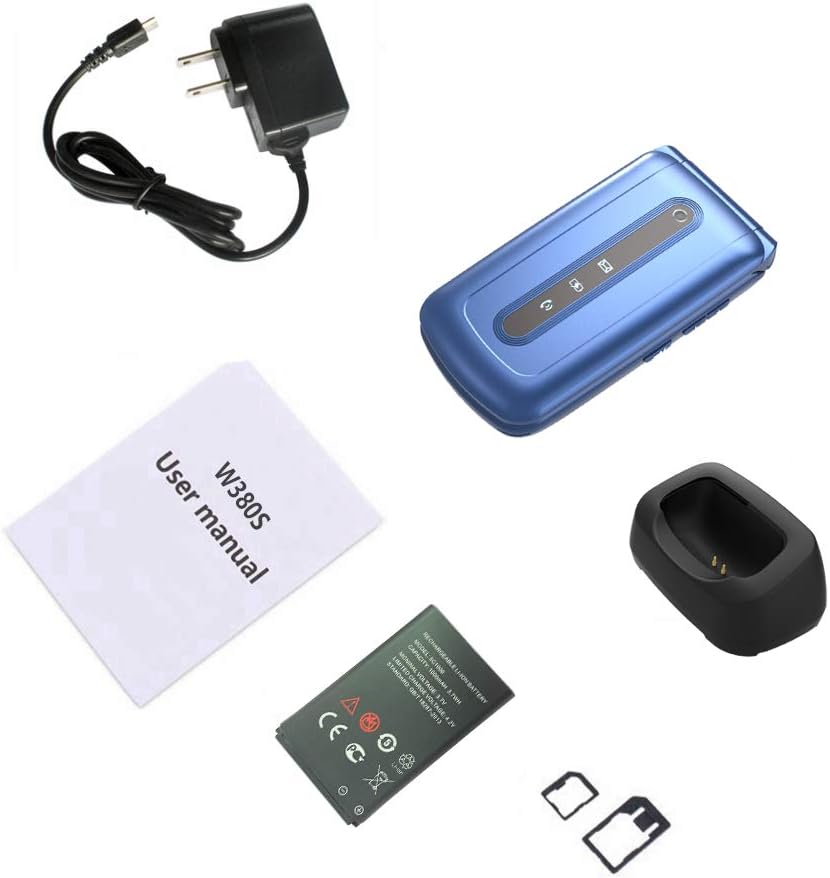
Image: Contents of the USHINING W380S package, including the flip phone, charging cradle, charging cord, user manual, battery, and SIM card adapter.
3. Telefonicznieview
Familiarize yourself with the key components and features of your USHINING W380S flip phone.
- Duże przyciski: Zaprojektowano z myślą o łatwym wybieraniu numerów i nawigacji.
- Large Icon Display: Ensures clear visibility of menu options and text.
- Przycisk SOS: Znajduje się z tyłu i służy do wykonywania połączeń alarmowych.
- Podstawka ładująca: Simplifies charging by placing the phone in the dock.
- Głośnik wysokiej jakości: Provides loud and clear audio for calls.
- Dual LED Torch: Integrated flashlight for convenience.

Image: The USHINING W380S flip phone shown in its charging cradle and a separate view of the phone's rear, highlighting the SOS button.

Image: The USHINING W380S flip phone open, displaying large icons on the screen and large, easy-to-press buttons on the keypad.
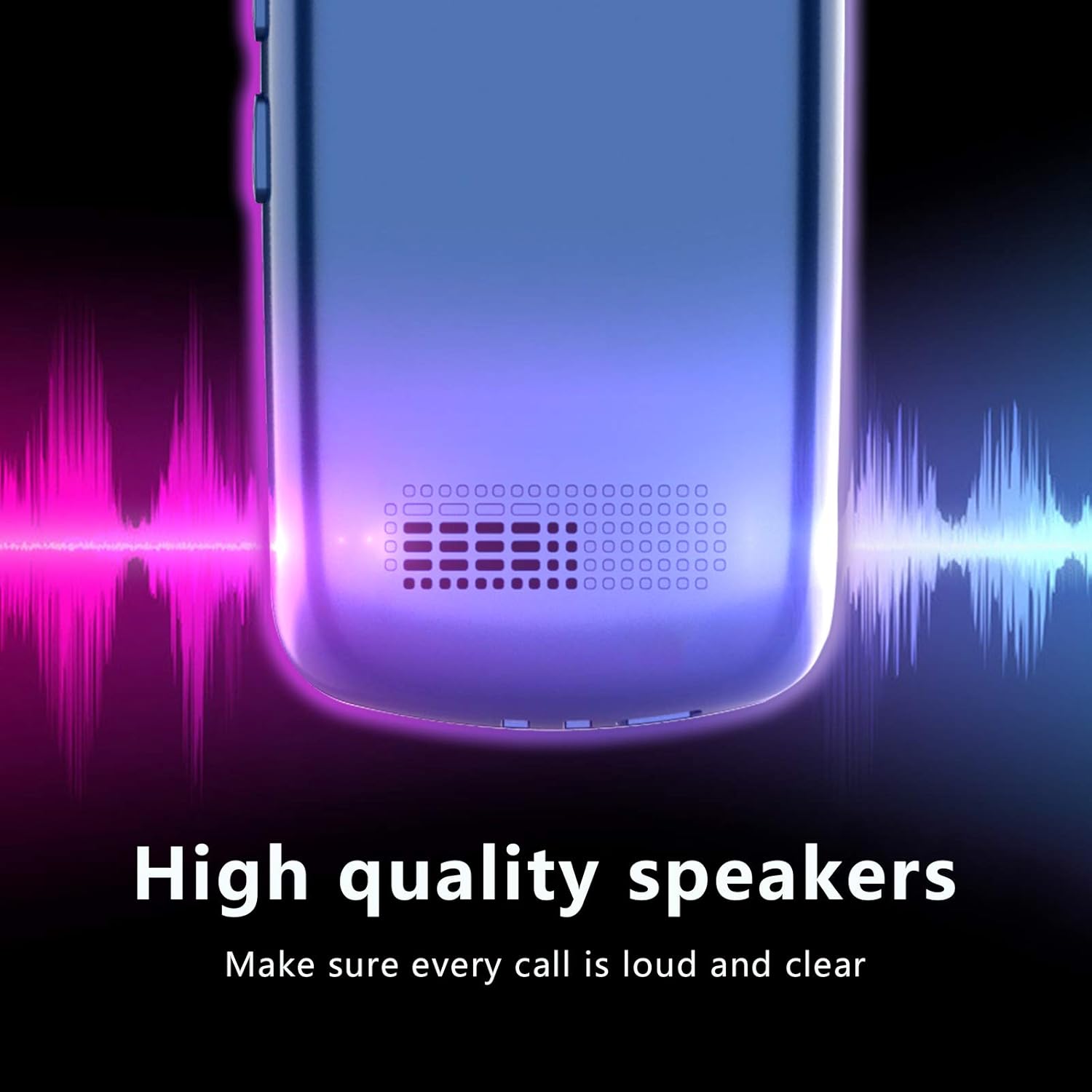
Obraz: Zbliżenie view of the USHINING W380S phone's speaker grille, emphasizing its high-quality audio output.
4. Konfiguracja
4.1 Instalacja baterii
- Zdejmij tylną obudowę telefonu, delikatnie podważając ją od wycięcia.
- Insert the battery into the compartment, ensuring the gold contacts align with the phone's terminals.
- Załóż tylną pokrywę, dociskając ją mocno, aż zatrzaśnie się na swoim miejscu.
4.2 Instalacja karty SIM
Important Note for 3G SIM Card Activation:
Since this is a 3G phone and many carriers have stopped activating new SIM cards for 3G devices, please do not activate a new SIM card directly on this phone. When purchasing a new SIM card, provide the IMEI number of an older phone or any other compatible phone to get the SIM card activated. Once activated, you can then insert the SIM card into your USHINING W380S phone. It will automatically connect to the carrier's network after turning on.
- Sprawdź, czy telefon jest wyłączony i bateria została wyjęta.
- Locate the SIM card slot(s) beneath the battery compartment. This phone supports a standard size SIM card.
- Insert the activated standard SIM card into the designated slot with the gold contacts facing down and the cut corner aligned correctly.
4.3 Instalacja karty Micro SD (opcjonalnie)
To expand storage for photos or contacts, you can install a Micro SD card (up to 32GB, not included).
- Sprawdź, czy telefon jest wyłączony i bateria została wyjęta.
- Znajdź gniazdo karty Micro SD obok gniazda karty SIM.
- Włóż kartę Micro SD do gniazda, aż zatrzaśnie się na miejscu.
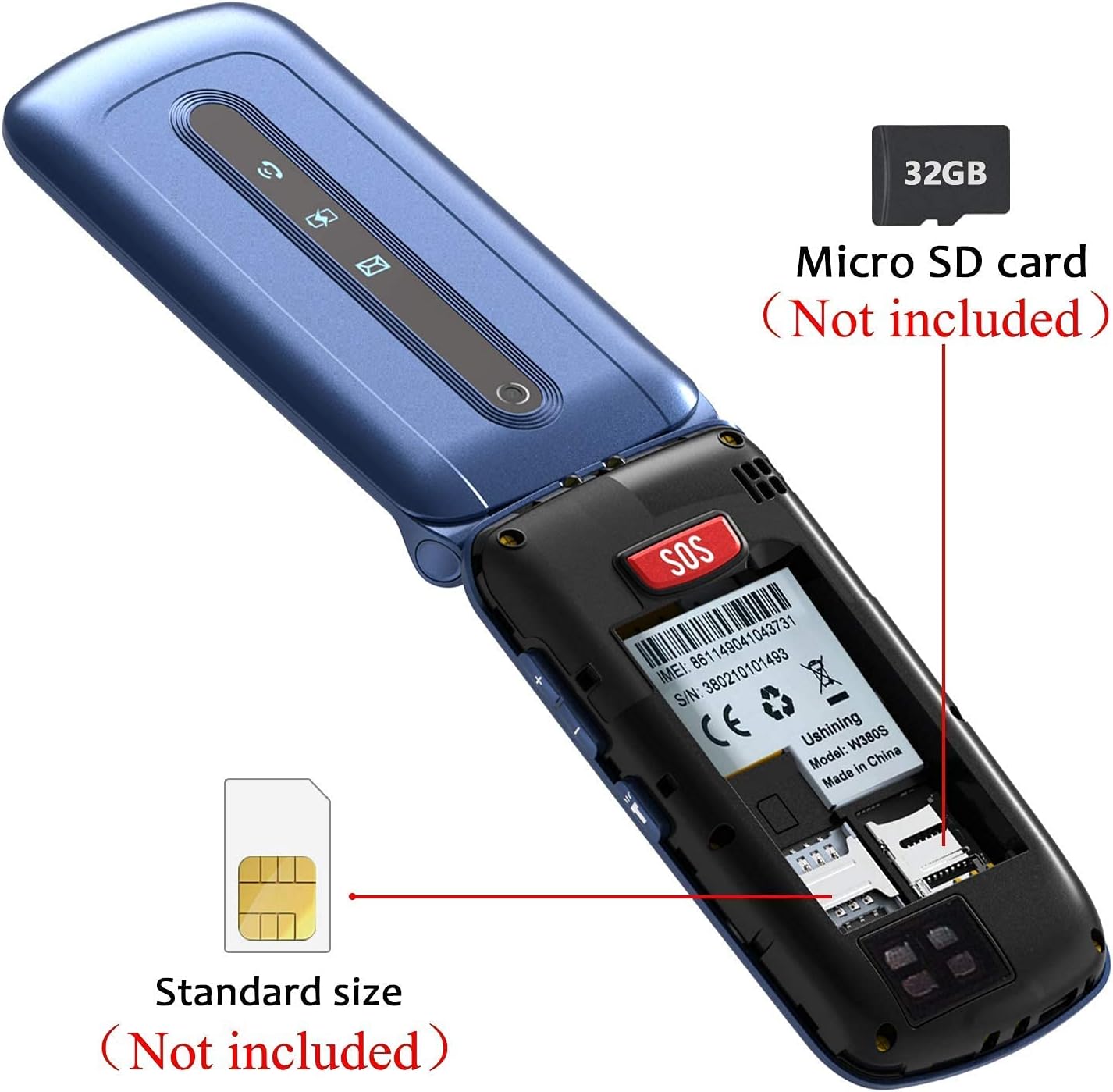
Obraz: Wnętrze view of the USHINING W380S flip phone, showing the slots for a standard SIM card and a Micro SD card.

Image: A graphic emphasizing the important instruction for activating a new SIM card for the 3G phone, advising against direct activation on the device.
4.4 Ładowanie telefonu
You can charge your phone using the included charging cradle or directly via the Micro USB port.
- Korzystanie ze stacji ładującej: Connect the charging cord to the cradle and a power adapter. Place the phone into the cradle, ensuring it sits securely and the charging indicator appears on the screen.
- Ładowanie bezpośrednie: Connect the charging cord directly to the Micro USB port on the side of the phone and to a power adapter.
4.5 Włączanie/wyłączanie
- Włączanie: Naciśnij i przytrzymaj czerwony przycisk „Zakończ połączenie”, aż ekran się zaświeci.
- Aby wyłączyć: Press and hold the red 'End Call' button until the power off options appear, then select 'Power Off'.
5. Instrukcja obsługi
5.1 Wykonywanie i odbieranie połączeń
- Zadzwonić: Wprowadź numer telefonu za pomocą klawiatury i naciśnij zielony przycisk „Zadzwoń”.
- Aby odebrać połączenie: Naciśnij zielony przycisk „Zadzwoń”, gdy telefon zadzwoni.
- Aby zakończyć połączenie: Naciśnij czerwony przycisk „Zakończ połączenie”.
5.2 Wysyłanie i odbieranie wiadomości
- Przejdź do menu „Wiadomości”.
- Wybierz „Napisz wiadomość”, aby napisać nową wiadomość SMS.
- Wprowadź numer odbiorcy i swoją wiadomość, a następnie wyślij.
- New messages will appear in your inbox.
5.3 Funkcja alarmowa SOS
Przycisk SOS umożliwia szybki kontakt z ustalonymi numerami alarmowymi.
- Go to 'Settings' > 'SOS Settings' to configure up to 5 emergency contacts.
- In an emergency, press and hold the red SOS button on the back of the phone.
- The phone will automatically dial the emergency contacts in sequence until one answers. It will also send an emergency SMS to these contacts.

Image: A diagram illustrating the SOS emergency call function, showing the SOS button on the phone and how it connects to pre-set family numbers and first aid contacts.
5.4 Szybkie wybieranie
Assign frequently called numbers to speed dial keys (M1, M2, M3).
- Przejdź do „Ustawienia” > „Szybkie wybieranie”.
- Select M1, M2, or M3 and assign a contact from your phonebook or enter a new number.
- To use, press and hold the assigned speed dial key.
5.5 Książka telefoniczna
Store and manage your contacts.
- Przejdź do menu „Książka telefoniczna”.
- Select 'Add New Contact' to save a name and number.
- You can also edit or delete existing contacts.
5.6 Kamera
W telefonie znajduje się podstawowy aparat do robienia zdjęć.
- Dostęp do aparatu można uzyskać z menu głównego.
- Point the camera at your subject and press the 'OK' button to take a photo.
- Photos are saved to the phone's memory or the Micro SD card if installed.
5.7 Torch/Flashlight
Activate the dual LED torch for illumination.
- The torch can typically be activated by a dedicated side button or through the 'Tools' menu.

Image: The USHINING W380S flip phone held in a hand, with its dual LED torch emitting light.
5.8 Ustawienia podstawowe
Customize your phone's behavior through the 'Settings' menu.
- Język: Zmień język wyświetlania.
- Data i godzina: Ustaw aktualną godzinę i datę.
- Tom: Adjust ringtone, call, and media volumes.
- Wyświetlacz: Modify backlight time, contrast, etc.
6. Konserwacja
To ensure the longevity and optimal performance of your USHINING W380S phone, follow these maintenance guidelines:
- Utrzymuj telefon w suchości. Wilgoć może uszkodzić obwody elektroniczne.
- Unikaj ekstremalnych temperatur. Wysokie temperatury mogą skrócić żywotność urządzeń elektronicznych i uszkodzić baterie.
- Nie używaj silnych środków chemicznych, rozpuszczalników ani detergentów do czyszczenia telefonu. Przetrzyj go miękką, miękką szmatką.amp płótno.
- Handle the phone gently. Dropping, knocking, or shaking it can damage internal components.
- Do not attempt to disassemble the phone. This will void the warranty and can cause damage.
7. Rozwiązywanie Problemów
Jeśli masz problemy z telefonem, zapoznaj się z poniższymi typowymi problemami i ich rozwiązaniami:
| Problem | Możliwe rozwiązanie |
|---|---|
| Telefon się nie włącza. | Ensure the battery is correctly installed and charged. Connect to the charger for at least 30 minutes. |
| Nie można wykonywać ani odbierać połączeń. | Check if the SIM card is properly inserted and activated. Verify network signal strength. Contact your carrier if necessary. |
| Brak dźwięku podczas połączeń. | Check the call volume settings. Ensure the speaker is not blocked. |
| Bateria szybko się rozładowuje. | Reduce screen brightness, close unused applications, or consider replacing an old battery. |
| Przycisk SOS nie działa. | Verify that emergency contacts are correctly set up in the SOS settings. Ensure the phone has network coverage. |
Jeśli problem nadal występuje, skontaktuj się z obsługą klienta, aby uzyskać dalszą pomoc.
8. Specyfikacje
Key technical specifications for the USHINING W380S flip phone:
- Model: W380S
- Wymiary: 4.09 x 2.11 x 0.75 cala
- Waga przedmiotu: 8.8 uncji
- BARAN: 64 MB
- ROM: 128 MB
- Rozmiar wyświetlacza: 2.4 cali
- Rozdzielczość wyświetlacza: 240x320
- Technologie komunikacji bezprzewodowej: Bluetooth, Cellular (3G WCDMA: 850/1900MHz; 2G GSM: 850/1900 mHz)
- Technologie łączności: Bluetooth, Micro USB
- Pojemność baterii: 1000 mlnamp Godziny
- Pamięć rozszerzalna: Karta Micro SD do 32 GB (brak w zestawie)
- Kamera: Tył
- Wejście interfejsu ludzkiego: Przyciski, pokrętło
9. Gwarancja i wsparcie
For warranty information and customer support, please refer to the documentation included with your purchase or contact USHINING customer service. Keep your purchase receipt as proof of purchase for warranty claims.
For inquiries, you may visit the USHINING store page on Amazon and use the 'Ask a question' feature to send an email. Customer support typically responds within 24 hours.