
1. Wprowadzenie
Thank you for choosing the W-KING X10 Portable Bluetooth Speaker. This manual provides essential information for setting up, operating, and maintaining your speaker to ensure optimal performance and longevity. The W-KING X10 delivers powerful 120W peak sound with deep bass, features IPX6 waterproofing, and offers versatile connectivity options for an immersive audio experience.
2. Co znajduje się w pudełku
- X10 Portable Outdoor Bluetooth Speaker
- Kabel ładujący typu C.
- Kabel audio AUX 3.5 mm
- Instrukcja obsługi
3. Koniec produktuview & Cechy
The W-KING X10 is engineered for robust audio performance and durability. Key features include:
- Potężny dźwięk: 120W peak output (70W RMS) with 2*45W subwoofers and 2*15W tweeters, enhanced by triple passive radiators for deep bass and DSP intelligent crossover technology for clear sound up to 40kHz.
- Omnidirectional HD Stereo: Designed to fill any space with rich, balanced audio.
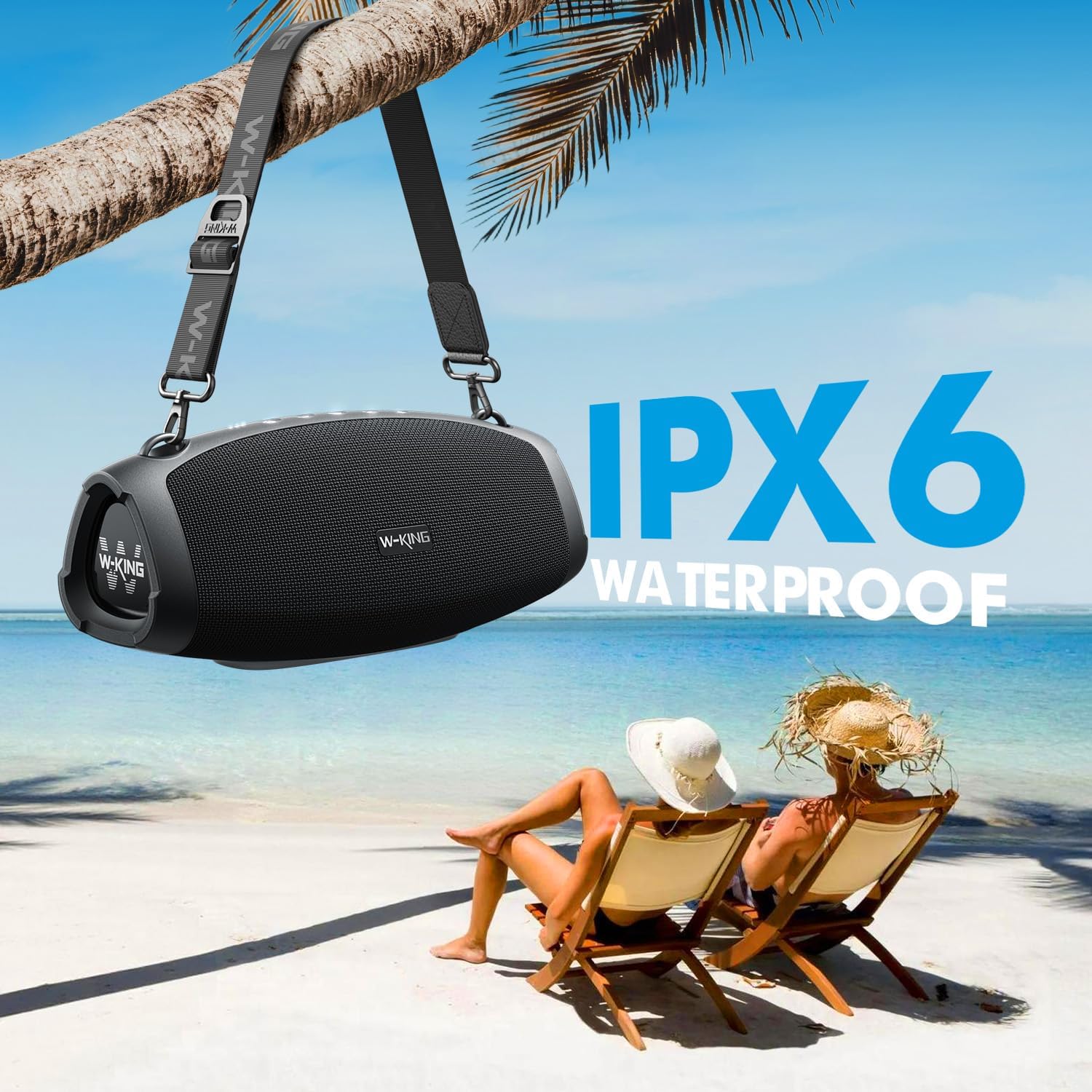
- IPX6 Wodoodporny: Resistant to strong water jets, making it suitable for outdoor use. Ports must be covered to ensure water resistance.
- Wydłużony czas gry: Up to 42 hours of playtime on a single charge (varies with volume and content).
- Funkcja banku mocy: Large capacity battery allows charging of external devices via the USB-A port.
- Wiele trybów odtwarzania: Bluetooth 5.0, 3.5mm AUX input, and TF card slot.
- Tryby korektora: Switch between Indoor mode (boosted bass) and Outdoor mode (crisp sound).
- Prawdziwe bezprzewodowe stereo (TWS): Connect two X10 speakers for a 240W peak, immersive stereo experience.
- Trwała konstrukcja: Sturdy ABS plastic, translucent soft rubber, and waterproof mesh surface for impact resistance.
- Przenośny: Includes a detachable, adjustable shoulder strap for easy transport.

Szczegółowe wewnętrzne view of the W-KING X10 speaker, highlighting its dual subwoofers, tweeters, and passive radiators.
4. Konfiguracja
4.1 Ładowanie głośnika
Before first use, fully charge your W-KING X10 speaker. Connect the provided Type-C charging cable to the speaker's Type-C port and a compatible 5V/2A adapter (not included). The battery indicator lights will show charging progress. A full charge takes approximately 3.5 hours.

The W-KING X10 speaker connected to a power source for charging, demonstrating its large battery capacity.
4.2 Włączanie/wyłączanie zasilania
- Włączanie: Naciśnij i przytrzymaj Przycisk zasilania (⏻) for 2-3 seconds until the indicator lights illuminate.
- Aby wyłączyć: Naciśnij i przytrzymaj Przycisk zasilania (⏻) for 2-3 seconds until the indicator lights turn off.
4.3 parowanie Bluetooth
- Ensure the speaker is powered on and the Bluetooth indicator light is flashing, indicating it's in pairing mode.
- Na swoim urządzeniu mobilnym włącz Bluetooth i wyszukaj dostępne urządzenia.
- Wybierz „W-KING X10” z listy urządzeń.
- Po nawiązaniu połączenia kontrolka Bluetooth będzie świecić światłem ciągłym.
4.4 Prawdziwe bezprzewodowe parowanie stereo (TWS)
For an enhanced stereo experience, you can pair two W-KING X10 speakers together. (Note: X10 and X10-1 models cannot be paired together.)
- Ensure both W-KING X10 speakers are powered on and not connected to any other Bluetooth device.
- Na jednym głośniku (będzie to Twój główny głośnik) naciśnij Przycisk TWS (often indicated by three dots or a chain link icon). The speaker will enter TWS pairing mode.
- Główny mówca automatycznie wyszuka i połączy się z drugim mówcą.
- Once paired, the TWS indicator light on both speakers will become solid.
- Teraz połącz urządzenie mobilne z głównym głośnikiem przez Bluetooth, tak jak opisano w rozdziale 4.3.
5. Instrukcja obsługi
5.1 przyciski sterujące

Top panel of the W-KING X10 speaker with illuminated control buttons.
| Przycisk | Funkcjonować |
|---|---|
| ⏻ (Moc) | Press and hold to Power On/Off. Short press to check battery status. |
| - (Zmniejszenie głośności) | Naciśnij krótko, aby zmniejszyć głośność. Naciśnij i przytrzymaj, aby przejść do poprzedniego utworu. |
| ▶ (Odtwórz/Pauza) | Short press to Play/Pause music. Short press to Answer/End calls. Press and hold to Reject calls. |
| + (Zwiększenie głośności) | Naciśnij krótko, aby zwiększyć głośność. Naciśnij i przytrzymaj, aby przejść do następnego utworu. |
| ☰ (EQ Mode) | Short press to switch between Indoor (boosted bass) and Outdoor (crisp sound) EQ modes. |
| … (TWS) | Press to enter TWS pairing mode (for connecting two X10 speakers). |
5.2 Opcje łączności
- Bluetooth 5.0: Wireless connection with up to 100ft range.
- Wejście AUX: Connect external audio devices using the 3.5mm AUX audio cable.
- Karta TF: Insert a TF card into the slot for direct music playback.
The rear panel of the W-KING X10 speaker, revealing the USB-A, Type-C, TF card, and AUX ports, protected by a waterproof flap.
5.3 tryby korektora
Optimize your listening experience by switching between two EQ modes:
- Tryb wewnętrzny: Delivers boosted bass, ideal for enclosed spaces.
- Tryb zewnętrzny: Provides crisp, clear sound, optimized for open environments.

The W-KING X10 speaker demonstrating its adaptability to different environments with dedicated EQ modes.
6. Konserwacja
To ensure the longevity and optimal performance of your W-KING X10 speaker, follow these maintenance guidelines:
- Czyszczenie: Użyj miękkiego, damp Ściereczką do przecierania powierzchni głośnika. Unikaj stosowania silnych środków chemicznych i ściernych środków czyszczących.
- Wodoodporność: The speaker is IPX6 waterproof. Ensure all port covers are securely closed before exposing it to water. Do not submerge the speaker directly in water.
- Składowanie: Przechowuj głośnik w chłodnym, suchym miejscu, z dala od bezpośredniego światła słonecznego i ekstremalnych temperatur, gdy nie jest używany.
- Pielęgnacja baterii: Aby zapewnić optymalną żywotność baterii, unikaj częstego całkowitego rozładowywania. Ładuj ją regularnie, nawet jeśli nie jest używana regularnie.

The W-KING X10 speaker demonstrating its IPX6 waterproof capability, suitable for outdoor environments.
7. Rozwiązywanie Problemów
If you encounter issues with your W-KING X10 speaker, refer to the following common solutions:
- Brak zasilania: Upewnij się, że bateria jest naładowana. Podłącz głośnik do źródła zasilania za pomocą kabla typu C.
- Nie można sparować przez Bluetooth:
- Sprawdź, czy głośnik jest w trybie parowania (migający wskaźnik Bluetooth).
- Wyłącz i ponownie włącz Bluetooth w swoim urządzeniu.
- Przesuń głośnik bliżej urządzenia.
- Wyczyść listę urządzeń Bluetooth w telefonie i spróbuj sparować ponownie.
- Brak dźwięku:
- Sprawdź poziom głośności głośnika i podłączonego urządzenia.
- Ensure the correct input mode (Bluetooth, AUX, TF card) is selected.
- Jeśli używasz wejścia AUX, upewnij się, że kabel jest całkowicie włożony i sprawny.
- Niepowodzenie parowania TWS:
- Upewnij się, że oba głośniki to modele W-KING X10 (X10 i X10-1 nie są kompatybilne z TWS).
- Make sure both speakers are not connected to any other Bluetooth devices.
- Podczas parowania należy umieścić głośniki blisko siebie.
8. Specyfikacje
| Funkcja | Specyfikacja |
|---|---|
| Marka | KRÓL W |
| Numer modelu | X10 |
| Maksymalna moc wyjściowa głośnika | 120 W (szczyt) |
| Odpowiedź częstotliwościowa | 40000 Hz |
| Technologia łączności | Bluetooth, Wireless, 3.5mm AUX, TF CARD |
| Tryb wyjścia audio | Stereofoniczny |
| Poziom wodoodporności | Wodoodporność IPX6 |
| Zasięg Bluetooth | 30.48 metrów (100 stopy) |
| Średnia żywotność baterii | 42 Hours (Playtime may vary depending on volume and audio content) |
| Czas ładowania akumulatora | 3.5 godzin |
| Wymiary przedmiotu Dł. x Szer. x Wys. | 5.31" gł. x 12.41" szer. x 5.5" wys. |
| Waga przedmiotu | 3.37 kilograma |

Detailed dimensions of the W-KING X10 Portable Bluetooth Speaker.
9. Gwarancja i pomoc techniczna
Your W-KING X10 Portable Bluetooth Speaker comes with a 30-day replacement policy i 12-miesięczna gwarancja. For support or warranty claims, please refer to the contact information provided in your product packaging or visit the W-KING official webstrona.