
DUODUOGO J6+
Instrukcja obsługi smartfona DUODUOGO J6+
Model: J6+
Produkt ponadview
The DUODUOGO J6+ is a 4G-enabled smartphone featuring a 6.0-inch HD+ display and running on Android 9.0. It is designed for everyday use, offering a balance of performance and features.
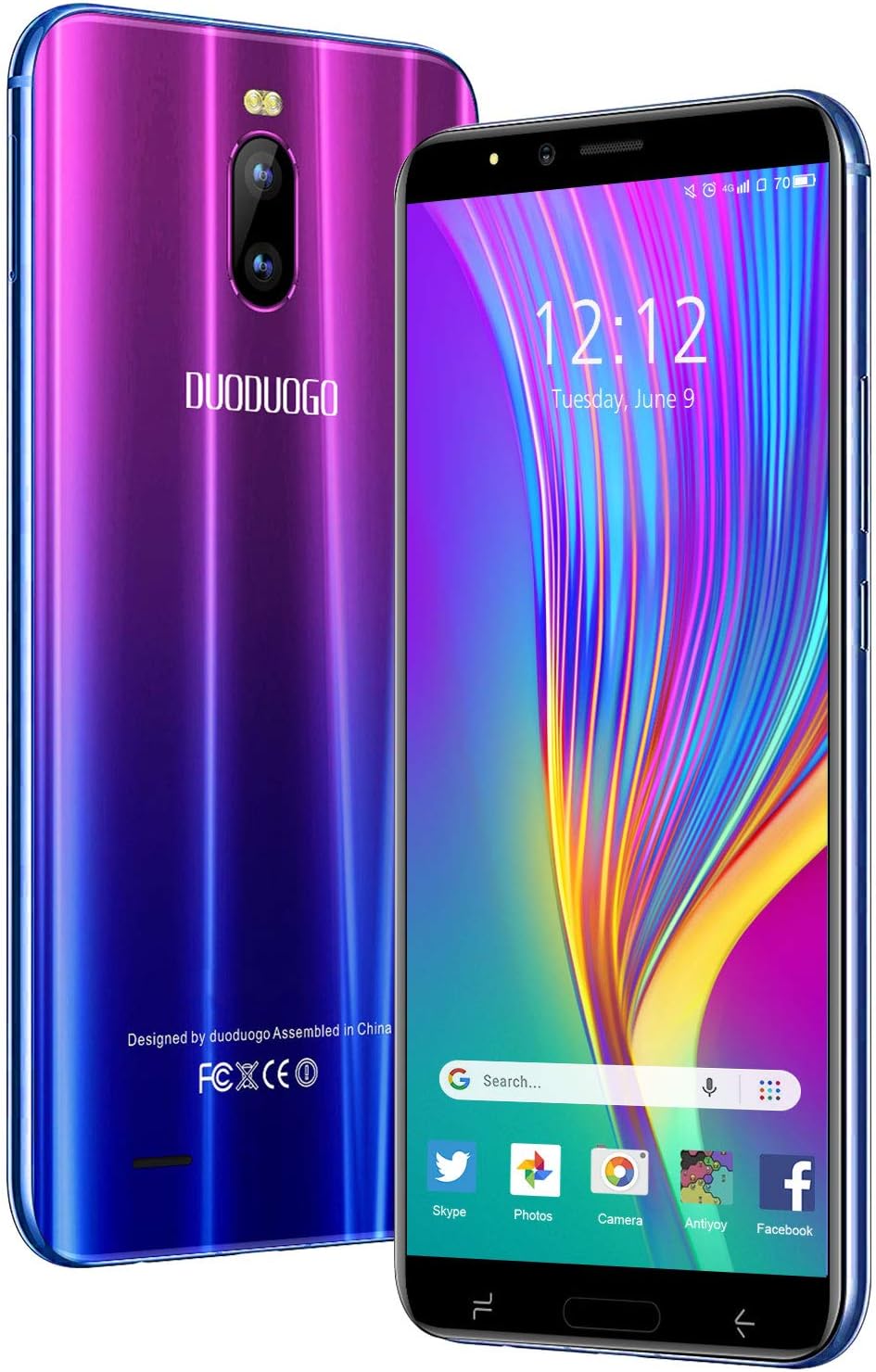
Obraz: przód i tył view of the DUODUOGO J6+ smartphone, showcasing its vibrant purple-to-blue gradient finish and the display.
Główne cechy:
- Wyświetlacz: Ekran HD+ o przekątnej 6.0 cala.
- System operacyjny: Android 9.0.
- Wydajność: 3GB RAM and 16GB internal storage, expandable up to 128GB via microSD.
- Bateria: 4800 mAh large capacity battery for extended use.
- Kamery: Tylny aparat 8 MP i przedni aparat 5 MP.
- Bezpieczeństwo: Face ID unlock feature.
- Łączność: Dual SIM (2 Micro-SIM + 1 MicroSD) with 2G/3G/4G network support, Wi-Fi, Bluetooth 4.2, and GPS.
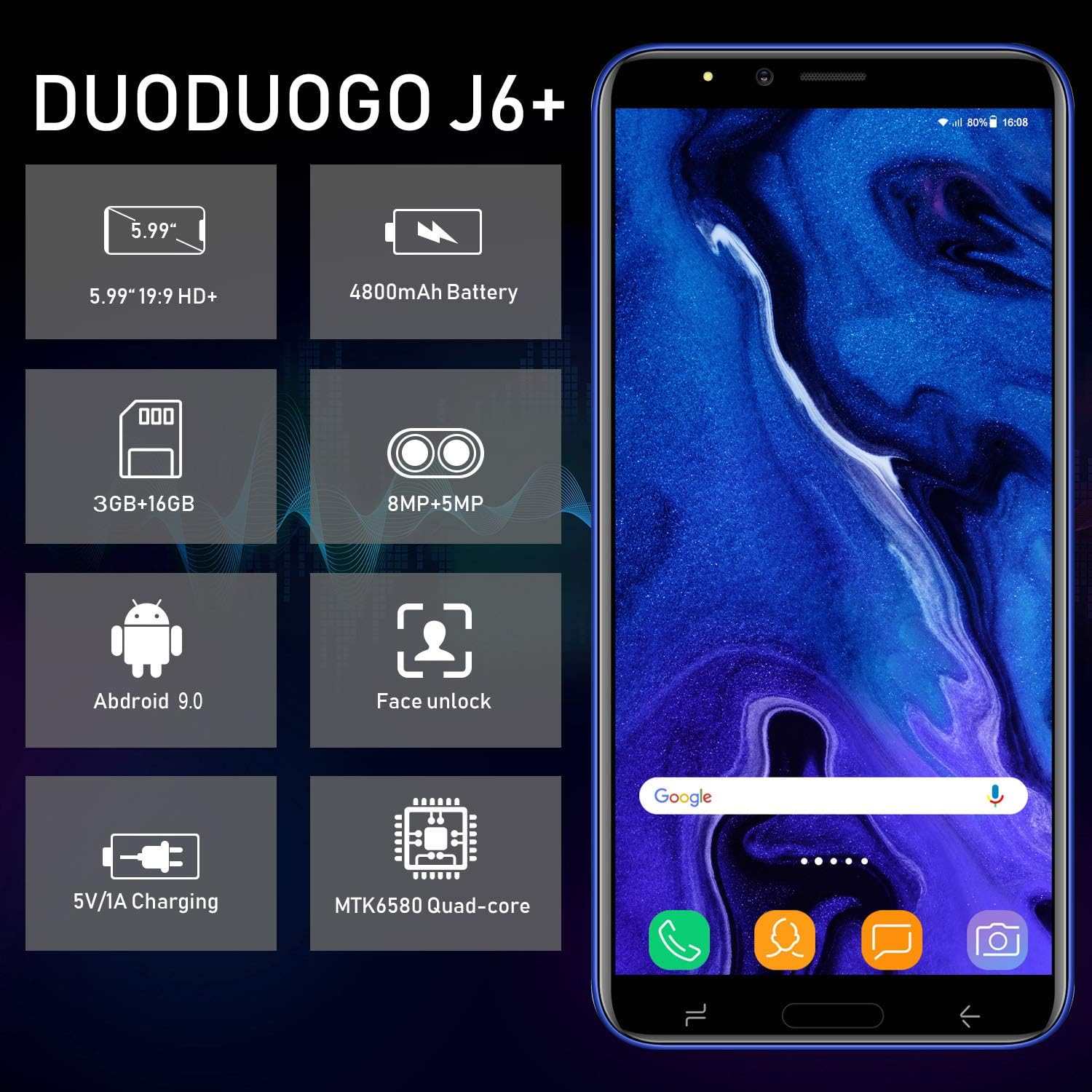
Image: Infographic highlighting key specifications of the DUODUOGO J6+, including screen size, battery capacity, memory, camera resolution, Android version, Face Unlock, charging, and processor type.
Zawartość opakowania
Po otwarciu opakowania należy sprawdzić, czy znajdują się w nim wszystkie poniższe elementy:
- DUODUOGO J6+ Smartphone
- Rumak
- Kabel danych USB
- Słuchawki
- Etui ochronne
- Screen Protector (Anti-burst membrane)
- Instrukcja obsługi

Image: All items included in the DUODUOGO J6+ smartphone package, neatly laid out, including the phone, charger, USB cable, headphones, protective case, and user manual.
Organizować coś
1. Instalacja akumulatora i ładowanie początkowe
The DUODUOGO J6+ comes with a removable battery. Before first use, remove the insulating film from the battery terminals. Insert the battery into the designated compartment on the back of the phone. Close the back cover securely.
Connect the charger to the phone's USB port and plug it into a power outlet. Charge the phone completely before initial use. A full charge ensures optimal battery calibration.
2. Instalacja karty SIM i karty MicroSD
The phone supports two Micro-SIM cards and one MicroSD card for expandable storage.
- Locate the SIM/MicroSD card slot(s), typically under the battery or on the side of the device.
- Carefully insert your Micro-SIM cards into the SIM slots with the gold contacts facing down.
- If desired, insert a MicroSD card (up to 128GB) into the dedicated MicroSD slot.
- Sprawdź, czy karty są prawidłowo ułożone.
3. Włączanie i konfiguracja początkowa
Press and hold the Power button (usually on the right side) until the screen lights up. Follow the on-screen prompts to complete the initial setup, which includes selecting your language, connecting to Wi-Fi, setting up your Google account, and configuring security features like Face ID.
Instrukcja obsługi
Podstawowa nawigacja
- Włączanie/wyłączanie: Press and hold the Power button. Select "Power off" or "Restart" from the options.
- Blokada/odblokowanie ekranu: Naciśnij krótko przycisk zasilania, aby zablokować lub odblokować ekran.
- Ekran główny: Przesuwaj palcem w lewo lub w prawo, aby poruszać się między ekranami głównymi.
- Powiadomienia: Przesuń palcem od góry ekranu w dół, aby uzyskać dostęp do panelu powiadomień i szybkich ustawień.
- Ostatnie aplikacje: Aby przejść do nawigacji, dotknij kwadratowego przycisku nawigacyjnego (lub przesuń palcem w górę i przytrzymaj od dołu, jeśli używasz gestów). view ostatnio używane aplikacje.
Wykonywanie połączeń i wysyłanie wiadomości
- Połączenia: Otwórz aplikację „Telefon”, wprowadź numer i naciśnij ikonę połączenia.
- Wiadomości: Open the "Messages" app, tap the new message icon, enter the recipient's number or select from contacts, and type your message.
Korzystanie z aparatu
The DUODUOGO J6+ features an 8MP rear camera and a 5MP front camera.
- Otwórz aplikację „Aparat”.
- Stuknij przycisk migawki, aby zrobić zdjęcie.
- Kliknij ikonę wideo, aby przejść do trybu nagrywania wideo.
- Użyj ikony przełączania aparatu, aby przełączać się między przednim i tylnym aparatem.

Image: The DUODUOGO J6+ smartphone displayed with icons indicating its 8MP rear camera and 5MP front camera capabilities.
Odblokowywanie za pomocą Face ID
To set up Face ID, go to Ustawienia > Bezpieczeństwo i lokalizacja > Odblokowywanie twarzą. Follow the on-screen instructions to register your face. Once set up, simply look at the front camera to unlock your device quickly and securely.
Konserwacja
Opieka ogólna
- Przechowuj urządzenie w suchym miejscu. Wilgoć może uszkodzić obwody elektroniczne.
- Unikaj ekstremalnych temperatur. Wysokie temperatury mogą skrócić żywotność urządzeń elektronicznych i uszkodzić baterie.
- Nie upuszczaj, nie uderzaj ani nie potrząsaj urządzeniem. Nieostrożne obchodzenie się może spowodować uszkodzenie wewnętrznych płytek drukowanych.
- Używaj wyłącznie zatwierdzonych ładowarek i akcesoriów.
- Czyść ekran i obudowę miękką, suchą ściereczką. Unikaj stosowania silnych środków chemicznych.
Pielęgnacja baterii
- Aby przedłużyć żywotność baterii, należy unikać częstego całkowitego rozładowywania baterii.
- Nie pozostawiaj telefonu podłączonego do ładowarki przez zbyt długi czas po pełnym naładowaniu.
- Jeżeli telefon nie będzie używany przez dłuższy czas, przed schowaniem należy naładować go do około 50%.

Image: A visual representation emphasizing the 4800mAh large capacity battery of the DUODUOGO J6+ smartphone.
Rozwiązywanie problemów
| Problem | Możliwa przyczyna / rozwiązanie |
|---|---|
| Telefon się nie włącza. | Battery might be completely drained. Charge the phone for at least 30 minutes before attempting to power on. Ensure the insulating film is removed from the battery. |
| Nie można połączyć się z siecią Wi-Fi. | Ensure Wi-Fi is enabled in settings. Check if the Wi-Fi password is correct. Restart your router and the phone. |
| Nie wykryto karty SIM. | Ensure the SIM card is correctly inserted in the slot. Restart the phone. Check if the SIM card is active with your network provider. |
| Face ID nie działa. | Ensure your face is well-lit and not obstructed. Re-register your face in settings if the issue persists. |
| Niska wydajność. | Close unused apps. Clear cache from apps. Free up storage space by deleting unnecessary files or moving them to the SD card. Restart the phone. |
Specyfikacje
| Funkcja | Szczegół |
|---|---|
| Nazwa modelu | J6+ |
| Marka | DUODUOGO |
| System operacyjny | Android 9.0 |
| Rozmiar wyświetlacza | 6.0 inches (15.3 cm) HD+ |
| BARAN | 3 GB |
| Pamięć wewnętrzna | 16 GB |
| Możliwość rozbudowy pamięci masowej | Do 128 GB (MicroSD) |
| Kamera tylna | 8 MP |
| Przednia kamera | 5 MP |
| Pojemność baterii | 4800 mAh |
| Gniazda kart SIM | Dual-SIM (2 Micro-SIM) |
| Technologia sieciowa | 2G, 3G, 4G |
| Łączność | Bluetooth 4.2, USB, WLAN (Wi-Fi), GPS |
| Funkcje bezpieczeństwa | Identyfikator twarzy |
| Wymiary produktu | Wymiary 16.1 x 7.7 x 0.8 cm |
| Waga produktu | 170 gramów |
| Kolor | Fioletowy |

Image: Detailed dimensions of the DUODUOGO J6+ smartphone, showing its length, width, and thickness.
Gwarancja i wsparcie
The DUODUOGO J6+ smartphone comes with a 1-letnia gwarancja from the date of purchase. This warranty covers manufacturing defects and malfunctions under normal use. Please note that the warranty does not cover damages caused by human factors (e.g., accidental drops, liquid damage, unauthorized repairs).
For any questions, technical support, or warranty claims, please contact DUODUOGO customer service. Refer to the contact information provided in your product packaging or on the official DUODUOGO webstrona.
Ask a question about this manual
Ask about setup, troubleshooting, compatibility, parts, safety, or missing instructions. Manuals+ will review the question and use this page’s manual context to help answer it.