
Wstęp
Dziękujemy za zakupasing the Hoco HC4 5.0 Wireless Bluetooth Sport Speaker. This manual provides detailed instructions for the proper setup, operation, and maintenance of your device. Please read this manual thoroughly before use to ensure optimal performance and to prevent damage.
Produkt ponadview
The Hoco HC4 is a portable wireless speaker designed for outdoor and sport use, featuring Bluetooth 5.0 connectivity, multiple playback options, and a robust design.
Zawartość opakowania:
- Głośnik bezprzewodowy Bluetooth Hoco HC4
- Kabel ładujący USB
- Instrukcja obsługi
Sterowanie i porty:
Zapoznaj się z przyciskami głośnika i portami połączeniowymi:

Obraz: Close-up of the Hoco HC4 speaker showing the AUX port, DC-5V charging port, USB port, TF card slot, and control buttons.
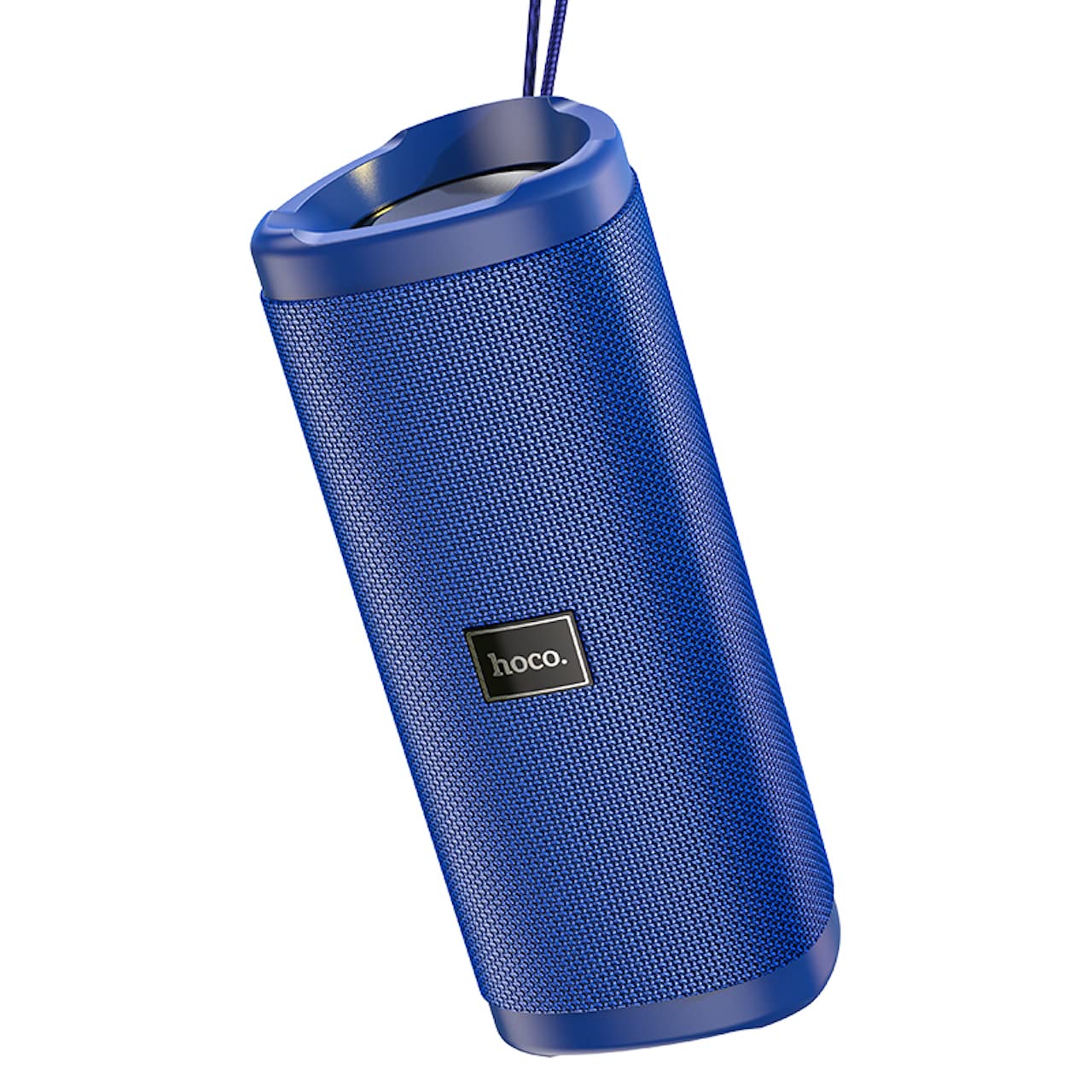
Obraz: Kątowy view of the Hoco HC4 blue wireless speaker, highlighting its cylindrical design and fabric mesh.
- Przycisk zasilania: Naciśnij i przytrzymaj, aby włączyć/wyłączyć. Naciśnij krótko, aby odtworzyć/wstrzymać.
- Przycisk trybu (M): Short press to switch between Bluetooth, FM Radio, TF Card, USB, and AUX modes.
- Przycisk zmniejszania głośności / poprzedniego utworu (-): Krótkie naciśnięcie powoduje przejście do poprzedniego utworu, długie naciśnięcie powoduje zmniejszenie głośności.
- Przycisk zwiększania głośności / następnego utworu (+): Krótkie naciśnięcie spowoduje przejście do następnego utworu, długie naciśnięcie zwiększy głośność.
- Port AUX: Do przewodowego połączenia audio przy użyciu kabla audio 3.5 mm.
- Port DC-5V: Do ładowania głośnika przy użyciu dołączonego kabla USB.
- Port USB: Do odtwarzania dźwięku z dysku flash USB.
- Gniazdo karty TF: Do odtwarzania dźwięku z karty TF (MicroSD).
Organizować coś
Początkowe ładowanie:
- Przed pierwszym użyciem należy całkowicie naładować głośnik.
- Connect the small end of the USB charging cable to the DC-5V port on the speaker.
- Connect the larger end of the USB cable to a USB power adapter (5V/1A recommended) or a computer's USB port.
- Podczas ładowania kontrolka ładowania będzie się świecić, a po pełnym naładowaniu zgaśnie.
Instrukcja obsługi
Włączanie/wyłączanie:
- Włączanie: Naciśnij i przytrzymaj przycisk zasilania przez około 3 sekundy. Usłyszysz sygnał dźwiękowy.
- Aby wyłączyć: Naciśnij i przytrzymaj przycisk zasilania przez około 3 sekundy. Usłyszysz sygnał dźwiękowy.
Parowanie Bluetooth:
- Ensure the speaker is powered on and in Bluetooth mode (indicated by a flashing blue LED and an audible prompt). If not, short press the 'M' (Mode) button to switch to Bluetooth mode.
- Włącz Bluetooth w swoim urządzeniu mobilnym (smartfonie, tablecie itp.).
- Szukaj available Bluetooth devices. Select "HC4" from the list.
- Once paired, the blue LED will stop flashing and remain solid, and you will hear a confirmation sound.
- Teraz możesz odtwarzać dźwięk ze swojego urządzenia przez głośnik.
Tryb radia FM:
- Short press the 'M' (Mode) button until you hear the FM radio prompt.
- To auto-scan and save available stations, short press the Power button. The speaker will scan and store stations automatically.
- Do poruszania się pomiędzy zapisanymi stacjami służą przyciski „-” i „+”.
TF Card / USB Playback:
- Insert a TF (MicroSD) card or USB flash drive into the respective slot.
- Głośnik automatycznie przełączy się na tryb karty TF lub USB i rozpocznie odtwarzanie dźwięku files. If not, short press the 'M' (Mode) button to select the correct mode.
- Use the Power button to play/pause, and the '-' and '+' buttons for track navigation and volume control.
Tryb AUX:
- Podłącz jeden koniec kabla audio 3.5 mm (nie ma go w zestawie) do portu AUX w głośniku.
- Connect the other end to the audio output of your device (e.g., laptop, MP3 player).
- Short press the 'M' (Mode) button to switch to AUX mode.
- Audio will now play through the speaker. Volume can be controlled via the speaker or your connected device.
Funkcja True Wireless Stereo (TWS):
Funkcja TWS umożliwia sparowanie dwóch głośników Hoco HC4 i uzyskanie dźwięku stereo.
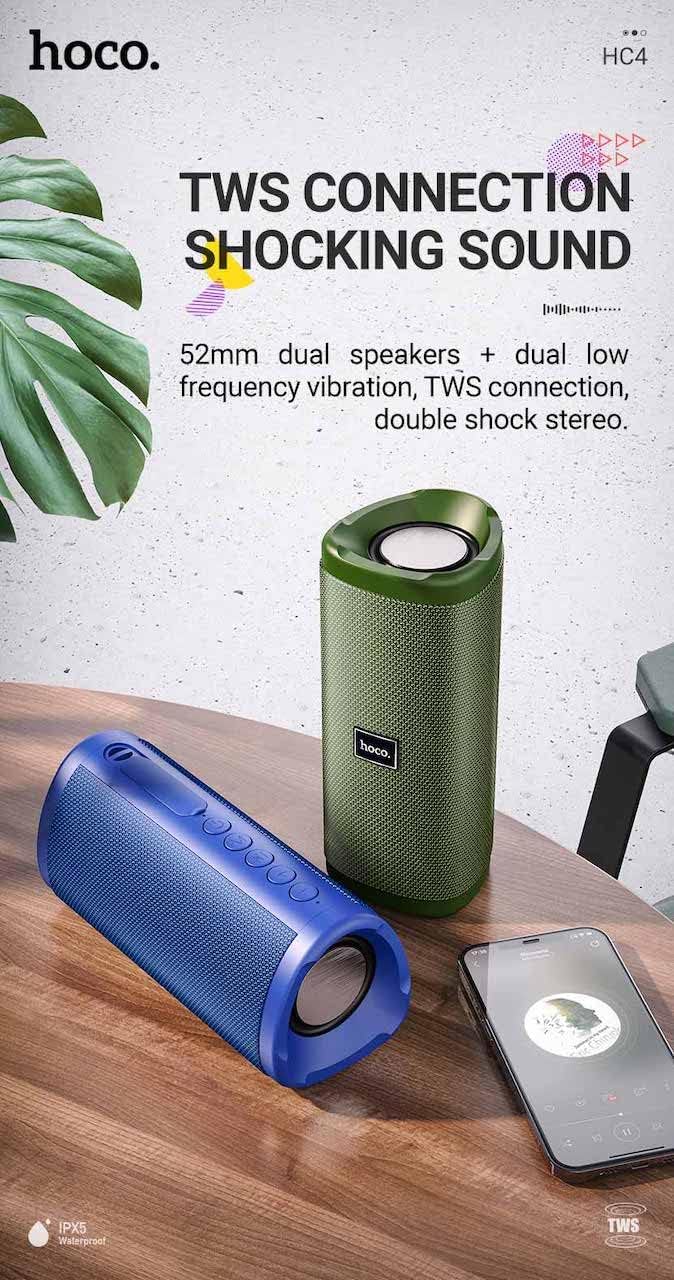
Obraz: A promotional image showing two Hoco HC4 speakers (blue and green) connected via TWS, with a smartphone playing music. The image also highlights 'IPX5 Waterproof'.
- Ensure both HC4 speakers are powered on and in Bluetooth pairing mode (flashing blue LED).
- On one of the speakers (this will be the primary speaker), double-press the Power button. You will hear a tone indicating it is searching for another speaker.
- The two speakers will automatically connect to each other. Once connected, you will hear a confirmation sound, and the LED on the primary speaker will flash, while the secondary speaker's LED will be solid.
- Teraz połącz urządzenie mobilne z głównym głośnikiem za pomocą technologii Bluetooth, zgodnie z opisem w sekcji „Parowanie Bluetooth”.
- Dźwięk będzie teraz odtwarzany w stereo przez oba głośniki.
Ładowanie
When the battery is low, the speaker will emit an audible warning. Connect the speaker to a power source using the provided USB cable to recharge. A full charge takes approximately 2-3 hours. The speaker provides up to 3 hours of playtime on a full charge, depending on volume level and usage.
Konserwacja
Czyszczenie:
Przetrzyj głośnik miękką, suchą ściereczką. Nie używaj środków czyszczących o właściwościach ściernych, alkoholu ani innych rozpuszczalników chemicznych, ponieważ mogą one uszkodzić powierzchnię.
Składowanie:
Store the speaker in a cool, dry place away from direct sunlight and extreme temperatures. If storing for an extended period, charge the battery at least once every three months to prolong its lifespan.
Wodoodporność (IPX5):
The Hoco HC4 speaker features an IPX5 water resistance rating, meaning it is protected against low-pressure water jets from any direction. This makes it suitable for outdoor use and resistant to splashes and light rain. Nie zanurzaj głośnika w wodzie. Ensure the port cover is securely closed to maintain water resistance.
Rozwiązywanie problemów
| Problem | Możliwa przyczyna | Rozwiązanie |
|---|---|---|
| Głośnik się nie włącza | Niski poziom naładowania baterii; przycisk zasilania nie był naciskany wystarczająco długo | Naładuj głośnik; naciśnij i przytrzymaj przycisk zasilania przez 3 sekundy |
| Brak dźwięku | Zbyt niski poziom głośności; Nieprawidłowy tryb; Urządzenie nie jest podłączone | Increase volume; Switch to correct mode (Bluetooth, AUX, etc.); Ensure device is paired/connected |
| Parowanie Bluetooth nie powiodło się | Głośnik nie jest w trybie parowania; Bluetooth urządzenia jest wyłączony; Zbyt duża odległość od głośnika | Ensure speaker is in Bluetooth mode (flashing LED); Turn on device Bluetooth; Move device closer (within 10m) |
| Parowanie TWS nie powiodło się | Speakers not in TWS pairing mode; Too far apart | Ensure both speakers are in Bluetooth mode, then double-press Power button on one; Keep speakers close during TWS pairing |
Specyfikacje

Obraz: The Hoco HC4 speaker with its dimensions clearly marked: 20 cm in length, 8.8 cm in height, and 8.1 cm in width.
- Marka: Hoco
- Model: HC4
- Wersja Bluetooth: 5.0
- Moc wyjściowa: 10 W
- Rozmiar głośnika: 52mm
- Pojemność baterii: 1500mAh
- Pauza w szkole: Około 3 godzin (przy 80% głośności)
- Czas ładowania: Około 2-3 godzin
- Wymiary: 200 x 88 x 81 mm (Length x Height x Width)
- Waga: 540 gramów
- Opcje łączności: Bluetooth, FM Radio, TF Card, USB, AUX
- Wodoodporność: IPX5 (odporność na zachlapanie)
- Typ sterowania: Przycisk
Informacje dotyczące bezpieczeństwa
- Nie wystawiaj głośnika na działanie ekstremalnych temperatur ani bezpośredniego światła słonecznego przez dłuższy czas.
- Unikaj upuszczania głośnika i narażania go na silne uderzenia.
- Keep the speaker away from water and liquids, especially when ports are open.
- Do not attempt to disassemble, repair, or modify the speaker yourself. This will void the warranty and may cause damage.
- Używaj tylko określonej pojemności ładowaniatage (DC 5V) and the provided charging cable.
- Przechowywać w miejscu niedostępnym dla dzieci.
Gwarancja i wsparcie
This product is covered by a standard manufacturer's warranty. For specific warranty terms and conditions, please refer to the warranty card included with your purchase or contact your local retailer. For technical support or service inquiries, please contact Hoco customer service or the authorized distributor in your region.