
Beatfoxx GT-25 Chuck
Beatfoxx GT-25 Chuck Guitar-Shaped Turntable User Manual
Model: GT-25 Chuck | Brand: Beatfoxx
Wstęp
The Beatfoxx GT-25 Chuck is a unique guitar-shaped turntable designed for playing vinyl records. It features a vintage wood-effect finish and offers versatile placement options: it can be used vertically with its included stand or mounted on a wall. This turntable supports three playback speeds (33, 45, and 78 RPM) and includes a magnetic holder to secure various record sizes. For audio output, it comes with integrated speakers, Bluetooth connectivity for wireless streaming from compatible devices, an AUX-in port for connecting external audio sources, and RCA-out ports for connection to an external amplifier or Hi-Fi system.
Instrukcje konfiguracji
1. Rozpakowanie i kontrola
Ostrożnie wyjmij wszystkie elementy z opakowania. Upewnij się, że wszystkie części są obecne i nieuszkodzone. Zachowaj opakowanie do transportu lub przechowywania w przyszłości.
2. Opcje rozmieszczenia
The GT-25 Chuck offers two primary placement methods:
- Using the Included Stand: Assemble the guitar stand according to its instructions. Place the turntable securely on the stand in a stable location.
- Montaż na ścianie: Use the provided wall mounting hardware. Ensure the chosen wall can support the weight of the turntable. Mark and drill holes, then securely attach the mounting brackets to the wall and the turntable.

Rycina 1: Przód view of the Beatfoxx GT-25 Chuck Turntable.

Figure 2: The included adjustable guitar stand.

Figure 3: Wall mounting hardware for secure installation.
3. Podłączenie zasilania
Connect the provided power adapter to the DC 12V input port on the rear of the turntable. Plug the adapter into a suitable wall outlet.
4. Stylus Protection
Before first use, carefully remove the protective cap from the stylus (needle) at the end of the tonearm.
Instrukcja obsługi
1. Odtwarzanie płyt winylowych
- Włączanie: Turn the power/volume knob clockwise to power on the unit.
- Miejsce zapisu: Carefully place a vinyl record onto the turntable platter. The magnetic holder will secure it.
- Wybierz prędkość: Adjust the speed selector switch (usually located near the platter) to match the record's speed (33, 45, or 78 RPM).
- Pozycja ramienia: Gently lift the tonearm and move it over the desired starting groove of the record.
- Dolne ramię gramofonu: Slowly lower the tonearm onto the record. Playback will begin automatically.
- Dostosuj głośność: Use the volume knob to set the desired listening level.
- Zakończ odtwarzanie: At the end of the record, the tonearm may return automatically or need to be manually lifted and returned to its rest. Turn the power/volume knob counter-clockwise to power off.
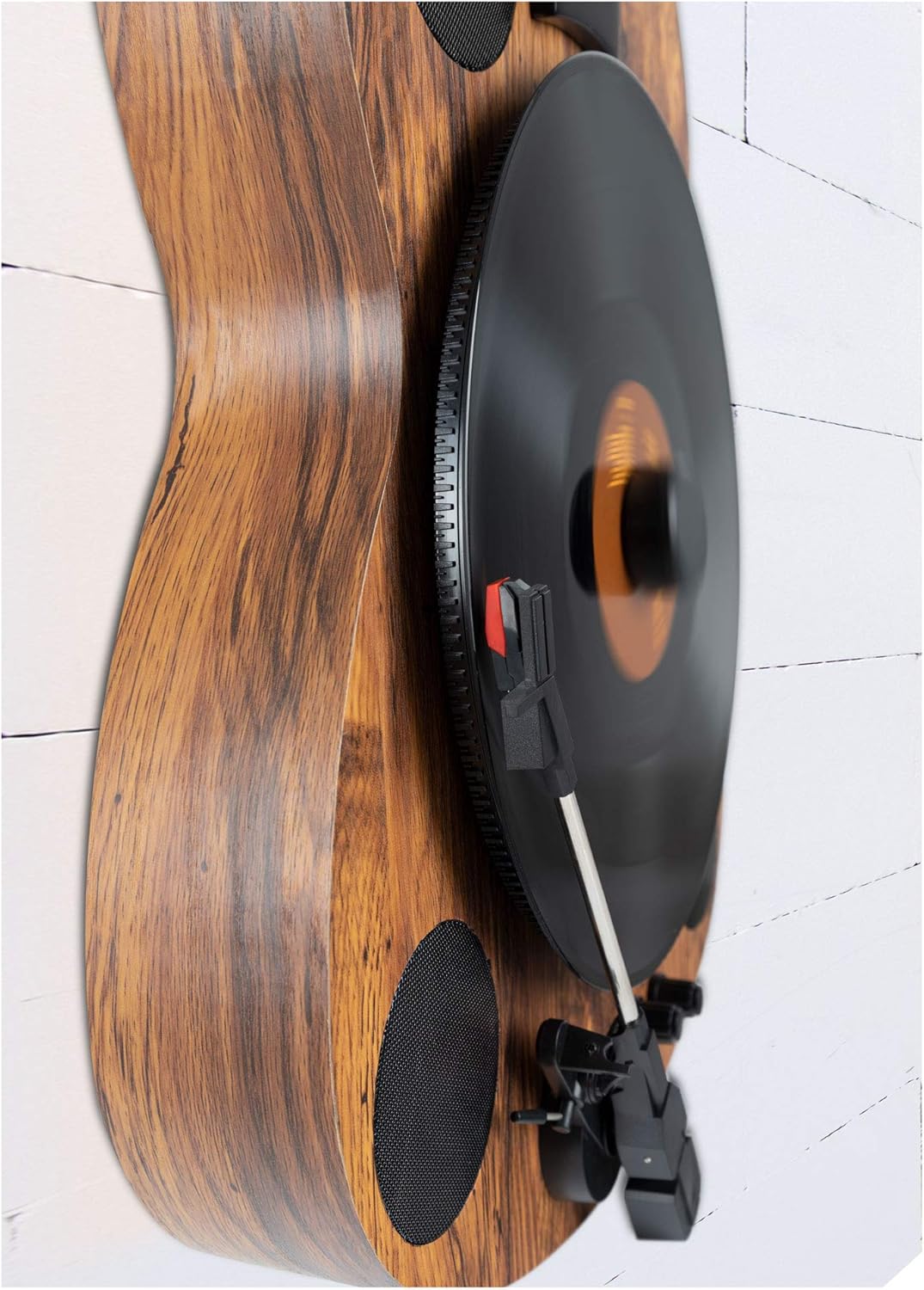
Figure 4: Turntable playing a record vertically.

Figure 5: A vinyl record placed on the turntable platter.
2. Łączność Bluetooth
The GT-25 Chuck can receive audio wirelessly via Bluetooth from your smartphone or tablet.
- Aktywuj Bluetooth: Switch the turntable to Bluetooth mode (refer to the control panel for the specific button or switch). An indicator light will usually flash, indicating pairing mode.
- Paruj urządzenie: On your mobile device, enable Bluetooth and search for available devices. Select "Beatfoxx GT-25" or a similar name from the list.
- Odtwarzanie nagranego dźwięku: Once paired, the indicator light will become solid. You can now play audio from your device through the turntable's speakers.

Figure 6: Turntable ready for Bluetooth pairing.
3. Wejście AUX
Connect external audio devices (e.g., MP3 players, older phones) using a 3.5mm audio cable.
- Kabel połączeniowy: Plug one end of a 3.5mm audio cable into the AUX IN port on the rear of the turntable.
- Podłącz urządzenie: Plug the other end into the headphone jack or line-out port of your external audio device.
- Wybierz tryb AUX: Switch the turntable to AUX input mode (refer to the control panel).
- Odtwarzanie nagranego dźwięku: Play audio from your external device. Adjust volume on both the device and the turntable.
4. RCA Line Out
For enhanced sound, connect the turntable to an external amplifier or Hi-Fi system using RCA cables.
- Podłącz kable: Connect RCA cables (red for right, white/black for left) to the LINE OUT ports on the rear of the turntable.
- Połącz się z AmpLiyfikator: Connect the other end of the RCA cables to an available audio input on your ampodbiornik lub odbiornik.
- Wybierz wejście: Wybierz odpowiednie wejście na swoim ampliyfikator.
- Odtwarzanie nagranego dźwięku: Play a record on the turntable. Audio will be routed through your external sound system. The integrated phono pre-amplifier ensures compatibility with most standard ampwężownice.
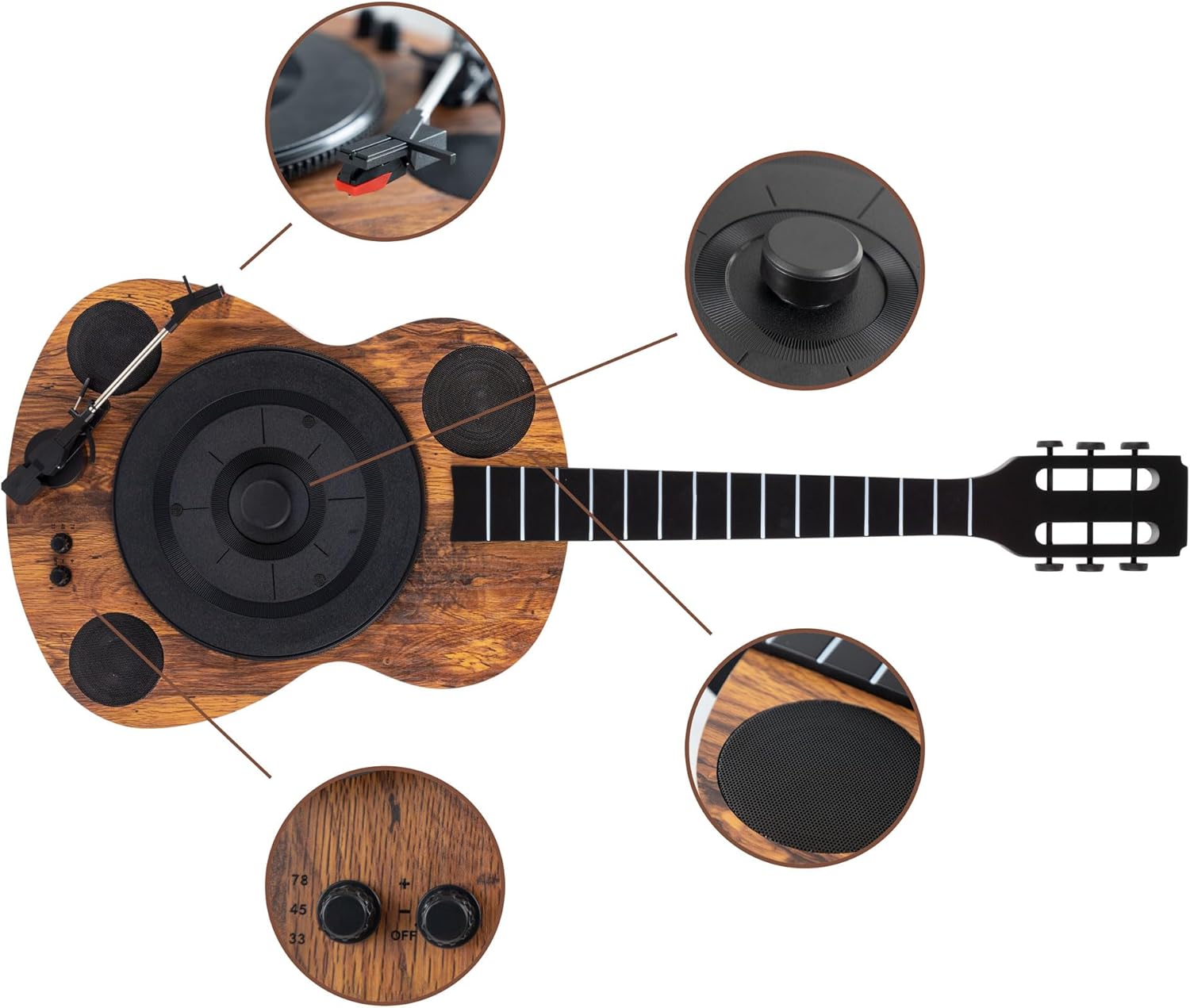
Figure 7: Rear panel connections (DC 12V, Line Out, AUX In).
Konserwacja
1. Czyszczenie rysika
A clean stylus ensures optimal sound quality and prolongs record life. Use a soft brush designed for stylus cleaning, brushing gently from back to front. Avoid touching the stylus with your fingers.
2. Czyszczenie urządzenia
Wipe the turntable's surface with a soft, dry, lint-free cloth. For stubborn marks, slightly dampen the cloth with water. Avoid abrasive cleaners or solvents, as they can damage the finish.
3. Opieka nad dokumentacją
Keep your vinyl records clean and free of dust. Store them vertically in their sleeves to prevent warping. Handle records by their edges to avoid transferring oils from your skin.
Rozwiązywanie problemów
| Problem | Możliwa przyczyna | Rozwiązanie |
|---|---|---|
| Brak zasilania | Zasilacz nie jest podłączony; gniazdko nie działa. | Sprawdź, czy zasilacz jest prawidłowo podłączony do urządzenia i czy gniazdko elektryczne jest sprawne. |
| Brak dźwięku z głośników | Volume too low; incorrect input mode selected; stylus dirty or damaged. | Increase volume. Select correct input mode (Phono, Bluetooth, AUX). Clean or replace stylus. |
| Skipping records | Record dirty or scratched; turntable not level; stylus worn or dirty. | Clean record. Ensure turntable is on a flat, stable surface. Clean or replace stylus. |
| Problemy z parowaniem Bluetooth | Gramofon nie jest w trybie parowania; urządzenie jest za daleko; występują zakłócenia. | Upewnij się, że gramofon jest w trybie parowania Bluetooth. Przybliż urządzenie. Zredukuj zakłócenia powodowane przez inne urządzenia bezprzewodowe. |
| Słaba jakość dźwięku | Dirty stylus/record; incorrect speed; external interference. | Clean stylus and record. Verify correct playback speed. Move unit away from other electronics. |
Specyfikacje
| Funkcja | Szczegół |
|---|---|
| Marka | Beatfoxx |
| Nazwa modelu | Chuck (GT-25) |
| Maksymalna prędkość obrotowa | 78 RPM (also supports 33, 45 RPM) |
| Zawarte komponenty | Integrated Speakers, Guitar Stand, Wall Mount Hardware |
| Funkcja specjalna | Bezprzewodowy (Bluetooth) |
| Tworzywo | Drewno |
| Styl | Retro, Vintage, Guitar-shaped |
| Kolor | Brązowy |
| Typ silnika | Silnik prądu stałego |
| Technologia łączności | Bluetooth, AUX (3.5mm), RCA Line Out |
| Źródło zasilania | Przewodowy elektryczny (prąd stały 12 V) |
| Format sygnału | Digital (for Bluetooth), Analog (for vinyl playback) |
Gwarancja i wsparcie
For warranty information and technical support, please refer to the documentation included with your purchase or visit the official Beatfoxx webZachowaj dowód zakupu na wypadek roszczeń gwarancyjnych.