
1. Wprowadzenie
Thank you for choosing the Muzen OTR Metal Portable Bluetooth Speaker. This vintage-inspired speaker combines classic aesthetics with modern audio technology, offering high-fidelity sound, FM radio, and AUX connectivity. Designed for portability and durability, it provides a unique listening experience for various settings. This manual will guide you through the setup, operation, and maintenance of your new speaker.

2. Zawartość opakowania
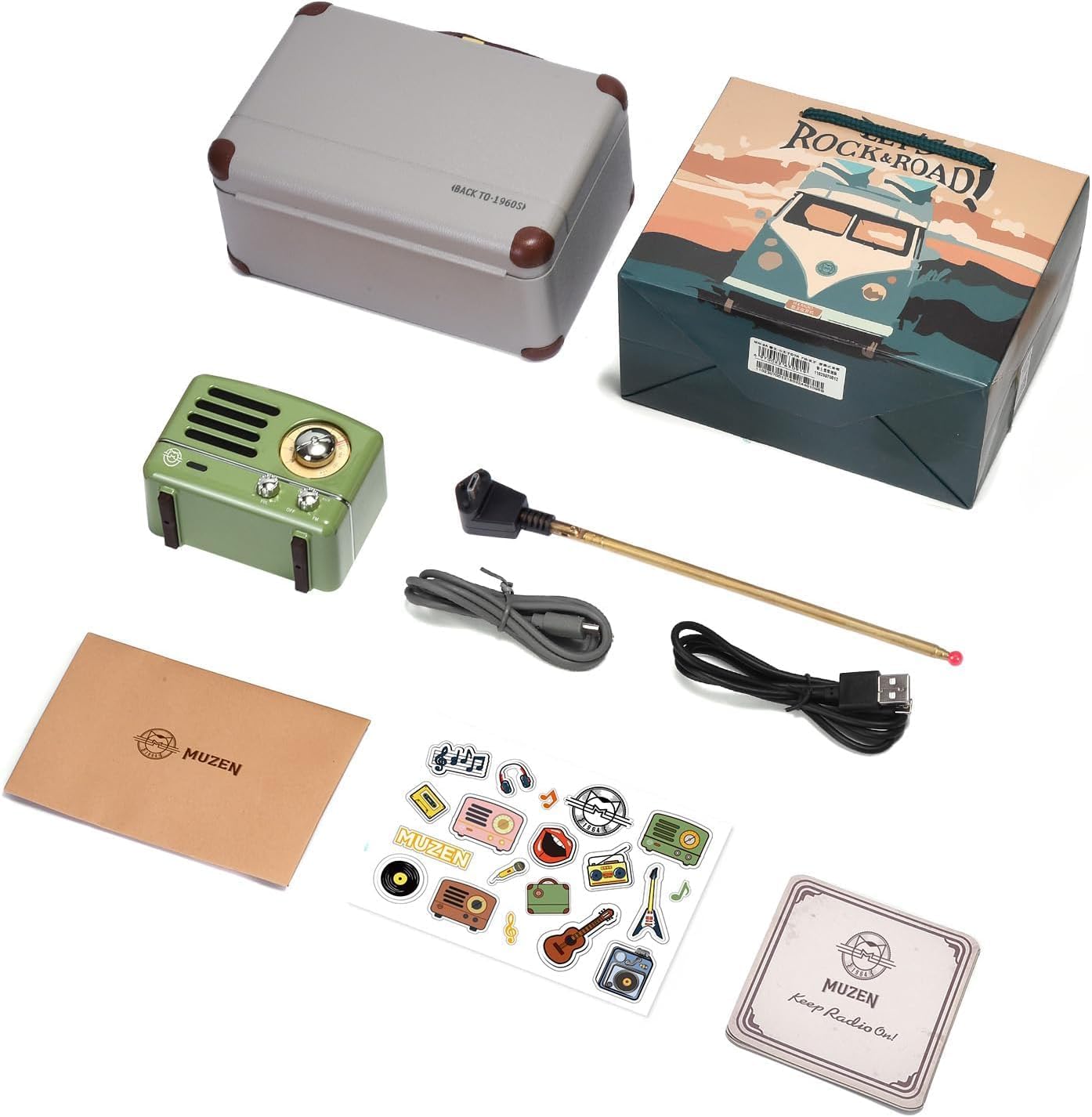
Proszę dokładnie sprawdzić przesyłkę i upewnić się, że znajdują się w niej wszystkie elementy:
- Muzen OTR Metal Portable Bluetooth Speaker
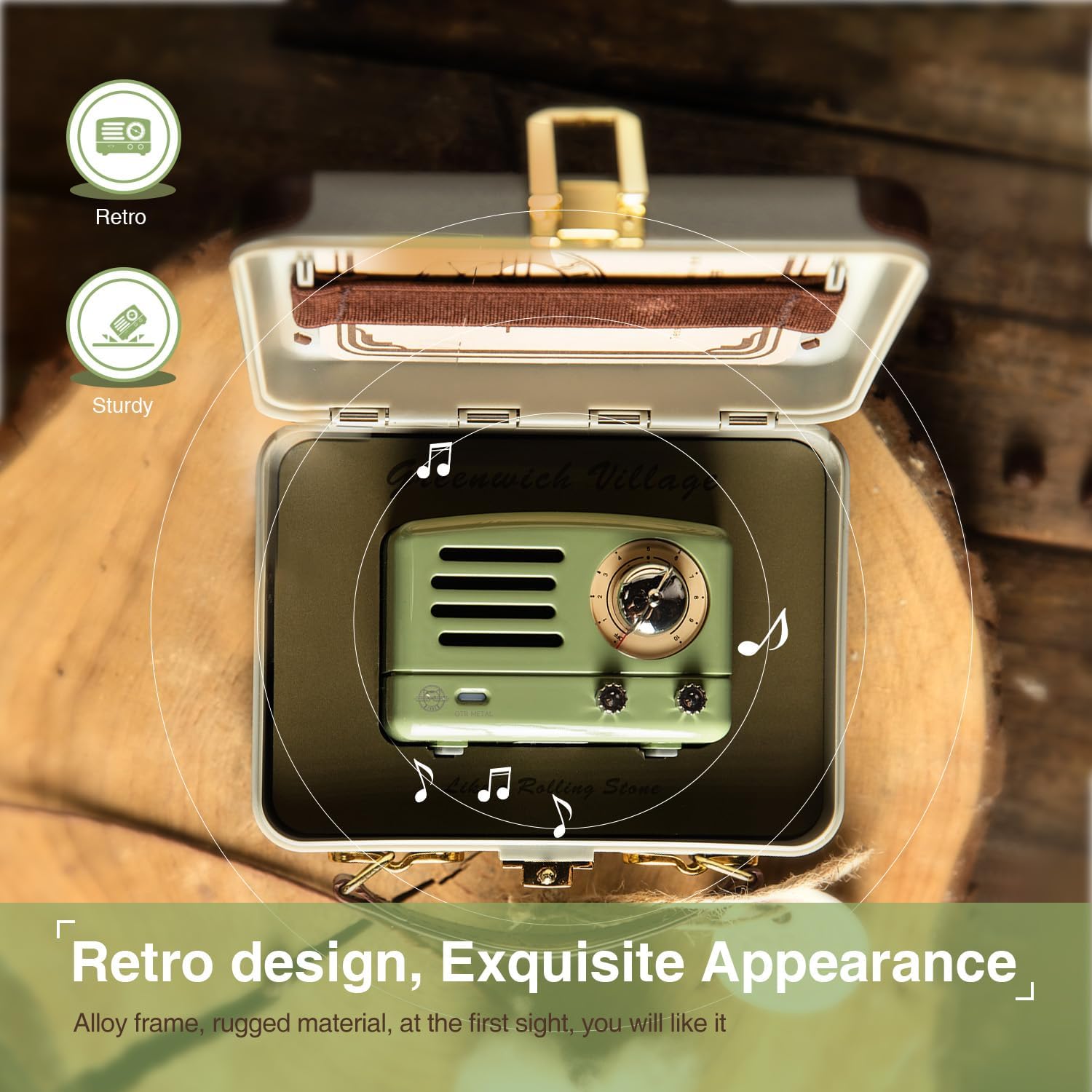
- Matching Retro Suitcase
- Kabel ładujący USB
- Kabel AUX
- Antena FM
- Instrukcja obsługi (ten dokument)
- Naklejki dekoracyjne
3. Koniec produktuview
Zapoznaj się z elementami sterującymi i portami głośnika:
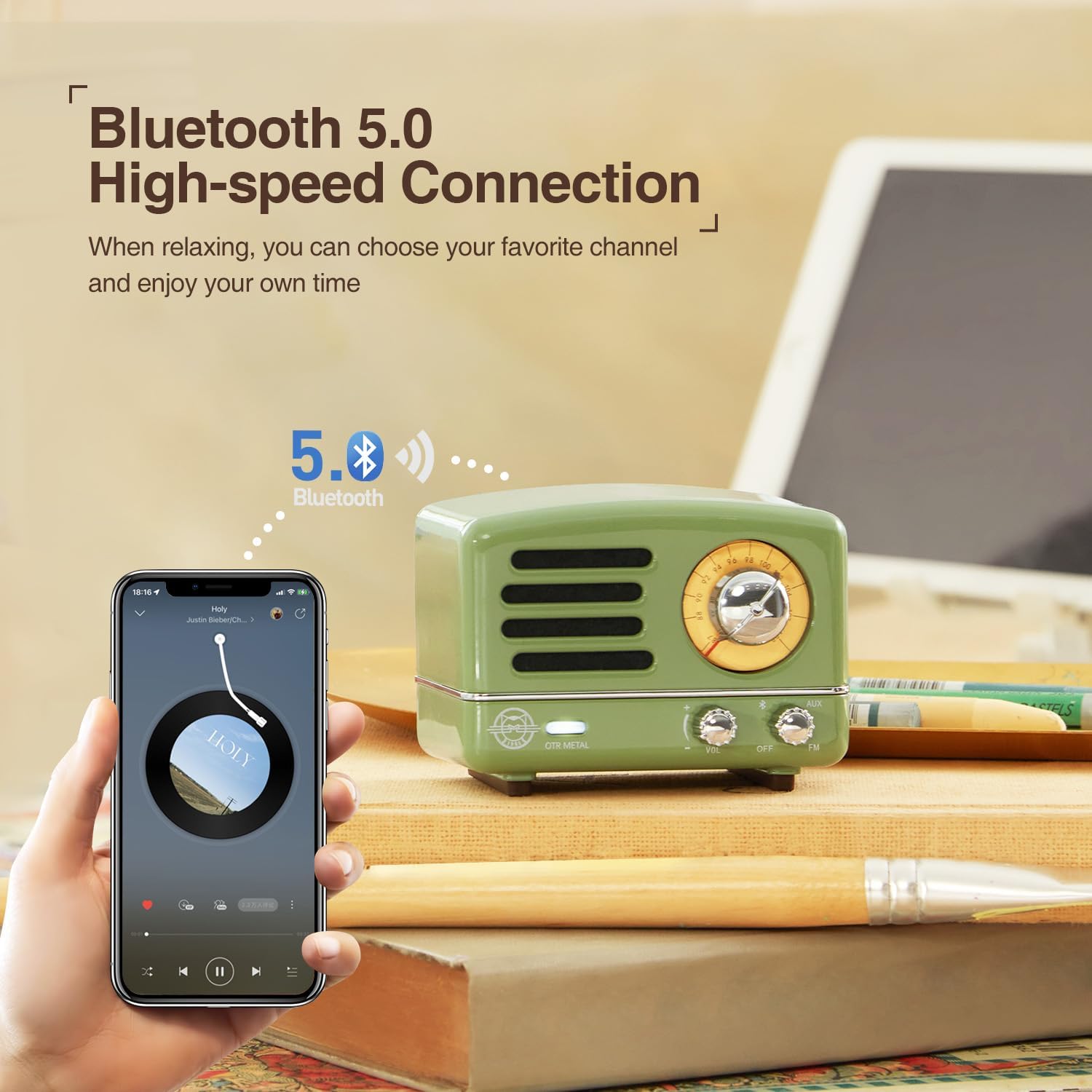
- Pokrętło zasilania/głośności: Obróć zgodnie z ruchem wskazówek zegara, aby włączyć zasilanie i zwiększyć głośność; obróć w kierunku przeciwnym do ruchu wskazówek zegara, aby zmniejszyć głośność i wyłączyć zasilanie.
- Zmiana trybu: Toggle between OFF, VOL (Bluetooth/AUX), and FM modes.
- Pokrętło strojenia: For FM radio frequency selection.
- Wejście AUX: Gniazdo 3.5 mm do przewodowego połączenia audio.
- Port ładowania: Port micro USB do ładowania wewnętrznego akumulatora.
- Port antenowy: For connecting the external FM antenna.
4. Konfiguracja
4.1 Ładowanie głośnika
Before first use, fully charge the speaker. The built-in 1000mAh rechargeable battery provides up to 10 hours of Bluetooth playtime or 20 hours in FM mode.
- Podłącz mniejszy koniec kabla ładującego USB do portu ładowania w głośniku.
- Podłącz większy koniec kabla USB do zasilacza USB (nie ma go w zestawie) lub do portu USB komputera.
- Podczas ładowania kontrolka ładowania będzie się świecić, a po pełnym naładowaniu zgaśnie.
5. Instrukcja obsługi
5.1 Tryb Bluetooth
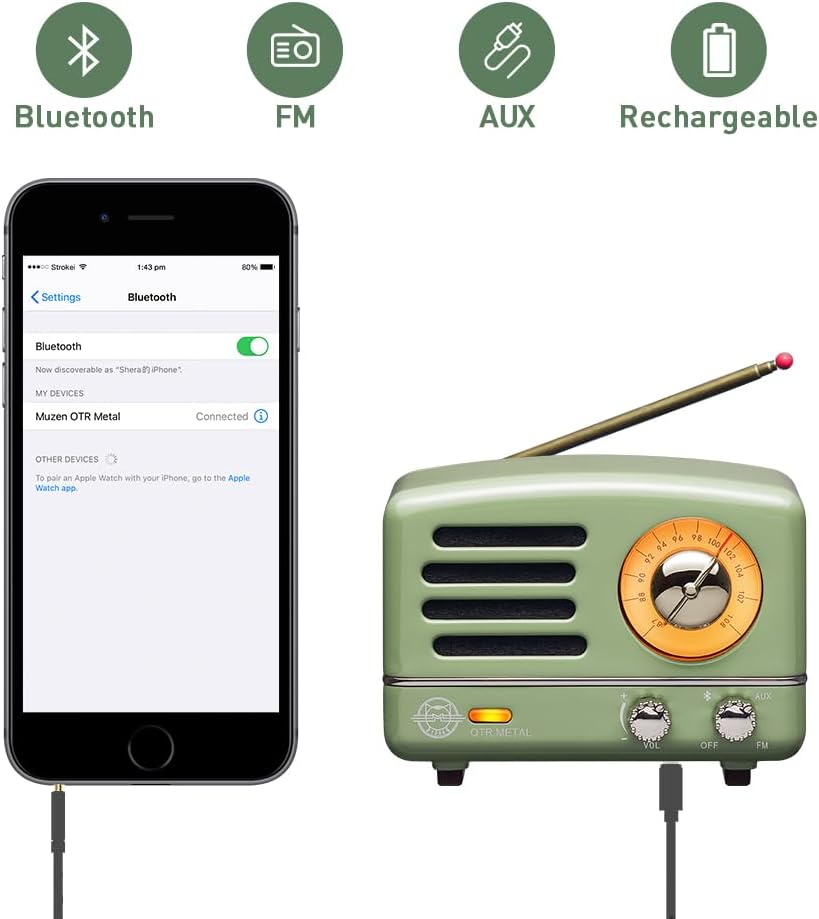
The speaker is compatible with Android phones, smartphones, tablets, and other Bluetooth-enabled devices.
- Turn the Power/Volume knob clockwise to power on the speaker.
- Set the Mode Switch to the 'VOL' position. The speaker will enter Bluetooth pairing mode, indicated by a flashing light.
- Włącz na swoim urządzeniu Bluetooth i wyszukaj dostępne urządzenia.
- Select "Muzen OTR Metal" from the list. Once connected, you will hear a confirmation sound, and the indicator light will become solid.
- Teraz możesz odtwarzać dźwięk ze swojego urządzenia przez głośnik.
Tryb radia FM 5.2
Enjoy classic FM radio with the built-in tuner.
- Connect the external FM antenna to the antenna port on the speaker. Extend the antenna fully for best reception.
- Turn the Power/Volume knob clockwise to power on the speaker.
- Set the Mode Switch to the 'FM' position.
- Rotate the Tuning Dial to search for your desired FM radio station.
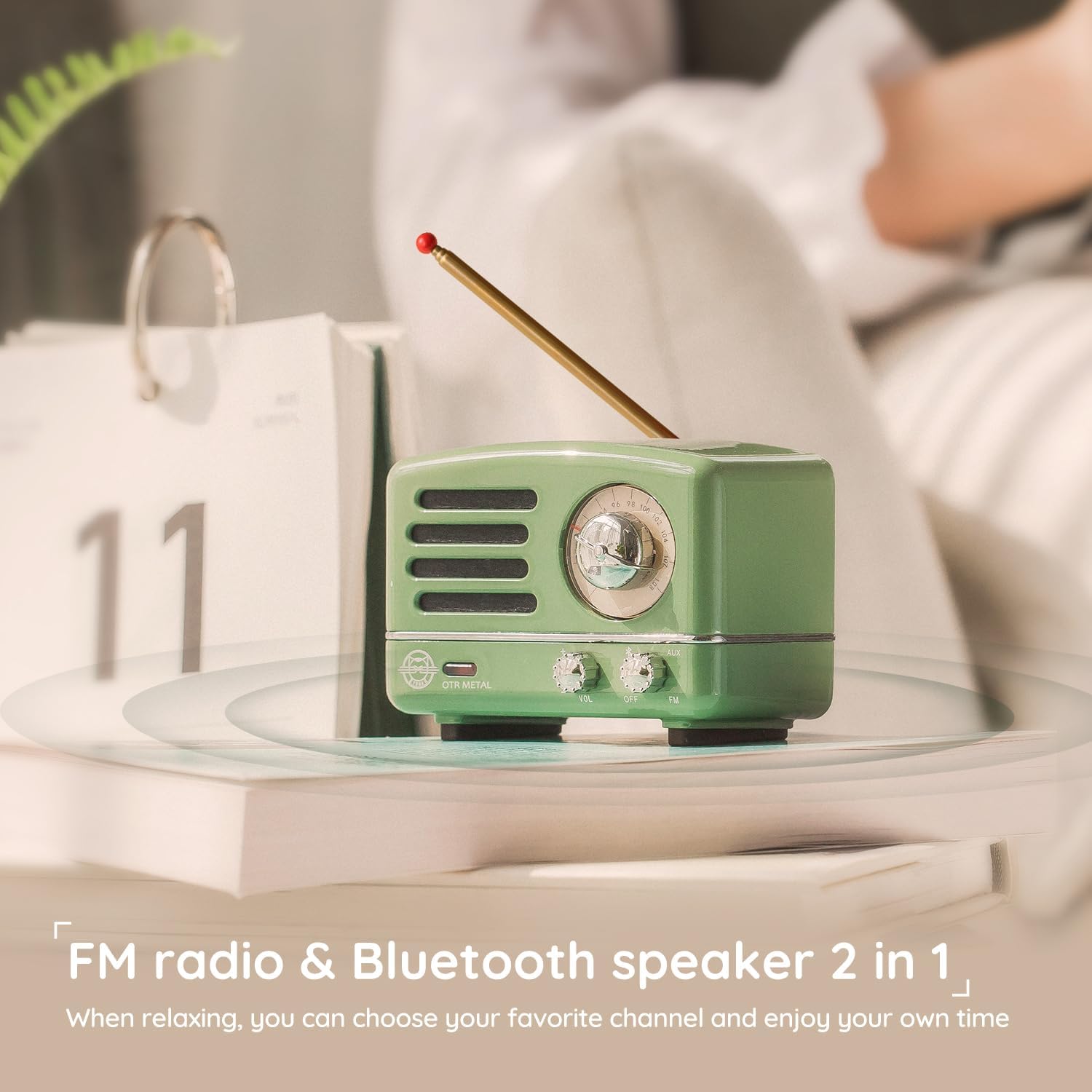
5.3 Tryb AUX
Connect non-Bluetooth devices using the AUX cable.
- Turn the Power/Volume knob clockwise to power on the speaker.
- Set the Mode Switch to the 'VOL' position.
- Connect one end of the 3.5mm AUX cable to the AUX input on the speaker.
- Connect the other end of the AUX cable to the audio output of your device (e.g., PC, MP3 player, TV).
- Dźwięk z podłączonego urządzenia będzie teraz odtwarzany przez głośnik.
6. Konserwacja
To ensure the longevity and optimal performance of your Muzen OTR Metal speaker, follow these maintenance guidelines:
- Czyszczenie: Use a soft, dry cloth to clean the speaker's surface. Avoid using abrasive cleaners, solvents, or strong chemicals, as they may damage the finish.
- Składowanie: When not in use for extended periods, store the speaker in its original suitcase in a cool, dry place away from direct sunlight and extreme temperatures.
- Pielęgnacja baterii: To preserve battery life, avoid fully discharging the battery frequently. Charge the speaker regularly, even if not in use, to maintain battery health.
- Narażenie na działanie wody: Ten głośnik nie jest wodoodporny. Unikaj wystawiania go na działanie wody, deszczu i nadmiernej wilgoci.
- Obsługiwanie: Handle the speaker with care. Avoid dropping it or subjecting it to strong impacts, which could damage internal components.
7. Rozwiązywanie Problemów
Jeśli napotkasz jakiekolwiek problemy z głośnikiem, zapoznaj się z poniższymi typowymi problemami i ich rozwiązaniami:
| Problem | Możliwa przyczyna | Rozwiązanie |
|---|---|---|
| Brak zasilania | Bateria jest rozładowana | Naładuj głośnik w pełni, korzystając z dołączonego kabla USB. |
| Brak dźwięku | Głośność jest zbyt niska lub wyciszona | Increase the volume using the Power/Volume knob on the speaker and on your connected device. |
| Nie można sparować przez Bluetooth | Speaker is not in pairing mode or too far from device | Ensure the speaker is in 'VOL' mode and indicator light is flashing. Move speaker closer to your device. Turn off and on Bluetooth on your device. |
| Słaby odbiór radia FM | Antenna not extended or environmental interference | Fully extend the FM antenna. Try repositioning the speaker or antenna. Avoid areas with strong electronic interference. |
| AUX mode not working | Cable not properly connected or faulty cable | Ensure the AUX cable is securely plugged into both the speaker and the audio source. Try a different AUX cable. |
Jeśli po wypróbowaniu tych rozwiązań problem nadal występuje, skontaktuj się z obsługą klienta.
8. Specyfikacje
| Funkcja | Szczegół |
|---|---|
| Numer modelu | MW-2AI |
| Wymiary produktu | 3.46"L x 2.2"W x 2.36"H (Speaker) |
| Waga przedmiotu | 2.09 funta (całe opakowanie) |
| Technologia łączności | Bluetooth, pomocniczy, USB |
| Wersja Bluetooth | 5.0 (High-speed Connection) |
| Technologia tunera | FM |
| Obsługiwane pasma radiowe | FM |
| Źródło zasilania | Zasilany bateryjnie |
| Pojemność baterii | 1000mAh (w zestawie bateria 1 A) |
| Play Time (Bluetooth) | Do 10 godzin |
| Play Time (FM Mode) | Do 20 godzin |
| Producent | Muzena |
9. Gwarancja i wsparcie
Muzen is committed to providing high-quality products. For any questions, technical support, or warranty inquiries, please refer to the contact information provided with your purchase documentation or visit the official Muzen webStrona. Zachowaj dowód zakupu na wypadek roszczeń gwarancyjnych.
Więcej informacji można znaleźć na stronie Muzen Store on Amazon.