
1. Wprowadzenie i koniecview
The Picture Keeper Connect is a versatile external storage device designed for backing up photos, videos, and contacts from various devices. This 256GB model provides ample space to secure your digital memories without the need for internet or cloud services. It features multiple connectors for broad compatibility across different platforms.

Image: Picture Keeper Connect 256GB USB Stick, silver color, showing its compact design.
2. Przewodnik konfiguracji
To begin using your Picture Keeper Connect, follow these steps:
- Pobierz aplikację: Szukaj the "Picture Keeper" app on your device's app store (Google Play Store for Android or Apple App Store for iOS). Install the application.
- Podłącz urządzenie: Plug the appropriate connector of the Picture Keeper Connect into your smartphone, tablet, or computer. The device supports Lightning (iPhone/iPad), USB-C (iPhone 15/Android/Mac), Micro USB (Old Android Devices), and USB 3.0 (Mac/PC Computers).
- Otwórz aplikację: Once connected, open the Picture Keeper app. If it's your first time, you may need to create an account or sign in.
- Grant Access: The app will prompt you to grant access to the drive. Confirm this to proceed.

Image: Illustration of the Picture Keeper app interface on a phone and laptop, demonstrating quick and effortless backup.

Image: Four-step visual guide showing how to set up the Picture Keeper Connect: Create Account/Sign In, Select Product, Grant Access, and Start Backup.
3. Instrukcja obsługi
Once the Picture Keeper Connect is set up, backing up your data is straightforward:
- Initiate Backup: From the app's home screen, tap "Start Backup". The device will automatically begin scanning and saving your photos, videos, and contacts.
- Automatic Duplicate Detection: The Picture Keeper Connect is designed to skip over duplicate files, ensuring efficient use of storage space.
- Resume Functionality: If a backup is interrupted, the device will pick up where it left off during the next session, preventing redundant transfers.
- Nie jest wymagany Internet: All backup operations are performed directly on the device, meaning no Wi-Fi or cellular data connection is needed.
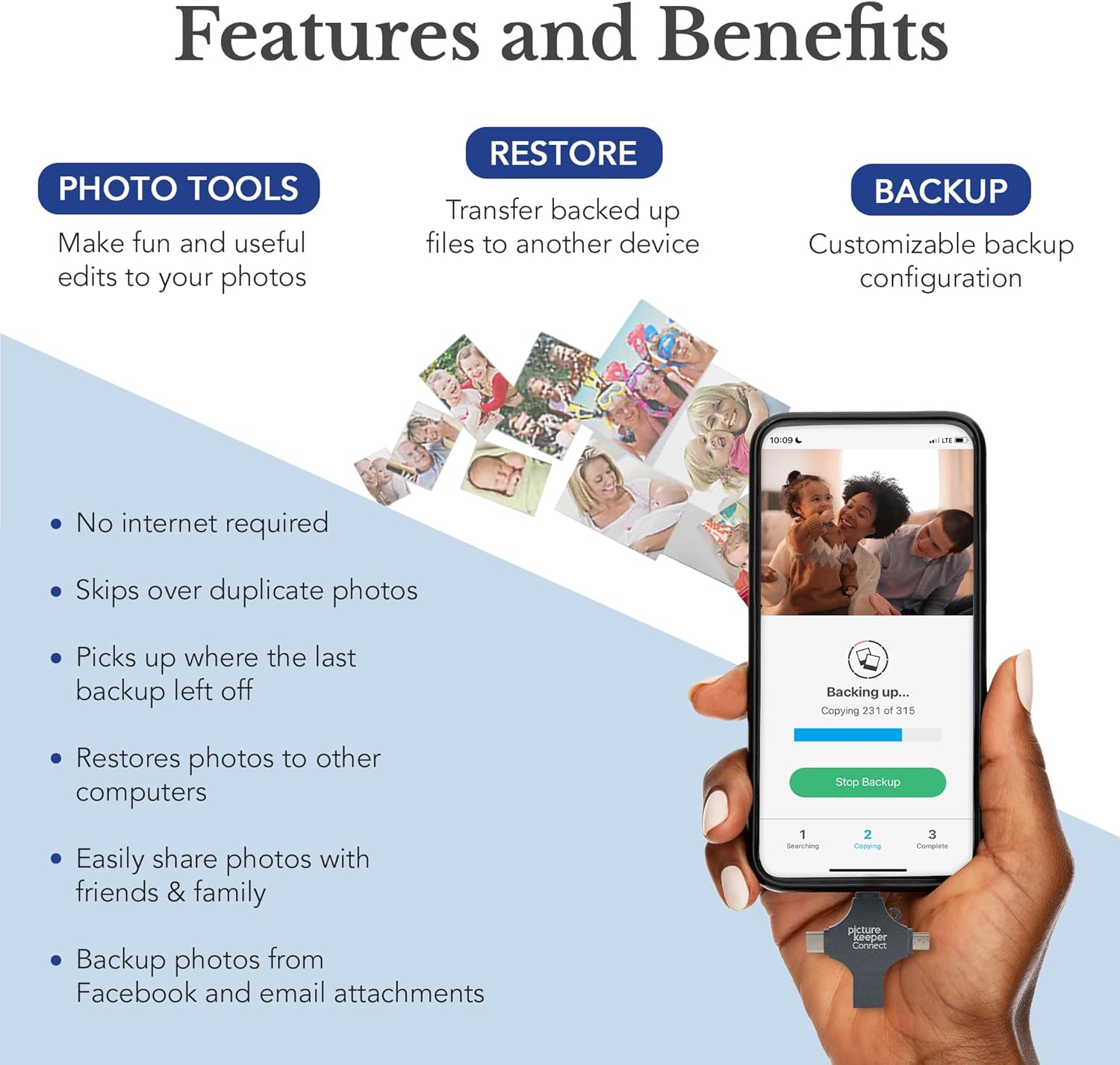
Image: A hand holding the Picture Keeper Connect, highlighting its multiple connector types for different devices.

Image: A smartphone screen displaying the Picture Keeper app with a progress bar indicating a backup is in progress, showing "Backing up..." and "Copying..." status.
4. Główne cechy
- Zgodność 4 w 1: Equipped with Lightning, USB-C, Micro USB, and USB 3.0 connectors for broad device support.
- Automatyczna kopia zapasowa: Simplifies the process of saving photos, videos, and contacts with a single tap.
- Duplikat File Kierownictwo: Intelligently identifies and skips duplicate files during backup.
- AI-Powered Batch Scanning: Digitizes physical photos quickly and efficiently.
- Magic Erase: An in-app feature to remove unwanted objects or distractions from your pictures.
- Photo Organization: Helps keep your digital memories neatly arranged.
- Obsługa wielu urządzeń: Compatible with iPhones (iOS 12+), iPads (iOS 12+), Android (5+), Windows (7+), and Mac OS (10.3+).

Image: Diagram illustrating the 4-in-1 compatibility of the Picture Keeper Connect, showing USB-C, Lightning, USB 3.0, and Micro USB connectors.

Image: Infographic detailing the features and benefits of Picture Keeper Connect, including Photo Tools, Restore, and Backup capabilities, with a phone displaying the app.

Obraz: Wizualizacjaamples of powerful new features like Retouch, Magic Erase, and Colorize, demonstrating before-and-after effects on photos.
5. Konserwacja
To ensure the longevity and optimal performance of your Picture Keeper Connect, consider the following maintenance tips:
- Bezpieczne usuwanie: Always safely eject the device from your computer or phone before physically disconnecting it to prevent data corruption.
- Chroń złącza: Keep the protective caps on the connectors when not in use to prevent dust and damage.
- Warunki przechowywania: Przechowywać urządzenie w chłodnym i suchym miejscu, z dala od ekstremalnych temperatur i bezpośredniego światła słonecznego.
- Regularne kopie zapasowe: Perform regular backups to ensure your most recent memories are always secured.
6. Rozwiązywanie Problemów
If you encounter issues with your Picture Keeper Connect, try these common troubleshooting steps:
- Aplikacja nie uruchamia się: Ensure the Picture Keeper app is updated to the latest version. Restart your device and try again.
- Urządzenie nierozpoznane: Check that the Picture Keeper Connect is fully inserted into the correct port on your device. Try a different port or restart your device.
- Niska prędkość transferu: Ensure your device's operating system and the Picture Keeper app are up to date. Large numbers of files or very large files can naturally take longer to transfer.
- Backup Interrupted: If a backup stops unexpectedly, simply reconnect the device and restart the app. The device is designed to resume from where it left off.
- Insufficient Storage: Verify the remaining storage space on your Picture Keeper Connect. If full, consider transferring existing backups to another storage solution or purchasing a larger capacity device.
7. Specyfikacje
| Funkcja | Szczegół |
|---|---|
| Marka | Opiekun zdjęć |
| Nazwa modelu | Picture Keeper Connect |
| Pojemność pamięci masowej | 256 GB |
| Technologia łączności | USB |
| Łączność Hardware | Lightning, USB 2.0 Micro B, USB Type A, USB Type C |
| Typ pamięci flash | USB |
| Platforma sprzętowa | Mac, PC |
| Funkcja specjalna | Przenośny |
| Prędkość zapisu | 30 MB/s |
| Waga przedmiotu | 2.08 uncji |
| Wymiary opakowania | 6.18 x 4.17 x 1.02 cala |
| ASIN | B08TB12CLL |
| Kod UPC/GTIN | 811962031267 |
| Data pierwszej dostępności | 18 stycznia 2021 r. |
8. Gwarancja i wsparcie
For product support, technical assistance, or warranty inquiries, please refer to the official Picture Keeper website or contact their customer service directly. Optional photo and data recovery plans may be available for purchase to provide extended protection for your digital memories.
Always ensure you are using official Picture Keeper support channels for assistance.