
1. Wprowadzenie
This manual provides detailed instructions for the installation, operation, and maintenance of your VENZ R9045 Wireless Outdoor Security Camera. Please read this manual thoroughly before using the product to ensure proper function and safety.
2. Koniec produktuview
The VENZ R9045 is a 1080P Full HD wireless outdoor security camera designed for surveillance. It features battery power, Wi-Fi connectivity, night vision, motion detection, and two-way audio communication.

Image: The VENZ R9045 Wireless Outdoor Security Camera, showcasing its compact design and integrated mounting bracket.
2.1 Główne cechy
- 100% bezprzewodowa i ładowalna bateria: Equipped with 2 lithium-ion batteries, providing 3-6 months of operation on a full charge.
- 1080P Full HD & IR Night Vision: Delivers clear video with a 130° wide-angle view and up to 23ft night vision range.
- Odporność na warunki atmosferyczne IP66: Designed to withstand various weather conditions (-20°C to 60°C).
- Detekcja ruchu: Provides real-time notifications upon detecting movement.
- Dwukierunkowy dźwięk: Built-in speaker and microphone for communication.
- Zgodność z asystentem głosowym: Działa z Alexą.
- Udostępnianie urządzenia: Supports sharing access with up to 8 users.
- Opcje przechowywania: Supports Cloud Storage and up to 128GB SD card storage.
2.2 Zawartość opakowania
- Korpus aparatu
- Battery Pack (2 Lithium Ion batteries included)
- Magnetic Bracket Screw
- Taśma klejąca dwustronna
- Instrukcja obsługi
2.3 Komponenty kamery
The following image illustrates the main components of the VENZ R9045 camera.
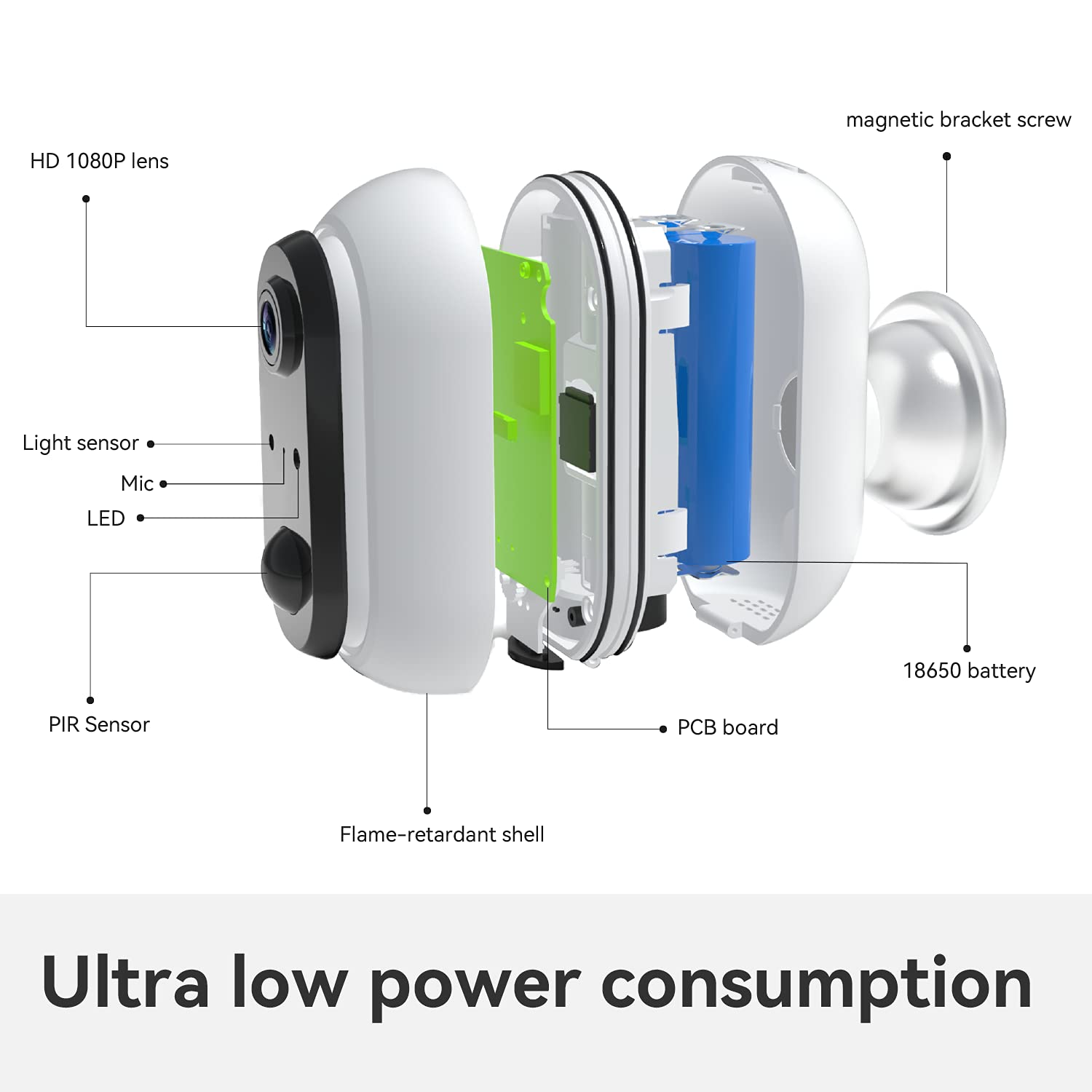
Obraz: Wybuchowy view showing internal components such as the HD 1080P lens, light sensor, microphone, LED indicator, PIR sensor, flame-retardant shell, PCB board, 18650 battery, and magnetic bracket screw.
The camera features an HD 1080P lens, a light sensor, a microphone, an LED indicator, and a PIR (Passive Infrared) sensor for motion detection. Internally, it houses a PCB board and 18650 batteries, all protected by a flame-retardant shell. A magnetic bracket screw is included for mounting.

Image: Icons indicating support for cloud storage and a maximum of 128GB SD card storage.
The camera offers flexible storage solutions, supporting both cloud storage services and local storage via an SD card up to 128GB.
3. Przewodnik konfiguracji
3.1 Początkowe ładowanie akumulatora
Before first use, fully charge the included batteries. This ensures optimal performance and battery life.
3.2 Pobieranie aplikacji i konfiguracja konta
- Download the Woox Security App from your smartphone's app store (iOS or Android).
- Follow the in-app instructions to create a new account or log in if you already have one.
3.3 Połączenie Wi-Fi
- Włącz kamerę.
- Open the Woox Security App and follow the on-screen prompts to add a new device.
- Wybierz sieć Wi-Fi 2.4 GHz i wprowadź hasło. Kamera nie obsługuje Wi-Fi 5 GHz.
- Once connected, you can enjoy the live view z aparatu.

Image: A visual guide showing three steps: 1) Download Woox security app and connect to Wi-Fi, 2) Align the camera to the bracket, 3) Enjoy live view.
3.4 Instalacja kamery
The camera is designed for easy, wire-free installation using the included magnetic bracket screw or double-sided adhesive tape. Choose a location that provides the desired viewing angle and strong Wi-Fi signal. After connecting to Wi-Fi, align the camera to its bracket.


Obrazy: Byłyamples of the VENZ R9045 camera mounted on an exterior garage wall and near a front door, demonstrating typical installation locations.
4. Instrukcja obsługi
4.1 Wykrywanie ruchu
The camera features a PIR sensor for motion detection. When motion is detected, the camera will record and send real-time notifications to your connected smartphone via the Woox Security App.

Image: A smartphone screen showing a "Motion Tracking Detection" alert from the Woox Security app, indicating an outdoor security camera detection.
You can adjust the sensitivity of motion detection within the app settings to minimize false alerts.
4.2 Widzenie nocne
The camera automatically switches to IR night vision mode in low-light conditions. This provides clear black and white video up to 23 feet, ensuring continuous surveillance even in complete darkness.

Image: A VENZ R9045 camera mounted outdoors, with a smartphone displaying its 1080P HD night vision feed of a house at night, emphasizing clear detail.
4.3 Dźwięk dwukierunkowy
Utilize the built-in noise-cancellation speaker and microphone for two-way communication. This allows you to speak with visitors or deter intruders directly through the camera via the app.
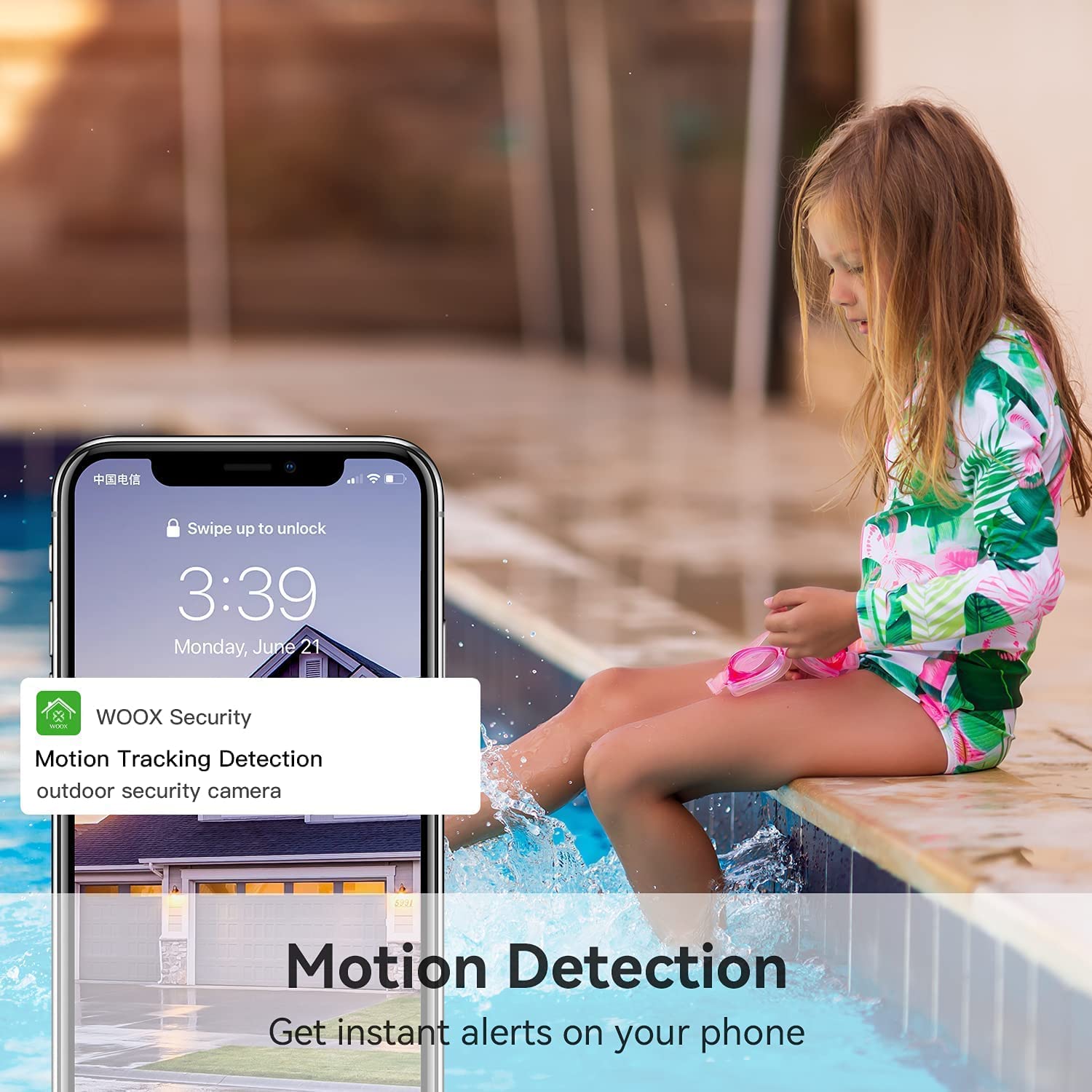
Image: A person using a smartphone to engage in two-way audio communication with a delivery person at their door, demonstrating the real-time response feature.
4.4 Integracja z asystentem głosowym
The VENZ R9045 camera is compatible with Alexa. You can use voice commands to view obraz z kamery wyświetlany na kompatybilnych inteligentnych wyświetlaczach.

Image: A woman holding a baby, giving a voice command to an Alexa-enabled smart display, which then shows the camera's live feed of a yard.
4.5 Udostępnianie urządzenia
The camera supports sharing access with up to 8 users. This allows multiple family members to view the surveillance feed simultaneously from their own devices.

Image: A diagram illustrating "Group Sharing," where a central smartphone displaying a camera feed is connected to multiple other users' smartphones, symbolizing shared access.
5. Zarządzanie baterią
The VENZ R9045 camera is powered by two rechargeable lithium-ion batteries. A full charge can provide 3 to 6 months of operation, depending on usage frequency and environmental factors. It is recommended to fully charge the batteries before the first use.

Image: A VENZ wireless home security camera highlighting its 5200mAh rechargeable battery and features like IP65 waterproof, 1080P Full HD, motion detection, night vision, and two-way audio.
Monitor the battery level through the Woox Security App and recharge as needed using a standard USB charger (not always included, check package contents).
6. Konserwacja
The VENZ R9045 camera is designed for outdoor use with an IP66 weatherproof rating, ensuring protection against dust and powerful water jets. It operates effectively in temperatures ranging from -20°C to 60°C.

Image: A VENZ R9045 camera shown outdoors under various weather conditions (rain, snow, sun) with icons and text confirming its IP66 weatherproof rating and temperature range of -20°C to 60°C.
- Aby zapewnić doskonałą jakość obrazu, należy regularnie czyścić obiektyw aparatu miękką, suchą ściereczką.
- Ensure the charging port cover is securely closed when not charging to maintain weather resistance.
- Do czyszczenia należy unikać stosowania ostrych środków chemicznych lub materiałów ściernych.
7. Rozwiązywanie Problemów
If you encounter issues with your VENZ R9045 camera, refer to the following common troubleshooting steps:
- Kamera nie łączy się z Wi-Fi:
- Upewnij się, że Twoja sieć Wi-Fi obsługuje częstotliwość 2.4 GHz. Kamera nie obsługuje częstotliwości 5 GHz.
- Sprawdź siłę sygnału Wi-Fi w miejscu, w którym znajduje się kamera.
- Sprawdź, czy hasło Wi-Fi wprowadzone w aplikacji jest prawidłowe.
- Uruchom ponownie router Wi-Fi i kamerę.
- Słaba jakość obrazu:
- Wyczyść obiektyw aparatu.
- Upewnij się, że przed obiektywem nie ma żadnych przeszkód.
- Check for sufficient lighting during the day.
- Detekcja ruchu nie działa lub jest zbyt czuła:
- Adjust motion detection sensitivity settings in the Woox Security App.
- Upewnij się, że pole widzenia kamery view pokrywa żądany obszar.
- Check battery level, as low battery can affect performance.
- Bateria szybko się rozładowuje:
- Częste zdarzenia wykrywania ruchu i transmisja na żywo view streaming consume more power.
- Ensure the camera is installed in an area with moderate activity.
- Check ambient temperature; extreme cold can reduce battery efficiency.
8. Specyfikacje
| Funkcja | Szczegół |
|---|---|
| Numer modelu | R9045 |
| Wymiary produktu | 2.91 x 2.91 x 4.21 cala |
| Waga | 12.2 uncji |
| Baterie | 2 baterie litowo-jonowe (w zestawie) |
| Technologia łączności | Bezprzewodowa (tylko Wi-Fi 2.4 GHz) |
| Rezolucja | 1080P Full HD |
| Pole View | Szeroki kąt 130 ° |
| Zakres noktowizora | Do 23 stóp |
| Ocena odporności na warunki atmosferyczne | IP66 |
| Temperatura pracy | -20°C do 60°C (-4°F do 140°F) |
| Zalecane zastosowania | Home Security, Motion Detection, Night Vision |
9. Gwarancja i wsparcie
The VENZ R9045 Wireless Outdoor Security Camera typically comes with a 3-year warranty. For specific warranty details, claims, or technical support, please refer to the warranty card included with your product or contact VENZ customer service directly through their official website or the Woox Security App.
Manufacturer: VENZ
Data pierwszej dostępności: 5 stycznia 2021 r.