
Wstęp
This manual provides detailed instructions for the proper use and maintenance of your MELCAM 4K WiFi Ultra HD 48MP Vlogging Camcorder. Please read this manual thoroughly before operating the device to ensure safe and efficient use. This camcorder is designed for high-quality video recording and photography, featuring advanced 4K resolution, 48MP photos, an IPS touch screen, and various accessories to enhance your recording experience.
Co jest w pudełku
- MELCAM 4K WiFi Ultra HD 48MP Vlogging Camcorder
- Instrukcja obsługi
- Bateria (x2)
- Kabel USB
- Zdalne sterowanie
- Mikrofon zewnętrzny
- Osłona obiektywu
- Foldable Handheld Stabilizer
Organizować coś
1. Instalacja baterii
Insert the provided 2000mAh Lithium batteries into the battery compartment located on the camcorder. Ensure correct polarity. The camcorder comes with two batteries for extended use.
2. Wkładanie karty SD
Insert a Class 10 SD card (4-128GB, not included) into the designated SD card slot. Ensure the card is inserted correctly until it clicks into place. A Class 10 SD card is recommended for optimal 4K recording performance.
3. Mocowanie akcesoriów
Foldable Handheld Stabilizer: Attach the foldable handheld stabilizer to the bottom of the camcorder. This accessory helps maintain stability during recording, especially for low-angle shots.

Image: The MELCAM camcorder attached to its foldable handheld stabilizer, with the remote control shown separately. This setup provides enhanced stability for various shooting angles.
Mikrofon zewnętrzny: Connect the external microphone to the 3.5mm jack on the camcorder. The microphone features X-Y stereo pickup technology for improved sound quality. Ensure the microphone is powered on if it has an independent power source.

Obraz: szczegółowy view of the external pro microphone attached to the camcorder, highlighting its noise-reduction features and connection point.
Osłona obiektywu: Attach the lens hood to the front of the camcorder lens. The hood helps block excess light, reducing glare and improving overall photo color and contrast.
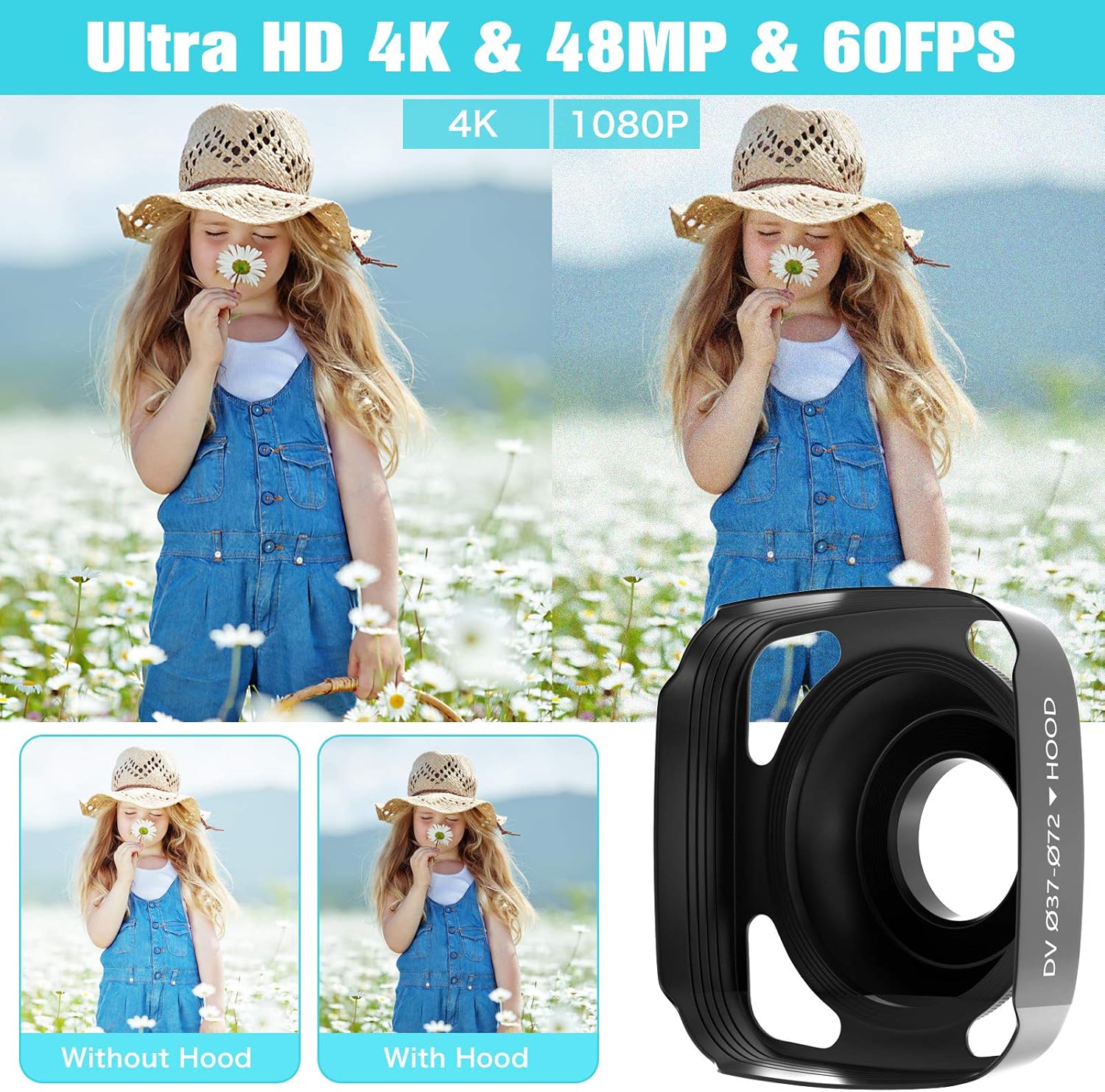
Image: Comparison shots demonstrating the visual improvement in image quality when using the lens hood, alongside a close-up of the lens hood itself.
Obsługa kamery
1. Włączanie/wyłączanie zasilania
Press and hold the power button to turn the camcorder on or off. The IPS touch screen will illuminate upon startup.
2. Nagrywanie wideo
To start recording, press the 'Record' button. The recording indicator will light up. To pause recording, press the 'Stop' button, and press 'Start' to resume continuous recording. The camcorder supports up to 4K 30 fps and 1080P 120 fps Ultra HD resolution.
3. Tryb zdjęć
Switch to photo mode using the mode button. Press the shutter button to capture 48.0-megapixel still images.
4. Korzystanie z ekranu dotykowego IPS
The 3.0" IPS 270-degree rotation touch screen allows for easy navigation through menus and settings. You can also rotate the screen to face forward for vlogging or selfies.

Image: The camcorder's IPS touch screen is shown in use, alongside a smartphone screen demonstrating the WiFi connection interface and content sharing capabilities.
5. WiFi Connection & App Usage
Download the "RoadCam" APP from Google Play or Apple App Store. Connect your smartphone or tablet to the camcorder via WiFi. This allows you to check, transfer, and share images or videos directly from your mobile device.
6. Widzenie nocne w podczerwieni
Activate IR Night Vision mode to shoot and record clear white/black pictures or videos even in low-light or dark conditions.

Image: A visual comparison between normal and IR Night Vision modes, demonstrating the camcorder's capability to capture clear images in darkness. Also shows examples of time-lapse, face detection, and selfie modes.
7. 2.4G Wireless Remote Control
Use the included 2.4G remote control to operate the camcorder from up to 10 feet away. This is useful for taking pictures and recording videos without disturbing the camera setup.
8. WebFunkcjonalność kamery
Podłącz kamerę do komputera przez USB, aby używać jej jako webcam for video chats and live streaming.

Image: The camcorder set up as a webcam for live streaming on a laptop, and connected to a TV via HDMI for high-definition video playback.
9. Wyjście HDMI
Connect the camcorder to a TV using an HDMI cable to play back your recorded videos in high definition.
10. Inne funkcje
The camcorder supports 16X digital zoom, time-lapse recording, slow motion, motion detection, and face detection.
Konserwacja
- Keep the camcorder clean by wiping it with a soft, dry cloth.
- Avoid exposing the device to extreme temperatures, dust, or moisture.
- Store the camcorder in a cool, dry place when not in use.
- Ensure the lens cover is on when not recording to protect the lens.
- Aby zachować sprawność baterii, ładuj je regularnie, nawet jeśli nie używasz ich często.
Rozwiązywanie problemów
| Problem | Możliwa przyczyna | Rozwiązanie |
|---|---|---|
| Kamera nie włącza się. | Bateria jest słaba lub nie została prawidłowo włożona. | Naładuj baterię lub włóż ją prawidłowo. |
| Video quality is pixelated or blurry. | SD card speed is too slow for selected resolution (e.g., 4K). | Use a high-speed Class 10 SD card. Reduce recording resolution if necessary. |
| External microphone audio is fuzzy or missing. | Mikrofon nie jest prawidłowo podłączony lub jest uszkodzony. | Ensure the microphone is securely plugged into the 3.5mm jack. Check microphone battery if applicable. |
| Problemy z połączeniem WiFi. | Incorrect APP or connection steps. | Ensure "RoadCam" APP is installed. Follow connection instructions carefully. |
Specyfikacje
| Funkcja | Szczegół |
|---|---|
| Marka | MELCAM |
| Technologia czujnika fotograficznego | CMOS |
| Rozdzielczość przechwytywania wideo | 4K 30FPS, 1080P 120FPS, 1080P 60FPS, 1080P 30FPS, 720P 240FPS, 720P 60FPS, 720P 30FPS |
| Maksymalna apertura | 2 stopnia |
| Typ pamięci flash | SD (Supports 4-128GB Class 10) |
| Format przechwytywania wideo | MP4 |
| Obsługiwany format audio | MP3, WAV |
| Rozmiar ekranu | 3 Inches IPS (270-degree rotation touch screen) |
| Technologia łączności | HDMI, Infrared, USB, Wi-Fi |
| Kolor | Czarny |
| Waga przedmiotu | 2.79 funta |
| Cechy specjalne | Wireless, IR Night Vision, 2.4G Remote Control, Foldable Handheld Stabilizer, Pause Function, 16X Digital Zoom, Time-Lapse, Slow Motion, Motion Detection, Face Detection |
Gwarancja i wsparcie
MELCAM provides 24-hour online customer service to assist with any questions or issues you may encounter with your camcorder. Please feel free to contact us for support.