
Wstęp
This manual provides detailed instructions for the installation, operation, and maintenance of your EKEN V7 HD 1080P Smart WiFi Video Doorbell. Please read this manual thoroughly before using the product to ensure proper functionality and safety. Keep this manual for future reference.
Zawartość opakowania
Sprawdź, czy wszystkie wymienione poniżej elementy znajdują się w Twojej paczce. Jeśli brakuje któregokolwiek z nich lub jest on uszkodzony, skontaktuj się z obsługą klienta.

Image: The EKEN V7 Video Doorbell, two blue rechargeable batteries, and a dual-slot battery charger. These are the primary components included in the package.
- EKEN V7 HD 1080P Smart WiFi Video Doorbell
- Rechargeable Batteries (2 pcs)
- Ładowarka baterii
- Uchwyt montażowy
- Śruby montażowe i kotwy ścienne
- Instrukcja obsługi (ten dokument)
Produkt ponadview
The EKEN V7 Video Doorbell is a smart security device designed to provide real-time video monitoring and two-way audio communication with visitors at your door. It features 1080P Full HD resolution, night vision, and a wide-angle lens for comprehensive coverage.

Obraz: Przód view of the EKEN V7 Video Doorbell, showing the camera lens, motion sensor, and illuminated doorbell button.
Główne cechy:
- Wideo w jakości Full HD 1080P: Clear video streaming and recording.
- 166° Wide-angle Lens: Szerokie pole view to cover your entryway.
- Widzenie nocne: Infrared LEDs for clear visibility in low-light conditions.
- Dwukierunkowy dźwięk: Speak and listen to visitors remotely via the mobile app.
- Detekcja ruchu PIR: Alerts you to movement at your door.
- Odporność na warunki atmosferyczne: Zaprojektowane tak, aby wytrzymać różne warunki atmosferyczne.
- Łączność Wi-Fi 2.4G: Łączy się z siecią domową w celu uzyskania zdalnego dostępu.
- Długa żywotność baterii: Efficient power consumption for extended use.
- Przechowywanie w chmurze: Optional cloud service for video recording storage.

Image: An infographic highlighting the key features of the EKEN V7 Video Doorbell, such as 1080P Full HD, PIR Motion Detection, Night Vision, 166° Wide-angle Camera Lens, Long Battery Life, and 7 Days Free Cloud Service.

Image: A visual representation comparing the doorbell's view during the day (color) and at night (monochrome infrared), demonstrating the 166-degree wide-angle lens.
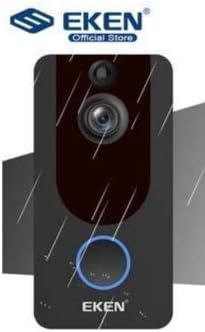
Image: The EKEN V7 Video Doorbell depicted with rain effects, illustrating its weather-resistant design suitable for outdoor installation.
Organizować coś
1. Ładowanie akumulatorów
- Insert the two rechargeable batteries into the provided battery charger.
- Podłącz ładowarkę do źródła zasilania.
- Allow the batteries to charge fully before first use. The indicator light on the charger will change when charging is complete.
2. Installing the Doorbell
- Wybierz odpowiednią lokalizację blisko drzwi, zapewniając sobie czysty dostęp view i dobry sygnał Wi-Fi.
- Użyj uchwytu montażowego jako szablonu do zaznaczenia otworów wiertniczych na ścianie.
- W razie potrzeby wywierć otwory i włóż kotwy ścienne.
- Przymocuj uchwyt montażowy do ściany za pomocą dołączonych śrub.
- Insert the charged batteries into the doorbell unit.
- Przymocuj dzwonek do uchwytu montażowego, upewniając się, że został pewnie zamocowany.
3. Łączenie się z siecią Wi-Fi i konfiguracja aplikacji
- Download the official EKEN doorbell app from your smartphone's app store (iOS or Android).
- Otwórz aplikację i załóż konto lub zaloguj się.
- Follow the in-app instructions to add your new doorbell device. This typically involves scanning a QR code on the doorbell or manually entering its ID.
- Connect the doorbell to your 2.4GHz Wi-Fi network. Ensure your phone is also connected to the same 2.4GHz network during setup.
- Po połączeniu będziesz mógł view live video, receive notifications, and adjust settings through the app.
Instrukcja obsługi
Na żywo View i dwukierunkowe audio
- Open the EKEN app on your smartphone.
- Select your doorbell from the device list to access the live video feed.
- To speak to a visitor, tap the microphone icon in the app. To listen, ensure the speaker icon is enabled.

Image: A user communicating with a delivery person at their door using the EKEN V7 Video Doorbell's two-way audio feature through the mobile application.
Alerty wykrywania ruchu
- When motion is detected, the doorbell will send a push notification to your smartphone.
- Stuknij powiadomienie, aby view transmisja na żywo lub nagranie wydarzenia.
- Adjust motion sensitivity settings within the app to minimize false alerts.
Nagrywanie i odtwarzanie wideo
- The doorbell automatically records video when motion is detected or the doorbell button is pressed.
- Recorded videos are stored in the cloud (subscription may be required after initial free period) or on a local SD card (if supported and installed).
- Access and playback recorded events through the app's history or event log.

Image: The EKEN V7 Video Doorbell shown next to a smartphone displaying a live 1080P Full HD video feed, illustrating remote monitoring capabilities.
Konserwacja
- Czyszczenie: Delikatnie przetrzyj obiektyw kamery i powierzchnię dzwonka miękką szmatką.amp szmatką. Unikaj środków czyszczących o działaniu ściernym i rozpuszczalników.
- Zarządzanie baterią: Recharge batteries when the app indicates low power. For optimal performance, consider having a spare set of charged batteries.
- Aktualizacje oprogramowania układowego: Regularly check the app for available firmware updates for your doorbell. Updates can improve performance and add new features.
- Połączenie Wi-Fi: Ensure your Wi-Fi router is functioning correctly and the doorbell has a strong signal for uninterrupted operation.
Rozwiązywanie problemów
- Dzwonek nie łączy się z siecią Wi-Fi:
- Ensure your Wi-Fi network is 2.4GHz. The doorbell does not support 5GHz networks. Check Wi-Fi password and signal strength. Try resetting the doorbell and your router.
- Brak alertów o wykryciu ruchu:
- Verify that motion detection is enabled in the app settings. Adjust sensitivity levels. Ensure the doorbell's view nie jest zablokowana.
- Słaba jakość obrazu lub opóźnienie:
- Check your Wi-Fi signal strength at the doorbell's location. Move the router closer or consider a Wi-Fi extender. Ensure your internet connection is stable.
- Dwukierunkowa transmisja dźwięku nie działa:
- Check microphone and speaker permissions for the app on your smartphone. Ensure the doorbell's microphone and speaker are not obstructed.
- Dzwonek nie włącza się:
- Ensure batteries are fully charged and correctly inserted. If using wired power, check connections.
Specyfikacje
| Funkcja | Szczegół |
|---|---|
| Marka | EKEN |
| Model | V7 |
| Rozdzielczość nagrywania wideo | 1080p Full HD |
| Technologia czujnika fotograficznego | CMOS |
| Technologia łączności | Wi-Fi (tylko 2.4 GHz) |
| Cechy specjalne | Night Vision, Two-Way Audio, PIR Motion Detection, Weather Resistant |
| Stabilizacja obrazu | NIE |
| Numer referencyjny producenta | Ia-112 |
| ASIN | B08PMXWFF3 |
| Pierwsza dostępna data | 17 grudnia 2020 r. |
Gwarancja i wsparcie
For warranty information and technical support, please refer to the official EKEN webOdwiedź witrynę lub skontaktuj się bezpośrednio z działem obsługi klienta. Szczegóły dotyczące konkretnych okresów gwarancji i kanałów wsparcia są zazwyczaj podane w dokumentacji zakupu lub na stronie producenta. webstrona.
Guaranteed software updates until: Unknown.