
Wstęp
This manual provides essential information for the safe and efficient operation of your APC Back-UPS 650 Battery Backup and Surge Protector (Model BVN650M1). Please read this manual thoroughly before installation and use, and retain it for future reference.
The APC Back-UPS 650 is designed to provide power protection for your electronic devices from power outages, surges, and spikes. It features both battery backup outlets and surge-only outlets to safeguard your valuable equipment.
Produkt ponadview

Rysunek 1: Przód pod kątem view of the APC Back-UPS 650, showcasing its compact design and outlet layout.
The APC Back-UPS 650 (BVN650M1) is a compact uninterruptible power supply (UPS) system. It provides 650VA/360W of power capacity. Key features include:
- Multiple outlets for connecting various electronic devices.
- Battery backup outlets to provide power during outagt.j.
- Surge-only outlets for protection against power surges.
- USB charging port for mobile devices.
- Audible alarms and LED status indicators for operational feedback.
Konfiguracja i instalacja
1. Rozpakowanie i ustawienie
Carefully remove the Back-UPS from its packaging. Inspect it for any shipping damage. Place the Back-UPS indoors, away from excessive moisture, direct sunlight, and heat sources. Ensure adequate airflow around the unit.
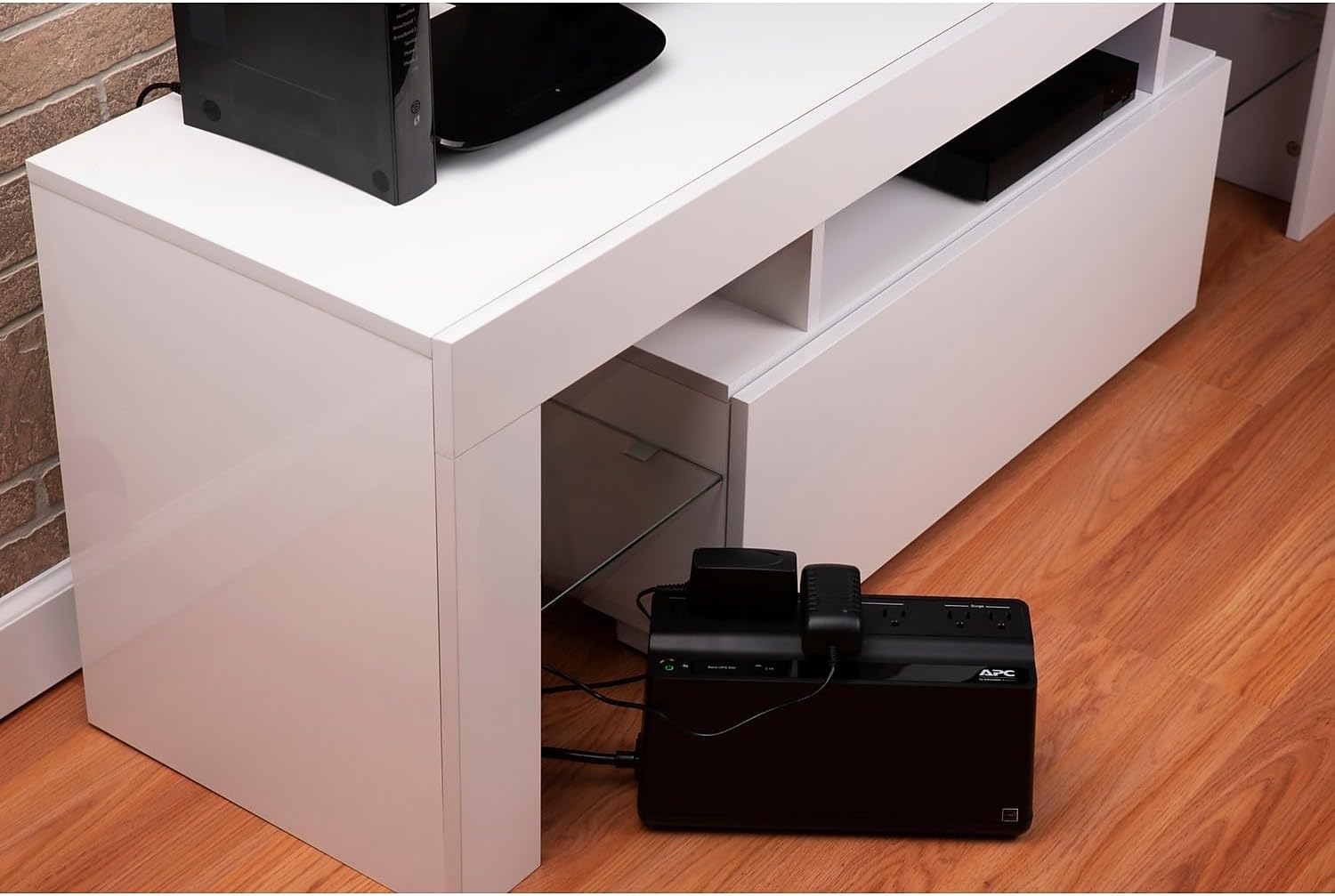
Rysunek 2: Example of appropriate placement for the Back-UPS unit, ensuring it is in a stable, well-ventilated area.
2. Podłączanie sprzętu
The Back-UPS 650 features two types of outlets:
- Gniazda z baterią zapasową i ochroną przeciwprzepięciową: These outlets provide power from the battery during power outages and protect against surges. Connect your critical devices such as computers, monitors, and external hard drives to these outlets.
- Gniazda tylko przepięciowe: These outlets provide surge protection only. Connect non-critical devices like printers, scanners, or speakers to these outlets.

Rysunek 3: Góra view illustrating the distinct labeling for Battery + Surge and Surge Only outlets.

Figure 4: The Back-UPS unit integrated into a typical desk setup, powering a computer, monitor, and charging a smartphone via its USB port.
3. Ładowanie początkowe
Plug the Back-UPS power cord directly into a wall outlet. Do not plug it into another surge protector or extension cord. Allow the unit to charge for at least 24 hours before connecting any equipment to ensure full battery capacity.
Obsługa Back-UPS
Włączanie/wyłączanie zasilania

Figure 5: Close-up of the front panel, highlighting the power button and the 2.1A USB charging port.
- Włączanie: Press and hold the power button until you hear a short beep. The LED indicator will illuminate.
- Aby wyłączyć: Press and hold the power button until you hear a long beep. The LED indicator will turn off.
Wskaźniki stanu LED
The LED indicator on the front panel provides information about the Back-UPS status:
- Jednolity zielony: The Back-UPS is on and providing power to connected equipment.
- Migające zielone: Back-UPS działa na zasilaniu bateryjnym.
- Jednolity czerwony: Indicates a fault or low battery condition. Refer to the Troubleshooting section.
Alarmy dźwiękowe
The Back-UPS emits audible alarms to indicate various conditions:
- Cztery sygnały dźwiękowe co 30 sekund: Back-UPS działa na zasilaniu bateryjnym.
- Ciągły sygnał dźwiękowy: Low battery condition. The Back-UPS will soon shut down.
- Constant Tone: Overload condition or internal fault.
Konserwacja
Pielęgnacja baterii
The internal battery has an average lifespan of 3-5 years, depending on usage and environmental conditions. Frequent power outages or high temperatures can reduce battery life.
Important Note: The battery in the APC Back-UPS 650 (BVN650M1) is not user-replaceable. Attempting to replace the battery may void your warranty and poses a safety risk. If the battery needs replacement, the entire unit must be replaced.
Czyszczenie
Clean the exterior of the Back-UPS with a soft, dry cloth. Do not use liquid or aerosol cleaners. Ensure ventilation openings are free from dust and debris.
Składowanie
If storing the Back-UPS for an extended period, charge the battery for 24 hours every 3-6 months to prevent permanent battery damage.
Rozwiązywanie problemów
This section provides solutions to common issues you might encounter with your Back-UPS. If the problem persists, contact APC customer support.
| Problem | Możliwa przyczyna | Rozwiązanie |
|---|---|---|
| Back-UPS does not turn on. | Akumulator nie jest podłączony lub jest rozładowany. | Ensure the unit is plugged into a live wall outlet and allow 24 hours for initial charge. |
| Back-UPS beeps continuously. | Niski poziom naładowania baterii lub przeciążenie. | Charge the unit. Reduce the load on battery backup outlets. |
| Back-UPS is on battery power frequently. | Frequent power fluctuations. | This is normal operation. Ensure the unit is not overloaded. |
| Zadziałał wyłącznik automatyczny. | Stan przeciążenia. | Disconnect non-essential equipment. Press the circuit breaker button on the rear of the unit to reset. |

Rysunek 6: Tył view of the Back-UPS, indicating the location of the circuit breaker button for resetting in case of an overload.
Specyfikacje
| Funkcja | Szczegół |
|---|---|
| Numer modelu | BVN650M1 |
| Pojemność | 650VA/360W |
| Wejście Voltage | 120 wolty |
| Objętość wyjściatage | 120 wolty |
| Liczba gniazdek | 7 (5 Battery Backup + Surge, 2 Surge Only) |
| Port ładowania USB | 1 (2.1 A) |
| Typ baterii | Lead-Acid, AGM (Non-user replaceable) |
| Typowa żywotność baterii | 4 years (average) |
| Wymiary (wys. x szer. x gł.) | 14.18 x 7.39 x 6.7 cala |
| Waga | 7.68 funta |
Gwarancja i wsparcie
Informacje o gwarancji
APC products typically come with a limited warranty. Please refer to the warranty card included with your product or visit the official APC website for detailed warranty terms and conditions specific to the BVN650M1 model. Keep your proof of purchase for warranty claims.
Obsługa klienta
For technical assistance, troubleshooting beyond this manual, or warranty inquiries, please contact APC customer support. You can find contact information on the official APC webna stronie internetowej lub w dokumentacji dołączonej do produktu.
Note: Product specifications and warranty terms are subject to change without notice. Always refer to the latest information provided by the manufacturer.