
1. Wprowadzenie
This manual provides detailed instructions for the installation, operation, and maintenance of your Overmax Camspot 3.7 Full HD Wireless Indoor Camera. Please read this manual thoroughly before using the product to ensure proper function and safety. Keep this manual for future reference.
2. Zawartość opakowania
Sprawdź, czy w opakowaniu znajdują się wszystkie komponenty:
- Overmax Camspot 3.7 Wireless Indoor Camera
- Power Cable with Adapter
- Zestaw montażowy (śruby, kołki rozporowe, uchwyt)
- Instrukcja obsługi (ten dokument)
3. Koniec produktuview
Familiarize yourself with the camera's components and interfaces.
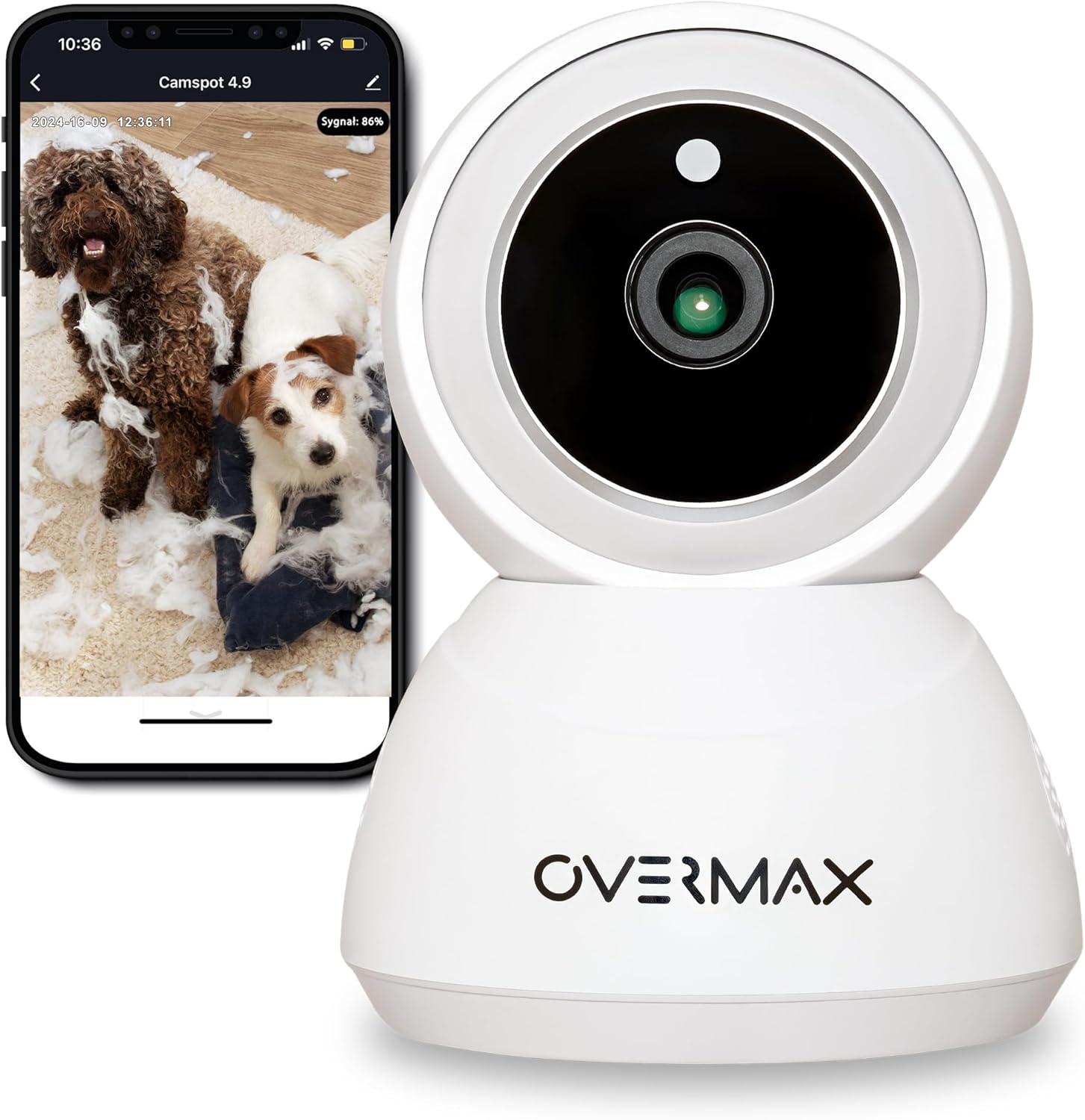
Rycina 3.1: Przód view of the Overmax Camspot 3.7 camera with a smartphone showing the live video feed.

Rysunek 3.2: Strona view of the Overmax Camspot 3.7 camera, showing its dome shape and speaker grille.

Rysunek 3.3: Tył view of the camera, highlighting the LAN port, Reset button, and DC 5V power input.

Rysunek 3.4: View of the camera with the microSD card slot visible, located beneath the lens assembly.
4. Konfiguracja
4.1 Fizyczna instalacja
The Camspot 3.7 can be placed on a flat surface or mounted to a wall or ceiling.
- Wybierz lokalizację: Wybierz lokalizację, która zapewnia żądane viewpod odpowiednim kątem i znajduje się w zasięgu sieci Wi-Fi lub połączenia Ethernet.
- Montaż (opcjonalny):
- Attach the mounting bracket to the desired surface using the provided screws and wall plugs.
- Secure the camera to the mounting bracket. Ensure it is firmly attached.

Figure 4.1: The Overmax Camspot 3.7 camera shown mounted on a wall bracket, illustrating a typical installation.
4.2 Instalacja aplikacji i tworzenie konta
The Overmax Control app is required to operate the camera.
- Pobierz aplikację: Szukaj "Overmax Control" in your smartphone's app store (iOS or Android) and download it.
- Utwórz konto: Otwórz aplikację i postępuj zgodnie z instrukcjami wyświetlanymi na ekranie, aby utworzyć nowe konto użytkownika.

Figure 4.2: The Overmax Camspot 3.7 camera alongside a smartphone displaying the 'CONTROL' app logo, indicating the required application for setup and operation.
4.3 Power On and Network Connection
- Włączanie: Connect the power cable to the camera's DC 5V port and plug the adapter into a power outlet. The camera will power on and initiate its startup sequence.
- Połączenie internetowe:
- Wi-Fi: Postępuj zgodnie z instrukcjami w aplikacji, aby połączyć kamerę z siecią Wi-Fi 2.4 GHz.
- Ethernet (opcjonalnie): Connect an Ethernet cable from your router to the camera's LAN port for a wired connection.
4.4 Parowanie kamery
Once the camera is powered on and the app is installed, proceed with pairing:
- Dodaj urządzenie: In the Overmax Control app, tap the "Add Device" or "+" icon.
- Wybierz typ kamery: Choose the appropriate camera model (Camspot 3.7).
- Skanowania QR code: The app will prompt you to scan a QR code. Position your smartphone's screen with the QR code approximately 15-20 cm in front of the camera lens. The camera will emit a sound upon successful scanning.
- Pełna konfiguracja: Follow any remaining on-screen prompts in the app to finalize the pairing process.

Figure 4.3: The Overmax Camspot 3.7 camera positioned to scan a QR code displayed on a smartphone, a common method for device pairing.
5. Instrukcja obsługi
5.1 Na żywo View
Access the live video feed from your camera through the Overmax Control app. This allows real-time monitoring of the camera's surroundings.
5.2 Sterowanie obrotem/pochyleniem
The Camspot 3.7 features motorized pan and tilt capabilities.
- Obrót poziomy: 355 stopnia
- Obrót pionowy: 120 stopnia
Use the directional controls within the Overmax Control app to adjust the camera's viewzdalnie pod kątem.

Figure 5.1: Diagram illustrating the camera's extensive pan (355°) and tilt (120°) rotation range.
5.3 Dźwięk dwukierunkowy
The camera is equipped with a microphone and speaker, enabling two-way communication. You can listen to the camera's environment and speak through the camera using the app.
5.4 Detekcja ruchu i automatyczne śledzenie
The camera can detect moving objects and automatically track their movement within its field of view. Configure motion detection sensitivity and alerts in the app settings.
5.5 Widzenie nocne
The Camspot 3.7 features infrared technology for clear viewing in low-light or complete darkness, with a night vision range of up to 10 meters. The camera automatically switches to night mode when ambient light is insufficient.
5.6 Rejestrowanie i przechowywanie
The camera supports two primary storage methods for video recordings:
- Karta MicroSD: Insert a microSD card (up to 128GB, not included) into the designated slot for local storage. This allows for continuous recording for up to 3 weeks.
- Przechowywanie w chmurze: The camera supports real-time cloud storage for recordings. Refer to the app for subscription details and options.
5.7 Integracja inteligentnego domu
The Camspot 3.7 is compatible with Google Home and Amazon Alexa. Follow the instructions within the respective smart home apps to integrate your camera for voice control and automation.
5.8 Baby Monitor Function
Utilize the camera's features, including two-way audio and night vision, to monitor an infant. The app provides a comprehensive interface for this purpose.

Figure 5.2: The Overmax Camspot 3.7 camera shown with a smartphone displaying the app's control interface, including options for screenshot, speaking, recording, cloud storage, and direction control.
6. Konserwacja
- Czyszczenie: Do czyszczenia obiektywu i korpusu aparatu używaj miękkiej, suchej ściereczki. Nie używaj silnych środków chemicznych ani ściernych środków czyszczących.
- Aktualizacje oprogramowania układowego: Regularly check the Overmax Control app for available firmware updates to ensure optimal performance and security.
- Zarządzanie pamięcią masową: Okresowo ponownieview and manage recordings on your microSD card or cloud storage to free up space if needed.
7. Rozwiązywanie Problemów
- Kamera nie łączy się z Wi-Fi:
- Upewnij się, że Twoja sieć Wi-Fi obsługuje częstotliwość 2.4 GHz. Kamera nie obsługuje sieci 5 GHz.
- Sprawdź poprawność hasła Wi-Fi.
- Przesuń kamerę bliżej routera.
- Uruchom ponownie kamerę i router.
- Nie na żywo View:
- Verify internet connection on your smartphone and the camera.
- Sprawdź, czy kamera jest włączona i podłączona do sieci.
- Uruchom ponownie aplikację.
- Wykrywanie ruchu nie działa:
- Sprawdź, czy wykrywanie ruchu jest włączone w ustawieniach aplikacji.
- Dostosuj ustawienia czułości.
- Sprawdź, czy w kamerze nie ma przeszkód. view.
- Karta MicroSD nie nagrywa:
- Sprawdź, czy karta microSD została włożona prawidłowo.
- Format the microSD card through the app.
- Check if the card is full or corrupted.
- Kamera nie reaguje:
- Press and hold the Reset button (located at the back) for approximately 5-10 seconds to factory reset the camera. You will need to re-pair it after a reset.
8. Specyfikacje
| Funkcja | Specyfikacja |
|---|---|
| Nazwa modelu | Overmax Camspot 3.7 |
| Rozdzielczość wideo | Pełna rozdzielczość HD (1080p) |
| Obiektyw | 3.6 mm |
| Klatki na sekundę (FPS) | 25-30 |
| Kompresja wideo | H.264 |
| Obrót poziomy | 355° |
| Rotacja pionowa | 120° |
| Zakres noktowizora | Do 10 metrów (podczerwień) |
| Obsługa kart MicroSD | Do 128 GB |
| Łączność | Wi-Fi (2.4 GHz), Ethernet |
| Obsługiwane systemy | Windows XP/7/8/10, Android, iOS, Mac |
| Dwukierunkowy dźwięk | Yes (Microphone, 1W Speaker) |
| Wykrywanie ruchu | Yes (Automatic Detector) |
| Zasilacz | 12 Volts, 1 Watt |
| Wymiary (dł. x szer. x wys.) | Wymiary 8.5 x 8.2 x 10.5 cm |
| Waga | 180 gramów |
| Tworzywo | Metal |
| Kolor | Biały |
9. Gwarancja i wsparcie
Overmax products are covered by a manufacturer's warranty. For specific warranty terms and conditions, please refer to the warranty card included in your package or visit the official Overmax webstrona.
For technical support, troubleshooting assistance, or any product-related inquiries, please contact Overmax customer service through the contact information provided on the official website or within the Overmax Control application.