
1. Koniec produktuview
P.urline WS015 is a versatile weather station designed to provide detailed and current information regarding indoor and outdoor environmental conditions. This device monitors temperature, humidity, and offers a weather forecast. It also includes a digital clock with an alarm function and a calendar display.
Equipped for both indoor and outdoor use, the WS015 features a clear digital LCD display with animated symbols for weather forecasting. It stores maximum and minimum readings and tracks temperature trends over the past 12 hours. The main unit can also function as a USB charging hub for other devices.
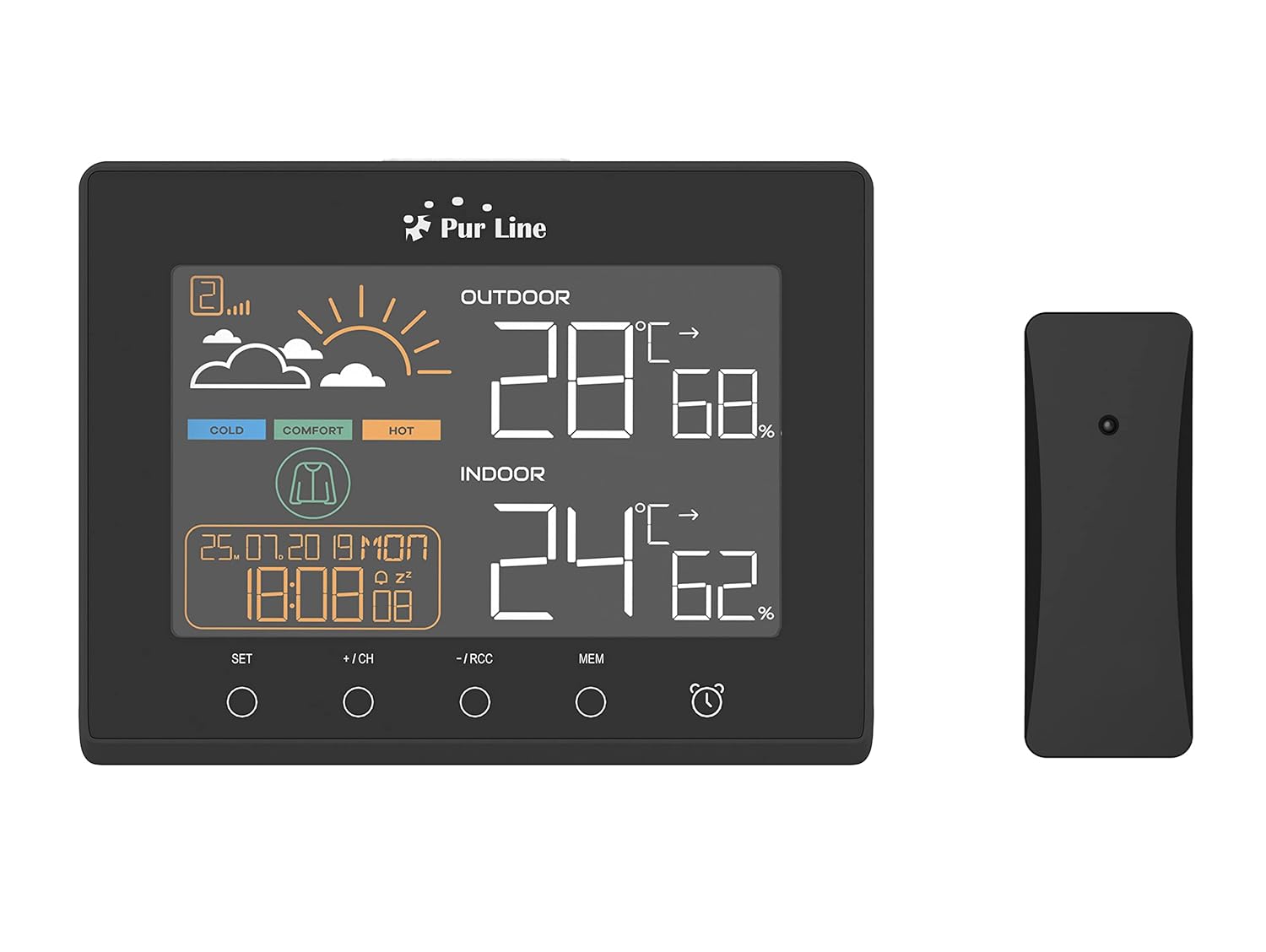
Przód view of the PUR LINE WS015 Weather Station display unit and its wireless outdoor sensor.
2. Instrukcje konfiguracji
2.1. Rozpakowanie i komponenty
Carefully remove all components from the packaging. Ensure you have the main display unit and the wireless outdoor sensor.
2.2. Włączanie jednostki głównej
The main unit requires 3 AAA batteries (not included) or can be powered via a USB connection. To install batteries:
- Otwórz pokrywę komory baterii znajdującą się z tyłu jednostki głównej.
- Włóż 3 baterie AAA, zwracając uwagę na prawidłową biegunowość (+/-).
- Zamknij pokrywę komory baterii.
Alternatively, connect the main unit to a USB power source using a compatible USB cable (not included).
2.3. Umiejscowienie czujnika zewnętrznego
The outdoor sensor is splash-proof (IP rated) but should be placed in a sheltered location to protect it from direct rain and prolonged sunlight, which can affect temperature readings. Ensure the sensor is within effective transmission range of the main unit (typically up to 30 meters in open air).
2.4. Synchronizacja początkowa
Once both the main unit and the outdoor sensor are powered, they should automatically synchronize. If synchronization does not occur, press the 'CH' button on the main unit to initiate a search for the sensor. Ensure the sensor is close to the main unit during initial setup.

Tył view of the PUR LINE WS015 Weather Station, showing the battery compartment and stand.
3. Instrukcja obsługi
3.1. Wyświetlanieview
Wyświetlacz LCD pokazuje następujące informacje:
- Temperatura i wilgotność na zewnątrz: Odczyty z czujnika bezprzewodowego.
- Temperatura i wilgotność w pomieszczeniu: Odczyty z wewnętrznych czujników jednostki głównej.
- Prognoza pogody: Animated symbols indicating predicted weather conditions.
- Czas i data: Aktualny czas, dzień i data.
- Wskaźnik poziomu komfortu: Based on indoor temperature and humidity.
- Temperature Trend: Arrows indicating rising, falling, or stable temperature over the last 12 hours.

Z bliska view of the PUR LINE WS015 Weather Station display, showing outdoor and indoor temperature, humidity, time, date, and weather forecast symbols.
3.2. Funkcje przycisków
Jednostka główna posiada kilka przycisków sterujących:
- ZESTAW: Enters setting mode for time, date, and alarm. Confirms settings.
- +/CH: Increases values during setting. In normal mode, cycles through outdoor sensor channels or initiates sensor search.
- -/RCC: Decreases values during setting. In normal mode, manually initiates RCC (Radio Controlled Clock) signal reception.
- PAMIĘĆ: Displays maximum and minimum temperature/humidity records. Press again to clear records.
- Ikona alarmu: Aktywuje lub dezaktywuje funkcję alarmu.
3.3. Ustawianie czasu i daty
- Naciśnij i przytrzymaj USTAWIĆ Naciskaj przycisk, aż wyświetlacz czasu zacznie migać.
- Użyj + or - przyciski, aby ustawić godzinę, a następnie naciśnij USTAWIĆ aby potwierdzić i przejść do protokołu.
- Powtórz dla minut, roku, miesiąca i dnia.
- Naciskać USTAWIĆ aby wyjść z trybu ustawień.
3.4. Ustawianie alarmu
- Naciśnij Ikona alarmu Naciśnij przycisk raz, aby wyświetlić godzinę alarmu.
- Naciśnij i przytrzymaj Ikona alarmu Naciskaj przycisk, aż zacznie migać godzina alarmu.
- Użyj + or - buttons to adjust the alarm hour, then press the Ikona alarmu przycisk, aby potwierdzić i przejść do minut.
- Powtarzaj przez kilka minut.
- Naciśnij Ikona alarmu button to exit setting mode. Press it again in normal mode to toggle the alarm on/off.
3.5. Wyjścia ładowania USB
The main unit is equipped with USB outputs that allow you to charge compatible electronic devices. Simply connect your device's USB charging cable to the USB port on the side of the weather station.
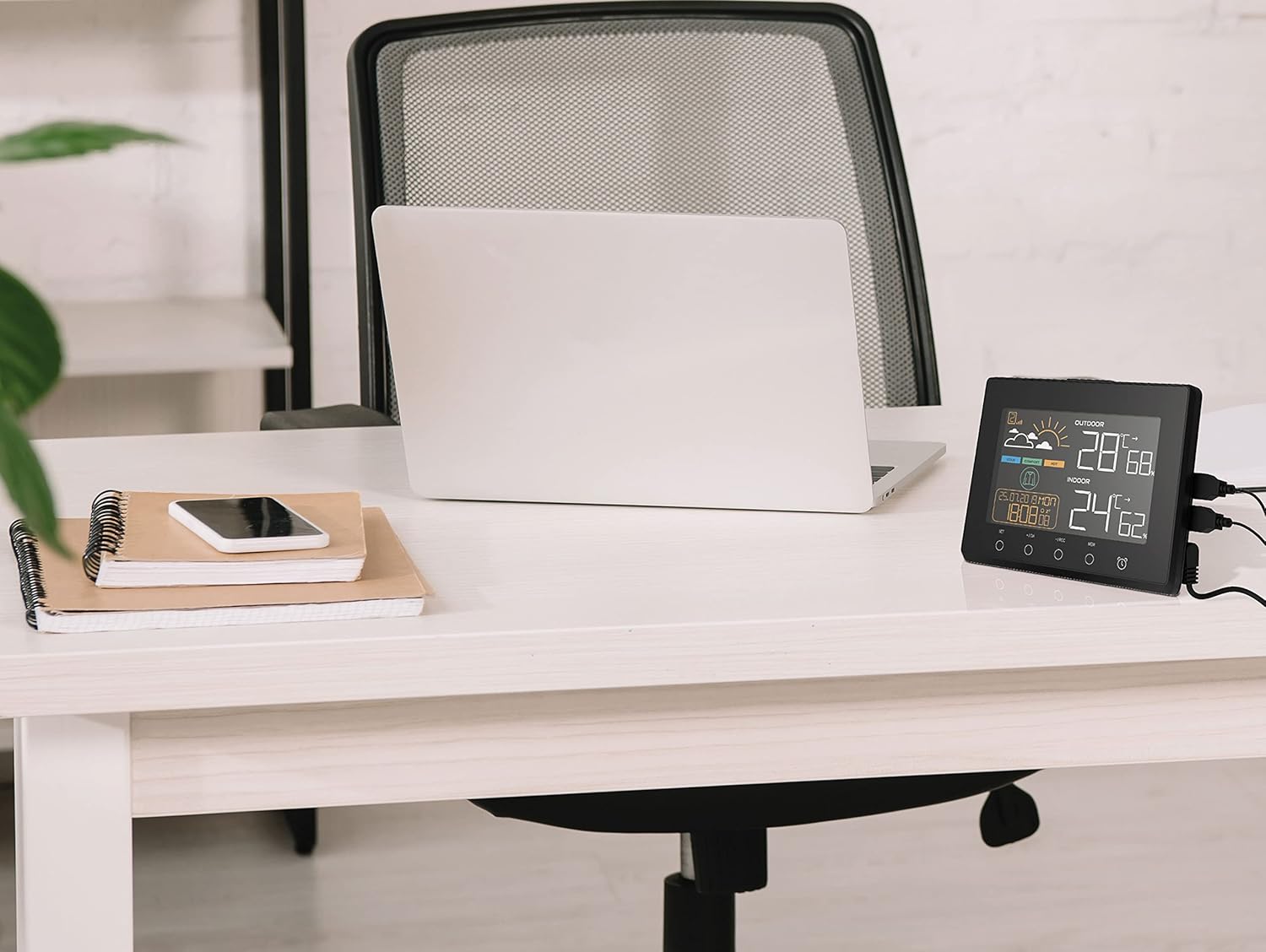
The PUR LINE WS015 Weather Station with two smartphones connected to its USB charging outputs.
4. Konserwacja
4.1. Czyszczenie
To clean the weather station and sensor, use a soft, damp ściereczką. Nie używaj środków czyszczących ani rozpuszczalników o działaniu ściernym, ponieważ mogą one uszkodzić wyświetlacz lubasing. Ensure no liquid enters the device openings.
4.2. Wymiana baterii
When the display becomes dim or readings are inconsistent, it may be time to replace the batteries in the main unit and/or the outdoor sensor. Follow the battery installation steps outlined in Section 2.2 for the main unit. For the outdoor sensor, open its battery compartment, replace the old batteries with new ones of the correct type, and close the compartment securely.
5. Rozwiązywanie Problemów
Typowe problemy i rozwiązania
- Brak wyświetlacza na jednostce głównej:
- Sprawdź, czy baterie są włożone prawidłowo i nie są rozładowane.
- Ensure the USB power cable (if used) is securely connected.
- Outdoor Readings Not Displaying or Incorrect:
- Check the batteries in the outdoor sensor.
- Ensure the outdoor sensor is within range of the main unit and free from major obstructions.
- Naciśnij +/CH button on the main unit to re-initiate sensor search.
- Relocate the outdoor sensor to a more suitable position, away from direct sunlight or heat sources.
- Brak synchronizacji czasu (RCC):
- Ensure the unit is placed away from electronic interference.
- Manually initiate RCC signal reception by pressing the -/RCC przycisk.
- Alarm nie brzmi:
- Verify that the alarm function is activated (alarm icon visible on display).
- Sprawdź czy godzina alarmu jest ustawiona prawidłowo.
6. Specyfikacje techniczne
- Model: WS015
- Producent: Purlina
- Wymiary (dł. x gł. x wys.): 17 x 3 x 13 cm (w przybliżeniu)
- Źródło zasilania (jednostka główna): 3 x AAA batteries (not included) or USB
- Źródło zasilania (czujnik zewnętrzny): Batteries (type not specified, typically AAA or AA)
- Tworzywo: Plastikowy
- Łączność: Wireless (sensor), USB (charging outputs)
- Cechy szczególne: Programmable alarm, Max/Min memory, Temperature trend, Weather forecast, USB charging outputs
- Typ wyświetlacza: Cyfrowy LCD
7. Gwarancja i wsparcie
Information regarding product warranty and specific support contacts is not available in this document. For warranty claims or technical assistance, please refer to the documentation provided at the time of purchase or contact your retailer or the manufacturer directly.