
Wstęp
This manual provides comprehensive instructions for the installation, operation, and maintenance of your Gecko in.k1000 Electronic Keypad Touchscreen. The in.k1000+ is designed to offer an intuitive and engaging interface for controlling spa and hot tub functions. It features a color capacitive touch screen display, replacing traditional physical buttons and overlays for a streamlined user experience.
The in.k1000+ keypad is compatible with Gecko In.XE, In.XM, in.yt, in.ye, and in.yj control systems, providing a central point of control for your spa's features and accessories.
Ważne informacje dotyczące bezpieczeństwa
Please read all safety instructions before installing or operating the in.k1000+ keypad. Failure to follow these instructions could result in injury or damage to the product or spa system.
- Ensure power to the spa system is disconnected before installation or maintenance.
- Instalację powinien wykonać wykwalifikowany technik.
- Do not expose the keypad to extreme temperatures or direct sunlight for prolonged periods.
- Avoid using abrasive cleaners or solvents on the touchscreen surface.
- Keep water and other liquids away from electrical connections.
Konfiguracja i instalacja
The Gecko in.k1000+ keypad is designed for straightforward installation. It connects to your spa's control system via an In.Link plug.
Zawartość opakowania
- Gecko in.k1000+ Electronic Keypad Touchscreen
Kroki instalacji
- Odłącz zasilanie: Ensure the main power supply to your spa is completely turned off at the circuit breaker before beginning installation.
- Montaż klawiatury: Position the in.k1000+ keypad in the desired location on your spa's edge. The keypad measures approximately 7.5 inches by 5.25 inches. Secure it according to your spa manufacturer's instructions or using appropriate mounting hardware (not included).
- Connect the In.Link Cable: Locate the In.Link port on your compatible Gecko spa control system (In.XE, In.XM, in.yt, in.ye, or in.yj). Connect the 10-foot In.Link cord from the in.k1000+ keypad to this port. Ensure the connection is secure.
- Przywróć zasilanie: Once the keypad is securely mounted and connected, restore power to your spa system. The keypad should power on and display the initial setup screen.
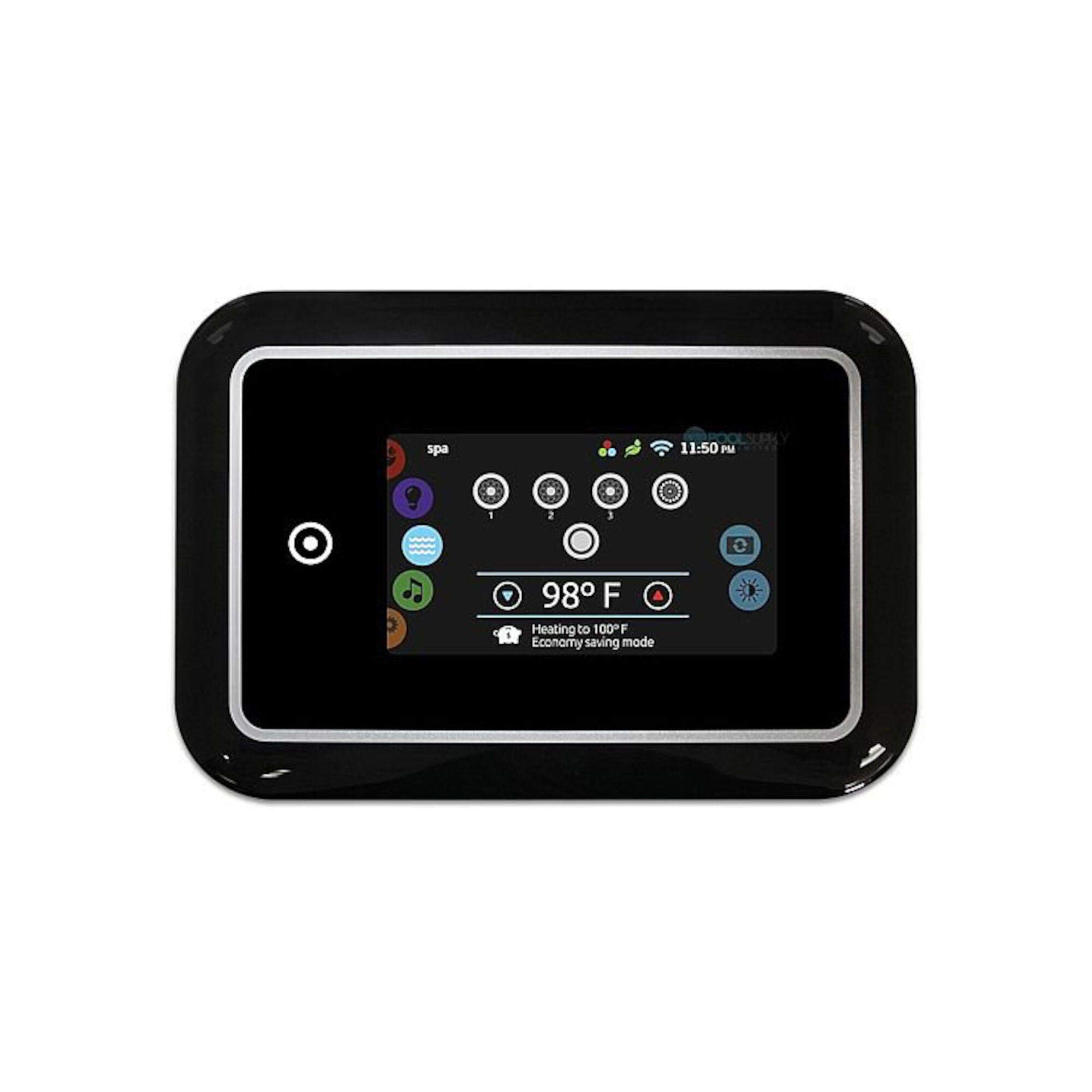
Rysunek 1: The Gecko in.k1000+ Electronic Keypad Touchscreen. This image shows the front view of the keypad, highlighting its sleek design and capacitive touch screen.
Instrukcja obsługi
The in.k1000+ features an intuitive, one-level menu interface designed for ease of use.
Nawigacja po ekranie dotykowym
- Dotyk pojemnościowy: The 4.3-inch 256K color LCD display responds to light touches, similar to a smartphone screen.
- Interfejs menu: All functions are accessible through a single-level menu, reducing complexity. Swipe or tap to navigate through options.
- Mode and Function Selection Wheels: Use the on-screen wheels to adjust settings such as temperature, jet intensity, or lighting modes.
- All-On/All-Off Key: A dedicated on-screen key allows for one-touch activation or deactivation of all primary spa functions.
- Ikony interaktywne: The display uses clear, interactive icons and on-screen reminders to provide direct feedback on your spa's status and settings.
Controlling Spa Accessories
The in.k1000+ provides seamless interaction with Gecko's value-added accessories:
- in.clear: Manage your spa's water treatment system.
- in.mix: Control multi-zone lighting systems.
- in.stream 2: Operate your spa's audio system.
Rysunek 2: Example of the in.k1000+ touchscreen interface. This image represents the intuitive graphical user interface with selection wheels and interactive icons for spa function control.
Konserwacja
Proper care will ensure the longevity and optimal performance of your in.k1000+ keypad.
Czyszczenie ekranu dotykowego
- Użyj miękkiej, niestrzępiącej się ściereczki, lekko wyczyśćampspłukać wodą lub łagodnym, nieściernym środkiem do czyszczenia ekranów.
- Gently wipe the screen to remove smudges and dirt.
- Nie use harsh chemicals, abrasive cleaners, or solvents, as these can damage the screen's surface.
- Ensure the screen is dry before use.
Opieka ogólna
- Protect the keypad from direct impact or sharp objects.
- Avoid prolonged exposure to direct sunlight, which can cause discoloration or affect screen performance.
Rozwiązywanie problemów
If you encounter issues with your in.k1000+ keypad, refer to the following common problems and solutions.
| Problem | Możliwa przyczyna | Rozwiązanie |
|---|---|---|
| Klawiatura nie włącza się. | No power to the spa system; loose In.Link connection; faulty keypad. |
|
| Ekran dotykowy nie reaguje. | Screen is dirty; temporary software glitch; hardware malfunction. |
|
| Functions are not responding correctly. | Software error; incompatible accessory; control system issue. |
|
Specyfikacje
| Funkcja | Szczegół |
|---|---|
| Numer modelu | 0607-005033 |
| Marka | Gekon |
| Wyświetlacz | 4.3 inch, 256K color LCD capacitive touch screen |
| Edytor | 400MHz |
| Wymiary (w przybliżeniu) | 7.5" x 5.25" (Rectangle) |
| Łączność | Wired, In.Link Plug with 10' Cord |
| Kompatybilne urządzenia | Gecko In.XE, In.XM, in.yt, in.ye, in.yj control systems |
| Tworzywo | Plastikowy |
| Zawarte komponenty | Klawiatura elektroniczna |
Gwarancja i wsparcie
For warranty information and technical support, please refer to the documentation provided with your spa system or contact Gecko customer service directly. Keep your purchase receipt as proof of purchase.
Notatka: Warranty terms may vary. Please consult the official Gecko warranty statement for complete details.