
1. Wprowadzenie
This manual provides essential instructions for setting up, operating, maintaining, and troubleshooting your DUODUOGO Hi5 Smartwatch. Please read it carefully to ensure proper use and to maximize the device's features.
The DUODUOGO Hi5 is a versatile smartwatch designed for daily activity tracking and health monitoring. It features a 0.96-inch TFT LCD color display, Bluetooth 4.0 connectivity, and is compatible with both Android and iOS smartphones.
2. Zawartość opakowania
- 1 x DUODUOGO Hi5 Smartwatch
- 1 x kabel ładujący USB
- 1 x Instrukcja obsługi (ten dokument)
3. Konfiguracja
3.1 Pierwsze ładowanie
Before first use, fully charge your smartwatch. Connect the provided USB charging cable to the charging port on the watch and to a standard USB power adapter (not included) or a computer USB port.
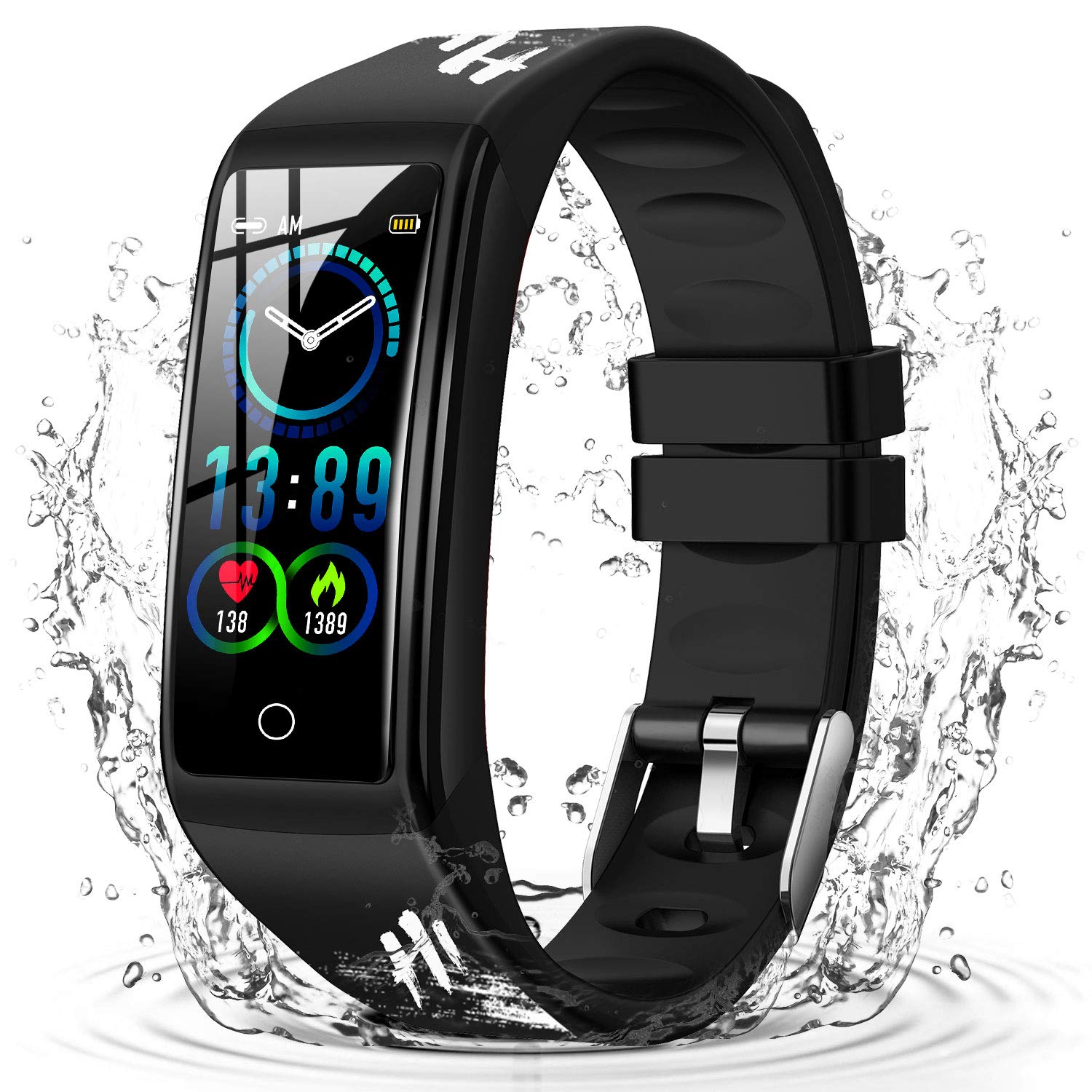
Image: The DUODUOGO Hi5 Smartwatch, ready for initial charging.
3.2 Instalacja aplikacji
To unlock all features and synchronize data, you need to install the "H Band" application on your smartphone.
- Scan the QR code provided in the physical manual (if available) or search for "H Band" in the Google Play Store (for Android) or Apple App Store (for iOS).
- Download and install the "H Band" app.
3.3 Parowanie urządzeń
- Upewnij się, że Bluetooth jest włączony w Twoim smartfonie.
- Open the "H Band" application.
- Follow the in-app instructions to search for and connect to your DUODUOGO Hi5 Smartwatch. The watch will automatically connect once found.
- Activate necessary permissions and functions within the app to enable features like call notifications, message alerts, and health monitoring.
4. Instrukcja obsługi
4.1 Poruszanie się po interfejsie
The DUODUOGO Hi5 Smartwatch features a single-touch screen interface. Tap the touch area at the bottom of the screen to cycle through different functions and screens.
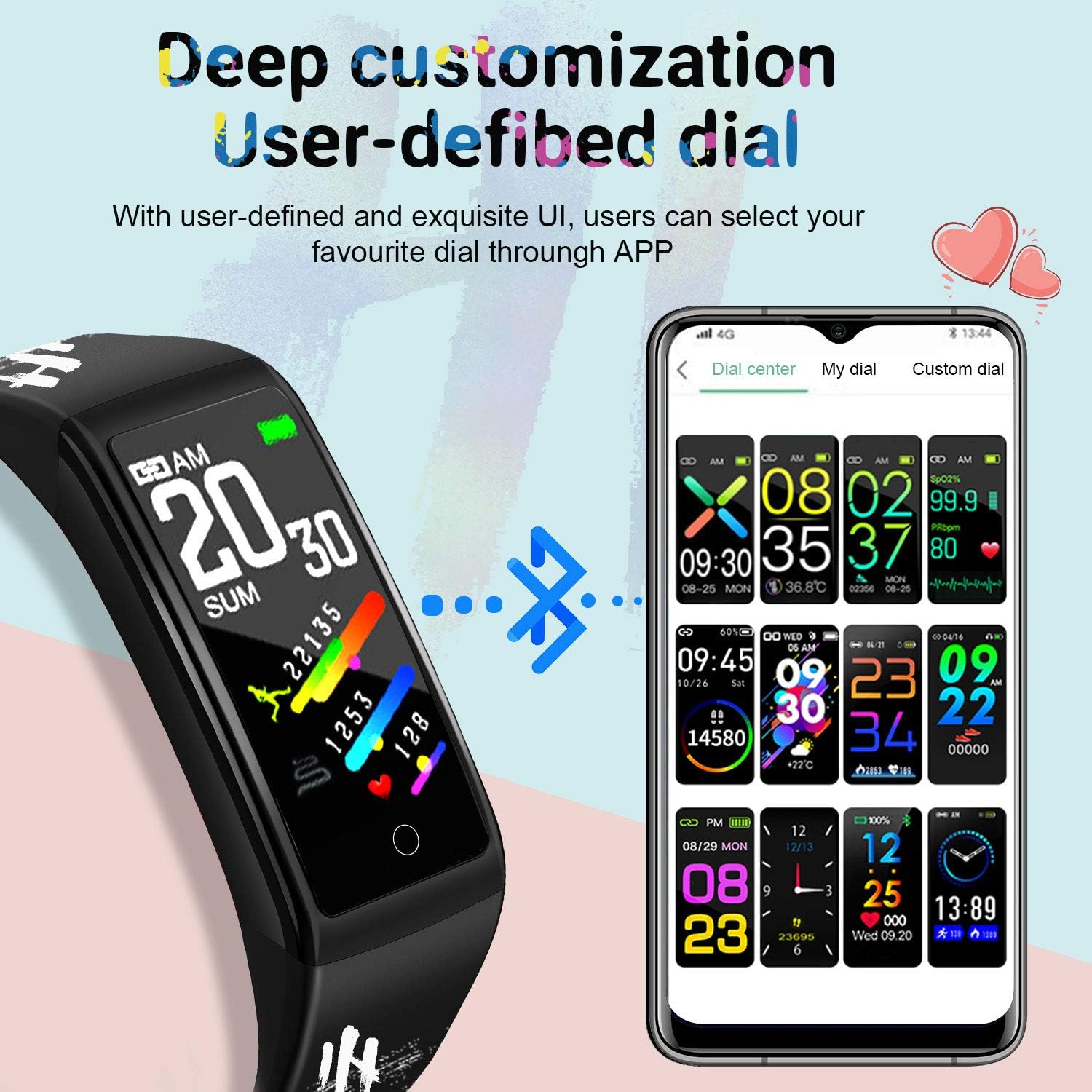
Image: The smartwatch displaying various customizable watch faces, demonstrating the user interface options.
4.2 Główne cechy
- Śledzenie aktywności: Monitoruje liczbę kroków, pokonany dystans i spalone kalorie w ciągu dnia.
- Monitor pracy serca: Dostarcza danych o tętnie w czasie rzeczywistym.
- Monitor ciśnienia krwi: Mierzy ciśnienie krwi.
- Monitor snu: Monitoruje wzorce i jakość snu.
- Wiele trybów sportowych: Supports various activities like running, cycling, basketball, and mountain climbing.
- Powiadomienia o wiadomościach: Receives alerts for incoming calls, SMS, and social media apps (WhatsApp, Facebook, Twitter, etc.) when connected to your smartphone.
- Przypomnienie o siedzącym trybie życia: Informuje o ruchu po okresach bezczynności.
- Monitorowanie cyklu fizjologicznego kobiety: Śledzi i przewiduje cykle menstruacyjne.
- Stoper i odliczanie: Podstawowe funkcje pomiaru czasu.
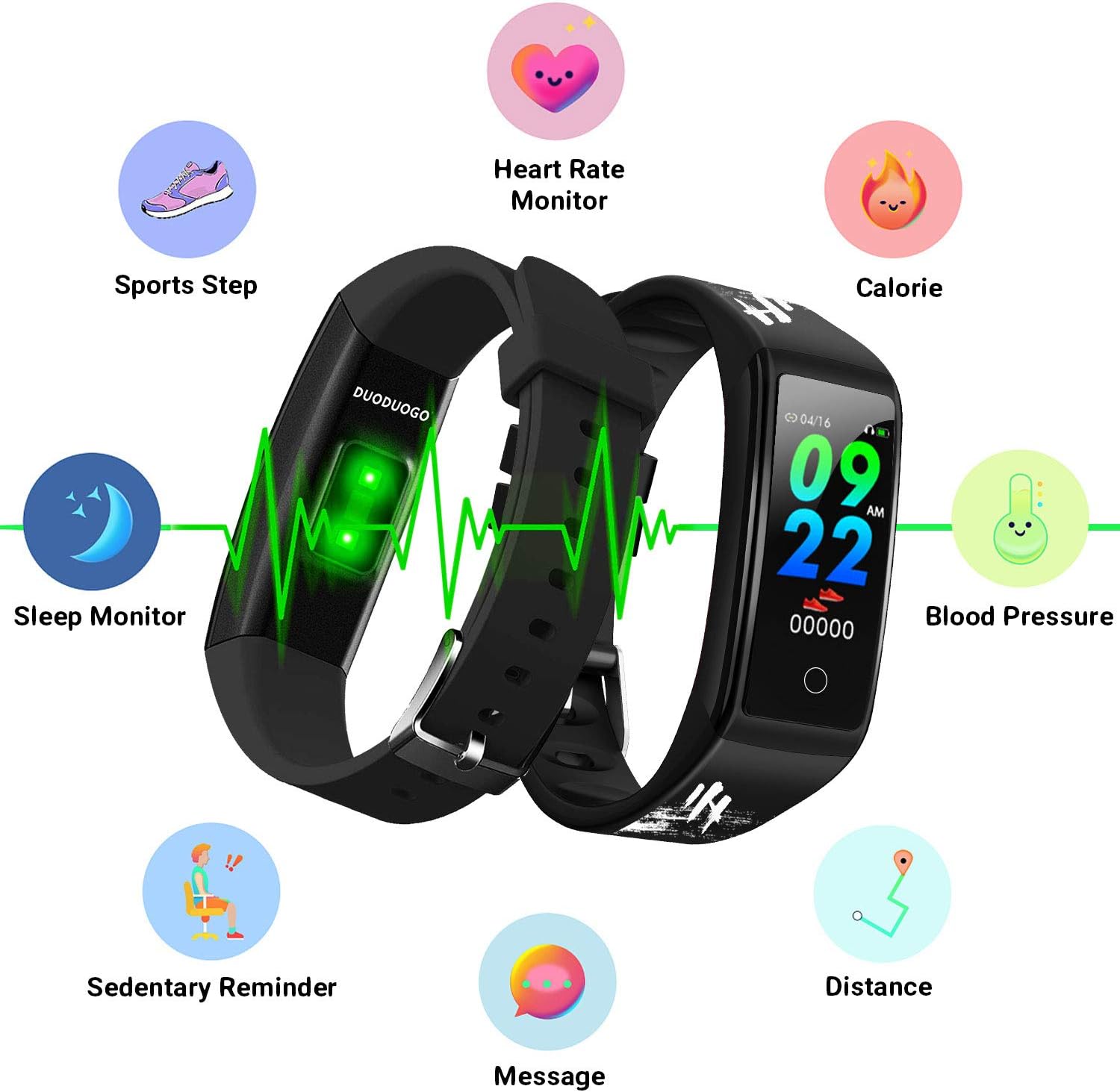
Image: An illustration of the DUODUOGO Hi5 Smartwatch highlighting its core features: Heart Rate Monitor, Calorie tracking, Blood Pressure, Sedentary Reminder, Distance, Message notifications, Sleep Monitor, and Sports Step tracking.

Image: The smartwatch interface displaying icons for various sports modes, including running, cycling, basketball, and mountain climbing, with accompanying lifestyle photos.

Image: The smartwatch displaying health metrics such as heart rate (BPM) and sleep duration, alongside illustrations of ECG monitoring, blood oxygen monitoring, and sleep monitoring.

Image: The smartwatch displaying an incoming call notification and a smartphone screen showing various app notification settings, illustrating the message reminder feature.
4.3 Funkcjonalność GPS
The DUODUOGO Hi5 Smartwatch utilizes your smartphone's GPS for tracking outdoor activities. Ensure your phone is with you and its GPS is active during sports modes for accurate route and distance recording.
5. Konserwacja
5.1 Wodoodporność
The DUODUOGO Hi5 Smartwatch is IP68 waterproof, meaning it is resistant to dust and can withstand immersion in water up to 1.5 meters for up to 30 minutes. It is suitable for daily use, hand washing, and showering. However, it is not recommended for hot water baths, saunas, or deep diving.

Image: The DUODUOGO Hi5 Smartwatch submerged in water, demonstrating its waterproof capability, with icons indicating suitability for rain, handwashing, and showering.
5.2 Czyszczenie
Regularnie przecieraj zegarek i pasek miękką, miękką szmatką.amp ściereczką. Unikaj stosowania silnych środków chemicznych lub materiałów ściernych, które mogłyby uszkodzić urządzenie.
5.3 Pielęgnacja baterii
Aby przedłużyć żywotność baterii, unikaj częstego całkowitego rozładowywania zegarka. Ładuj go, gdy poziom naładowania baterii jest niski. Przechowuj zegarek w chłodnym, suchym miejscu, gdy nie jest używany przez dłuższy czas.
6. Rozwiązywanie Problemów
6.1 Urządzenie się nie włącza
- Upewnij się, że zegarek jest w pełni naładowany. Podłącz go do ładowarki na co najmniej 30 minut.
- Press and hold the touch area for a few seconds to power on.
6.2 Cannot Connect to "H Band" App
- Upewnij się, że Bluetooth jest włączony w Twoim smartfonie.
- Upewnij się, że zegarek znajduje się w zasięgu Bluetooth Twojego telefonu.
- Uruchom ponownie smartfon i smartwatch.
- Try unpairing and re-pairing the device through the "H Band" app.
- Check if the "H Band" app has all necessary permissions enabled in your phone's settings.
6.3 Niedokładne dane dotyczące zdrowia
- Upewnij się, że zegarek ściśle przylega do nadgarstka, w odległości około szerokości jednego palca od kości nadgarstka.
- Unikaj nadmiernego ruchu podczas pomiarów.
- Wyczyść czujnik z tyłu zegarka.
- Należy pamiętać, że smartwatche nie są urządzeniami medycznymi, a odczyty mają charakter wyłącznie poglądowy.
6.4 Brak powiadomień
- Verify that the watch is successfully connected to the "H Band" app.
- Check notification settings within the "H Band" app to ensure desired apps are enabled.
- Ensure your phone's notification settings allow the "H Band" app to display alerts.
- Keep the "H Band" app running in the background on your phone.
7. Specyfikacje
| Marka | DUODUOGO |
| Model | Cześć5 |
| Wyświetlacz | 0.96-calowy kolorowy ekran TFT LCD |
| Wersja Bluetooth | BT4.0 |
| Pojemność baterii | 90 mAh |
| Czas czuwania | 20-30 dni |
| Zgodność systemu | Android 4.4 lub nowszy, iOS 9.0 lub nowszy |
| Odporność na wodę | IP68 |
| Waga | 32.2 gramów |
| Łączność | Bluetooth, USB (do ładowania) |
8. Gwarancja i wsparcie
For warranty information, please refer to the purchase documentation or contact your retailer. If you encounter any issues not covered in this manual, please contact DUODUOGO customer support through their official website or the "H Band" app for assistance.
Regular software updates for the "H Band" app may introduce new features or improvements. Ensure your app is always up to date for the best experience.