
SEMIER SM-138
SEMIER Retro Cassette Player Recorder Boombox User Manual
Modele: SM-138
Wstęp
Dziękujemy za zakupasing the SEMIER Retro Cassette Player Recorder Boombox. This versatile device allows you to enjoy your favorite cassette tapes, record audio, and listen to AM/FM radio. Designed for ease of use and portability, it offers both AC and battery power options, making it suitable for various environments. Please read this manual carefully to ensure proper operation and to maximize your enjoyment of this product.
Produkt ponadview
The SEMIER Retro Cassette Player Recorder Boombox combines classic audio functionality with modern convenience. Below are the main components and features of your device.
Główne cechy:
- Wszechstronne odtwarzanie dźwięku: Play your collected cassette tapes and record external voice or radio directly to cassette using the built-in microphone.
- Superior AM/FM Reception: Equipped with a long antenna and an upgraded DSP chip for clear and reliable reception across AM (520-1710 kHz) and FM (87-108 MHz) frequencies.
- Wysoka jakość dźwięku: Features a robust 6W speaker for excellent sound, plus a 3.5mm headphone jack for private listening.
- Portable and Convenient Design: Compact size (9.5 x 3.3 x 4.5 inches, 2.2 lbs) with a portable handle for easy transport.
- Elastyczne opcje zasilania: Can be powered via AC plug-in (cord included) or 4 C batteries (not included).
- Trwała konstrukcja: Made from premium ABS material with large, user-friendly control buttons.
Komponenty i elementy sterujące:
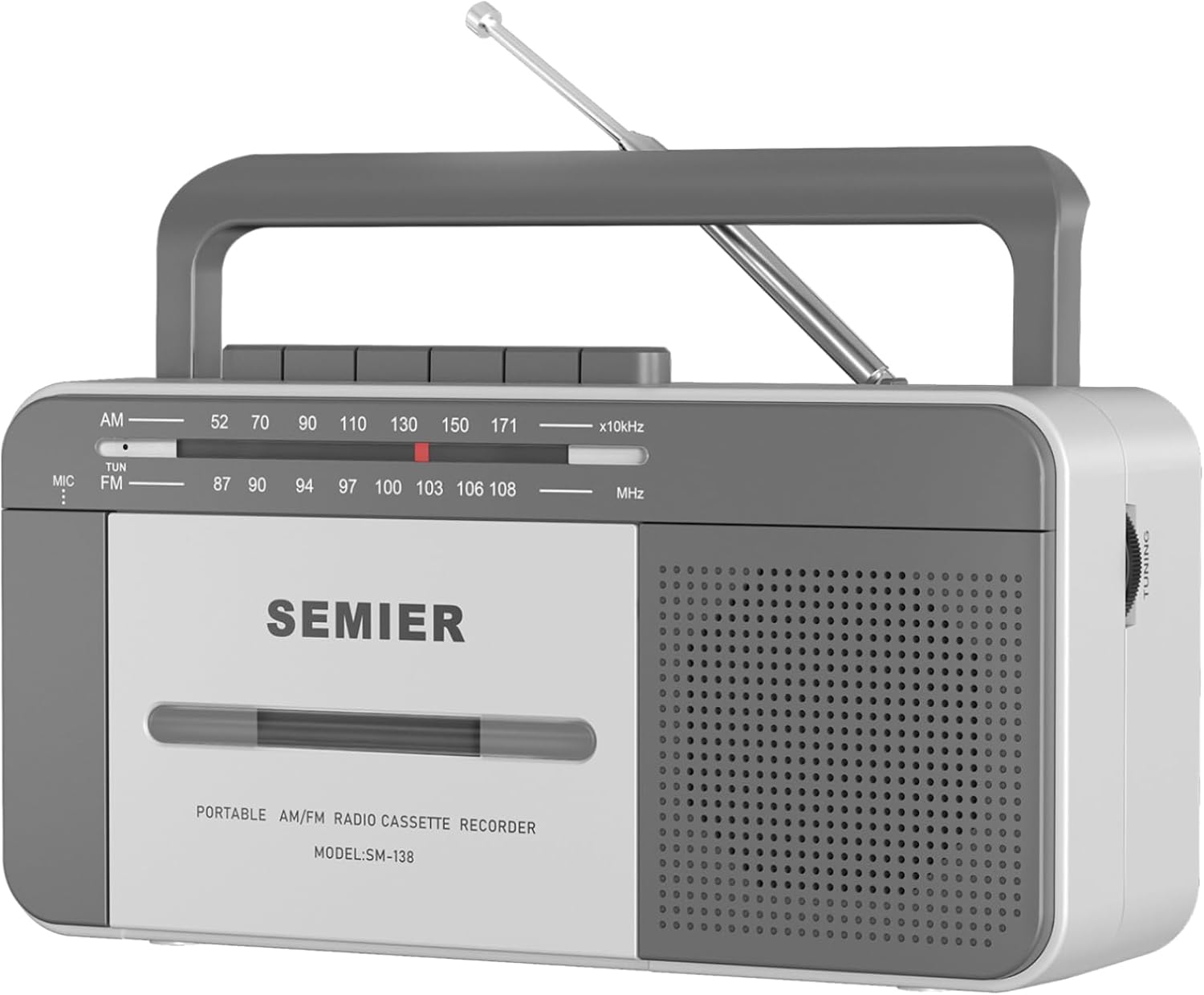
Przód View: Shows the cassette deck, speaker grille, AM/FM tuning dial, and main control buttons (Play, Stop/Eject, Fast Forward, Rewind, Record, Pause).

Strona View with Earphone Jack: Illustrates the 3.5mm earphone jack for private listening, located on the side of the unit.

Antena: The telescopic antenna extends for improved AM/FM radio reception.
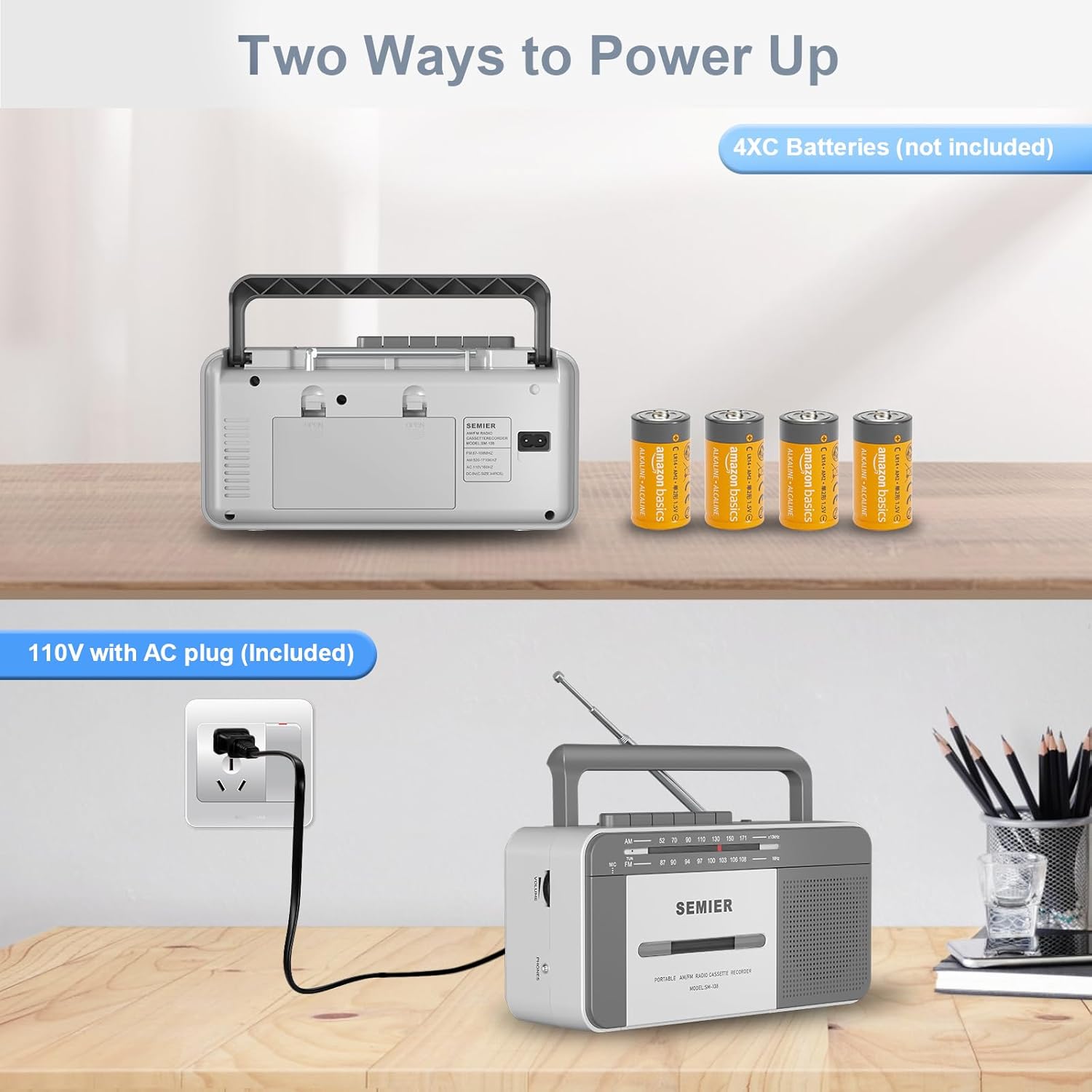
Opcje zasilania: Tył view showing the AC power input and the battery compartment for 4 C batteries.
Organizować coś
Zasilanie urządzenia:
Your boombox offers two power options:
- Zasilanie prądem zmiennym:
- Locate the included AC power cord.
- Insert one end of the cord into the AC input jack on the back of the boombox.
- Plug the other end into a standard 110V AC wall outlet.

Connect the AC cord to the boombox and a wall outlet for continuous power.
- Moc baterii:
- Otwórz pokrywę komory baterii z tyłu urządzenia.
- Insert 4 "C" size batteries (not included), ensuring correct polarity (+/-) as indicated inside the compartment.
- Dokładnie zamknij pokrywę komory baterii.
Insert 4 C batteries into the designated compartment for portable use.
Note: When using AC power, batteries are automatically disconnected. Remove batteries if the unit will not be used for an extended period to prevent leakage.
Instrukcja obsługi
Odtwarzanie z kasety:
- Naciśnij ZATRZYMAJ/WYSUŃ przycisk, aby otworzyć drzwiczki komory kasety.
- Insert a cassette tape with the open edge facing upwards and the side you wish to play facing you. Gently push the tape until it clicks into place.
- Zamknij drzwiczki komory kasety.
- Ustaw przełącznik funkcji w pozycji TAŚMA.
- Naciśnij GRAĆ przycisk, aby rozpocząć odtwarzanie.
- Dostosuj TOM ustaw pokrętło na pożądany poziom głośności.
- Aby przewinąć do przodu, naciśnij F.FWD przycisk. Aby cofnąć, naciśnij REW przycisk. naciskać GRAĆ aby wznowić odtwarzanie lub ZATRZYMAJ/WYSUŃ zatrzymać się.
- Aby wstrzymać odtwarzanie, naciśnij PAUZA przycisk. Naciśnij go ponownie, aby wznowić.
- Aby zatrzymać odtwarzanie, naciśnij ZATRZYMAJ/WYSUŃ przycisk.
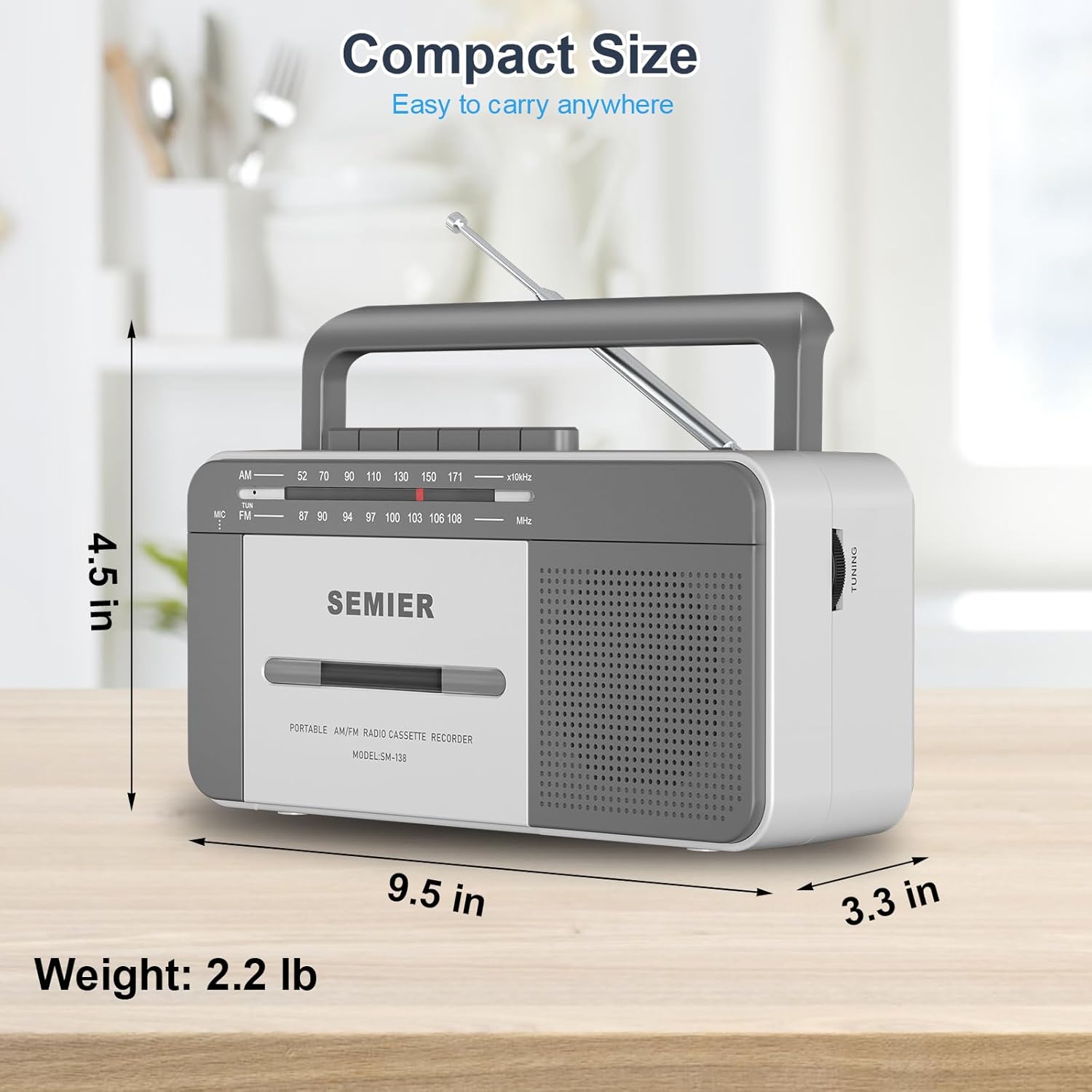
The large, clearly labeled buttons make operation simple and intuitive.
Nagrywanie na kasetach:
You can record audio from the built-in microphone or from the AM/FM radio.
- Włóż czystą kasetę do komory.
- To record from the built-in microphone:
- Ustaw przełącznik funkcji w pozycji TAŚMA.
- Naciśnij NAGRYWAĆ button (this will also engage the PLAY button).
- Speak clearly into the built-in microphone located on the front of the unit.

Record external audio directly to cassette using the integrated microphone.
- To record from AM/FM Radio:
- Ustaw przełącznik funkcji w pozycji RADIO.
- Tune to your desired AM or FM radio station (see Radio Operation below).
- Naciśnij NAGRYWAĆ button (this will also engage the PLAY button). The radio broadcast will now be recorded onto the cassette.
- Aby zatrzymać nagrywanie, naciśnij ZATRZYMAJ/WYSUŃ przycisk.
Obsługa radia:
- Rozłóż antenę teleskopową, aby uzyskać optymalny odbiór.
- Ustaw przełącznik funkcji w pozycji RADIO.
- Wybierz jedną z opcji AM or FM band using the band selector switch.
- Obróć STROJENIE knob to find your desired radio station. The tuning dial will indicate the frequency.
- Dostosuj TOM ustaw pokrętło na preferowany poziom głośności.
- For best FM reception, adjust the position and length of the telescopic antenna. For AM reception, rotate the unit itself for optimal signal.

The long antenna ensures superior AM/FM reception for clear audio.
Korzystanie z gniazda słuchawkowego:
- Plug any standard 3.5mm stereo headphones (not included) into the GNIAZDO SŁUCHAWKOWE znajduje się z boku urządzenia.
- The built-in speaker will automatically mute when headphones are connected, allowing for private listening.
Enjoy private listening by connecting your headphones to the 3.5mm earphone jack.
Konserwacja
- Czyszczenie urządzenia: Do czyszczenia zewnętrznej części boomboxa używaj miękkiej, suchej ściereczki. Nie używaj środków czyszczących ani rozpuszczalników o działaniu ściernym.
- Czyszczenie głowicy kasety: Periodically clean the tape head, pinch roller, and capstan using a cotton swab lightly dampNasączone alkoholem izopropylowym. Pomaga to zachować jakość dźwięku i zapobiega uszkodzeniu taśmy.
- Pielęgnacja baterii: If the unit will not be used for an extended period, remove the batteries to prevent corrosion and leakage.
- Składowanie: Przechowywać urządzenie w chłodnym, suchym miejscu, z dala od bezpośredniego światła słonecznego i ekstremalnych temperatur.
Rozwiązywanie problemów
| Problem | Możliwa przyczyna | Rozwiązanie |
|---|---|---|
| Brak zasilania | Przewód zasilający nie jest prawidłowo podłączony; baterie są rozładowane lub nieprawidłowo włożone. | Ensure AC cord is securely plugged in. Replace batteries with new ones, checking polarity. |
| Brak dźwięku z głośnika | Volume too low; Headphones plugged in; Function switch set incorrectly. | Increase volume. Disconnect headphones. Set function switch to TAPE or RADIO. |
| Słaby odbiór radia | Antena nie jest rozciągnięta lub nie jest prawidłowo ustawiona. Obszar o słabym sygnale. | Fully extend and adjust the telescopic antenna. For AM, rotate the unit. Try moving to a different location. |
| Cassette tape not playing or "eating" tape | Tape head/pinch roller dirty; Old or damaged tape; Tape not inserted correctly. | Clean tape head and pinch roller with isopropyl alcohol. Try a different tape. Ensure tape is fully inserted and compartment is closed. For old tapes, fast forward and rewind completely before playing to loosen the tape. |
| Nagrywanie nie działa | Tape is write-protected; Microphone blocked; Function switch not set to TAPE or RADIO. | Check the write-protect tab on the cassette. Ensure microphone is clear. Set function switch correctly. |
Specyfikacje
- Model: SM-138
- Marka: SEMIER
- Wymiary produktu: 9.5 x 3.3 x 4.5 cali (dł. x szer. x wys.)
- Waga przedmiotu: 2.2 funtów
- Wyjście głośnika: 6W
- Częstotliwości radiowe: AM 520-1710 kHz, FM 87-108 MHz
- Łączność: 3.5mm Earphone Jack, Auxiliary
- Źródło zasilania: AC 110V (cord included) or 4 x "C" Batteries (not included)
- Tworzywo: Premium ABS
- Kolor: Biały, Szary
Kompaktowa i lekka konstrukcja ułatwiająca przenoszenie.
Gwarancja i wsparcie
SEMIER is committed to providing high-quality products and excellent customer service. While specific warranty terms are not detailed in this manual, we offer peace of mind with our dedicated customer support.
- For any questions, technical assistance, or support needs, please contact SEMIER customer service.
- Proszę zachować paragon jako dowód zakupu na wypadek ewentualnych roszczeń gwarancyjnych.