
Wstęp
Thank you for choosing the Monster Clarity 700dB AirLinks Wireless Earbuds. These earbuds are designed to provide a premium audio experience with features like HiFi Sound, AptX support, and Active Noise Cancellation. This manual will guide you through the setup, operation, and maintenance of your new earbuds to ensure optimal performance and longevity.
Co jest w pudełku
- Monster Clarity 700dB AirLinks Wireless Earbuds (Left and Right)
- Etui z ładowaniem bezprzewodowym
- Kabel ładujący USB
- Różne rozmiary końcówek dousznych
- Instrukcja obsługi
Organizować coś
1. Ładowanie słuchawek i etui
Before first use, fully charge the earbuds and the charging case. Place the earbuds into the charging case. Connect the USB charging cable to the charging port on the case and to a power source. The indicator lights on the case will show the charging status. A full charge provides over 100 hours of playtime with the case.

Image: High-capacity charging case for Monster Clarity 700dB AirLinks Wireless Earbuds, illustrating its ability to fully charge the earphones multiple times and extend playtime to over 100 hours. It also highlights a 5-minute quick charge feature for an hour of playtime.
2. Parowanie z urządzeniem
- Otwórz etui ładujące. Słuchawki automatycznie przejdą w tryb parowania.
- Na swoim urządzeniu (smartfonie, tablecie itp.) przejdź do ustawień Bluetooth.
- Select 'Monster Clarity 700dB' from the list of available devices.
- Po nawiązaniu połączenia usłyszysz sygnał potwierdzenia.
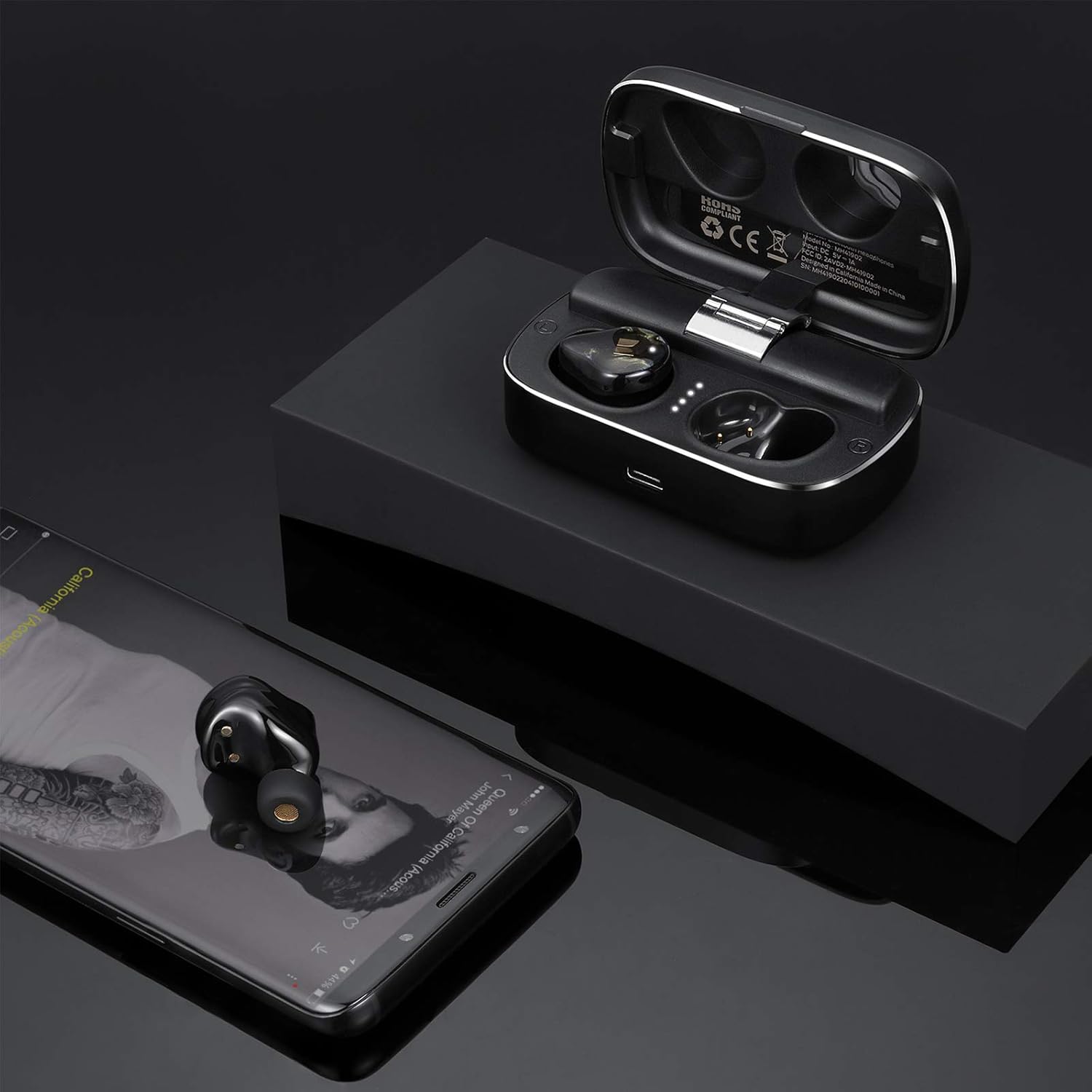
Image: Monster Clarity 700dB AirLinks Wireless Earbuds shown with their charging case and a smartphone, demonstrating the earbuds' readiness for use after pairing with a device for audio playback.
3. Zakładanie słuchawek dousznych
Choose the ear tips that provide the most comfortable and secure fit for your ears. A proper fit is crucial for optimal sound quality and noise cancellation. Gently insert the earbuds into your ear canal and twist slightly to secure them.

Image: An illustration detailing the ergonomic design of the Monster Clarity 700dB AirLinks Wireless Earbuds, showing how they are engineered for a comfortable and secure fit within the ear, even during physical activities.
Instrukcja obsługi
Sterowanie dotykowe
The Monster Clarity 700dB AirLinks feature multi-function touch controls on each earbud. Specific functions may vary slightly depending on your device and application, but common controls include:
- Odtwórz/Pauza: Pojedyncze dotknięcie dowolnej słuchawki.
- Następny utwór: Kliknij dwukrotnie prawą słuchawkę.
- Poprzedni utwór: Kliknij dwukrotnie lewą słuchawkę.
- Odbieranie/kończenie połączeń: Pojedyncze dotknięcie dowolnej słuchawki podczas połączenia przychodzącego lub aktywnego połączenia.
- Odrzuć połączenie: Naciśnij i przytrzymaj jedną ze słuchawek przez 2 sekundy podczas połączenia przychodzącego.
- Aktywuj Asystenta głosowego (Siri/Asystent Google): Naciśnij trzykrotnie dowolną słuchawkę.
- Aktywna redukcja szumów (ANC) włączona/wyłączona: Naciśnij i przytrzymaj lewą słuchawkę przez 2 sekundy.

Image: A visual representation of the multi-function touch interface on the Monster Clarity 700dB AirLinks Wireless Earbuds, detailing the various touch gestures for controlling music playback, calls, and activating voice assistants.
Użycie mikrofonu
The earbuds are equipped with an integrated microphone for hands-free calling. Ensure the earbuds are properly connected to your device to use the microphone function during calls.
Aktywne usuwanie hałasu (ANC)
The Active Noise Cancellation feature helps reduce ambient noise for a more immersive listening experience. Activate or deactivate ANC using the touch controls as described above.
Konserwacja
Wodoodporność (IPX5)
The Monster Clarity 700dB AirLinks are IPX5 water resistant, meaning they can withstand splashes and sweat. They are suitable for sports and exercise. However, they are not designed for submersion in water. Do not expose them to heavy rain or submerge them.

Obraz: Zbliżenie view of the Monster Clarity 700dB AirLinks Wireless Earbuds with water droplets, visually confirming their IPX5 water-resistant rating, suitable for use during workouts or in light rain.
Czyszczenie
Regularly clean your earbuds and charging case with a soft, dry, lint-free cloth. Remove ear tips and clean them with mild soap and water, then dry thoroughly before reattaching. Avoid using abrasive materials or harsh chemicals.
Rozwiązywanie problemów
| Problem | Możliwa przyczyna | Rozwiązanie |
|---|---|---|
| Słuchawki douszne nie parują się | Słuchawki nie są w trybie parowania; Bluetooth w urządzeniu jest wyłączony; występują zakłócenia. | Ensure earbuds are in pairing mode (open case). Turn Bluetooth off and on again on your device. Move closer to your device. |
| Tylko jedna słuchawka odtwarza dźwięk | Słuchawki douszne nie są prawidłowo podłączone do siebie lub do urządzenia. | Place both earbuds back in the charging case, close the lid, wait a few seconds, then open again to re-establish connection. Re-pair with your device if necessary. |
| Loud voice prompts ('pairing', 'paired', 'disconnected') | System volume for voice prompts is high. | This is a known characteristic. There is currently no user-adjustable setting for prompt volume. Ensure earbuds are in your ears before powering on or connecting to minimize discomfort. |
| Słaba jakość dźwięku / Brak basu | Improper ear tip fit; low battery; source audio quality. | Ensure you have the correct size ear tips for a secure seal. Fully charge the earbuds. Try different audio sources or files. |
| Słuchawki nie ładują się | Charging cable or port issue; dirty contacts. | Check the charging cable and power source. Ensure charging contacts on earbuds and case are clean and dry. |
Specyfikacje
| Funkcja | Szczegół |
|---|---|
| Marka | Potwór |
| Numer modelu | MH41902 |
| Umieszczenie ucha | W uchu |
| Współczynnik kształtu | W uchu |
| Kontrola hałasu | Aktywna redukcja szumów |
| Technologia komunikacji bezprzewodowej | Bluetooth |
| Wbudowane media | Etui z ładowaniem bezprzewodowym |
| Zakres częstotliwości | 20Hz - 20kHz |
| Dodatkowe funkcje | Microphone Included, Noise Cancellation, USB connectivity, sports-and-exercise, water-resistant, wireless |
| Materiał obudowy | Plastikowy |
| Poziom wodoodporności | Wodoodporność (IPX5) |
| Typ sterowania | Kontrola mediów |
| Wymiary (obudowa) | Około 3.35 x 1.26 x 1.02 cala |
| Waga (całkowita) | Około 10.58 uncji |
Oficjalny film o produkcie
Wideo: Oficjalny produkt już dostępnyview of the Monster Clarity 700dB AirLinks Wireless Earbuds, highlighting key features such as water resistance, microphone, USB connectivity, noise-canceling capability, and suitability for sports and exercise. It also details the compact design and Bluetooth connectivity.
Gwarancja i wsparcie
Your Monster Clarity 700dB AirLinks Wireless Earbuds come with a manufacturer's warranty. Please refer to the warranty card included in your product packaging for specific terms and conditions. For technical support, troubleshooting assistance, or warranty claims, please visit the official Monster webstronie lub skontaktuj się z działem obsługi klienta.