
1. Wprowadzenie
This manual provides detailed instructions for the installation, operation, and maintenance of your COOAU 2K Wireless Outdoor Security Camera. Please read this manual thoroughly before using the product to ensure proper function and safety. Keep this manual for future reference.
2. Zawartość opakowania
Sprawdź, czy wszystkie wymienione poniżej elementy znajdują się w Twojej paczce. Jeśli brakuje któregokolwiek z nich lub jest on uszkodzony, skontaktuj się z obsługą klienta.
- 1 x COOAU Wireless Outdoor Security Camera
- 1 x Outdoor Wall Mount
- 1 x Magnetic Ball Mount
- 1 x kabel ładujący USB
- 1 x Instrukcja obsługi (ten dokument)
- 2 x Screw Bags (for mounting)
- 2 x 3M Adhesive Films (for mounting)
- 1 x Skrócona instrukcja obsługi
3. Koniec produktuview i funkcje
The COOAU 2K Wireless Outdoor Security Camera is designed for reliable outdoor surveillance, offering advanced features for enhanced security.

Image: The COOAU 2K Wireless Outdoor Security Camera, showcasing its compact design and key features such as 2K image quality, color night vision, PIR motion detection, 2.4 GHz WiFi connectivity, IP65 waterproofing, two-way audio, instant alarm, and user sharing capability.
Główne cechy:
- Jakość wideo 2K: Rejestruje wyraźne i szczegółowe dźwiękitage.
- Szeroki kąt 130° View: Provides extensive coverage of your surveillance area.
- Kolorowe widzenie nocne: Utilizes 3 infrared lights to provide clear, detailed images even in low-light conditions.
- Optimized PIR Motion Detection: Zmniejsza liczbę fałszywych alarmów dzięki dokładnemu wykrywaniu ruchu człowieka.
- Dwukierunkowy dźwięk: Umożliwia komunikację w czasie rzeczywistym poprzez kamerę.
- Stopień ochrony przed warunkami atmosferycznymi IP65: Ensures durability and functionality in various outdoor weather conditions (waterproof, snowproof, UV-resistant).
- Długa żywotność baterii: Equipped with a 10000 mAh rechargeable battery, offering 3 to 8 months of standby time.
- Przechowywanie lokalne i w chmurze: Supports Micro SD cards up to 128GB and optional cloud storage for video recording.
4. Instrukcja instalacji
Proper installation is crucial for optimal performance of your security camera. Consider the following points before mounting.
4.1 Installation Tip for PIR Motion Detection
The PIR motion sensor is more sensitive to movement across its field of view (lateral movement) than to movement directly towards or away from the camera. For best detection, position the camera so that potential intruders move across the detection zone rather than directly at the camera.
4.2 Opcje montażu
The camera comes with both an outdoor wall mount and a magnetic ball mount for flexible installation.
- Wybierz lokalizację: Wybierz lokalizację, która zapewnia żądane viewing angle and is within range of your 2.4 GHz Wi-Fi network. Ensure the camera is positioned to capture critical areas while minimizing false triggers from environmental factors like moving branches.
- Test Wi-Fi Signal: Before permanent installation, use the CloudEdge app's installation guide to measure the Wi-Fi signal strength at your chosen location. A strong signal is essential for reliable performance.
- Montaż kamery:
- Korzystanie z uchwytu ściennego: Secure the wall mount to a sturdy surface using the provided screws. Attach the camera to the mount and adjust the angle.
- Using the Magnetic Ball Mount: Attach the magnetic base to a flat surface using screws or the 3M adhesive film. The camera can then be easily attached and adjusted on the magnetic ball. This option allows for quick removal for charging.
- Regulować Viewkąt ing: Once mounted, adjust the camera's angle to cover the desired area. The 130° wide-angle lens provides broad coverage.
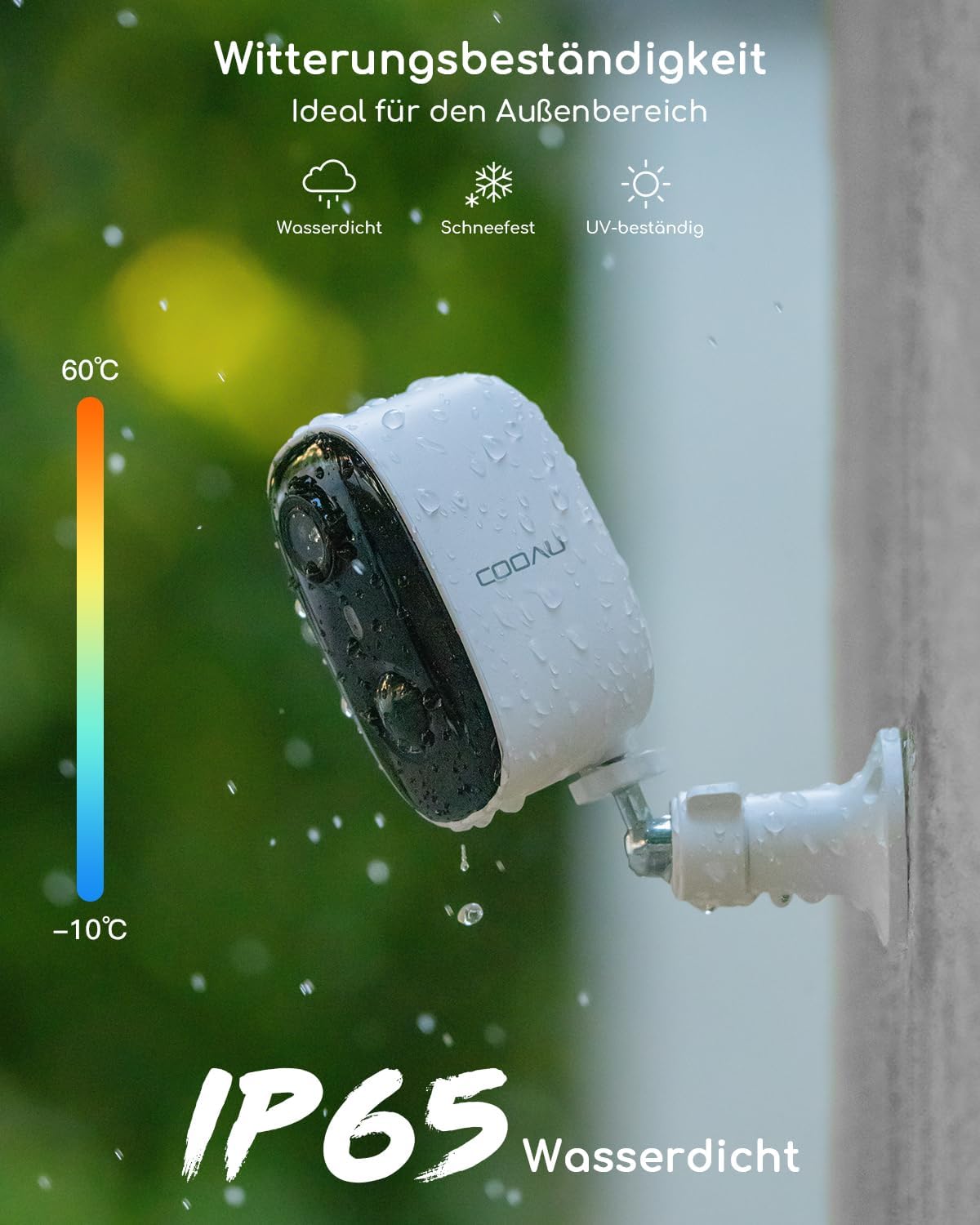
Image: The COOAU camera mounted outdoors, showcasing its IP65 weather resistance against rain, snow, and UV exposure, suitable for temperatures from -10°C to 60°C.
5. Konfiguracja i połączenie aplikacji
The COOAU camera operates with the CloudEdge application, available for both iOS and Android smartphones.
- Pobierz aplikację: Szukaj "CloudEdge" in your smartphone's app store (Google Play Store for Android or Apple App Store for iOS) and download the application.
- Utwórz konto: Open the CloudEdge app and follow the on-screen instructions to create a new user account or log in if you already have one.
- Dodaj urządzenie: Tap the "+" icon or "Add Device" option within the app. Select your camera model from the list.
- Włącz kamerę: Ensure your camera is fully charged and powered on.
- Połącz się z Wi-Fi: Follow the app's instructions to connect the camera to your 2.4 GHz Wi-Fi network. This typically involves scanning a QR code displayed on your phone with the camera.
- Pełna konfiguracja: Once connected, name your camera and complete the setup process. You can now view oglądać transmisję na żywo i uzyskiwać dostęp do ustawień kamery.
6. Obsługa aparatu
6.1 Na żywo View i nagrywanie
Access the CloudEdge app to view the live feed from your camera at any time. The camera will automatically record events based on motion detection settings.

Image: A smartphone displaying multiple live camera feeds, illustrating the multi-camera monitoring capability within the CloudEdge app.
6.2 Detekcja ruchu (PIR)
The camera features an optimized PIR (Passive Infrared) sensor for detecting human movement. When motion is detected, the camera will record an event and send a notification to your smartphone.

Image: An illustration of intelligent PIR detection, accurately identifying a person and a dog in the camera's field of view, minimizing false alarms.
- Regulacja czułości: Adjust the PIR sensitivity in the app settings to optimize detection and reduce false alarms from minor movements like insects or swaying branches.
- Konfigurowalne strefy wykrywania: Zdefiniuj określone obszary w obrębie kamery view where motion detection should be active. This helps focus surveillance on critical zones and ignore irrelevant areas.

Image: A house with two user-defined detection zones (Bereich 1 and Bereich 2) highlighted, demonstrating how to focus surveillance on specific areas of interest.
6.3 Dźwięk dwukierunkowy
The built-in microphone and speaker enable two-way communication. You can speak through the camera to visitors or deter unwanted guests.
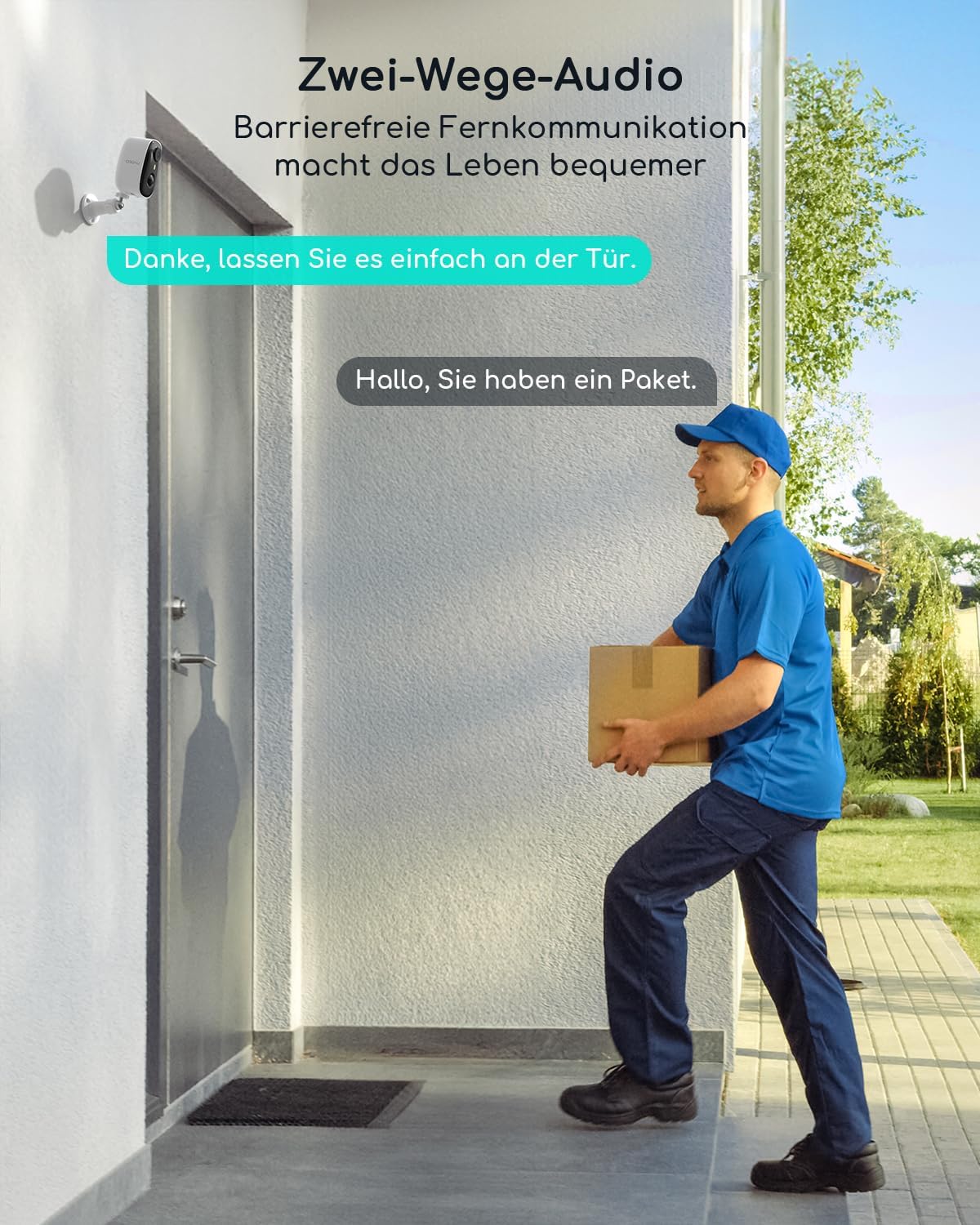
Image: A delivery person at a door, with speech bubbles indicating two-way audio communication, making remote interaction convenient.
6.4 Night Vision and Night Alarm
The camera automatically switches to night vision mode in low-light conditions. It provides clear images and can activate an immediate night alarm (spotlight and siren) upon detection.

Image: A night scene captured by the camera, demonstrating 3MP color night vision capability, preserving important details in the dark.

Image: A person approaching a door, triggering an immediate night alarm with a spotlight, designed to deter unwanted visitors.
6.5 Opcje przechowywania
The camera supports two storage methods for recorded video footage:
- Karta micro sd: Insert a Micro SD card (up to 128GB, not included) into the camera's designated slot. Ensure the card is inserted before powering on the camera for the first time. All video files stored on the SD card are encrypted and can only be accessed via the CloudEdge app.
- Przechowywanie w chmurze: An optional cloud storage service is available for storing your video recordings securely. Refer to the CloudEdge app for details on subscription plans.
7. Konserwacja
Regularna konserwacja zapewnia długowieczność i optymalną wydajność aparatu.
- Ładowanie akumulatora: The camera is powered by a 10000 mAh rechargeable Lithium-ion battery. When the battery level is low, remove the camera from its mount and charge it using the provided USB cable. A full charge can last 3 to 8 months depending on usage and activity.
- Czyszczenie obiektywu: Okresowo czyść obiektyw aparatu miękką, suchą ściereczką, aby zapewnić dobrą jakość obrazu. Unikaj środków czyszczących o właściwościach ściernych.
- Aktualizacje oprogramowania układowego: Check the CloudEdge app regularly for available firmware updates. Keeping your camera's firmware updated ensures access to the latest features and security enhancements.
- Połączenie Wi-Fi: Ensure your Wi-Fi router is functioning correctly and the camera maintains a strong signal. Poor signal can lead to connection issues and missed recordings.
8. Rozwiązywanie Problemów
If you encounter issues with your COOAU camera, refer to the following common problems and solutions.
| Problem | Możliwa przyczyna | Rozwiązanie |
|---|---|---|
| Kamera nie łączy się z siecią Wi-Fi | Nieprawidłowe hasło Wi-Fi; Kamera znajduje się zbyt daleko od routera; Dostępne jest tylko Wi-Fi 5 GHz. | Ensure correct 2.4GHz Wi-Fi password. Move camera closer to router or use a Wi-Fi extender. The camera only supports 2.4GHz Wi-Fi. |
| Częste fałszywe alarmy | Czułość czujnika PIR jest zbyt wysoka; czynniki środowiskowe (np. kołyszące się drzewa, zwierzęta domowe). | Adjust PIR sensitivity settings in the CloudEdge app. Define specific detection zones to exclude irrelevant areas. |
| Brak powiadomień o wykryciu ruchu | PIR sensitivity too low; App notifications disabled; Camera offline. | Increase PIR sensitivity. Check app notification settings on your phone. Ensure camera is connected to Wi-Fi. |
| Niska jakość obrazu | Brudny obiektyw; Słabe warunki oświetleniowe; Słaby sygnał Wi-Fi. | Clean the camera lens. Ensure sufficient lighting for optimal color night vision. Improve Wi-Fi signal strength. |
| Bateria szybko się rozładowuje | High activity in detection zone; Frequent live view access; Extreme temperatures. | Reduce PIR sensitivity or detection zone size if activity is excessive. Limit frequent live view. Ensure camera operates within recommended temperature range. |
| Cannot access recorded videos | SD card not inserted or corrupted; Cloud storage subscription expired; Camera offline. | Ensure SD card is correctly inserted and formatted. Check cloud storage subscription status. Verify camera's Wi-Fi connection. |
9. Specyfikacje techniczne
| Funkcja | Specyfikacja |
|---|---|
| Numer modelu | RKB08K3JN8KB |
| Rozdzielczość wideo | 2K (1080p effective recording) |
| Viewing kąt | 130 stopni |
| Wizja nocna | Color Night Vision with 3 IR LEDs |
| Wykrywanie ruchu | PIR (Passive Infrared) Sensor, 20 meters (64ft) range |
| Audio | Wbudowany mikrofon i głośnik (dźwięk dwukierunkowy) |
| Łączność bezprzewodowa | Wi-Fi (tylko 2.4 GHz) |
| Opcje przechowywania | Karta Micro SD (do 128 GB, nie dołączona), pamięć masowa w chmurze (opcjonalnie) |
| Bateria | 10000 mAh Rechargeable Lithium-ion (2x 18650) |
| Moc wejściowa | 5 Volts, 5 Watts (via Micro USB) |
| Odporność na warunki atmosferyczne | Wodoodporność IP65 |
| Temperatura pracy | -10°C do 60°C (14°F do 140°F) |
| Wymiary (dł. x szer. x wys.) | Wymiary 16 x 15 x 9 cm |
| Waga | 330 gramów |
| Kompatybilna aplikacja | CloudEdge (iOS, Android) |
10. Gwarancja i wsparcie
COOAU products are designed for reliability and performance. For warranty information and technical support, please refer to the official COOAU webodwiedź witrynę lub skontaktuj się bezpośrednio z działem obsługi klienta.
- Rejestracja produktu: Zarejestruj swój produkt online, aby aktywować gwarancję i otrzymywać ważne aktualizacje.
- Obsługa klienta: If you encounter any issues not covered in this manual, or require further assistance, please contact COOAU customer support. Contact details are typically found on the product packaging or the official COOAU webstrona.

Image: A shield icon with a padlock, symbolizing the commitment to data privacy and secure 256-bit encrypted connections for all video storage.