
Zaufaj 23812
Instrukcja obsługi bezprzewodowej myszy akumulatorowej Trust Ozaa
Model: 23812
Wstęp
This user manual provides comprehensive instructions for the setup, operation, maintenance, and troubleshooting of your Trust Ozaa Rechargeable Wireless Mouse. Please read this manual carefully before using the product to ensure optimal performance and longevity.

Image: The Trust Ozaa Rechargeable Wireless Mouse shown with its USB receiver and micro-USB charging cable. This image illustrates the main components included with the mouse.
Zawartość opakowania
Sprawdź, czy w opakowaniu znajdują się wszystkie elementy:
- Trust Ozaa Rechargeable Wireless Mouse
- Odbiornik USB
- Kabel ładujący Micro-USB
- Instrukcja obsługi (niniejsza instrukcja)

Image: The retail packaging for the Trust Ozaa Rechargeable Wireless Mouse, highlighting its key features such as 10m wireless range, comfortable design, and silent click buttons.
Organizować coś
- Naładuj mysz: Before first use, connect the supplied micro-USB charging cable to the mouse's charging port and to a USB power source (e.g., computer USB port, USB wall adapter). The charging indicator light will illuminate. Allow the mouse to fully charge.
- Włóż odbiornik USB: Locate the USB receiver, typically stored in a compartment on the underside of the mouse. Remove it and plug it into an available USB-A port on your computer (PC or Mac).
- Włączanie: Turn on the mouse using the on/off switch located on the underside.
- Automatyczne połączenie: The mouse should automatically connect to your computer. No additional drivers are typically required for basic functionality (Plug and Play).

Image: A user operating the Trust Ozaa mouse wirelessly next to a laptop, demonstrating its plug-and-play functionality and 10-meter wireless range.
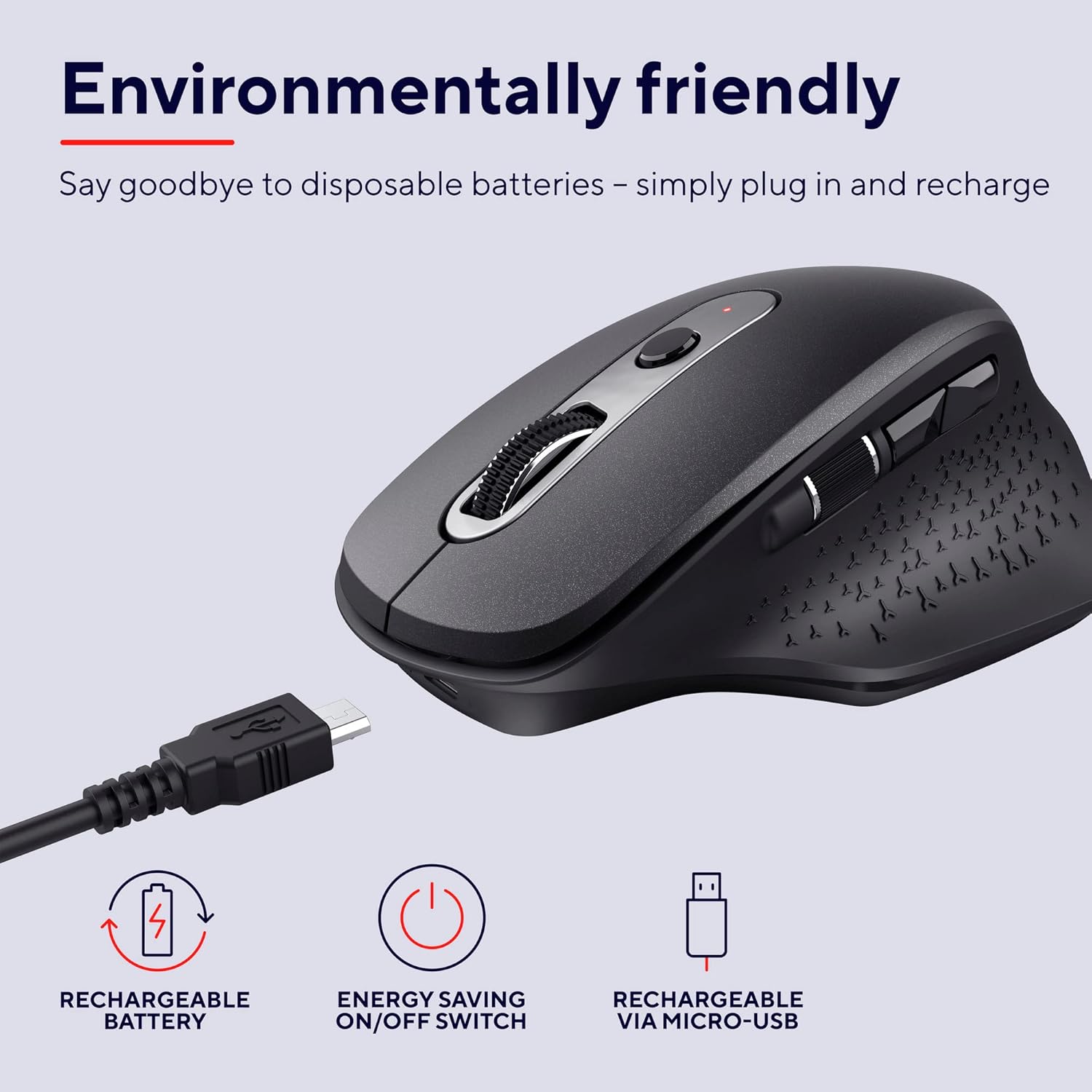
Image: The Trust Ozaa mouse being charged via its micro-USB cable, highlighting its rechargeable battery and energy-saving features.
Instrukcja obsługi
Funkcje przycisków
- Lewy przycisk myszy: Standard primary click. Designed for silent operation.
- Przycisk prawego przycisku myszy: Standard secondary click. Designed for silent operation.
- Kółko przewijania (środkowy przycisk): Przewijaj dokumenty w pionie i web stron. Naciśnij, aby skorzystać z funkcji kliknięcia środkowym przyciskiem myszy.
- Przycisk regulacji DPI: Located behind the scroll wheel. Press to cycle through different cursor speeds (DPI settings: 800, 1200, 1600, 2400 DPI).
- Kółko przewijania bocznego: Located on the left side. Allows for horizontal scrolling.
- Przyciski do przodu/do tyłu: Located above the side scroll wheel. Used for navigating forward and backward in web przeglądarki lub file odkrywcy.

Obraz: widok z góry view of the Trust Ozaa mouse, visually indicating the DPI adjustment, silent buttons, and convenient side scroll wheel.
Regulacja DPI
The mouse features an adjustable cursor speed (DPI) ranging from 800 to 2400 DPI. To change the DPI, press the dedicated DPI button located behind the main scroll wheel. Each press will cycle through the available settings, allowing you to select the sensitivity that best suits your task or preference.
Oszczędność energii
To conserve battery life, the mouse is equipped with an on/off switch on its underside. It also features an automatic sleep mode that activates after a period of inactivity. To wake the mouse, simply move it or click any button.
Konserwacja
- Czyszczenie: Do czyszczenia myszy używaj miękkiej, suchej ściereczki. W przypadku uporczywych zabrudzeń, delikatnie przetrzyjamp cloth can be used, but ensure no moisture enters the internal components. Do not use harsh chemicals or abrasive cleaners.
- Ładowanie: Recharge the mouse when the battery indicator light signals low power or when performance degrades. Use only the provided charging cable or a compatible micro-USB cable.
- Składowanie: When not in use for extended periods, turn off the mouse to preserve battery life. Store it in a cool, dry place.
Rozwiązywanie problemów
| Problem | Możliwa przyczyna | Rozwiązanie |
|---|---|---|
| Mysz nie reaguje. |
|
|
| Ruch kursora jest chaotyczny lub przerywany. |
|
|
| Przyciski nie działają. |
|
|
Specyfikacje
| Marka | Zaufanie |
| Numer modelu | 23812 |
| Technologia łączności | Częstotliwość radiowa (bezprzewodowa) |
| Zasięg bezprzewodowej | Do 10 metrów |
| Ustawienia DPI | 800, 1200, 1600, 2400 DPI (regulowana) |
| Liczba przycisków | 6 (Left, Right, Scroll Wheel Click, DPI, Forward, Backward) + Side Scroll Wheel |
| Główne przyciski | Silent Left and Right Buttons |
| Źródło zasilania | Rechargeable Battery (1 AAA battery included, contained in equipment) |
| Port ładowania | Mikro USB |
| Wymiary produktu (dł. x szer. x wys.) | Wymiary 7.7 x 11.8 x 4.6 cm |
| Waga przedmiotu | 122 gramów |
| Zgodność platformy sprzętowej | PC, Mac |
| Zgodność z systemem operacyjnym | Chrome OS, Windows, Mac OS |
| Cechy specjalne | Wireless, Rechargeable, Quiet, Ergonomic Design, Energy-saving On/Off Switch |
Gwarancja i wsparcie
Aby uzyskać informacje dotyczące gwarancji i pomocy technicznej, zapoznaj się z oficjalną stroną Trust webOdwiedź stronę internetową lub skontaktuj się bezpośrednio z działem obsługi klienta. Zachowaj dowód zakupu na wypadek reklamacji.
Urzędnik zaufania Webstrona: www.trust.com
W niniejszej instrukcji nie udostępniono żadnych oficjalnych filmów prezentujących produkt pochodzących od sprzedawcy.
Ask a question about this manual
Ask about setup, troubleshooting, compatibility, parts, safety, or missing instructions. Manuals+ will review the question and use this page’s manual context to help answer it.