
ASUS RT-AX55(Black)
ASUS RT-AX55 AX1800 Dual Band WiFi 6 Gigabit Router User Manual
Brand: ASUS | Model: RT-AX55(Black)
Wstęp
The ASUS RT-AX55 Dual-band WiFi 6 router is designed to deliver ultrafast WiFi speeds up to 1800 Mbps. It incorporates advanced technologies such as MU-MIMO and OFDMA to efficiently allocate channels and communicate with multiple devices simultaneously, ensuring optimal performance in busy network environments. This router is equipped with AiProtection, providing lifetime free security for your home network, and is compatible with other ASUS AiMesh routers to create a seamless whole-home mesh WiFi coverage. The product supports multiple voltage inputs ranging from 100-240V.
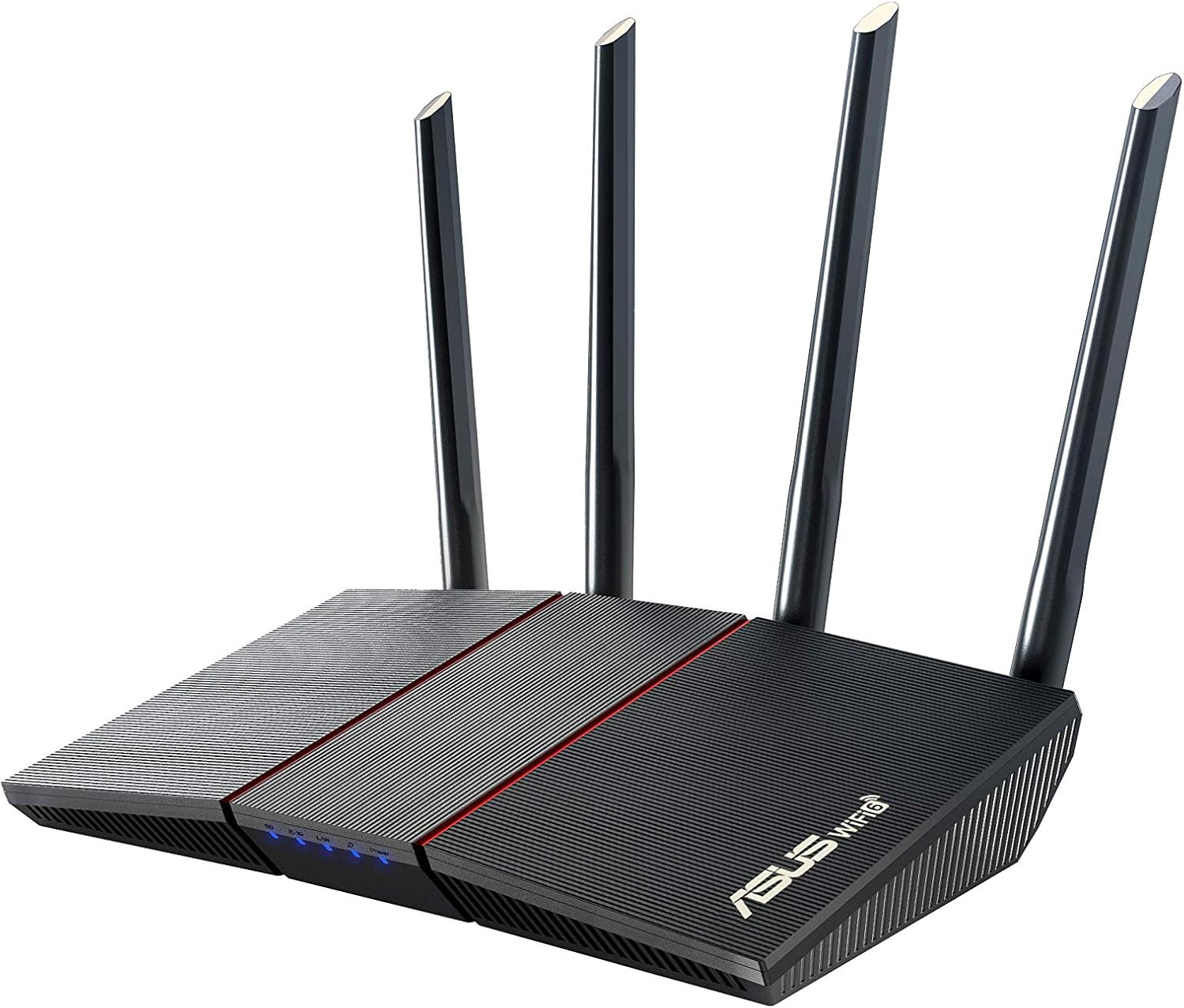
Rycina 1: Przód view of the ASUS RT-AX55 AX1800 Dual Band WiFi 6 Gigabit Router.
Organizować coś
Co jest w pudełku
- RT-AX55(Black) Router
- Kabel RJ-45
- Zasilacz
- Karta gwarancyjna
- Szybki przewodnik
Konfiguracja fizyczna
Follow these steps to physically set up your ASUS RT-AX55 router:
- Connect the power adapter to the router's DC-IN socket and plug it into a power outlet.
- Connect one end of the provided RJ-45 Ethernet cable to the WAN port (usually blue) on the router and the other end to your modem's LAN port.
- For initial setup or wired connection, connect another RJ-45 Ethernet cable from one of the LAN ports (yellow) on the router to your computer's Ethernet port.
- Press the power button to turn on the router. Wait for the LED indicators to stabilize, indicating successful power-on and connection.

Rysunek 2: Tył view of the ASUS RT-AX55 router, showing the power switch, reset button, WPS button, WAN port, and LAN ports.
Operacyjny
The ASUS RT-AX55 router offers a range of features to enhance your network experience. Below are some key functionalities:
Główne cechy
- Next-Gen WiFi Standard: Supports the latest WiFi standard 802.11AX (WiFi 6) and 80MHz bandwidth for improved capacity and efficiency.
- Ultra-fast WiFi Speed: Achieves dramatically faster wireless connections with a total networking speed of about 1800Mbps (574 Mbps on 2.4GHz band and 1201 Mbps on 5GHz band).
- Increased Capacity and Efficiency: Utilizes both MU-MIMO and OFDMA techniques to efficiently allocate channels and communicate with multiple devices simultaneously, reducing latency.
- Commercial-grade Security (AiProtection Classic): Protects your home network with built-in security powered by Trend Micro, offering features like malicious address blocking and intrusion prevention.
- Kontrola rodzicielska: Manage and monitor internet usage for connected devices, ensuring a safe online environment for your family.
- Mesh WiFi Support (AiMesh): Compatible with other ASUS AiMesh routers to form a seamless whole-home mesh coverage, eliminating WiFi dead zones.
- Instant Guard VPN: Provides a one-click secure VPN connection when you are away from home, protecting your online privacy.
- Maksymalny zasięg: Capable of covering up to 3000 Sq Ft.
- Edytor: Equipped with a 1.5GHz quad-core processor for robust performance.

Figure 3: Illustration of the router's coverage for large homes and its ability to connect up to 25 devices simultaneously.

Figure 4: AiProtection provides commercial-grade security, blocking malicious addresses and intrusions, and alerting you if an infected device is connected.

Figure 5: Easily connect multiple compatible ASUS routers to create a seamless whole-home WiFi network with AiMesh.
Konserwacja
Regularna konserwacja zapewnia optymalną wydajność i bezpieczeństwo routera.
Firmware Updates and Reset
Keeping your router's firmware updated is crucial for security and performance. If you encounter issues or wish to clear all settings, you can restore the router to its default settings. The following video demonstrates how to restore your ASUS router to its default settings, either through the web setting page or by using the physical reset button.
Video 1: Instructions on how to restore the ASUS router to default settings. This process can be done via the web interface or by pressing the physical reset button on the device.
Ważny: Do not power off or shut down the router during the restore process to prevent damage or data corruption.
Rozwiązywanie problemów
If you experience issues with your ASUS RT-AX55 router, consider the following common troubleshooting steps:
- Brak połączenia z internetem:
- Sprawdź wszystkie połączenia kablowe (zasilanie, WAN, LAN), aby upewnić się, że są bezpieczne.
- Sprawdź, czy modem działa prawidłowo.
- Uruchom ponownie modem i router.
- Uzyskaj dostęp do routera web interface (router.asus.com) to check the WAN status.
- Słaby sygnał Wi-Fi lub martwe strefy:
- Przenieś router w centralne miejsce, z dala od przeszkód i źródeł zakłóceń (np. kuchenek mikrofalowych, telefonów bezprzewodowych).
- Dostosuj anteny routera, aby uzyskać optymalny kierunek sygnału.
- Consider utilizing the AiMesh feature with compatible ASUS routers to extend coverage.
- Niska prędkość Internetu:
- Upewnij się, że Twoje urządzenia są podłączone do odpowiedniego pasma Wi-Fi (5 GHz dla szybszych połączeń, 2.4 GHz dla szerszego zasięgu).
- Check for any background downloads or applications consuming bandwidth.
- Perform a speed test to verify your internet service provider's speed.
- Zaktualizuj oprogramowanie sprzętowe routera do najnowszej wersji.
- Nie można uzyskać dostępu do ustawień routera:
- Upewnij się, że Twoje urządzenie jest podłączone do sieci routera (przewodowo lub bezprzewodowo).
- Verify you are typing the correct address (router.asus.com) in your browser.
- Spróbuj wyczyścić pamięć podręczną przeglądarki lub użyć innej przeglądarki.
- If you forgot your login credentials, refer to the "Firmware Updates and Reset" section for instructions on restoring factory default settings.
Specyfikacje
| Funkcja | Szczegół |
|---|---|
| Typ bezprzewodowy | 802.11n, 802.11ax, 802.11a, 802.11g, 802.11ac |
| Marka | ASUS |
| Szereg | RT-AX55(Black) |
| Numer modelu przedmiotu | RT-AX55(Black) |
| System operacyjny | Microsoft Windows, Linux, Mac OS, Apple iOS |
| Waga przedmiotu | 13.1 uncji |
| Wymiary produktu | 9.06 x 5.28 x 2.2 cala |
| Kolor | czarny |
| Tomtage | 110 V (AC) |
| Producent | ASUS |
| Data pierwszej dostępności | 16 września 2020 r. |
| Funkcja specjalna | QoS, Alexa Compatible, Guest Mode, Internet Security, Parental Control |
| Klasa pasma częstotliwości | Dwuzakresowy |
| Standard komunikacji bezprzewodowej | 802.11n, 802.11ax, 802.11a, 802.11g, 802.11ac |
| Kompatybilne urządzenia | Personal Computer, Laptop, Tablet, Printer, Gaming Console, Smart Television, Smartphone |
| Częstotliwość | 5 GHz |
| Zalecane zastosowania produktu | Dom, Biznes |
| Technologia łączności | Wi-Fi, Ethernet |
Gwarancja i wsparcie
Your ASUS RT-AX55 router comes with a manufacturer's warranty. For specific details regarding the warranty period and coverage, please refer to the warranty card included in your product packaging.
Ponadto dostępne są plany ochrony o rozszerzonym zakresie ochrony:
- 3-letni plan ochrony
- 4-letni plan ochrony
- Complete Protect (opcja rozliczeń miesięcznych)
For further assistance, technical support, or to download the full user guide in PDF format, please visit the official ASUS support website or refer to the "User Guide (PDF)" link provided with your product documentation.
You can access the official User Guide Tutaj.