
Wstęp
The OnePlus Bullets Wireless Z Bass Edition earphones are designed to provide a high-quality audio experience with enhanced bass, long battery life, and convenient features. This manual provides essential information for setting up, operating, maintaining, and troubleshooting your earphones.

Image: OnePlus Bullets Wireless Z Bass Edition earphones, showcasing the neckband design and red earbuds.
Co jest w pudełku
Upon unboxing your OnePlus Bullets Wireless Z Bass Edition, you should find the following items:
- OnePlus Bullets Wireless Z Bass Edition Earphones
- Kabel ładujący (USB typu C)
- Końcówki douszne (różne rozmiary)
- Instrukcja obsługi (ten dokument)
Organizować coś
1. Ładowanie słuchawek
Before first use, fully charge your earphones. The Bullets Wireless Z Bass Edition supports Warp Charge technology.
- Podłącz dołączony kabel ładujący USB typu C do portu ładowania w pałąku na szyję.
- Podłącz drugi koniec kabla do kompatybilnego zasilacza USB (nie ma go w zestawie).
- The indicator light will show charging status. A full charge provides up to 17 hours of music playback. A 10-minute charge can provide up to 10 hours of music playback.
2. Parowanie Bluetooth
Pair your earphones with your device to begin listening.
- Ensure your earphones are charged and powered on. If the earbuds are magnetically separated, they will power on automatically.
- Na smartfonie lub urządzeniu z włączoną funkcją Bluetooth przejdź do ustawień Bluetooth.
- Szukaj available devices. You should see "OnePlus Bullets Wireless Z Bass Edition" in the list.
- Select the earphones to pair. A voice prompt will confirm successful pairing.

Image: A person wearing the OnePlus Bullets Wireless Z Bass Edition earphones, demonstrating their in-ear fit and neckband style.
Instrukcja obsługi
1. Power On/Off and Magnetic Control
The earphones feature magnetic control for convenient power management.
- Włączanie: Separate the magnetic earbuds. The earphones will automatically power on and attempt to connect to the last paired device.
- Wyłączone: Bring the magnetic earbuds together. The earphones will automatically power off to conserve battery.
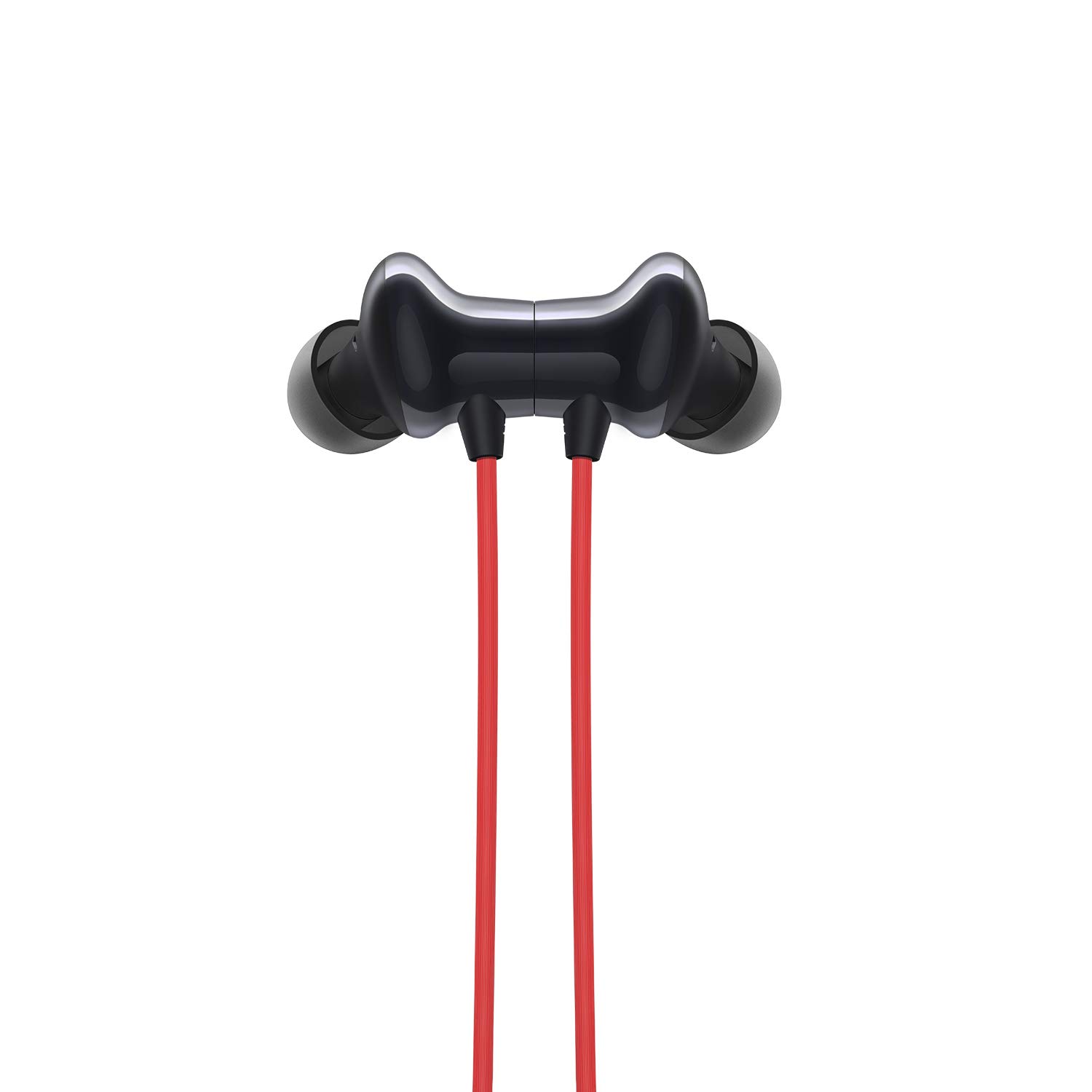
Obraz: Zbliżenie view of the magnetic earbuds of the OnePlus Bullets Wireless Z Bass Edition, showing how they connect.
2. Sterowanie przyciskami
The inline remote control allows you to manage music playback and calls.

Obraz: szczegółowy view of the inline control panel on the OnePlus Bullets Wireless Z Bass Edition, showing volume buttons and multi-function button.
| Przycisk/Akcja | Funkcjonować |
|---|---|
| Zwiększanie głośności (+) | Zwiększ głośność |
| Ściszanie (-) | Zmniejsz głośność |
| Multi-function Button (single press) | Odtwarzaj/wstrzymuj muzykę, odbieraj/kończ połączenia |
| Multi-function Button (double press) | Następny utwór |
| Multi-function Button (triple press) | Poprzedni utwór |
| Multi-function Button (press and hold) | Reject call, Activate voice assistant |
3. Szybkie przełączanie
The Quick Switch feature allows you to seamlessly switch between two paired devices.
- Pair your earphones with two different devices (e.g., a phone and a laptop).
- To switch between the two devices, double-press the Multi-function button. The earphones will disconnect from the current device and connect to the other previously paired device.
4. Water & Sweat Resistance (IP55)
The earphones are rated IP55 for water and sweat resistance, making them suitable for workouts and light rain. This rating indicates protection against limited dust ingress and low-pressure water jets from any direction. Notatka: This does not mean they are waterproof. Do not submerge the earphones in water.
5. Redukcja hałasu otoczenia (ENC)
The built-in microphone utilizes an environmental noise-cancelling algorithm to reduce background noise during calls, ensuring clearer communication.
6. Tryb niskiego opóźnienia
For an optimized experience during gaming or video playback, the earphones feature a low latency mode. This mode reduces audio delay, ensuring better synchronization between audio and video. This feature is automatically enabled when connected to compatible OnePlus devices.
Konserwacja
Właściwa konserwacja zapewnia długowieczność i optymalną wydajność słuchawek.
- Czyszczenie: Regularly clean the earbuds and ear tips with a soft, dry, lint-free cloth. Remove ear tips and clean any earwax or debris from the speaker mesh using a small, soft brush. Do not use harsh chemicals or abrasive materials.
- Składowanie: When not in use, store the earphones in a clean, dry place away from extreme temperatures and direct sunlight. Use the magnetic control to power them off to save battery.
- Narażenie na działanie wody: While IP55 rated, avoid prolonged exposure to water. If they get wet, wipe them dry thoroughly before charging or storing.

Obraz: Zbliżenie view of the OnePlus Bullets Wireless Z Bass Edition earbuds, highlighting their design and ear tips.
Rozwiązywanie problemów
Jeśli masz problemy ze słuchawkami, zapoznaj się z poniższymi, typowymi rozwiązaniami:
- Słuchawki się nie włączają: Ensure the earbuds are separated. Check battery level and charge if necessary.
- Nie można sparować: Ensure Bluetooth is enabled on your device and the earphones are in pairing mode (usually after separating earbuds for the first time or after a reset). Try forgetting the device on your phone and re-pairing.
- Brak dźwięku lub niski poziom głośności: Check the volume levels on both your earphones and the connected device. Ensure the earphones are properly connected. Clean any debris from the earbud speakers.
- Przerywane połączenie: Ensure your device is within the Bluetooth range (up to 33 feet/10 meters). Avoid obstacles between the earphones and your device.
- Problemy z ładowaniem: Ensure the charging cable and adapter are working correctly. Try a different cable or power source.
- Jedna słuchawka nie działa: Check for physical damage to the wire or earbud. Try resetting the earphones (refer to manufacturer's support for specific reset instructions if available).
Specyfikacje
Key technical specifications for the OnePlus Bullets Wireless Z Bass Edition earphones:
| Funkcja | Szczegół |
|---|---|
| Marka | JedenPlus |
| Nazwa modelu | Z Bass |
| Numer modelu | 5481100054 |
| Umieszczenie ucha | W uchu |
| Współczynnik kształtu | W uchu |
| Kontrola hałasu | Active Noise Cancellation (Environmental Noise-Cancelling algorithm for mic) |
| Wersja Bluetooth | 5.0 |
| Zasięg Bluetooth | Do 33 stóp (10 metrów) |
| Czas pracy baterii (średni) | Do 17 godzin |
| Czas ładowania akumulatora | 10 Minutes for 10 hours playback (Warp Charge) |
| Poziom wodoodporności | IP55 (Water & Sweat Resistant) |
| Typ sterownika audio | Dynamiczny sterownik |
| Metoda kontroli | Remote (Inline buttons) |
| Waga przedmiotu | 26 gram |
| Kompatybilne urządzenia | Smartfony |
Informacje o gwarancji
The OnePlus Bullets Wireless Z Bass Edition earphones come with a 1-letnia gwarancja producenta from the date of purchase. This warranty covers manufacturing defects. Please retain your proof of purchase for warranty claims. The warranty does not cover damage caused by misuse, accidents, unauthorized repairs, or normal wear and tear.
Wsparcie
For further assistance, technical support, or warranty claims, please contact OnePlus customer service:
- Kontakt do producenta: OnePlus Technology (shenzhen) Ltd, Tai Ran Building C Tai Ran Road, Fu Tian District, Shen Zhen City, China, Tel: (86) 0755-61882366
- Kontakt z importerem (Indie): D 13/1, MODEL TOWN II, NEW DELHI, North West, Delhi, India, 110009, Contact: 1800 102 8411
- Visit the official OnePlus website for the latest support information and FAQs.