
1. Wprowadzenie
This manual provides instructions for the setup, operation, maintenance, and troubleshooting of your ROCCAT Vulcan TKL Mechanical PC Gaming Keyboard. The Vulcan TKL is a tenkeyless mechanical keyboard designed for PC gaming, featuring Linear Titan Switches, per-key AIMO RGB lighting, an anodized aluminum top plate, and a detachable USB-C cable.
Główne cechy obejmują:
- Tenkeyless form factor for increased desk space and mouse movement.
- Titan Switch Mechanical with linear actuation for responsive keystrokes.
- Durable construction with a 50 million keystroke lifecycle.
- Ultra-niski profile design to reduce wrist strain.
- Key stabilizer technology for solid and sturdy keys.
- AIMO intelligent lighting engine for customizable RGB effects.
- Mixer-style volume dial and dedicated media controls.
2. Co znajduje się w pudełku
Sprawdź, czy w opakowaniu znajdują się wszystkie elementy:
- ROCCAT Vulcan TKL Mechanical PC Gaming Keyboard
- Odłączany kabel USB-C
- Szybki przewodnik (nie jest zawarty w tym podręczniku)
3. Konfiguracja
Follow these steps to set up your ROCCAT Vulcan TKL keyboard:
- Podłącz kabel USB-C: Locate the USB-C port on the back of the keyboard. Connect the smaller end of the provided USB-C cable to this port.
- Połącz z komputerem: Podłącz standardową końcówkę USB-A kabla do wolnego portu USB w komputerze.

Ilustracja 3.1: Podłączanie odłączanego kabla USB-C do klawiatury.

Image 3.2: Close-up of the USB-C port on the keyboard.
- Instalacja sterownika: Twój system operacyjny powinien automatycznie wykryć i zainstalować niezbędne sterowniki.
- Install ROCCAT Swarm Software: For full customization of lighting, key assignments, and macros, download and install the ROCCAT Swarm software from the official ROCCAT website. This software allows you to configure advanced features and update firmware.
4. Instrukcja obsługi
The ROCCAT Vulcan TKL keyboard offers a range of functions for gaming and general use.
4.1 Układ klawiszy i funkcje
The keyboard features a UK layout with standard alphanumeric keys, function keys (F1-F12), and dedicated media controls.

Obraz 4.1: Koniecview of the ROCCAT Vulcan TKL keyboard layout.
- Klawisze funkcyjne (F1-F12): These keys can have secondary functions when pressed in combination with the FN key. Refer to the keycaps for specific secondary functions (e.g., media playback, volume, lighting adjustments).
- Pokrętło głośności: Located in the upper right corner, this dial allows for quick adjustment of system volume. Rotate clockwise to increase volume, counter-clockwise to decrease.

Image 4.2: The mixer-style volume dial for audio control.
4.2 AIMO RGB Lighting
The keyboard features per-key AIMO intelligent RGB lighting. This lighting system can be customized extensively using the ROCCAT Swarm software. AIMO reacts to your input and other compatible ROCCAT devices to create dynamic lighting effects.
- Personalizacja: Use the ROCCAT Swarm software to select from various lighting effects, adjust brightness, and create custom lighting profiles.
- Przechowywanie na pokładzie: The keyboard supports on-board profile storage, allowing you to save your preferred settings directly to the keyboard for use on different systems without the Swarm software.
4.3 Titan Switch Mechanical
The Vulcan TKL utilizes ROCCAT's Titan Switch Mechanical with linear actuation. This design provides a smooth and consistent keystroke, optimized for speed and responsiveness in gaming scenarios.

Rysunek 4.3: Szczegółowy view of the Titan Switch Mechanical.
4.4 Ergonomiczna konstrukcja
The keyboard features an ultra-low profile design, which helps to reduce wrist strain during extended use by allowing a more natural hand position.
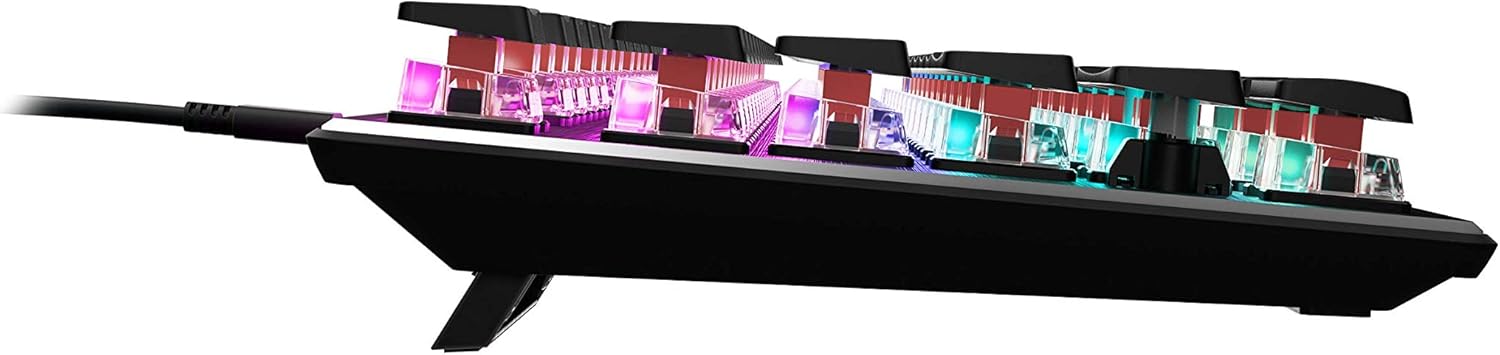
Obraz 4.4: Profesjonalizm bocznyfile of the keyboard demonstrating its low-profile projekt.
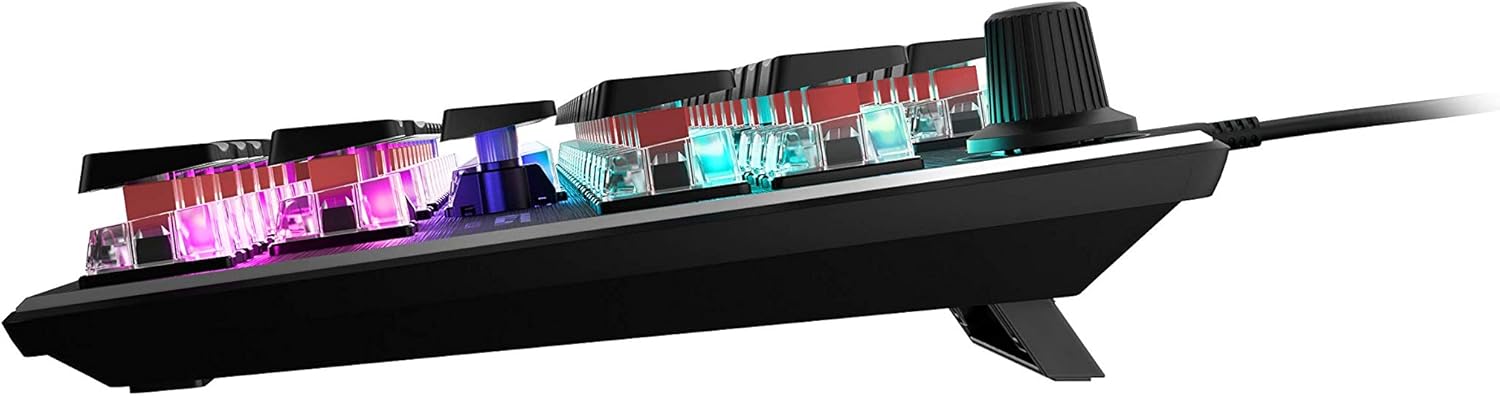
Obraz 4.5: Bok view showing the keyboard's adjustable feet for ergonomic tilt.
5. Konserwacja
Właściwa konserwacja zapewnia długowieczność i optymalną wydajność klawiatury.
- Czyszczenie klawiatury: Regularly clean the keyboard surface and between keycaps to prevent dust and debris buildup. Use a soft, lint-free cloth, slightly dampened with water or a mild cleaning solution. For deeper cleaning, you may carefully remove keycaps (refer to online guides for safe keycap removal for your specific switch type) and use compressed air to clear debris. Ensure the keyboard is disconnected from your PC before cleaning.
- Pielęgnacja kabli: The detachable USB-C cable should be handled with care. Avoid sharp bends or excessive pulling to prevent damage to the cable or the keyboard's port.
- Składowanie: Jeśli klawiatura nie będzie używana przez dłuższy czas, należy ją przechowywać w czystym i suchym miejscu, chroniąc przed ekstremalnymi temperaturami.
6. Rozwiązywanie Problemów
If you encounter issues with your ROCCAT Vulcan TKL keyboard, try the following troubleshooting steps:
- Klawiatura nie odpowiada:
- Ensure the USB-C cable is securely connected to both the keyboard and your PC.
- Spróbuj podłączyć klawiaturę do innego portu USB w komputerze.
- Test the keyboard on another computer to determine if the issue is with the keyboard or your PC.
- Uruchom ponownie komputer.
- Klawisze wpisywane podwójnie lub nie rejestrowane:
- Ensure the keyboard firmware is up to date via the ROCCAT Swarm software.
- Clean the affected key switches using compressed air to remove any debris.
- If the issue persists, it may indicate a hardware fault. Refer to the Warranty and Support section.
- Problemy z oświetleniem RGB:
- Verify that the ROCCAT Swarm software is running and the keyboard is detected.
- Check lighting settings within Swarm to ensure desired effects are enabled.
- Update the keyboard's firmware through Swarm.
- ROCCAT Swarm Software Not Detecting Keyboard:
- Ensure the keyboard is properly connected to your PC.
- Restart the Swarm software.
- Reinstall the ROCCAT Swarm software.
- Check for any conflicting software or drivers.
7. Specyfikacje
| Marka | ROCCAT |
| Nazwa modelu | Vulcan TKL |
| Numer modelu | ROC-12-274 |
| Technologia łączności | USB-C (odłączany) |
| Opis klawiatury | Mechaniczna klawiatura do gier |
| Typ przełącznika | Titan Switch Mechanical (Linear) |
| Oświetlenie | Per-key AIMO RGB Lighting |
| Tworzywo | Anodized Aluminum Top Plate |
| Wymiary (dł. x szer. x wys.) | 14.17 x 5.25 x 1.34 cala (36 x 13.3 x 3.4 cm) |
| Waga przedmiotu | 2.2 funtów (1 kg) |
| Kompatybilne urządzenia | PC |
| Funkcja specjalna | Ergonomic, Tenkeyless Design |
8. Informacje o gwarancji
ROCCAT products are covered by a manufacturer's warranty against defects in materials and workmanship. The specific terms and duration of your warranty may vary by region and product. Please retain your proof of purchase for warranty claims.
For detailed warranty information, please visit the official ROCCAT support webstrona.
9. Wsparcie
For further assistance, technical support, or to download the latest drivers and software, please visit the official ROCCAT support webstrona:
You can also find FAQs and community forums on the support page.